
Installation
You can install it with pip:
python -m pip install BlurWindow
Preview:
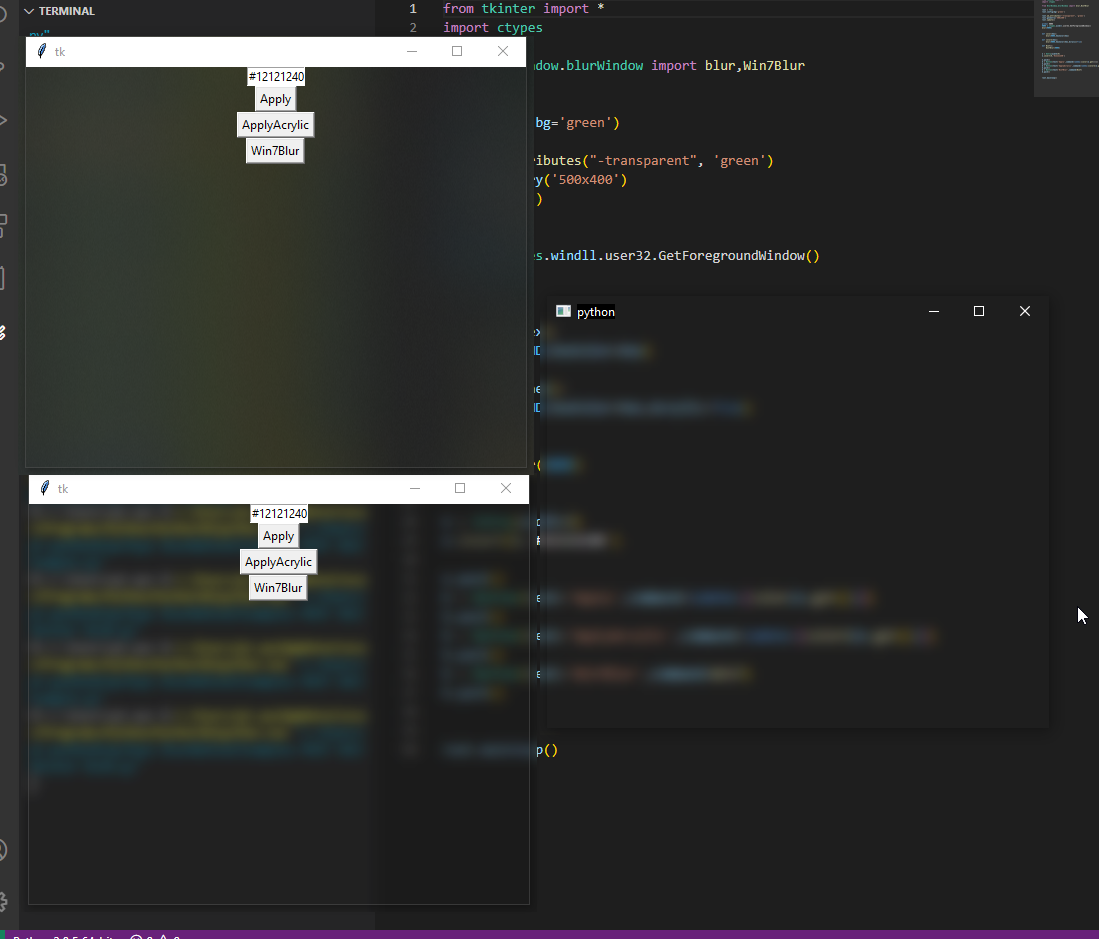
Parameters/Functions:
#HWND = PID
#Acrylic = True/False #For Acrylic Design (lag WorkAround https://github.com/Peticali/PythonBlurBehind/blob/main/Examples%20MUST%20SEE/LagWorkAround.py)
#hexColor = Background color, False for nothing
#Dark = White icons
#QWidget = Your parent (for Mac)
#Material = https://developer.apple.com/documentation/appkit/nsvisualeffectmaterial

blur(HWND,hexColor=False,Acrylic=False,Dark=False)

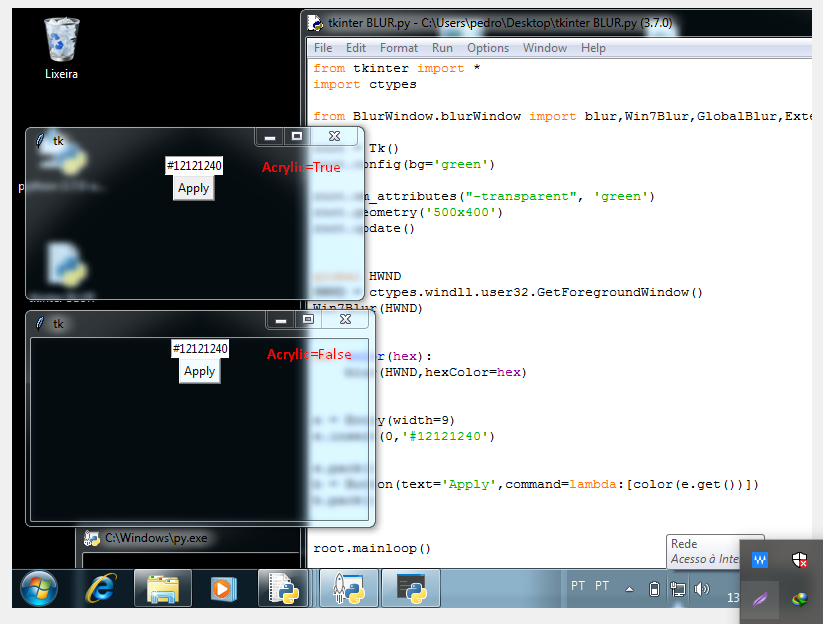
#in windows 7 or older: (scroll down for image Acrylic True/False)
Win7Blur(HWND,Acrylic)

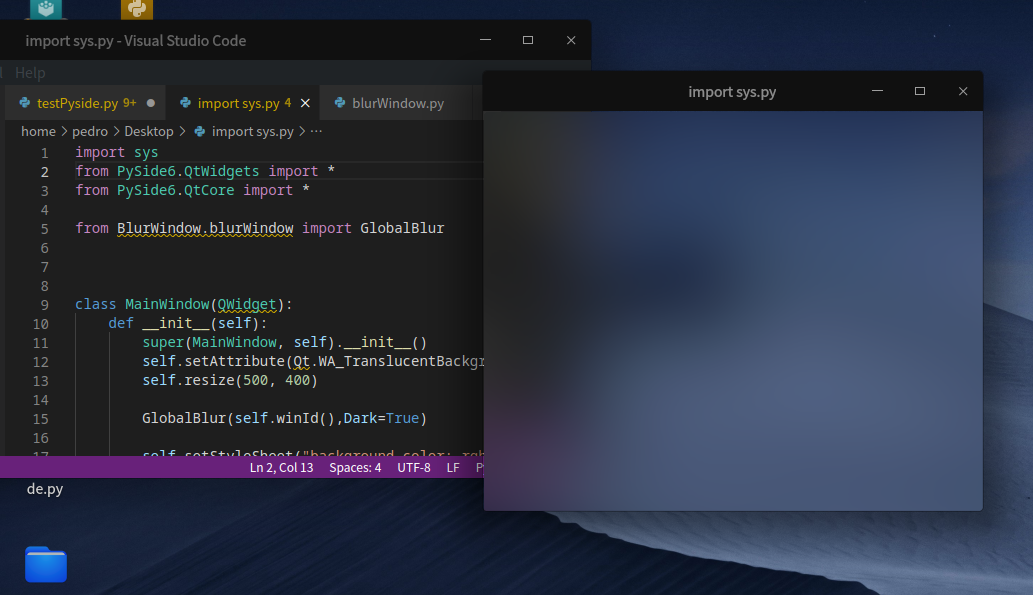
#in Linux (may not work for all distros, scroll down for image)
BlurLinux(HWND)

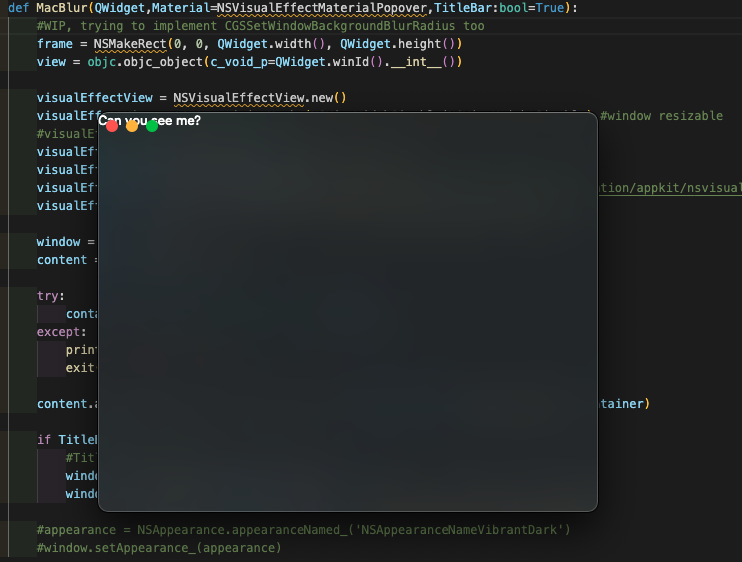
#in Mac (WIP):
MacBlur(QWidget,Material)

#NEW, Blur Windows Vista, 7, 8, 8.1, 10, 11, Linux, MacOS Auto
GlobalBlur(HWND,hexColor=False,Acrylic=False,Dark=False,QWidget=QWidget)
Example:
import sys
from PySide2.QtWidgets import *
from PySide2.QtCore import *

from BlurWindow.blurWindow import GlobalBlur


class MainWindow(QWidget):
    def __init__(self):
        super(MainWindow, self).__init__()
        self.setAttribute(Qt.WA_TranslucentBackground)
        self.resize(500, 400)

        GlobalBlur(self.winId(),Dark=True,QWidget=self)

        self.setStyleSheet("background-color: rgba(0, 0, 0, 0)")


if __name__ == '__main__':
    app = QApplication(sys.argv)
    mw = MainWindow()
    mw.show()
    sys.exit(app.exec_())
Windows 7/Vista:
Linux (Deepin):
MacOS (BigSur):
1 maintainer

Metadata
1 maintainer
Release files for BlurWindow 1.2.1
For a detailed explanation of source distributions (sdists) and built distributions (wheels), please see the package formats documentation.
Source distribution (sdist)
| File | Size | Uploaded | Provenance | |
|---|---|---|---|---|
| BlurWindow-1.2.1.tar.gz | 4.3 kB | Without provenance | Details |
Built distribution (wheel)
| File | Interpreter | ABI | Platform | Reset |
|---|---|---|---|---|
| BlurWindow-1.2.1-py3-none-any.whl | Python 3 | none | any | Details |
Total release size: 8.7 kB
Release files / BlurWindow-1.2.1.tar.gz
| Download URL | BlurWindow-1.2.1.tar.gz |
|---|---|
| Size | 4.3 kB |
| Tags | Source |
|
SHA-256 checksum How to use checksums |
7c7ff59f7ccb8c519e3a8d2733c436fe6695f9c69e5a78c729263d5b17288c89
|
|
BLAKE2b-256 checksum How to use checksums |
544f8fb94f671b55560a462446d1cc6ea38052ba7db58ad9c7c8fbd7b5bddee4
|
| Upload date | |
|
Uploaded using Trusted Publishing? What is trusted publishing? |
No |
| Uploaded via |
twine/3.4.1 importlib_metadata/4.6.1 pkginfo/1.7.1 requests/2.25.0 requests-toolbelt/0.9.1 tqdm/4.61.2 CPython/3.8.5
|
Release files / BlurWindow-1.2.1-py3-none-any.whl
| Download URL | BlurWindow-1.2.1-py3-none-any.whl |
|---|---|
| Size | 4.4 kB |
| Tags | Python 3 |
|
SHA-256 checksum How to use checksums |
2d260100dc9646f630ca8eae8df89ff716af051d989004987f081b3d0cce3b61
|
|
BLAKE2b-256 checksum How to use checksums |
bac7930f269a9a660f09e1fadaa2c9b08ce5127a4ae9c32c7e82ce00a9799ee1
|
| Upload date | |
|
Uploaded using Trusted Publishing? What is trusted publishing? |
No |
| Uploaded via |
twine/3.4.1 importlib_metadata/4.6.1 pkginfo/1.7.1 requests/2.25.0 requests-toolbelt/0.9.1 tqdm/4.61.2 CPython/3.8.5
|
Security for BlurWindow 1.2.1
Provenance
Provenance describes where a file came from. On PyPI, provenance is shared via attestations, which provide a verifiable record of the build or publishing details. View details, limitations and caveats.
No provenance found
None of the files in this release were uploaded with provenance metadata.
A note on package security
PyPI is a repository for distributing packages, not a service for auditing them. While third-party security researchers and our staff do their best to detect and remove malicious packages, PyPI cannot guarantee the quality, security or suitability of any given package.














