
GPSconverter (Global-Positioning-System Converter)



Python application to manipulate & view GPS data. The tool born while I was doing some trekking because I wanted a fast way to convert and plot all the GPS file saved automatically and with the minimal effort. :) Hope you like it!
It can be usefull when:
-
You want to visualise your GPS raw data, modified them and export as txt file.
-
You want to show your GPS data on a map which can be done with a render of the folium HTML web page (depending on your browser this fuction might not work) or using the powerfull Generic Mapping Tool (GMT) for a more professional result.
-
You want to create a Flask project to be run in your local network or in a server and then make it avaiable outside your local network.
-
You need to convert GPS data (as CSV or GPX) to other formats (for example the tracks/waypoints of your outdoor activity) for further processing/scopes you could have.
-
You want to visualize your data using the native Google Earth engine extention (KML/KMZ)
-
You want to generate an HTML file ready for be embedded in your website.
and many more can be added....
Inside the project folder (GPSconverter)/DATA you can find a "test_data" folder with inside a GPX file so to be able to use the application and verify that all work well.
Installation
-
The best way is create an ad-hoc environment using the anaconda environment function which I tailored to the main Operative System (OS) used. To download and install with just one command all the packages needed including the installation of the GPSconverter application just run the command below after have downloaded the GPSconverter.yml file corrispective HERE and related to your operative system (OS value written in the "TAG" parameter: Mac, Win and UNIX-tested on linux Ubuntu-)
conda env create -f GPSconverter.yml -
Another way is to install the entire environment manually (which I called "myenv" in the example below). To do so please to run the code in the following order:
conda create --name myenv python=3.8Activate the environmet created above with:
conda activate myenvNow time to install all the dependencies needed by following the order of the commands below:
conda install -c conda-forge gmt geopandas

pip install GPSconverter
No matter which path you followed, now you have all the packages needed instaled in your envirnment and the GPSconverter Application installed too!
To run the application just type on your terminal/command-propt the following:
GPSconverter
At this point a GUI interface will pop up and you are ready to go!
Below is what you are going to see for the Macintosh Operative System (The GUI are a bit different for different OS because clearly the GUI is adapting the internal graphical libraries):

TAB-1 INPUT : You can select the starting CSV/GPX file to working with. You can view it and modify it if you wish. furthermore you can decide to export the editing as a txt file.
TAB-2 CSV-CONVERTER: If the starting/input file is a CSV then you can convert it in GPX (at this point you unlock many others possibilities of conversions, see TAB-3 below).
CSV columns (from left to right) needs to have the following order:
- Latitude
- Longitude
- Elevation
- Time
Also if Elevation and Time are missing in the CSV, the GPX file is generated!
TAB-3 GPX-CONVERTER: It allow you to convert GPX. Below all the possibilities available:
-
Convert from GPX to CSV
-
Convert from GPX to JSON
-
Convert from GPX to HTML
-
Convert from GPX to KML/KMZ
-
Convert from GPX to GeoJSON (LINE)
-
Convert from GPX to Shapefile (LINE)
-
Convert from GPX to GeoJSON (POINTS)
-
Convert from GPX to Shapefile (POINTS)
TAB-4 MAPS: It allows to convert as a map GPX/CSV data. Below a list of the possibilities available:
-
GPX to GMT-MAP
-
CSV to GMT-MAP
-
HTML to RASTER
-
HTML to FLASK-PROJECT
Others information
I have still ideas and improvements that can be done ( it is an infinite process and it will never stop for me) but anyway it is a good base to start with... Feel free to "fork" and contribute if you wish!
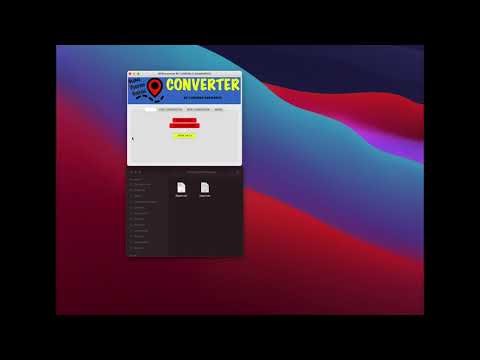
I hope you like and you find usefull, here below an usage video (jusck cllick on the image below to be linked to the youtube-video) of what can be considered a small and simple example of the GPSconverter's usage. We start with a CSV file. I will view it before converting it to GPX. I will produce an high quality overview of the GPX data on a topographic map. Then I will convert the GPX file as KML/KMZ to be easily visualised on Google Earth. I will stop here but much more can be done... It is very intuitive, just explore the tools and If you want to know more just contact me.
Enjoy! :)
1 maintainer

Metadata
1 maintainer
Release files for GPSconverter 0.0.17
For a detailed explanation of source distributions (sdists) and built distributions (wheels), please see the package formats documentation.
Source distribution (sdist)
| File | Size | Uploaded | Provenance | |
|---|---|---|---|---|
| GPSconverter-0.0.17.tar.gz | 10.5 kB | Without provenance | Details |
Built distribution (wheel)
| File | Interpreter | ABI | Platform | Reset |
|---|---|---|---|---|
| GPSconverter-0.0.17-py3-none-any.whl | Python 3 | none | any | Details |
Total release size: 66.2 kB
Release files / GPSconverter-0.0.17.tar.gz
| Download URL | GPSconverter-0.0.17.tar.gz |
|---|---|
| Size | 10.5 kB |
| Tags | Source |
|
SHA-256 checksum How to use checksums |
ff111e24f89bc603ac6f283770bdfbf3e6fcd6f9ecb05055faa8ebeda2543012
|
|
BLAKE2b-256 checksum How to use checksums |
dda26f42d3e9748ced75d216fd0f9fd4c5fc0db5005a4ac62a38bb7cccfff6f1
|
| Upload date | |
|
Uploaded using Trusted Publishing? What is trusted publishing? |
No |
| Uploaded via |
twine/3.4.1 importlib_metadata/4.6.1 pkginfo/1.7.1 requests/2.25.1 requests-toolbelt/0.9.1 tqdm/4.61.2 CPython/3.8.10
|
Release files / GPSconverter-0.0.17-py3-none-any.whl
| Download URL | GPSconverter-0.0.17-py3-none-any.whl |
|---|---|
| Size | 55.7 kB |
| Tags | Python 3 |
|
SHA-256 checksum How to use checksums |
26116aefc498d1808b384419829b339ae79719977d6820e0a9a0f935e9993d46
|
|
BLAKE2b-256 checksum How to use checksums |
e2d4fb09fb3bc45fcc5a451834de2579f02401f76c7a77151d62ad7645168251
|
| Upload date | |
|
Uploaded using Trusted Publishing? What is trusted publishing? |
No |
| Uploaded via |
twine/3.4.1 importlib_metadata/4.6.1 pkginfo/1.7.1 requests/2.25.1 requests-toolbelt/0.9.1 tqdm/4.61.2 CPython/3.8.10
|
Security for GPSconverter 0.0.17
Provenance
Provenance describes where a file came from. On PyPI, provenance is shared via attestations, which provide a verifiable record of the build or publishing details. View details, limitations and caveats.
No provenance found
None of the files in this release were uploaded with provenance metadata.
A note on package security
PyPI is a repository for distributing packages, not a service for auditing them. While third-party security researchers and our staff do their best to detect and remove malicious packages, PyPI cannot guarantee the quality, security or suitability of any given package.
To learn more about protecting yourself from malicious actors, visit our package security documentation.














