
Graphinate. Data to Graphs.

| Package |





|
| Code |




|
| Tools |




|
| CI/CD |




|
| Scans |













|
| Mentions |


|
| Badge |

|
Table of Contents
Introduction
What is Graphinate?
Graphinate is a python library that can be used to generate Graph Data Structures from Data Sources.
It can help create an efficient retrieval pipeline from a given data source, while also enabling the developer to map data payloads and hierarchies to a Graph.
In addition, there are several modes of output to enable examination of the Graph and its content.
Graphinate uses and builds upon the excellent NetworkX.
Links
- Website (including documentation): https://erivlis.github.io/graphinate
- Source: https://github.com/erivlis/graphinate
- Package: https://pypi.org/project/graphinate
Quick Start
Install
Graphinate is available on PyPI:
pip install graphinate
To install with server support
pip install graphinate[server]
Graphinate officially supports Python >= 3.10.
Example
import graphinate

N: int = 8

# First Define a GraphModel instance.
# It will be used to hold the graph definitions
graph_model: graphinate.GraphModel = graphinate.model(name="Octagonal Graph")

# Register in the Graph Model the edges' supplier generator function
@graph_model.edge()
def edge():
    for i in range(N):
        yield {'source': i, 'target': i + 1}
    yield {'source': N, 'target': 0}


# Use the NetworkX Builder
builder = graphinate.builders.NetworkxBuilder(graph_model)

# build the NetworkX GraphRepresentation
# the output in this case is a nx.Graph instance
graph = builder.build()

# this supplied plot method uses matplotlib to display the graph
graphinate.matplotlib.plot(graph, with_edge_labels=True)

# or use the Mermaid Builder
builder = graphinate.builders.MermaidBuilder(graph_model)

# to create a Mermaid diagram
diagram: str = builder.build()

# and get Markdown or single page HTML to display it
mermaid_markdown: str = graphinate.mermaid.markdown(diagram)
mermaid_html: str = graphinate.mermaid.html(diagram, title=graph_model.name)

# or use the GraphQL Builder
builder = graphinate.builders.GraphQLBuilder(graph_model)

# to create a Strawberry GraphQL schema
schema = builder.build()

# and serve it using Uvicorn web server
graphinate.graphql.server(schema)
CLI
Commands
Usage: python -m graphinate [OPTIONS] COMMAND [ARGS]...

Options:
  --help  Show this message and exit.

Commands:
  save
  server
Save
Usage: python -m graphinate save [OPTIONS]

Options:
  -m, --model MODEL  A GraphModel instance reference {module-
                     name}:{GraphModel-instance-variable-name} For example,
                     given var `model=GraphModel()` defined in app.py file,
                     then the  reference should be app:model
  --help             Show this message and exit.
Server
TIP: requires the
serverextra to be installed. e.g.,pip install graphinate[server]
Usage: python -m graphinate server [OPTIONS]

Options:
  -m, --model MODEL   A GraphModel instance reference {module-
                      name}:{GraphModel-instance-variable-name} For example,
                      given var `model=GraphModel()` defined in app.py file,
                      then the  reference should be app:model
  -p, --port INTEGER  Port number.
  --help              Show this message and exit.
Gallery
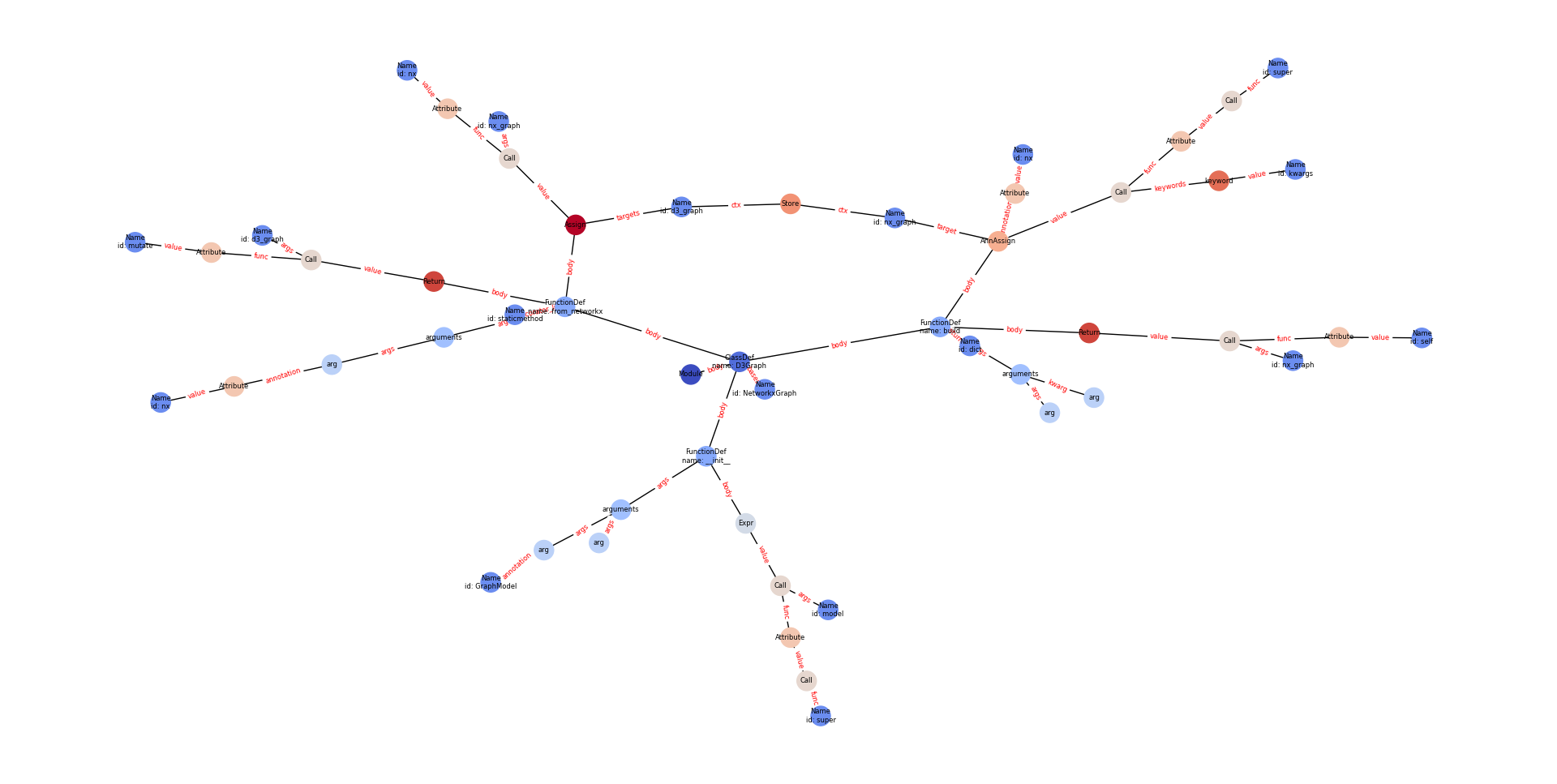
Python Class AST
matplotlib
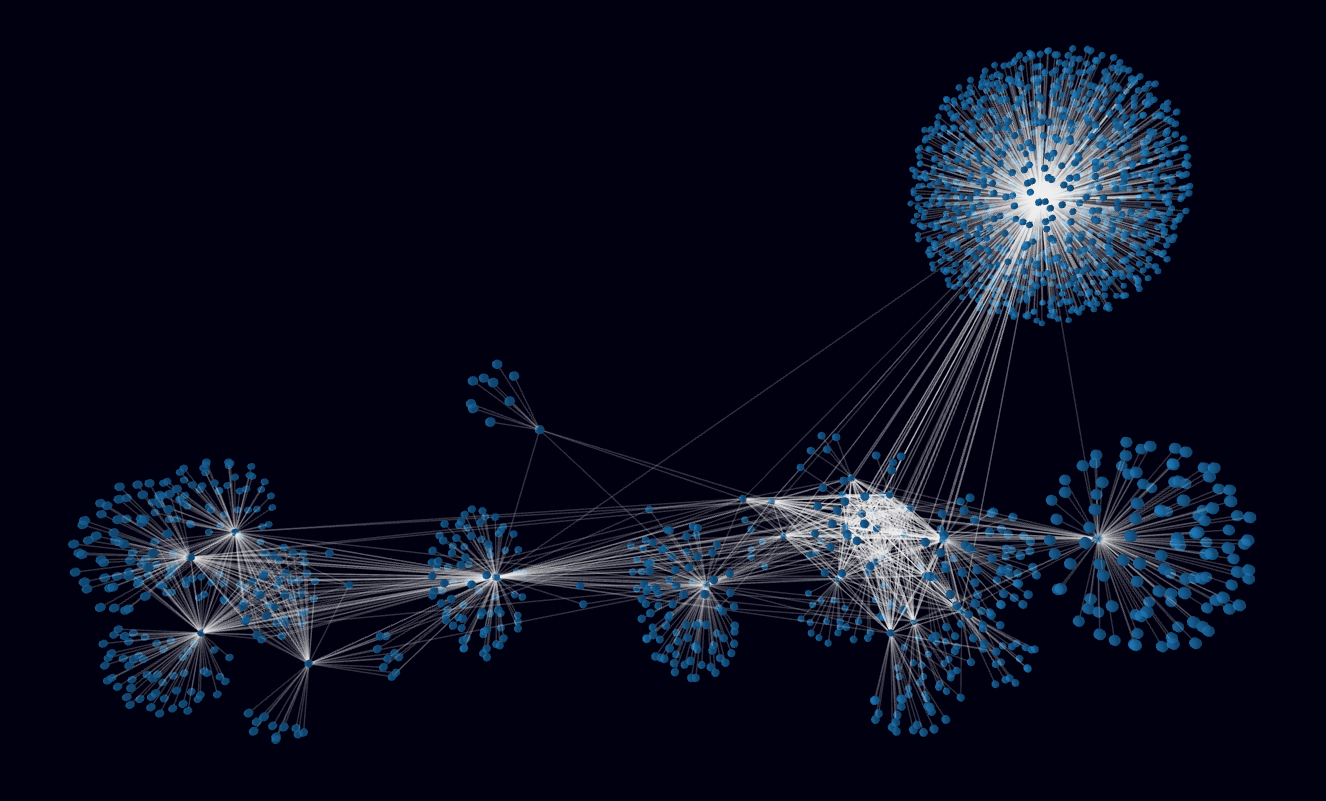
3D Force-Directed Animation
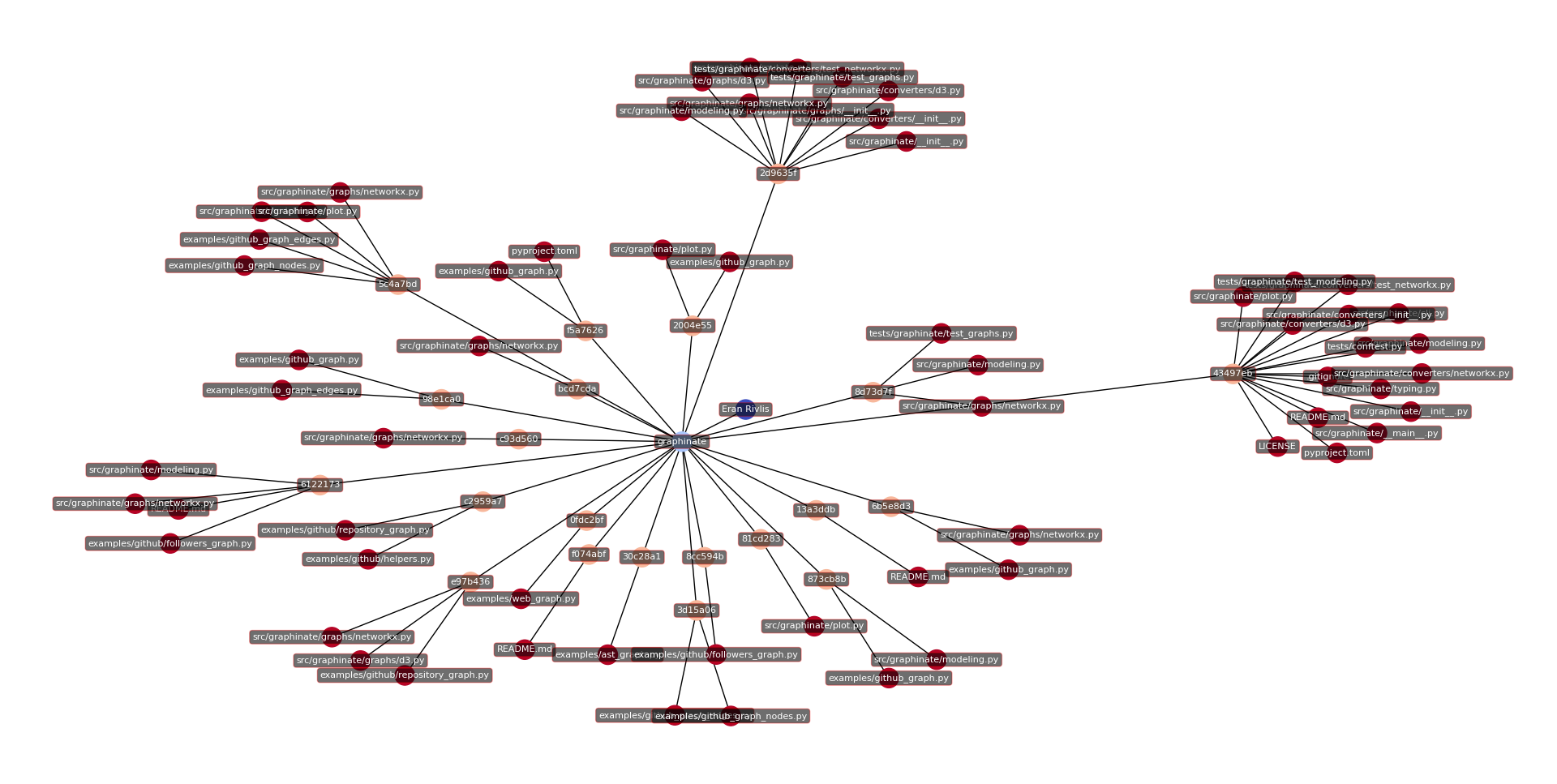
GitHub Repository
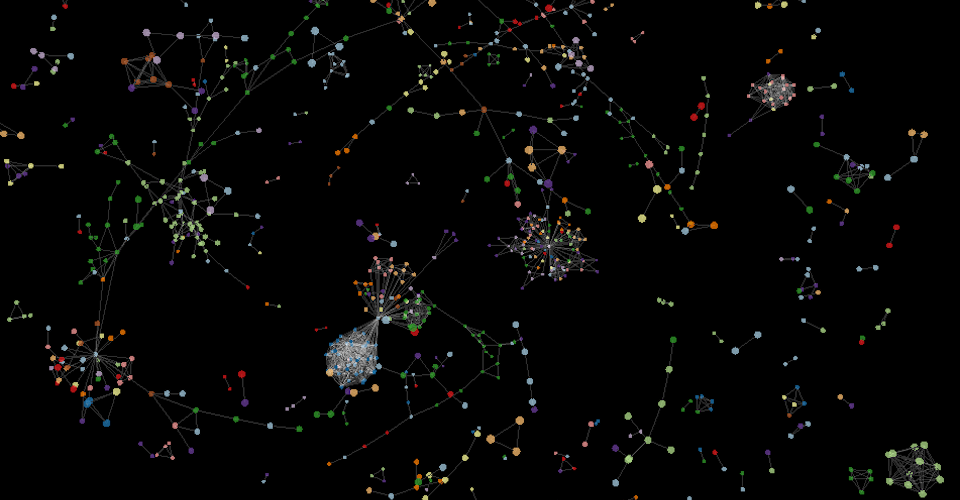
Web Links
Development
Install dependencies
Use UV to install all dependencies
uv sync --all-extras --all-groups
Update dependencies
uv lock --upgrade
uv sync --all-extras --all-groups
Ruff
Report issues
ruff check src
Fix issues
ruff check src --fix
Test
Standard (cobertura) XML Coverage Report
python -m pytest tests -n auto --cov=src --cov-branch --doctest-modules --cov-report=xml --junitxml=junit.xml
HTML Coverage Report
python -m pytest tests -n auto --cov=src --cov-branch --doctest-modules --cov-report=html --junitxml=junit.xml
Terminal Coverage Report
python -m pytest tests -n auto --cov=src --cov-branch --doctest-modules --cov-report=term --junitxml=junit.xml
Docs
test
python -m mkdocs serve
build
python -m mkdocs build
Acknowledgements
Dependencies
Python





Javascript and HTML

Dev Tools




IDE


Copyright © 2023-2025 Eran Rivlis
1 maintainer

Metadata
1 maintainer
Release files for Graphinate 0.8.3
For a detailed explanation of source distributions (sdists) and built distributions (wheels), please see the package formats documentation.
Source distribution (sdist)
| File | Size | Uploaded | Provenance | Actions |
|---|---|---|---|---|
| graphinate-0.8.3.tar.gz | 2.3 MB | Without provenance | Details for graphinate-0.8.3.tar.gz |
Built distribution (wheel)
| File | Interpreter | ABI | Platform | Actions Reset |
|---|---|---|---|---|
| graphinate-0.8.3-py3-none-any.whl | Python 3 | none | any | Details for graphinate-0.8.3-py3-none-any.whl |
Total release size: 2.4 MB
Release files / graphinate-0.8.3.tar.gz
| Download URL | graphinate-0.8.3.tar.gz |
|---|---|
| Size | 2.3 MB |
| Tags | Source |
|
SHA-256 checksum How to use checksums |
492e52d98bd9d5f5834a709c72c0784cd664c04de3db0112e3b9f9268e76e603
|
|
BLAKE2b-256 checksum How to use checksums |
1aac1922e8efd87ab1e6b7d5d03743110c354c2375f6fdf8b3a6c1a9df9ff477
|
| Upload date | |
|
Uploaded using Trusted Publishing? What is trusted publishing? |
No |
| Uploaded via |
twine/6.1.0 CPython/3.12.9
|
Release files / graphinate-0.8.3-py3-none-any.whl
| Download URL | graphinate-0.8.3-py3-none-any.whl |
|---|---|
| Size | 111.0 kB |
| Tags | Python 3 |
|
SHA-256 checksum How to use checksums |
967385a668cb077c8b72e4fcccaaf2e362e4cf1a0908f774fe6e747b28f937e3
|
|
BLAKE2b-256 checksum How to use checksums |
803fb8d922836d4e07e934fa48cea75ccd2aa60a09fb69c3b87857c8ff65c6d8
|
| Upload date | |
|
Uploaded using Trusted Publishing? What is trusted publishing? |
No |
| Uploaded via |
twine/6.1.0 CPython/3.12.9
|
Security for Graphinate 0.8.3
Provenance
Provenance describes where a file came from. On PyPI, provenance is shared via attestations, which provide a verifiable record of the build or publishing details. View details, limitations and caveats.
No provenance found
None of the files in this release were uploaded with provenance metadata.
A note on package security
PyPI is a repository for distributing packages, not a service for auditing them. While third-party security researchers and our staff do their best to detect and remove malicious packages, PyPI cannot guarantee the quality, security or suitability of any given package.
To learn more about protecting yourself from malicious actors, visit our package security documentation.














