
aleatory




Overview
The aleatory (/ˈeɪliətəri/) Python library provides functionality for simulating and visualising stochastic processes. More precisely, it introduces objects representing a number of stochastic processes and provides methods to:
- generate realizations/trajectories from each process —over discrete time sets
- create visualisations to illustrate the processes properties and behaviour
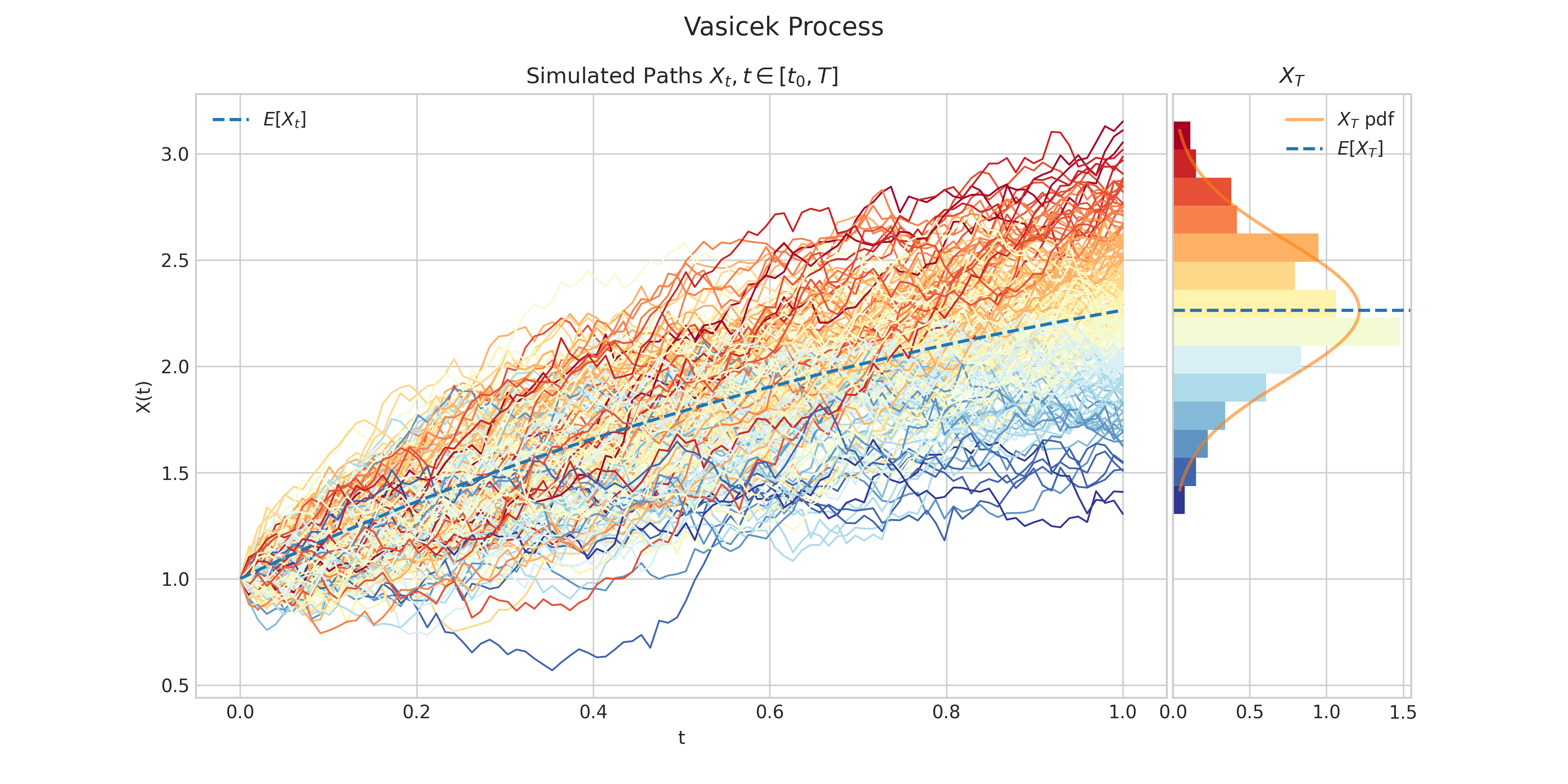
Currently, aleatory supports the following stochastic processes in one dimension:
- Arithmetic Brownian Motion (see Brownian Motion)
- Bessel process
- Brownian Bridge
- Brownian Excursion
- Brownian Meander
- Brownian Motion
- Constant Elasticity Variance (CEV) process
- Cox–Ingersoll–Ross (CIR) process
- Chan-Karolyi-Longstaff-Sanders (CKLS) process
- Fractional Brownian Motion process
- Galton-Watson process with Poisson branching
- Gamma process
- Gaussian Process with Constant Kernel
- Gaussian Process with Linear Kernel
- Gaussian Process with Matern Kernel
- Gaussian Process with Periodic Kernel
- Gaussian Process with RBF Kernel
- Gaussian Process with Squared Exponential Kernel
- General Random Walk
- Geometric Brownian Motion
- Hawkes process
- Inverse Gaussian process
- Inhomogeneous Poisson process
- Mixed Poisson process
- Ornstein–Uhlenbeck (OU) process
- Poisson process
- Random Walk
- Squared Bessel processes
- Vasicek process
- Variance-Gamma process
- White Noise
From v1.1.1 aleatory supports the following 2-d stochastic processes:
Installation
Aleatory is available on pypi and can be installed as follows
pip install aleatory
Dependencies
Aleatory relies heavily on
numpyfor random number generationscipyandstatsmodelsfor support for a number of one-dimensional distributions.matplotlibfor creating visualisations
Compatibility
Aleatory is tested on Python versions 3.8, 3.9, 3.10, and 3.11
Quick-Start
Aleatory allows you to create fancy visualisations from different stochastic processes in an easy and concise way.
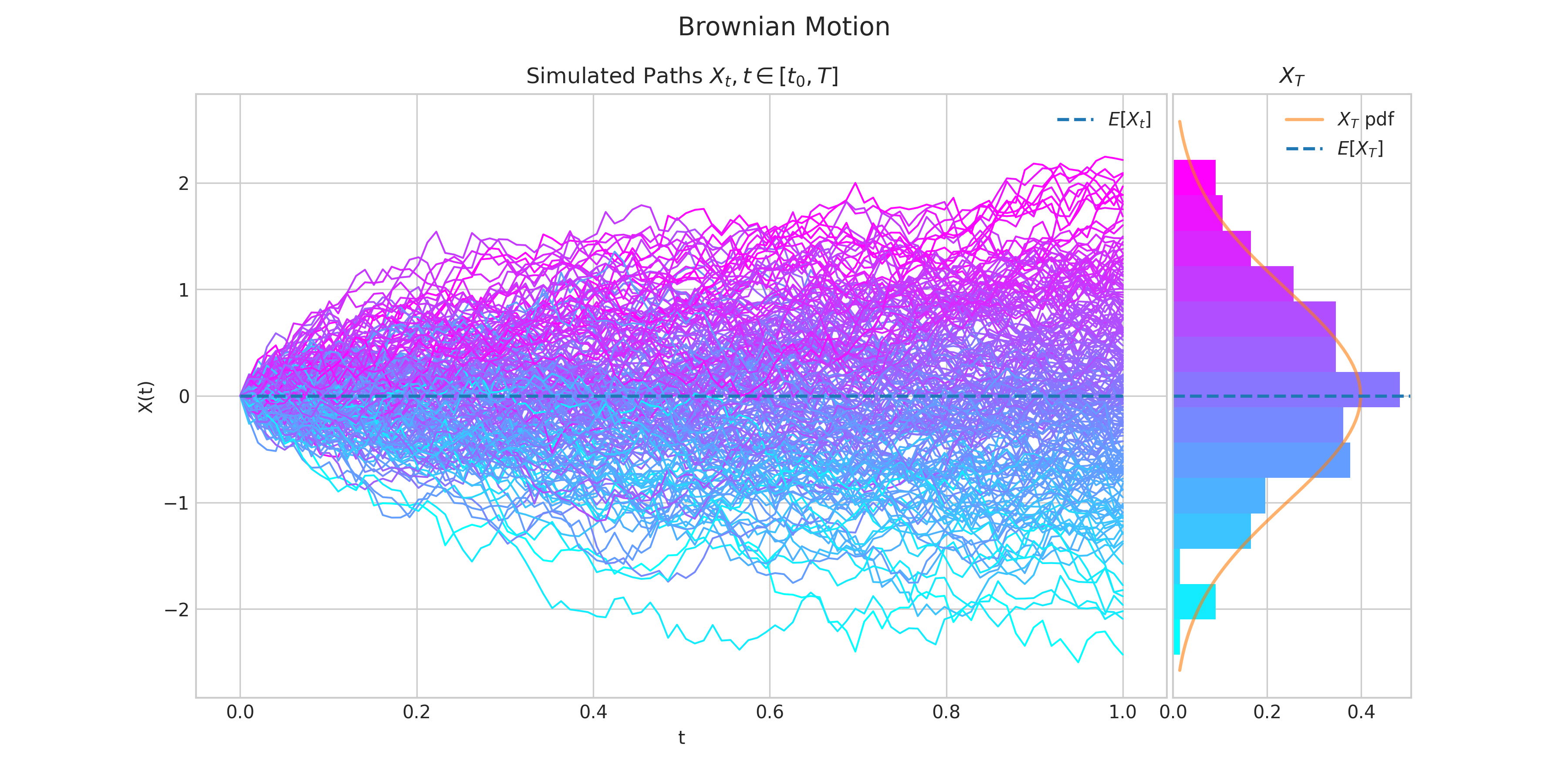
For example, the following code
from aleatory.processes import BrownianMotion

brownian = BrownianMotion()
brownian.draw(n=100, N=100, colormap="cool", figsize=(12,9))
generates a chart like this:
For more examples visit the Quick-Start Guide.
If you like this project, please give it a star! ⭐️
Thanks for Visiting! ✨
Connect with me via:
- 👾 Personal Website
1 maintainer

Metadata
1 maintainer
Release files for aleatory 1.2.4
For a detailed explanation of source distributions (sdists) and built distributions (wheels), please see the package formats documentation.
Source distribution (sdist)
| File | Size | Uploaded | |
|---|---|---|---|
| aleatory-1.2.4.tar.gz | 75.7 kB | Details |
Built distribution (wheel)
| File | Interpreter | ABI | Platform | Reset |
|---|---|---|---|---|
| aleatory-1.2.4-py3-none-any.whl | Python 3 | none | any | Details |
Total release size: 181.6 kB
Release files / aleatory-1.2.4.tar.gz
| Download URL | aleatory-1.2.4.tar.gz |
|---|---|
| Size | 75.7 kB |
| Tags | Source |
|
SHA-256 checksum How to use checksums |
1363c8b6cdbe9ab188701ac8c1664017ea82a8b7df29716051c6d57abb7b0b72
|
|
BLAKE2b-256 checksum How to use checksums |
a4324b709bf9302361a42bf92b1606e992f995e6e9b5b60d9b3680bbfb810c05
|
| Upload date | |
|
Uploaded using Trusted Publishing? What is trusted publishing? |
No |
| Uploaded via |
twine/6.2.0 CPython/3.11.4
|
Release files / aleatory-1.2.4-py3-none-any.whl
| Download URL | aleatory-1.2.4-py3-none-any.whl |
|---|---|
| Size | 105.9 kB |
| Tags | Python 3 |
|
SHA-256 checksum How to use checksums |
25918c27b731315f1da0c32b18d026437c4786e639131584dd16fbc3b8c357e5
|
|
BLAKE2b-256 checksum How to use checksums |
0a3968249a7903c25df6085bdeceeca3821a4909782815654e20d5b84adaf354
|
| Upload date | |
|
Uploaded using Trusted Publishing? What is trusted publishing? |
No |
| Uploaded via |
twine/6.2.0 CPython/3.11.4
|














