
Alexa Browser Client





Alexa client in your browser. Django app. Talk to Alexa from your desktop, phone, or tablet browser.
Demo
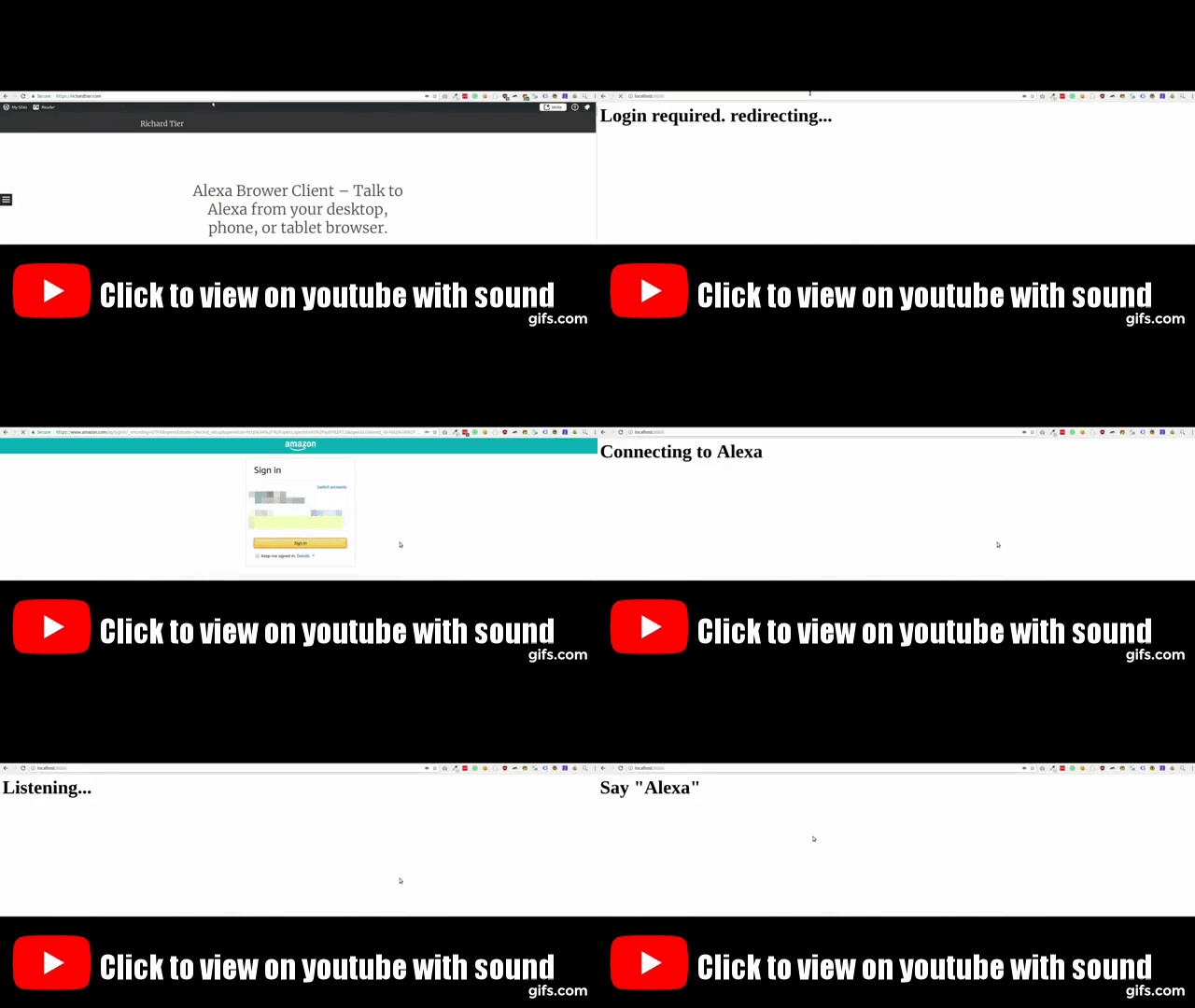
The demo should really be heard, so click the gif below to view it in youtube.
Run the demo
First follow these steps:
$ git clone git@github.com:richtier/alexa-browser-client.git
$ cd alexa-browser-client
$ virtualenv .venv -p python3.6 && source .venv/bin/activate && make test_requirements
- Compile snowboy
$ make demo- Go to http://localhost:8000 for basic demo, or http://localhost:8000/mixer/ to play with the response audio
Installation
pip install alexa_browser_client
Make sure your settings INSTALLED_APPS contains at least these entries:
INSTALLED_APPS = [
    'django.contrib.staticfiles',
    'channels',
    'alexa_browser_client',
]
Dependencies
Snowboy detects when the wakeword "Alexa" is uttered.
You must compile Snowboy manually. Copy the compiled snowboy folder to the top level of you project. By default, the folder structure should be:
.
├── ...
├── snowboy
|   ├── snowboy-detect-swig.cc
|   ├── snowboydetect.py
|   └── resources
|       ├── alexa.umdl
|       └── common.res
└── ...
If the default folder structure does not suit your needs you can customize the wakeword detector.
Routing and urls
Add url(r'^', include('alexa_browser_client.config.urls')), to urls.py url_patterns.
Add include('alexa_browser_client.config.routing.channel_routing') to your routing.py channel_routing.
Authentication
This app uses Alexa Voice Service. To use AVS you must first have a developer account. Then register your product here. Choose "Application" under "Is your product an app or a device"?
Ensure you update your settings.py:
| Setting | Notes |
|---|---|
ALEXA_BROWSER_CLIENT_AVS_CLIENT_ID |
Retrieve by clicking on the your product listed here |
ALEXA_BROWSER_CLIENT_AVS_CLIENT_SECRET |
Retrieve by clicking on the your product listed here |
ALEXA_BROWSER_CLIENT_AVS_DEVICE_TYPE_ID |
Retrieve by reading "Product ID" here |
Refresh token
You will need to login to Amazon via a web browser to get your refresh token.
To enable this first go here and click on your product to set some security settings under Security Profile and, assuming you're running on localhost:8000, set the following:
| setting | value |
|---|---|
| Allowed Origins | https://localhost:8000/refreshtoken/ |
| Allowed Return URLs | https://localhost:8000/refreshtoken/callback/ |
Usage
Once you have all the settings configured:
- Run django:
./manage.py runserver - Go to
http://localhost:8000and start talking to Alexa.
Customization
Wakeword
The default wakeword is "Alexa". You can change this by customizing the lifecycle's audio_detector_class:
# my_project/consumers.py

import alexa_browser_client
import command_lifecycle


class CustomAudioDetector(command_lifecycle.wakeword.SnowboyWakewordDetector):
    wakeword_library_import_path = 'dotted.import.path.to.wakeword.Detector'
    resource_file = b'path/to/resource_file.res'
    decoder_model = b'path/to/model_file.umdl'


class CustomAudioLifecycle(alexa_browser_client.AudioLifecycle):
    audio_detector_class = CustomAudioDetector


class CustomAlexaConsumer(alexa_browser_client.AlexaConsumer):
    audio_lifecycle_class = CustomAudioLifecycle
Then in your routing.py:
import alexa_browser_client.consumers
from channels.routing import ProtocolTypeRouter, URLRouter
from channels.sessions import SessionMiddlewareStack

from django.conf.urls import url


application = ProtocolTypeRouter({
    'websocket': SessionMiddlewareStack(
        URLRouter([
            url(r"^ws/$", alexa_browser_client.consumers.AlexaConsumer),
        ])
    ),
})
Versioning
We use SemVer for versioning. For the versions available, see the PyPI.
Other projects
This project uses Voice Command Lifecycle and Alexa Voice Service Client.
1 maintainer

Metadata
1 maintainer
Release files for alexa-browser-client 3.3.2
For a detailed explanation of source distributions (sdists) and built distributions (wheels), please see the package formats documentation.
Built distribution (wheel)
| File | Interpreter | ABI | Platform | Reset |
|---|---|---|---|---|
| alexa_browser_client-3.3.2-py3-none-any.whl | Python 3 | none | any | Details |
Release files / alexa_browser_client-3.3.2-py3-none-any.whl
| Download URL | alexa_browser_client-3.3.2-py3-none-any.whl |
|---|---|
| Size | 11.6 kB |
| Tags | Python 3 |
|
SHA-256 checksum How to use checksums |
712eae1abd934af2f4fc662db63d5e31da573cdde25ff4c5caff40e000072520
|
|
BLAKE2b-256 checksum How to use checksums |
0f7aa7fd0593775e102a36b05354b4f4cfe40def8096ba5d28331cce4a2865d3
|
| Upload date | |
|
Uploaded using Trusted Publishing? What is trusted publishing? |
No |
| Uploaded via |
twine/1.15.0 pkginfo/1.5.0.1 requests/2.22.0 setuptools/38.7.0 requests-toolbelt/0.9.1 tqdm/4.36.1 CPython/3.6.1
|
Security for alexa-browser-client 3.3.2
Provenance
Provenance describes where a file came from. On PyPI, provenance is shared via attestations, which provide a verifiable record of the build or publishing details. View details, limitations and caveats.
No provenance found
None of the files in this release were uploaded with provenance metadata.
A note on package security
PyPI is a repository for distributing packages, not a service for auditing them. While third-party security researchers and our staff do their best to detect and remove malicious packages, PyPI cannot guarantee the quality, security or suitability of any given package.
To learn more about protecting yourself from malicious actors, visit our package security documentation.














