

Altify automizes the task of inserting alternative text attributes for image tags. Altify uses Microsoft Computer Vision API’s deep learning algorithms to caption images in an HTML file and returns a new HTML file in which alt attributes are filled out with their corresponding captions.
Notice: Altify will now ignore any image tag whose alt attribute has content or is just an empty string. (In compliance with standard web practices)
Dependencies
Python 2.7
BeautifulSoup
Install and Usage (Latest Version)
1) Get a Microsoft API Key for Free
2) Install via pip
Open up terminal and enter: pip install altify
3) Use
altify path_to_your_html api_key
4) Enjoy!
A new HTML file called altify.html is created next to the HTML file you selected.
How It was Built
Parses the html using BeautifulSoup.
Finds all the image tags.
Sends a request to Microsoft’s API to caption.
Fills out the alt attributes for all the images.
Writes an edited HTML file next to the file you selected.
Captioned Images Samples
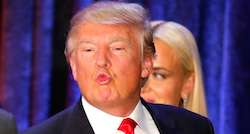
Donald Trump wearing a suit and tie

A piano keyboard

A squirrel eating
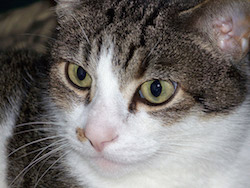
A close up of a cat looking at the camera

A woman wearing a red hat

A small boat in a lake surrounded by mountains
Disclaimer
Humans are currently better at captioning images than machines. Use responsibly!
1 maintainer

Release files for altify 4.2
For a detailed explanation of source distributions (sdists) and built distributions (wheels), please see the package formats documentation.
Source distribution (sdist)
| File | Size | Uploaded | |
|---|---|---|---|
| altify-4.2.tar.gz | 4.1 kB | Details |
Release files / altify-4.2.tar.gz
| Download URL | altify-4.2.tar.gz |
|---|---|
| Size | 4.1 kB |
| Tags | Source |
|
SHA-256 checksum How to use checksums |
bdc30fb678663c737c1cdf02112df10a72d561da6593680a023d41e3d2e22695
|
|
BLAKE2b-256 checksum How to use checksums |
fc17802159bbd1024065e1360e23ef24fc2ffe27fa5a74c12bcfb2376393e562
|
| Upload date | |
|
Uploaded using Trusted Publishing? What is trusted publishing? |
No |














