
Locates more items/views/elements on an Android device than similar Android automation packages by combining ADB's dumpsys activity/uiautomator
$pip install androdf

from androdf import AndroDF

andf = AndroDF(

        adb_path="C:\\Users\\Gamer\\AppData\\Local\\Android\\Sdk\\platform-tools\\adb.exe",

        deviceserial="localhost:5895",

        screenshotfolder="f:\\compare_android",  # screenshots will be saved here

        max_variation_percent_x=10, # used for one of the click functions, to not click exactly in the center - more information below

        max_variation_percent_y=10, # used for one of the click functions, to not click exactly in the center

        loung_touch_delay=(1000, 1500), # with this settings longtouch will take somewhere between 1 and 1,5 seconds

        swipe_variation_startx=10, # swipe coordinate variations in percent

        swipe_variation_endx=10,

        swipe_variation_starty=10,

        swipe_variation_endy=10,

        sdcard="/storage/emulated/0/",  # sdcard will be used if you use the sendevent methods, don’t pass a symlink - more information below

        tmp_folder_on_sd_card="AUTOMAT", # this folder will be created in the sdcard folder for using sendevent actions

        bluestacks_divider=32767,  # coordinates must be recalculated for BlueStacks https://stackoverflow.com/a/73733261/15096247 when using sendevent

    )

andf.get_df_from_activity(with_screenshot=False) # executes dumpsys activity top -c and converts the relative coordinates to absolute coordinates

andf.get_df_from_view(with_screenshot=False) # dataframe from uiautomator xml dump, extracts all results

df_activities,df_uiautomator,df_merged = andf.get_all_results() #  Returns copies of the 3 DataFrames containing the results # df_merged will be empty

andf.get_screenshot()

andf.get_dfs_from_view_and_activity(with_screenshot=True) # DataFrame will contain screenshots

andf.get_dfs_from_view_and_activity(with_screenshot=True) # df_merged will contain all data from both DataFrames

df_activities1,df_uiautomator1,df_merged1 = andf.get_all_results()
Let’s compare the results with the ones from https://github.com/dtmilano/AndroidViewClient (Uiautomator backend)
Don't get me wrong, AndroidViewClient is a wonderful tool and I have been using it for a long time, but it works on BlueStacks (most important for me) only with the Uiautomator backend (at least on my PC), and unfortunately, it doesn't always identify all items https://github.com/dtmilano/AndroidViewClient/issues/305. As far as I know, the more recent project https://github.com/dtmilano/CulebraTester2-public identifies more views.
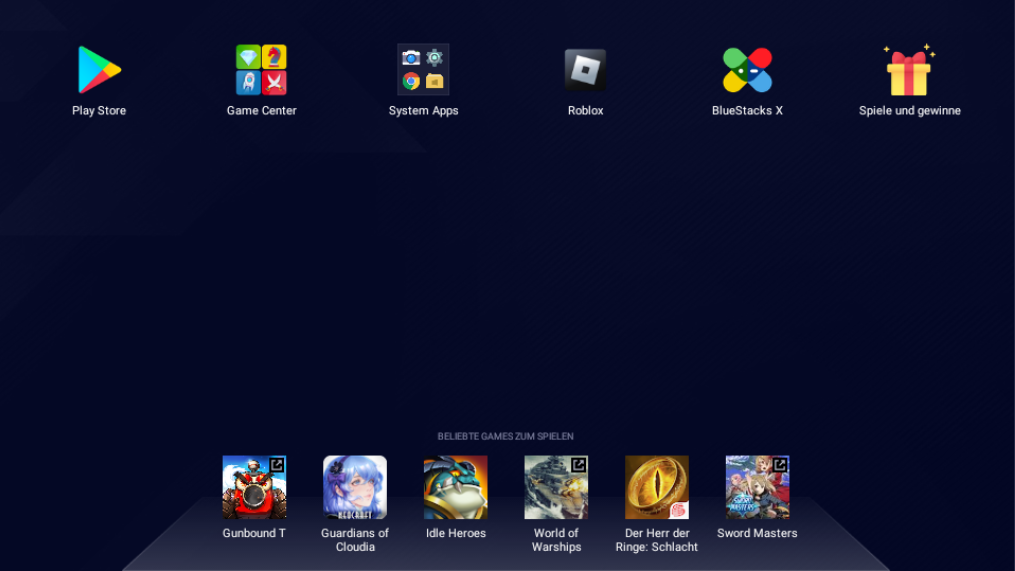
Bluestacks start screen
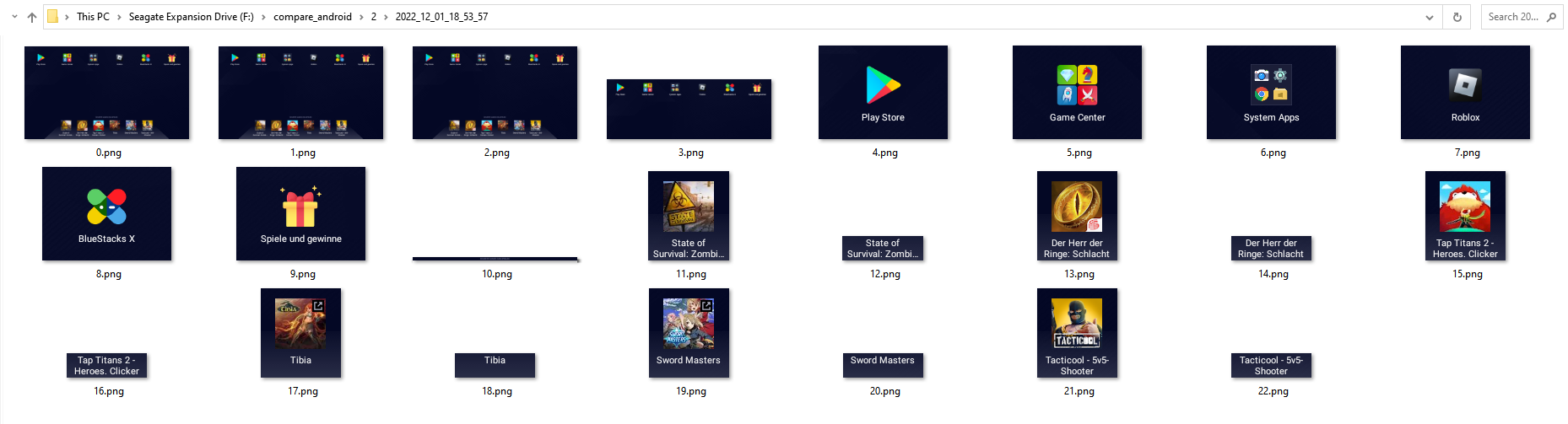
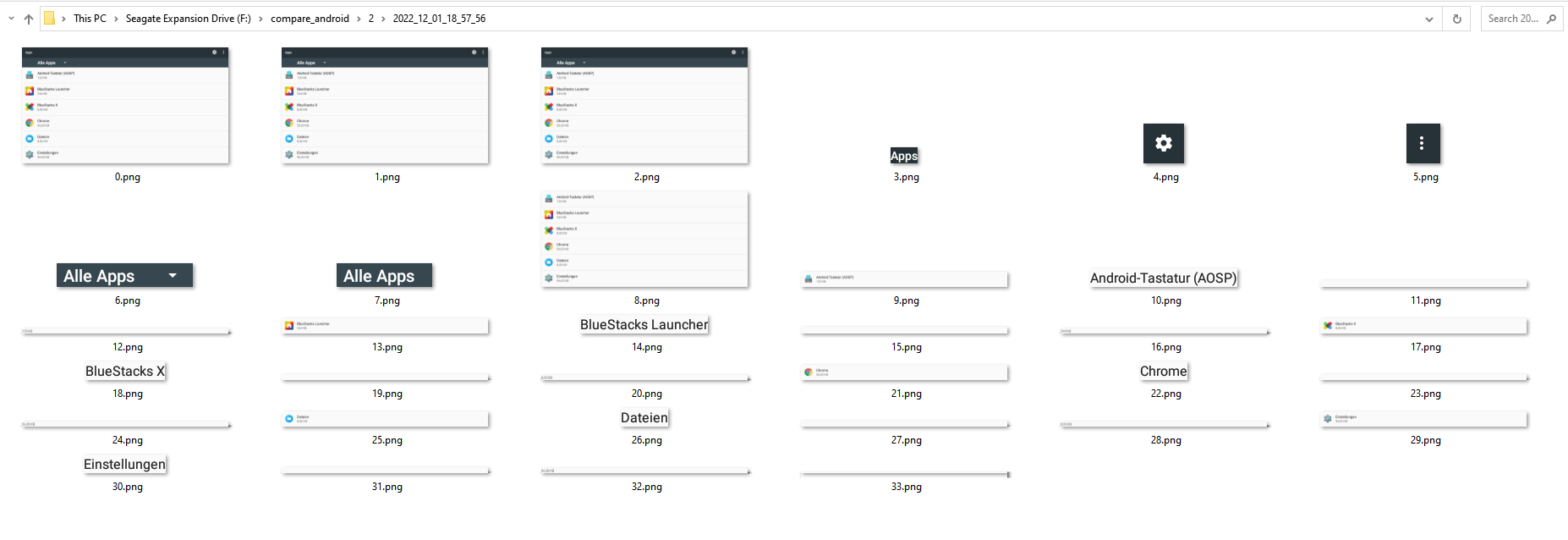
vcd = vc.dump(-1)

times_ = timest()

for ini, _ in enumerate(vcd):

    outputfile = os.path.join(f"f:\\compare_android\\2\\{times_}", str(ini) + '.png')

    touch(outputfile)

    _.writeImageToFile(outputfile)
Results AndroidViewClient
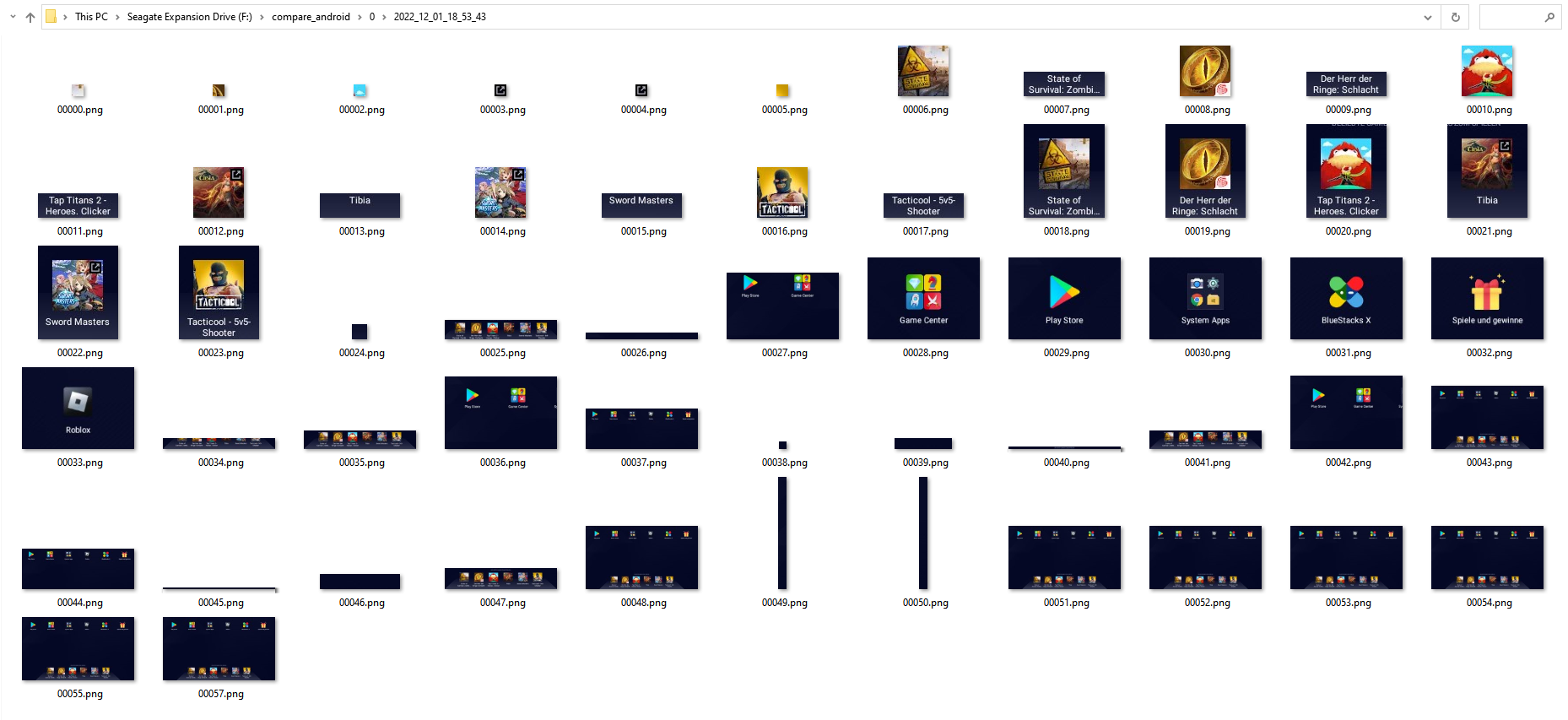
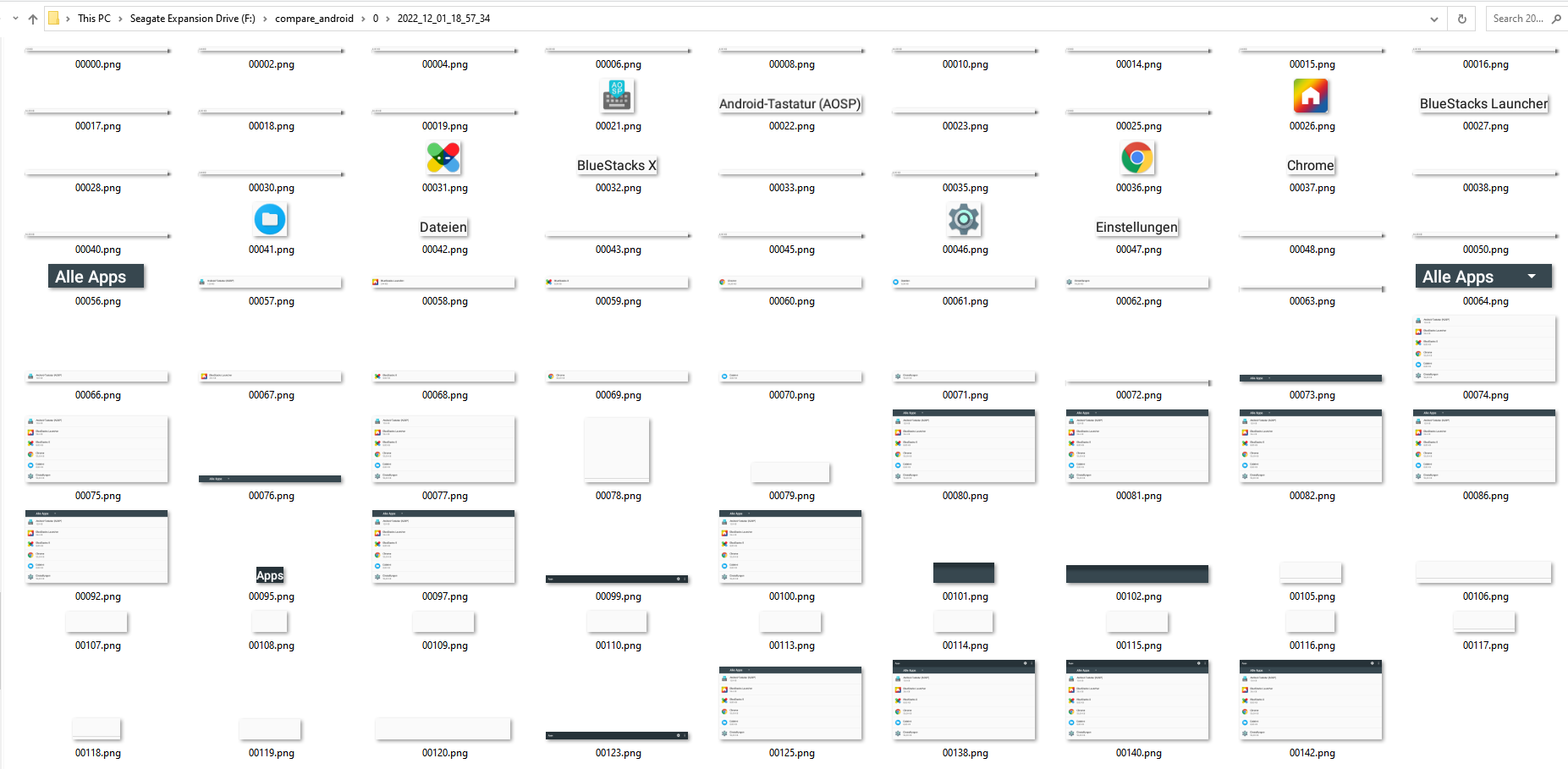
df_activities1.dropna(subset='aa_screenshot').ff_aa_save_screenshot.apply(lambda x:x())
Results df_activities1
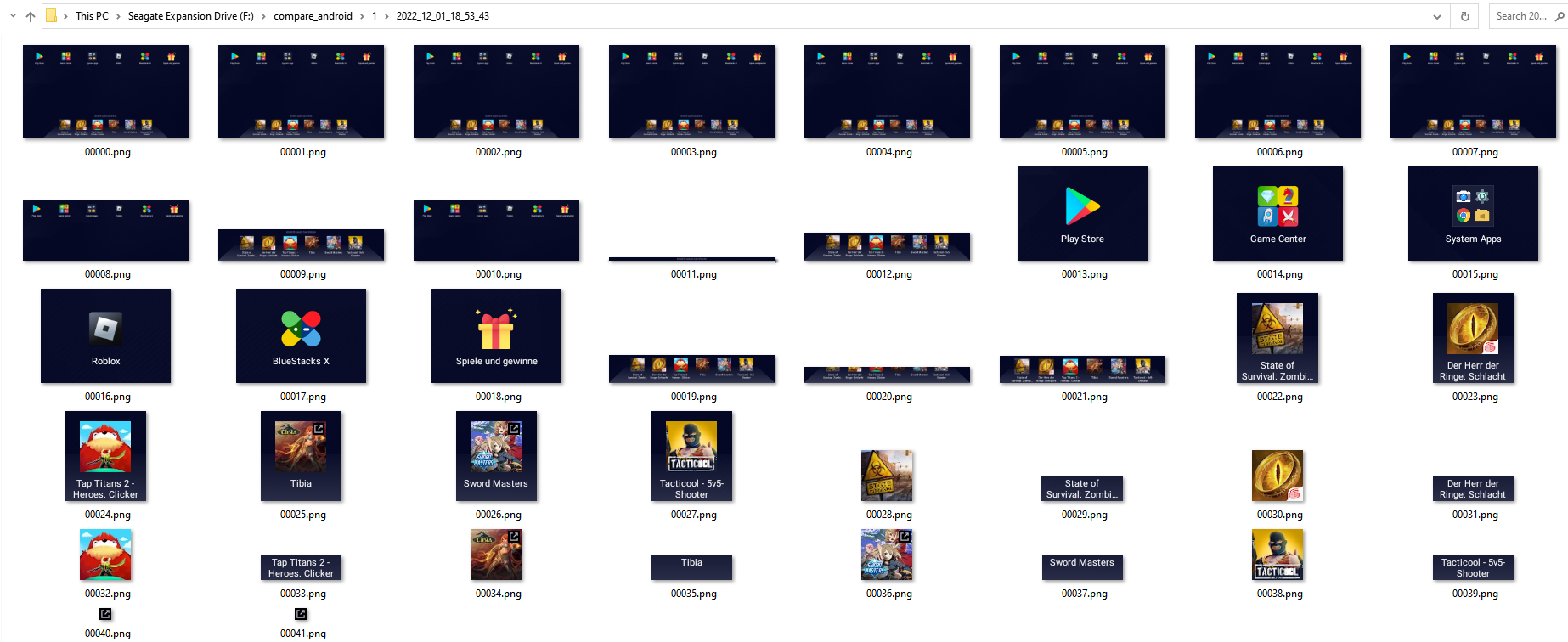
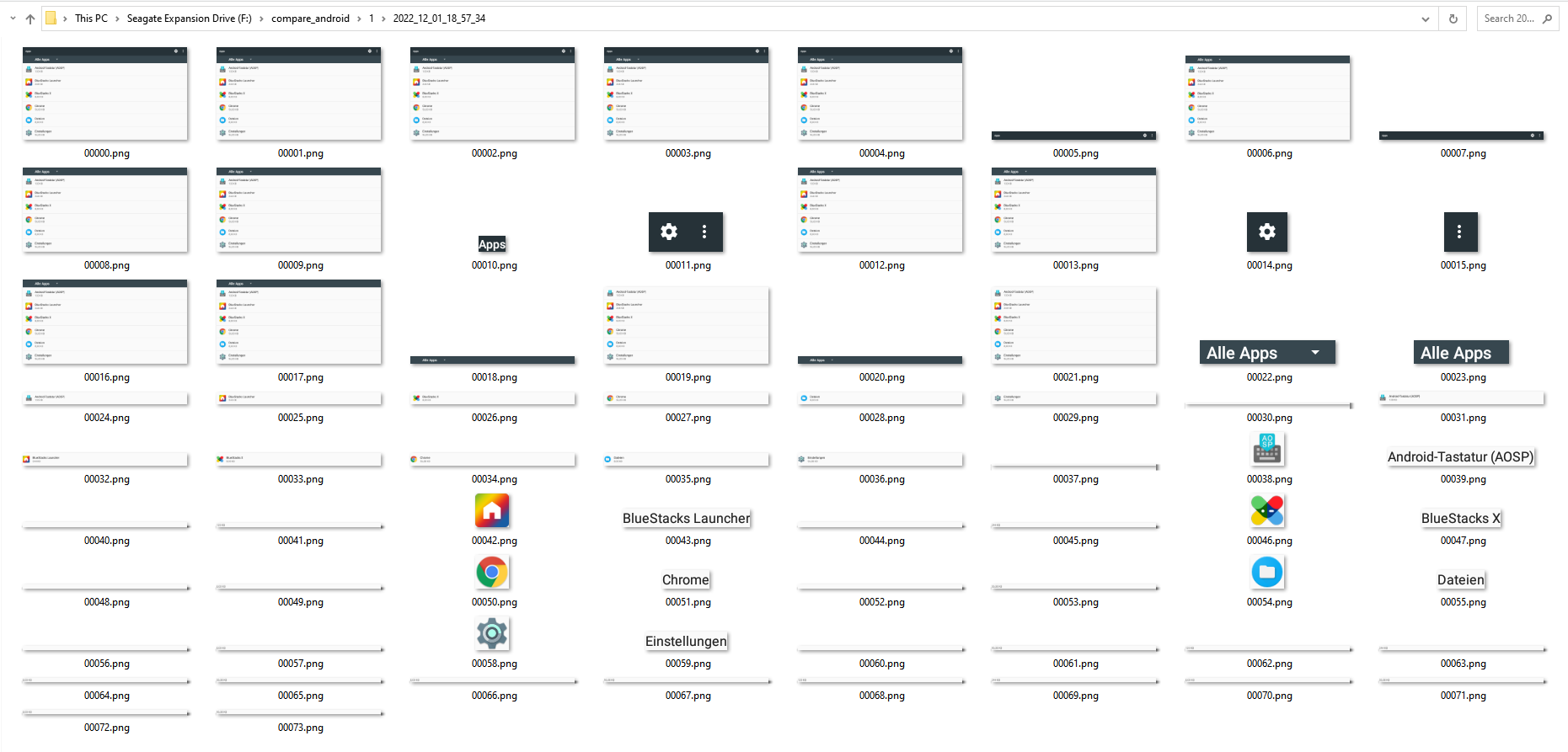
df_uiautomator1.dropna(subset='bb_screenshot').ff_bb_save_screenshot.apply(lambda x: x())
Results df_uiautomator1
Bluestacks settings
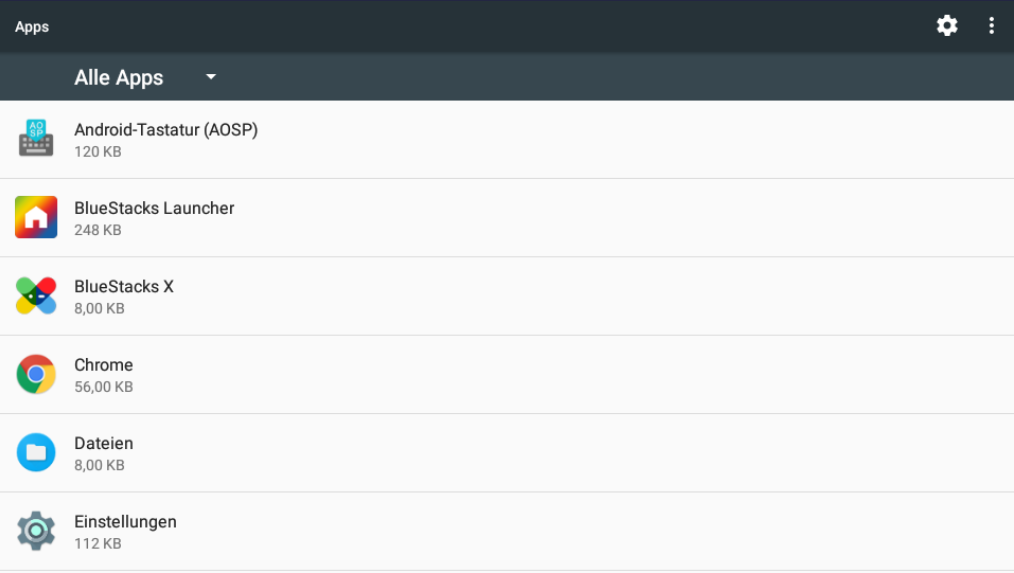
Results AndroidViewClient
Results df_activities1
Results df_uiautomator1
All results in DataFrames
You can use the whole power of pandas.DataFrame.loc https://pandas.pydata.org/docs/reference/api/pandas.DataFrame.loc.html to locate any item and easily call touch/swipe/longtouch methods that are stored in different columns of the DataFrame
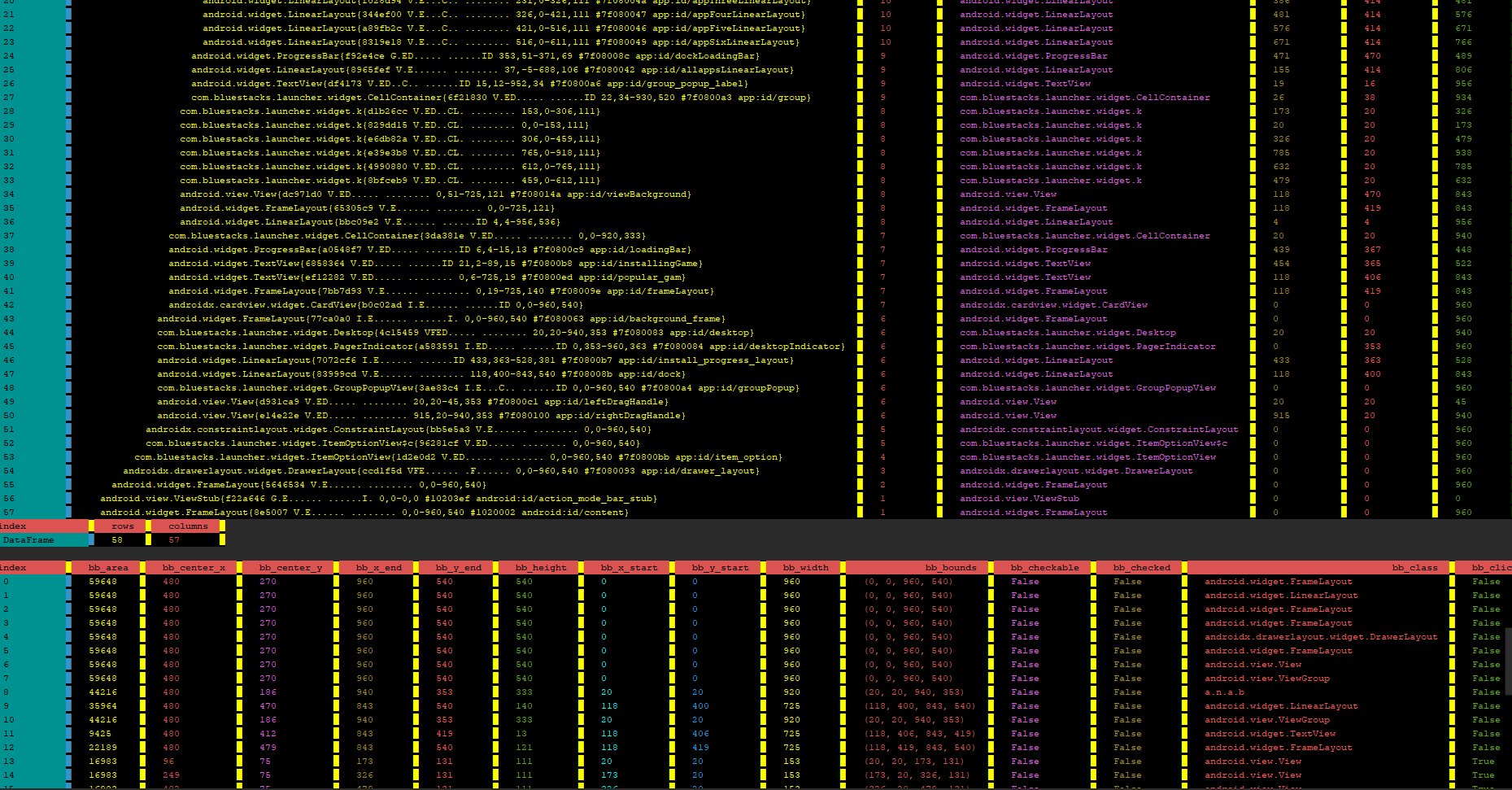
The DataFrame columns explained
df_activities1.columns.to_list()

Out[9]: ['aa_area', 'aa_bounds', 'aa_center_x', 'aa_center_x_cropped', 'aa_center_y', 'aa_center_y_cropped', 'aa_class_name', 'aa_clickable', 'aa_complete_dump', 'aa_context_clickable', 'aa_cropped_x_end', 'aa_cropped_x_start', 'aa_cropped_y_end', 'aa_cropped_y_start', 'aa_depth', 'aa_drawn', 'aa_enabled', 'aa_focusable', 'aa_has_screenshot', 'aa_hashcode_hex', 'aa_hashcode_int', 'aa_height', 'aa_height_cropped', 'aa_id_information', 'aa_is_child', 'aa_long_clickable', 'aa_mID_hex', 'aa_mID_int', 'aa_old_index', 'aa_pflag_activated', 'aa_pflag_dirty_mask', 'aa_pflag_focused', 'aa_pflag_hovered', 'aa_pflag_invalidated', 'aa_pflag_is_root_namespace', 'aa_pflag_prepressed', 'aa_pflag_selected', 'aa_pure_id', 'aa_screenshot', 'aa_scrollbars_horizontal', 'aa_scrollbars_vertical', 'aa_shapely', 'aa_valid_square', 'aa_visibility', 'aa_width', 'aa_width_cropped', 'aa_x_end', 'aa_x_end_relative', 'aa_x_start', 'aa_x_start_relative', 'aa_y_end', 'aa_y_end_relative', 'aa_y_start', 'aa_y_start_relative', 'ee_aa_longtouch', 'ee_aa_longtouch_bs', 'ee_aa_longtouch_offset', 'ee_aa_longtouch_offset_bs', 'ee_aa_touch', 'ee_aa_touch_bs', 'ee_aa_touch_offset', 'ee_aa_touch_offset_bs', 'ff_aa_downswipe', 'ff_aa_save_screenshot', 'ff_aa_show_screenshot', 'ff_aa_tap_center_offset', 'ff_aa_tap_center_offset_long', 'ff_aa_tap_center_variation', 'ff_aa_tap_center_variation_long', 'ff_aa_tap_exact_center', 'ff_aa_tap_exact_center_long', 'ff_aa_upswipe', 'ff_show_parents', 'parent_000', 'parent_001', 'parent_002', 'parent_003', 'parent_004', 'parent_005', 'parent_006', 'parent_007', 'parent_008', 'parent_009', 'parent_010', 'parent_011']


df_uiautomator1.columns.to_list()

Out[10]: ['bb_area', 'bb_center_x', 'bb_center_y', 'bb_x_end', 'bb_y_end', 'bb_height', 'bb_x_start', 'bb_y_start', 'bb_width', 'bb_bounds', 'bb_checkable', 'bb_checked', 'bb_class', 'bb_clickable', 'bb_content_desc', 'bb_enabled', 'bb_focusable', 'bb_focused', 'bb_index', 'bb_keys_hierarchy', 'bb_long_clickable', 'bb_package', 'bb_password', 'bb_resource_id', 'bb_scrollable', 'bb_selected', 'bb_text', 'bb_pure_id', 'bb_screenshot', 'bb_old_index', 'bb_valid_square', 'bb_shapely', 'bb_cropped_x_start', 'bb_cropped_y_start', 'bb_cropped_x_end', 'bb_cropped_y_end', 'bb_width_cropped', 'bb_height_cropped', 'bb_center_x_cropped', 'bb_center_y_cropped', 'ff_bb_show_screenshot', 'ff_bb_save_screenshot', 'ff_bb_tap_center_offset', 'ff_bb_tap_exact_center', 'ff_bb_tap_center_variation', 'ff_bb_tap_center_offset_long', 'ff_bb_tap_exact_center_long', 'ff_bb_tap_center_variation_long', 'ff_bb_upswipe', 'ff_bb_downswipe', 'ee_bb_longtouch_offset', 'ee_bb_longtouch_offset_bs', 'ee_bb_touch_offset', 'ee_bb_touch_offset_bs', 'ee_bb_longtouch_bs', 'ee_bb_touch_bs', 'ee_bb_touch', 'ee_bb_longtouch']
The columns starting with aa_ or bb_ are self explaining, they contain data (height, width ...) to identify objects
The column prefix ee_ means that you can call functions which use sendevent (root access necessary)
-
aa_ after ee_ stands for activity DataFrame
-
bb_ after ee_ stands for uiautomator DataFrame (name difference (aa_/bb_) important for merging when calling andf.get_dfs_from_view_and_activity()
-
the suffix _bs is only interesting for you if you use BlueStacks (like me)
df_activities1.ee_aa_longtouch.iloc[28]() # longtouch on item 28

df_activities1.ee_aa_longtouch_bs.iloc[28]() # recalculated for bluestacks, won’t work against a “regular” Android Device https://stackoverflow.com/a/73733261/15096247
df_activities1.ee_aa_longtouch_offset_bs.iloc[28](200,1) # x,y offset

df_activities1.ee_aa_longtouch_offset_bs.iloc[28](200,1)  # x,y offset / recalculated for bluestacks
df_activities1.ee_aa_touch_offset.iloc[28](100,1) # x,y offset

df_activities1.ee_aa_touch_offset_bs.iloc[28](100,1) # x,y offset / recalculated for bluestacks
df_activities1.ee_aa_touch.iloc[28]()

df_activities1.ee_aa_touch_bs.iloc[28]() # recalculated for bluestacks
The column prefix ff_ means that the action is executed using adb shell input (root access not necessary)
# swipes down (or up, depending on your interpretation) within the bounds of the item

df_activities1.ff_aa_downswipe.iloc[28]()
# swipes up (or down, depending on your interpretation) within the bounds of the item

df_activities1.ff_aa_upswipe.iloc[28]()
# save all screenshots to the defined folder (when you created the instance), subfolder with timestamp as name will be created for each new DataFrame

df_activities1.dropna(subset='aa_screenshot').ff_aa_save_screenshot.apply(lambda x:x())
#show screenshot with cv2.imshow, window can be closed by pressing 'q'

df_activities1.ff_aa_show_screenshot.iloc[28]()
df_activities1.ff_aa_tap_center_offset.iloc[28](1,20) # offset from the center of the found item - touch

df_activities1.ff_aa_tap_center_offset_long.iloc[28](1,20) # offset from the center of the found item - longtouch

df_activities1.ff_aa_tap_center_variation.iloc[28]()

df_activities1.ff_aa_tap_center_variation_long.iloc[28]()

df_activities1.ff_aa_tap_exact_center.iloc[28]()

df_activities1.ff_aa_tap_exact_center_long.iloc[28]()
df_activities1.ff_show_parents.iloc[28]() # Returns a DataFrame with all parent items
1 maintainer

Metadata
1 maintainer
Release files for androdf 0.12
For a detailed explanation of source distributions (sdists) and built distributions (wheels), please see the package formats documentation.
Source distribution (sdist)
| File | Size | Uploaded | Provenance | Actions |
|---|---|---|---|---|
| androdf-0.12.tar.gz | 21.1 kB | Without provenance | Details for androdf-0.12.tar.gz |
Built distribution (wheel)
| File | Interpreter | ABI | Platform | Actions Reset |
|---|---|---|---|---|
| androdf-0.12-py3-none-any.whl | Python 3 | none | any | Details for androdf-0.12-py3-none-any.whl |
Total release size: 42.5 kB
Release files / androdf-0.12.tar.gz
| Download URL | androdf-0.12.tar.gz |
|---|---|
| Size | 21.1 kB |
| Tags | Source |
|
SHA-256 checksum How to use checksums |
cb212db23d0f25fc0b0a576ee5d07305955d64abae3d8de6450a9f2560125cc2
|
|
BLAKE2b-256 checksum How to use checksums |
7574660d2dbcf003aa40f58c390770755ecc14987f0f9b03c4f258041c283463
|
| Upload date | |
|
Uploaded using Trusted Publishing? What is trusted publishing? |
No |
| Uploaded via |
twine/4.0.1 CPython/3.9.13
|
Release files / androdf-0.12-py3-none-any.whl
| Download URL | androdf-0.12-py3-none-any.whl |
|---|---|
| Size | 21.4 kB |
| Tags | Python 3 |
|
SHA-256 checksum How to use checksums |
4e4ddead392686e48470fc07ddfbdf0fd43f0d9ada5a9c83375214a27dbd0483
|
|
BLAKE2b-256 checksum How to use checksums |
4a524164e4e20deb44da501575fec995e6fca8365768b908410bfe55a9955c70
|
| Upload date | |
|
Uploaded using Trusted Publishing? What is trusted publishing? |
No |
| Uploaded via |
twine/4.0.1 CPython/3.9.13
|
Security for androdf 0.12
Provenance
Provenance describes where a file came from. On PyPI, provenance is shared via attestations, which provide a verifiable record of the build or publishing details. View details, limitations and caveats.
No provenance found
None of the files in this release were uploaded with provenance metadata.
A note on package security
PyPI is a repository for distributing packages, not a service for auditing them. While third-party security researchers and our staff do their best to detect and remove malicious packages, PyPI cannot guarantee the quality, security or suitability of any given package.
To learn more about protecting yourself from malicious actors, visit our package security documentation.














