
arXiv Filter
Content
Tired of scanning hundreds of arXiv entries like this manually?
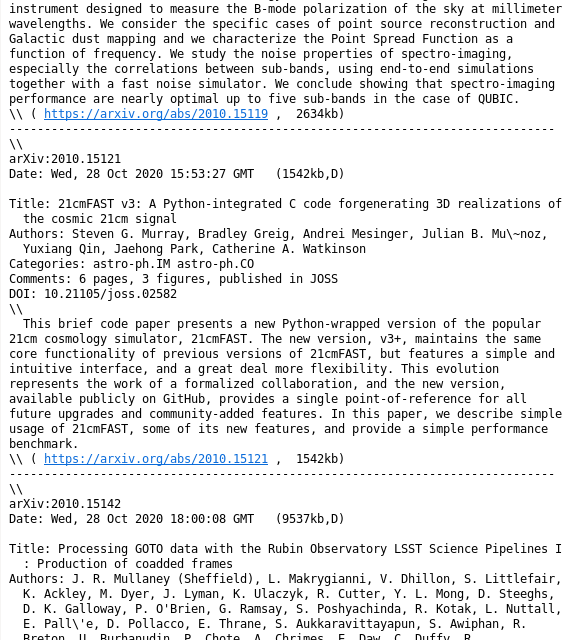
This is a simple GUI program, which can be used to filter the daily arXiv email according to criteria defined in a custom config file.
The filtering / matching of individual arXiv entries is according to the following properties:
- Author name
- Keywords in the title
- Keywords in the abstract
- Collaboration name
- Category name
The filtering is done by attributing a score to each entry of the arXiv email. The additive score for each keyword can be specified in the config file.
In the program window, papers where at least one keyword was found, are shown in the list at the top (Filtered Entries) and papers with no match in the list below (Other Entries). Papers with a higher score (for example matching multiple keywords) are shown in darker blue and at the top of the list.
This allows for quickly scanning the resulting filtered list and finding papers which are relevant to your interests / research.
Installation
The quickest way to install this program is via pip / pypi:
# pip3 install arxiv_filter
You can also directly clone this repository onto your computer. In this case make sure to manually install the dependencies.
Usage
Run with
# python3 -m arxiv_filter
or when installed via pip
# arxiv-filter
The program looks for a config file in 4 default locations:
./arxiv_filter.yaml~/.config/arxiv_filter.yaml~/arxiv_filter.yaml/etc/arxiv_filter.yaml
The first config file of this list which exists is used.
Alternatively, a custom config file can be passed to the program via the -c PATH_TO_FILE option.
Interface
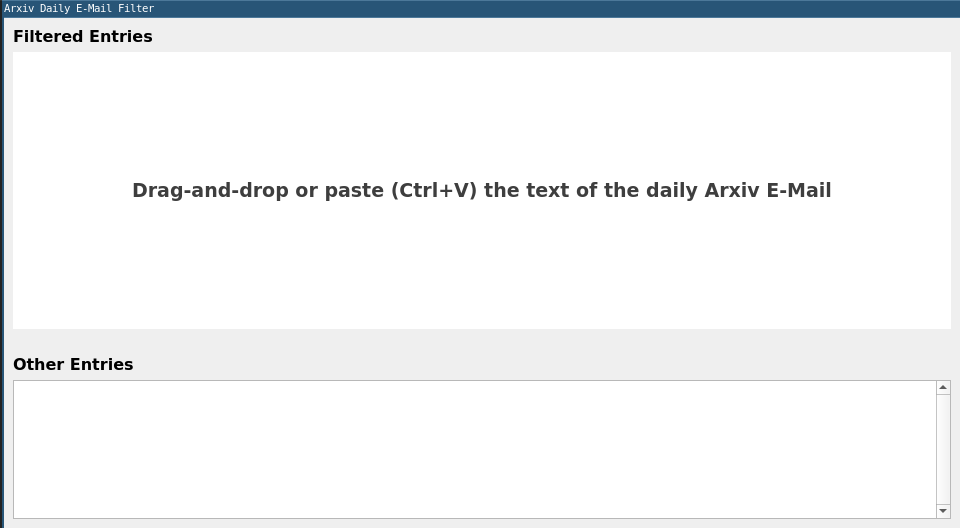
Once the program has launched, an empty window is presented. Copy and past or drag and drop the text of an arXiv email into the window in order to start the filtering process.
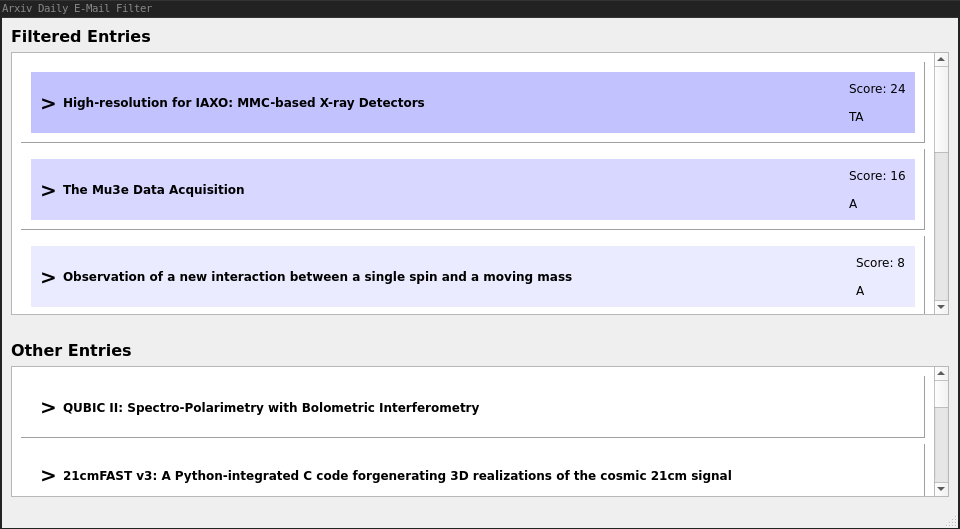
Once the filtering is done, the two lists in the window are populated with entries. The top entries are highlighted in different shades of blue, according to the total score of an entry. In the image, the paper "High-resolution for IAXO: MMC-based X-ray Detectors" has obtained the highest score of 24 and is therefore listed at the top. The score for each entry is given.
The letters underneath the score indicate, which parts of the arXiv entry were matched:
- [P]eople: At least one author was matched.
- [T]itle: At least on keyword appears in the paper title.
- [A]bstract: At least one keyword appears in the abstract.
- [C]ategory: At least one category was matched.
- [G]roup: The collaboration matches.
In the above example, the first paper has a match of a keyword in the title and in the abstract.
By clicking on the title of the paper, the corresponding arXiv page is opened in a browser.
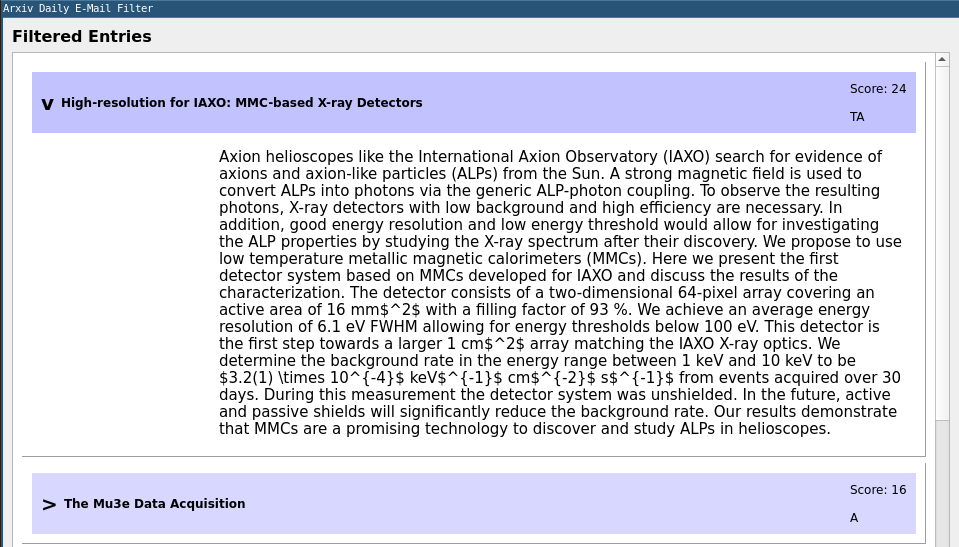
By clicking on the [>] symbol, the details of the paper is shown. The details include:
- Abstract: Always shown (if present)
- Collaboration: Always shown (if present)
- Authors: Only matched authors are shown
- Categories: Only matched categories are shown
If another arXiv email should be filtered, it can again be copy-pasted or drag and dropped onto the window. The list will then be updated with the information of the new email.
In general: Only information present in the arXiv email is processed and shown. The program does not retrieve any further data over the internet!
Config File
The config file is structured in the YAML format. It allows for 4 different top level keys:
- author: For filtering according to name of the paper author(s)
- keyword: For filter according to keywords in the title and abstract of the paper.
- category: To filter according to the category name(s) of the paper.
- collaboration: To filter according to the name of the collaboration publishing the paper.
Under each key follows a list of keywords together with a weight.
And example config file is shown here:
collaboration:
  cms: 5
  atlas: 10
  aegis: 5

author:
  Higgs: 10
  Currie: 12
  Gianotti: 8

keyword:
  sipm: 3
  mppc: 3
  silicon: 5
  gallium: 4
  arsenide: 4
The score of each keyword, author, collaboration etc. which is found in a given arXiv entry is added to the total score of the paper (for example a paper written by Fabiola Gianotti, as part of the CMS collaboration will get a score of 5 + 10 = 15).
The matching of keywords is done in lower case and ignoring special characters as well as most common Umlauts (like ä, ö, ü, é, è etc.). So specifying for example gaas: 20 as a keyword, will match GaAs, Ga-As etc.
Exact Matching
A keyword starting with a '^' is treated as an exact match keyword.
An exact keyword match is defined, where the character immediately before and after the matched keyword is not a letter of the alphabet, but can still be a special character.
This is especially useful for short keywords which would lead to a lot of false-positive matched.
As an example, specifying DESI: 10 would match:
[..] DESI [..][..] DESI.[..] DESI-Collaboration [..][..] design [..]
The last match is most likely not desired in this case.
Specifying ^DESI: 10 would only match:
[..] DESI [..][..] DESI.[..] DESI-Collaboration [..]
[..] design [..] is not matched in this case, as the character following the match g is a character of the alphabet.
Dependencies
- Python 3 Packages:
- pyyaml
- PyQt5
- Qt5
Qt5
The Qt5 runtime needs to be installed on your system. Under standard Linux distributions, this can easily be achieved via the package manager.
For example under Debian:
apt install qt5-default
Python Packages
The python packages can conveniently be installed via pip:
pip3 install pyyaml PyQt5
PyQt5 Installation Issue
In case the installation of PyQt5 via pip fails with an error similar to
FileNotFoundError: [Errno 2] No such file or directory: '/tmp/pip-build-gzep4mr7/PyQt5/setup.py'
this is most likely due to an outdated version of pip. To fix this, upgrade your pip version with:
pip3 install --upgrade pip
See also: https://stackoverflow.com/questions/59711301/install-pyqt5-5-14-1-on-linux/59797479#59797479
1 maintainer

Metadata
1 maintainer
Release files for arxiv-filter 0.4.0
For a detailed explanation of source distributions (sdists) and built distributions (wheels), please see the package formats documentation.
Source distribution (sdist)
| File | Size | Uploaded | |
|---|---|---|---|
| arxiv-filter-0.4.0.tar.gz | 16.6 kB | Details |
Built distribution (wheel)
| File | Interpreter | ABI | Platform | Reset |
|---|---|---|---|---|
| arxiv_filter-0.4.0-py3-none-any.whl | Python 3 | none | any | Details |
Total release size: 34.1 kB
Release files / arxiv-filter-0.4.0.tar.gz
| Download URL | arxiv-filter-0.4.0.tar.gz |
|---|---|
| Size | 16.6 kB |
| Tags | Source |
|
SHA-256 checksum How to use checksums |
74c41be1005a7453360f971772203de047ebdcc0d9a30cbeb47f3e3c01b7cfce
|
|
BLAKE2b-256 checksum How to use checksums |
901a865612d25efa98a0f66ab46e85a8f10ea178b8047d95ea973c79ea2b0ddd
|
| Upload date | |
|
Uploaded using Trusted Publishing? What is trusted publishing? |
No |
| Uploaded via |
twine/6.1.0 CPython/3.9.2
|
Release files / arxiv_filter-0.4.0-py3-none-any.whl
| Download URL | arxiv_filter-0.4.0-py3-none-any.whl |
|---|---|
| Size | 17.4 kB |
| Tags | Python 3 |
|
SHA-256 checksum How to use checksums |
4a84b88c9fb589ede60342dd37d5bb1312f6910fb30121c22723e5a6de2ec14b
|
|
BLAKE2b-256 checksum How to use checksums |
be9ba5b2fcb3e4caf644ab55be7c2c8688728459cdc318a133a55c055a424dd0
|
| Upload date | |
|
Uploaded using Trusted Publishing? What is trusted publishing? |
No |
| Uploaded via |
twine/6.1.0 CPython/3.9.2
|














