
asciimage
A library designed in python to convert images into ascii paintings.
To install:
pip install asciimage
pip install docx
pip install python-docx
For more examples or if you are still struggling with installation check out the Jupyter notebook
Note: In some cases, you might get the error "No module named 'exceptions'". This is because the docx and python-docx libraries are not installed properly.
You can try the library extensively on Google Colab. Create a copy of this notebook and make edits as necessary.
Also, in case of exception like 'too many values to unpack', try using a jpg image.
This library works best with JPG images
Table of Contents
Installation
The repository contains a zipped file of my Python package asciimage and should be installed via pip.
Instalation procedure:
pip install asciimage
pip install docx
pip install python-docx
#The docx and python-docx libraries must be installed
Motivation
The package is intended as a simple drawing tool that produces ASCII art.
The user will upload an image. The image has to be a jpg or png image. The image should have a nice contrast for proper output.
The package contains the function make_ascii_image() which produces ascii art
For the colored ASCII image function, the input images should not be very richly colored and the function works well for images of small size, up to dimensions 256X256.
Example
This is the way to run the module:
	from asciimage import *
	from PIL import Image #import the module
	image_path = r"input_image.jpg"
	file_path = r"output.txt" #'output.txt' is the destination where the ASCII art will be stored
	ascii_char = list(",.")
	height = 400 #intended height of output file
	width = 400 #intended width of output file
	art = asciimage(image_path,file_path,ascii_char,height,width) #optional: ascii_char,height,width
	art.make_ascii_image()

	#for colored ascii image
	from PIL import Image
	from docx import *
	from docx.shared import *
	image_path = r"input_image.jpg"
	file_path = r"output.doc" #'output.doc' is the destination where the ASCII art will be stored
	art = asciimage(image_path,file_path) #compulsory: image_path,file_path
	#this function outputs a doc file only
	art.make_colored_ascii(64)#produces 64X64 image;
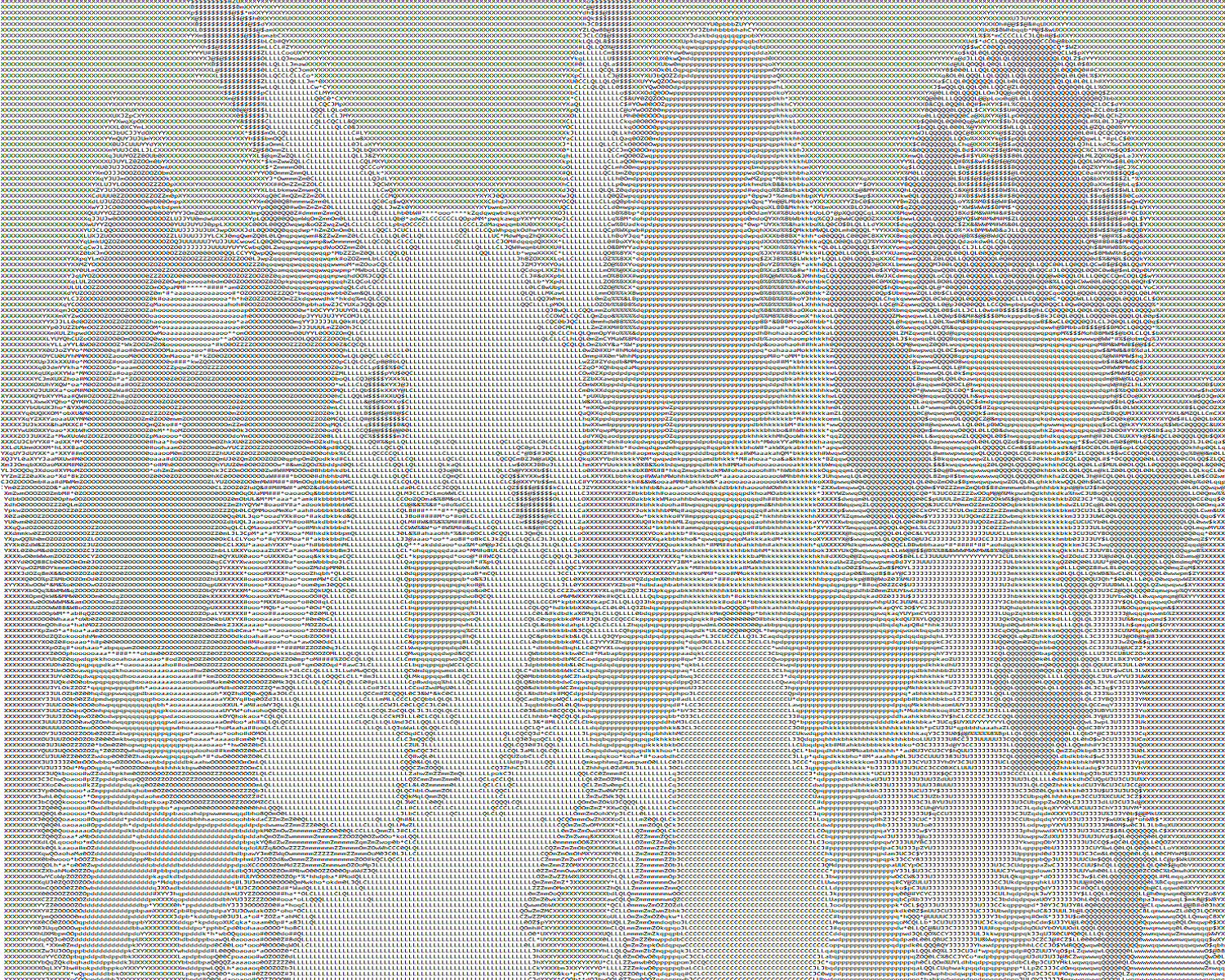
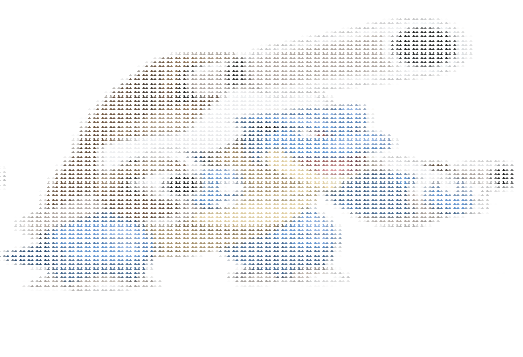
Sample
Input Image:

Output text file:
Colored ASCII Input Image:

Output doc file:
If you like the library, please consider giving it a star on Github :)
Troubleshooting
This is a common error:
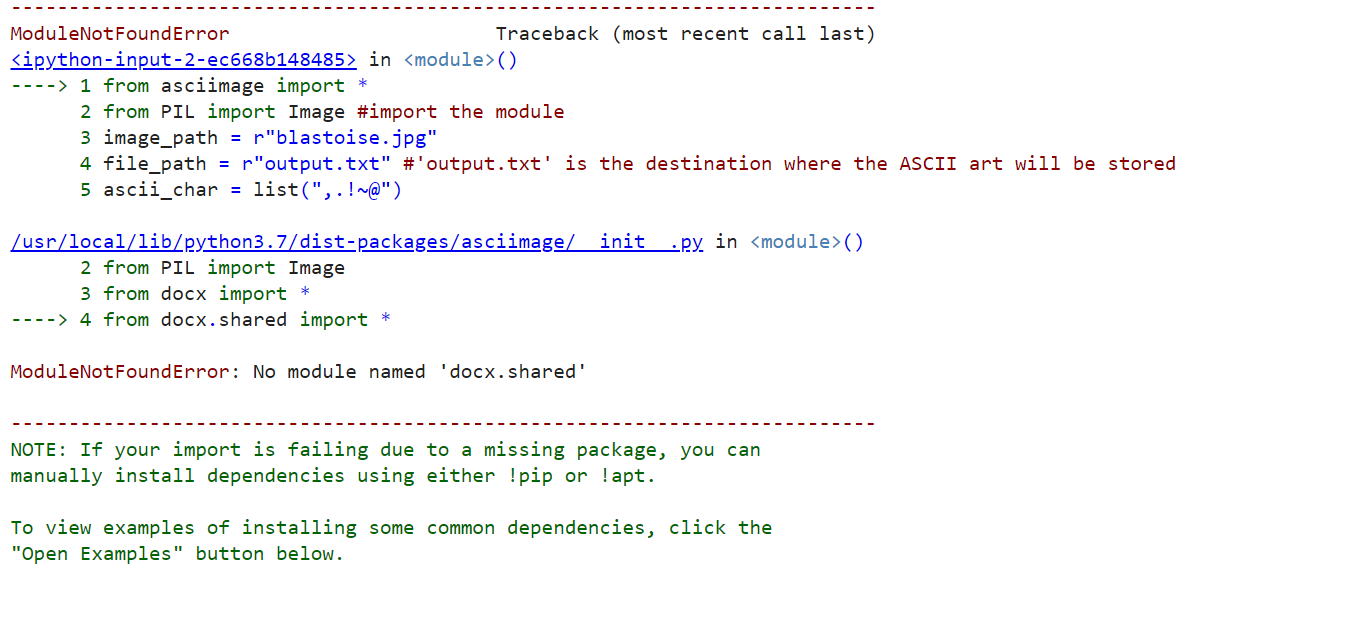
pip install python-docx
pip install docx
1 maintainer

Metadata
1 maintainer
Release files for asciimage 3.1415926535
For a detailed explanation of source distributions (sdists) and built distributions (wheels), please see the package formats documentation.
Source distribution (sdist)
| File | Size | Uploaded | Provenance | |
|---|---|---|---|---|
| asciimage-3.1415926535.tar.gz | 4.4 kB | Without provenance | Details |
Built distribution (wheel)
| File | Interpreter | ABI | Platform | Reset |
|---|---|---|---|---|
| asciimage-3.1415926535-py3-none-any.whl | Python 3 | none | any | Details |
Total release size: 9.5 kB
Release files / asciimage-3.1415926535.tar.gz
| Download URL | asciimage-3.1415926535.tar.gz |
|---|---|
| Size | 4.4 kB |
| Tags | Source |
|
SHA-256 checksum How to use checksums |
4f5a87b0cd6325561ce19740c082efa4208699338fc6479929aa1fb80462dd54
|
|
BLAKE2b-256 checksum How to use checksums |
95738c7133c287369619e16ea1d6bfd30891739ee0343c1748ec33f2828590ee
|
| Upload date | |
|
Uploaded using Trusted Publishing? What is trusted publishing? |
No |
| Uploaded via |
twine/3.4.1 importlib_metadata/4.5.0 pkginfo/1.5.0.1 requests/2.24.0 requests-toolbelt/0.9.1 tqdm/4.47.0 CPython/3.8.3
|
Release files / asciimage-3.1415926535-py3-none-any.whl
| Download URL | asciimage-3.1415926535-py3-none-any.whl |
|---|---|
| Size | 5.1 kB |
| Tags | Python 3 |
|
SHA-256 checksum How to use checksums |
6d91c1aba96a438e5b1ac5a697b3da851cb5d414b9e4e941b96f074fa4ccedd0
|
|
BLAKE2b-256 checksum How to use checksums |
e979c3ab370738268a03716f8cd387ea7b4dcb7a01ee009eceb9f751a50d55de
|
| Upload date | |
|
Uploaded using Trusted Publishing? What is trusted publishing? |
No |
| Uploaded via |
twine/3.4.1 importlib_metadata/4.5.0 pkginfo/1.5.0.1 requests/2.24.0 requests-toolbelt/0.9.1 tqdm/4.47.0 CPython/3.8.3
|
Security for asciimage 3.1415926535
Provenance
Provenance describes where a file came from. On PyPI, provenance is shared via attestations, which provide a verifiable record of the build or publishing details. View details, limitations and caveats.
No provenance found
None of the files in this release were uploaded with provenance metadata.
A note on package security
PyPI is a repository for distributing packages, not a service for auditing them. While third-party security researchers and our staff do their best to detect and remove malicious packages, PyPI cannot guarantee the quality, security or suitability of any given package.
To learn more about protecting yourself from malicious actors, visit our package security documentation.














