







atpbar
Progress bars for threading and multiprocessing tasks on the terminal and Jupyter Notebook.

atpbar can display multiple progress bars simultaneously growing to show the progress of each iteration of loops in threading or multiprocessing tasks. atpbar can display progress bars on the terminal and Jupyter Notebook.
Quick Start
This short tutorial shows the basic usage of atpbar with simple examples.
Installation
You can use pip to install atpbar:
pip install atpbar
How to use
Start Python
You can try the examples in this tutorial in the Python interactive shell.
$ python
Python 3.13.9 (...)
...
...
>>>
Import packages
Import atpbar and other objects that we will use in the examples.
from random import randint
from time import sleep
from atpbar import atpbar
One loop
The atpbar can wrap an iterable to show a progress bar for the iterations.
n = randint(1000, 10000)  # Random number of iterations
for _ in atpbar(range(n)):
    sleep(0.001)
This example randomly selects the number of iterations and, in each iteration, sleeps for a short time.
The progress bar will be shown as the loop progresses.
51.25% :::::::::::::::::::: | 4132 / 8062 |: range(0, 8062)
Note: atpbar won't show a progress bar if the length of the iterable cannot be
obtained by len().
Nested loops
The atpbar can show progress bars for nested loops.
for i in atpbar(range(4), name='Outer'):
    n = randint(1000, 10000)
    for _ in atpbar(range(n), name=f'Inner {i}'):
        sleep(0.001)
This example iterates over an outer loop four times. In each iteration, it iterates over an inner loop. The progress bars for both the outer and inner loops are shown.
 100.00% :::::::::::::::::::::::::::::::::::::::: |     3287 /     3287 |:  Inner 0
 100.00% :::::::::::::::::::::::::::::::::::::::: |     5850 /     5850 |:  Inner 1
  50.00% ::::::::::::::::::::                     |        2 /        4 |:  Outer
  34.42% :::::::::::::                            |     1559 /     4529 |:  Inner 2
In the snapshot of the progress bars above, the outer loop is in its third iteration. The inner loop has been completed twice and is running the third. The progress bars for the completed tasks move up. The progress bars for the active tasks are growing at the bottom.
Threading
As the last example, we show how to use atpbar with threading. We will use
the
ThreadPoolExecutor
from the
concurrent.futures
module.
Import ThreadPoolExecutor and also flushing from atpbar.
from concurrent.futures import ThreadPoolExecutor
from atpbar import flushing
Define a function that will be executed by the threads.
def func(n, name):
    for _ in atpbar(range(n), name=name):
        sleep(0.001)
We will submit ten jobs each runs the func function to five threads.
n_workers = 5
n_jobs = 10

with flushing(), ThreadPoolExecutor(max_workers=n_workers) as executor:
    for i in range(n_jobs):
        n = randint(1000, 10000)
        executor.submit(func, n, name=f'Job {i}')
The context manager flushing() exits after the progress bars have finished
updating.
The progress bars will be simultaneously updated for concurrent jobs.
 100.00% :::::::::::::::::::::::::::::::::::::::: |     2326 /     2326 |:  Job 0
 100.00% :::::::::::::::::::::::::::::::::::::::: |     2971 /     2971 |:  Job 1
 100.00% :::::::::::::::::::::::::::::::::::::::: |     1386 /     1386 |:  Job 6
 100.00% :::::::::::::::::::::::::::::::::::::::: |     5316 /     5316 |:  Job 3
 100.00% :::::::::::::::::::::::::::::::::::::::: |     7786 /     7786 |:  Job 4
 100.00% :::::::::::::::::::::::::::::::::::::::: |     5500 /     5500 |:  Job 5
  91.33% ::::::::::::::::::::::::::::::::::::     |     8188 /     8965 |:  Job 2
  39.85% :::::::::::::::                          |     3842 /     9642 |:  Job 7
  34.89% :::::::::::::                            |     2882 /     8260 |:  Job 8
  29.11% :::::::::::                              |      414 /     1422 |:  Job 9
Jupyter Notebook
On Jupyter Notebook, progress bars based on ipywidgets are displayed.
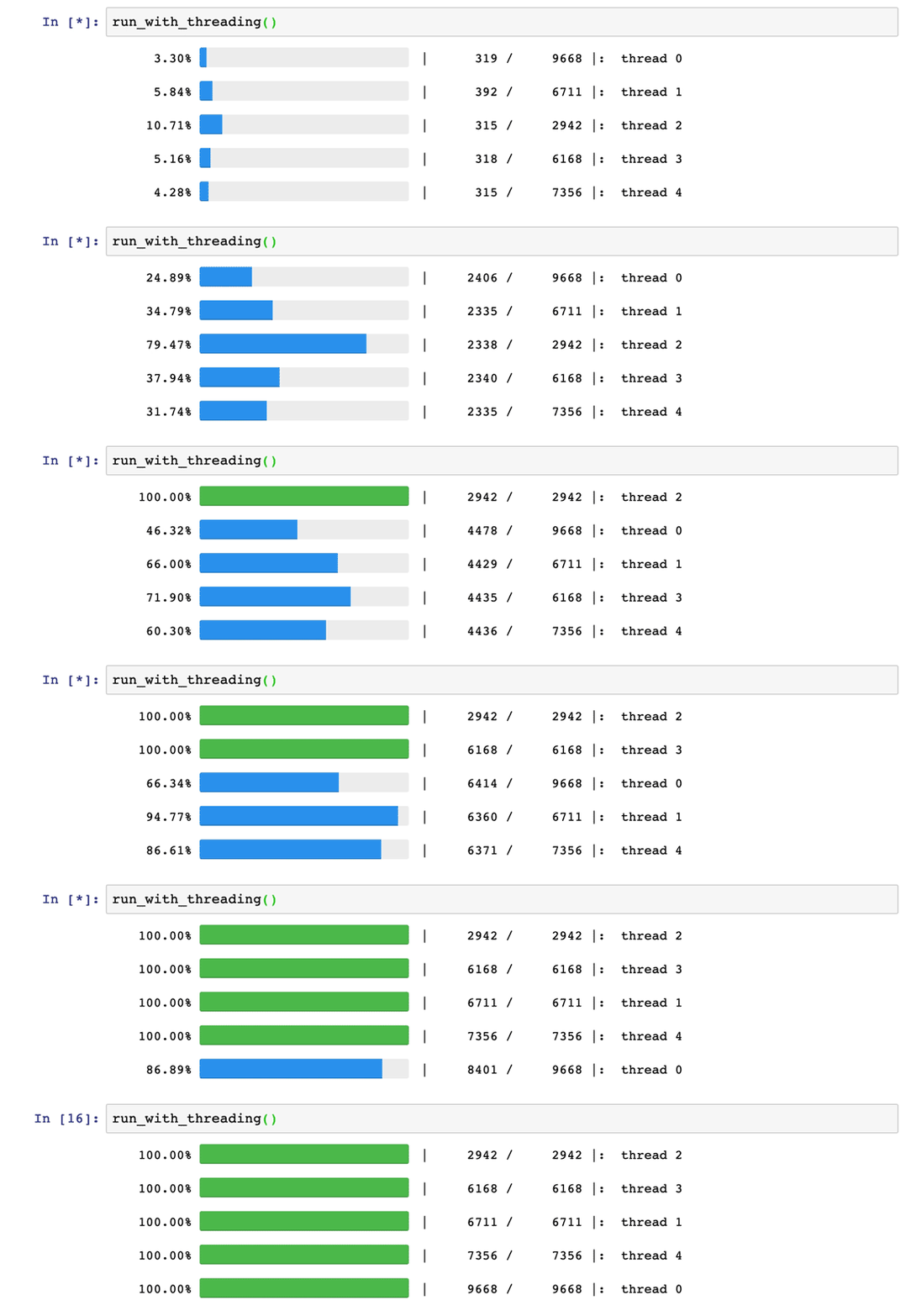
You can try interactively online:

For more information
This is the end of the quick start tutorial. For more information, see the Users Guide.
1 maintainer

Metadata
1 maintainer
Release files for atpbar 2.0.10
For a detailed explanation of source distributions (sdists) and built distributions (wheels), please see the package formats documentation.
Source distribution (sdist)
| File | Size | Uploaded | |
|---|---|---|---|
| atpbar-2.0.10.tar.gz | 14.6 kB | Details |
Built distribution (wheel)
| File | Interpreter | ABI | Platform | Reset |
|---|---|---|---|---|
| atpbar-2.0.10-py3-none-any.whl | Python 3 | none | any | Details |
Total release size: 35.0 kB
Release files / atpbar-2.0.10.tar.gz
| Download URL | atpbar-2.0.10.tar.gz |
|---|---|
| Size | 14.6 kB |
| Tags | Source |
|
SHA-256 checksum How to use checksums |
4b6e87dae70d726fa5ca9696851880dc1135ca6a404f66be77b7ae8cfb588a0b
|
|
BLAKE2b-256 checksum How to use checksums |
f723d76e780587aabec456dc9dad52baf6551fa449b1476762ffc956110d5617
|
| Upload date | |
|
Uploaded using Trusted Publishing? What is trusted publishing? |
Yes |
| Uploaded via |
twine/6.1.0 CPython/3.13.12
|
Provenance
Provenance describes where a file came from. On PyPI, provenance is shared via attestations, which provide a verifiable record of the build or publishing details. View details, limitations and caveats.


PyPI Publish Attestation
PyPI verified that this artifact, at this checksum, originated from the publisher listed below.
Signed by GitHub Actions, verified by PyPI on Apr 26, 2026.
Transparency logRelease files / atpbar-2.0.10-py3-none-any.whl
| Download URL | atpbar-2.0.10-py3-none-any.whl |
|---|---|
| Size | 20.3 kB |
| Tags | Python 3 |
|
SHA-256 checksum How to use checksums |
6e14ccb0a442b5025e4b03f3969f9ce5c80f32f6cd73a8e38f2d8b041f0d5e3f
|
|
BLAKE2b-256 checksum How to use checksums |
841be76423c8e0533fe1c41926a08b2514447968989f524ffa7ef8dfe91543af
|
| Upload date | |
|
Uploaded using Trusted Publishing? What is trusted publishing? |
Yes |
| Uploaded via |
twine/6.1.0 CPython/3.13.12
|
Provenance
Provenance describes where a file came from. On PyPI, provenance is shared via attestations, which provide a verifiable record of the build or publishing details. View details, limitations and caveats.
PyPI Publish Attestation
PyPI verified that this artifact, at this checksum, originated from the publisher listed below.
Signed by GitHub Actions, verified by PyPI on Apr 26, 2026.
Transparency log













