
No project description provided

Project description
Audio record streamlit
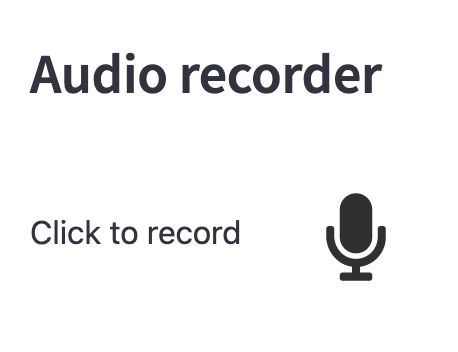
This streamlit component allows to register an audio utterence from a user.
Installation
pip install audio-recorder-streamlit
Usage
import streamlit as st
from audio_recorder_streamlit import audio_recorder

audio_bytes = audio_recorder()
if audio_bytes:
    st.audio(audio_bytes, format="audio/wav")
Recording parameters
You can adjust the recording parameters energy_threshold and
pause_threshold:
energy_threshold: The energy recording sensibility above which we consider that the user is speaking. If it is a float, then this is the energy threshold used to automatically detect recording start and recording end. You can provide a tuple for specifying different threshold for recording start detection and recording end detection.pause_threshold: The number of seconds to spend belowenergy_levelto automatically stop the recording.sample_rate: Sample rate of the recorded audio. If not provided, this will use the default sample rate (https://developer.mozilla.org/en-US/docs/Web/API/AudioContext/AudioContext).
# The recording will stop automatically
# 2 sec after the utterance end
audio_bytes = audio_recorder(pause_threshold=2.0, sample_rate=41_000)
Styling parameters
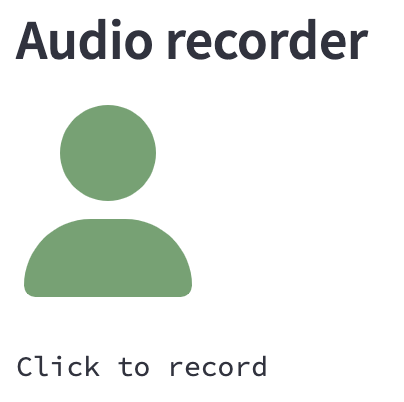
You can adjust the button style parameters:
- Text: specify the text displayed next to the icon
- Icon: specify the icon among the font awesome solid icons (https://fontawesome.com/search?o=r&s=solid)
- Color: specify the neutral color and recording color.
- Size: specify the icon size using font awesome sizing (https://fontawesome.com/docs/web/style/size).
audio_bytes = audio_recorder(
    text="",
    recording_color="#e8b62c",
    neutral_color="#6aa36f",
    icon_name="user",
    icon_size="6x",
)
Frequently Asked Question
How can I record for a fixed duration ?
You can record for a fixed duration by setting the energy_threshold=(-1.0, 1.0)
so that the recorder considers that you are speaking at the beginning and then
you are never speaking from this point on.
Then simply set pause_threshold to your desired recording length.
# Records 3 seconds in any case
audio_bytes = audio_recorder(
  energy_threshold=(-1.0, 1.0),
  pause_threshold=3.0,
)
Release history Release notifications | RSS feed


Download files
Download the file for your platform. If you're not sure which to choose, learn more about installing packages.
Source Distribution
Built Distribution
Filter files by name, interpreter, ABI, and platform.
If you're not sure about the file name format, learn more about wheel file names.
Copy a direct link to the current filters
File details
Details for the file audio-recorder-streamlit-0.0.8.tar.gz.
File metadata
- Download URL: audio-recorder-streamlit-0.0.8.tar.gz
- Upload date:
- Size: 1.2 MB
- Tags: Source
- Uploaded using Trusted Publishing? No
- Uploaded via: twine/4.0.1 CPython/3.9.0
File hashes
| Algorithm | Hash digest | |
|---|---|---|
| SHA256 |
f7253b9291a040769188ae76e7b1dd27d7004f87691af73a848d939d673e2ec3
|
|
| MD5 |
3b23509f617ea468f46937f1a259bec4
|
|
| BLAKE2b-256 |
21d0f3f1bc6018c4b76fe6622e94973a00ec6f8737ac72ac9b67578921e2e41b
|
File details
Details for the file audio_recorder_streamlit-0.0.8-py3-none-any.whl.
File metadata
- Download URL: audio_recorder_streamlit-0.0.8-py3-none-any.whl
- Upload date:
- Size: 1.2 MB
- Tags: Python 3
- Uploaded using Trusted Publishing? No
- Uploaded via: twine/4.0.1 CPython/3.9.0
File hashes
| Algorithm | Hash digest | |
|---|---|---|
| SHA256 |
c7f2fba58e55535830dc203418ab9b29aff3baf3248a219f6ef31d775ce44c3c
|
|
| MD5 |
e440327b4788eb342c095274801be639
|
|
| BLAKE2b-256 |
f34367cd77a0c70f9946af0afb28aa1ca60e8525291d41c5a2ce9c624f8f0290
|






