
Authr
A visualization python package that can extract information from any server log (i.e. HTTP server/Django/Auth/etc), reverse-search the data, and visualize the origination of the authentication attempts.
The following information are extracted from the logs:
- IP Address
- Port Number
- Username
- Server Message
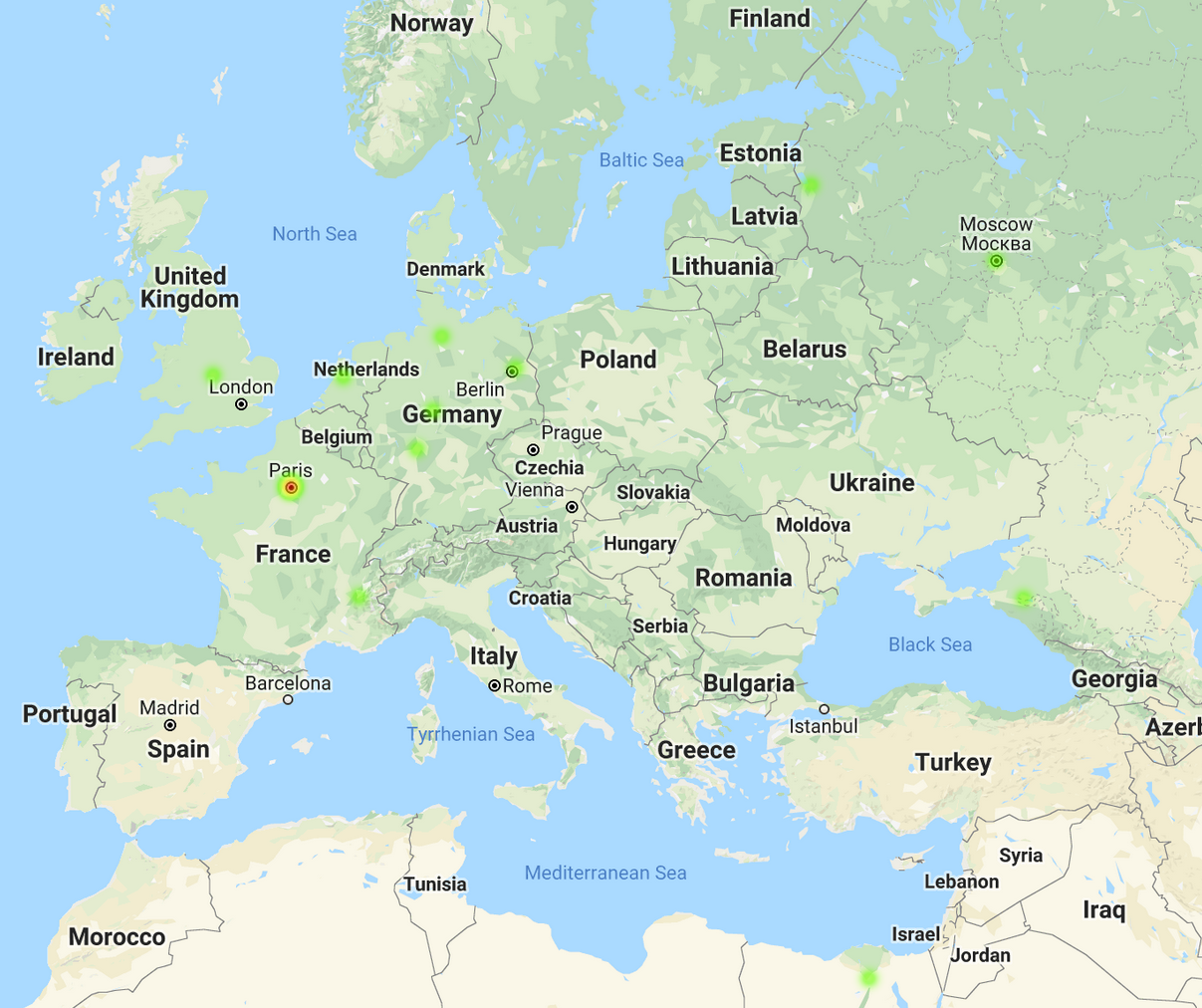
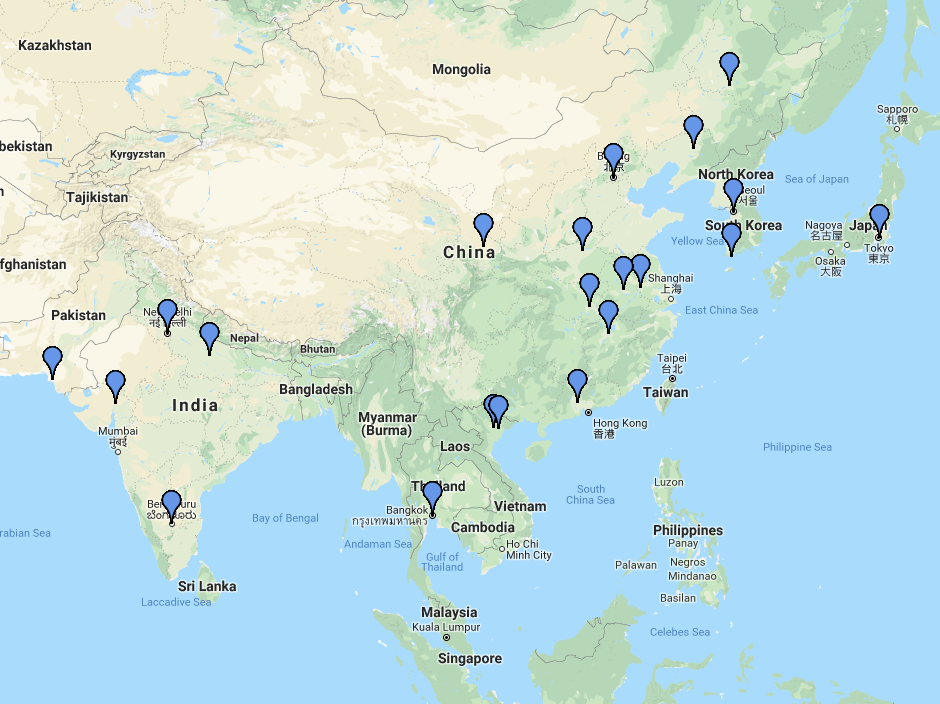
Once the information is extracted, each IP from the authentication attempt is checked with Shodan to get it's location data. An HTML page is created with a map and pins (associated to each IP).
Here is a sample of the data on a heat map:
Here an example of a map with markers for each data point:
** This may also be able to work with servers that are using fail2ban.
Available Functions
The following functionality are currently available from Authr:
- Create a CSV from server logs
- Create an html heat map from the server logs
- Create an html scatter map from the server log data
- Create an html map with markers from the server log data
- Create an html map with a polygon plot (connecting lines to each point) from the server log data
Getting Started
These instructions will get you up and running with authr on your local machine. You will be able to scrape your own server logs.
Prerequisites
Shodan
This tool heavily relies on Shodan (search engine for Internet-connected devices) to find the location of an IP address.
Go here to sign up for an account and get an developer API key.
Installations
The following steps go through installing Python dependencies and setting up the environment for the tool.
- Install Authr
$ pip install Authr
Usage
Sample Code - Heat Map & CSV
Below is a code sample on how to generate a heat map and csv from your server log:
- Place the following in a python file
    import authr, argparse, os

    def main():
        parser = argparse.ArgumentParser(description='Scrape Logs and Inserted into the DB')
        parser.add_argument('-a', '--auth', help='Server Log', required=True)
        parser.add_argument('-k', '--key', help='Shodan Key', required=True)

        args = vars(parser.parse_args())
        log_file_path = args['auth']
        shodan_api_key = args['key']

        full_path = os.path.dirname(os.path.abspath(__file__))
        full_log_file_path = full_path + log_file_path
        authr.set_shodan_api_environment(shodan_api_key)

        marker_list = authr(full_log_file_path).parse_auth_log(full_log_file_path)
        authr.create_authr_map_with_heatmap_plots(marker_list, "example_map.html")
        authr.create_authr_csv(marker_list, "example-csv.csv")

    if __name__ == "__main__":``
       main()
- Run the following command
$ python test.py -a {__path_to_server_log_file__} -k {__Shodan_API_Key__}
Built With
- Python 3.6
- Shodan - Search engine API for Internet-connected devices.
- GMPLOT - Used to generate maps with pins for the location of authentications.
Authors
- Jimmy Le - Jldevops
License
Licensed under the MIT License
1 maintainer

Metadata
1 maintainer
Release files for authr 1.3.3
For a detailed explanation of source distributions (sdists) and built distributions (wheels), please see the package formats documentation.
Source distribution (sdist)
| File | Size | Uploaded | |
|---|---|---|---|
| authr-1.3.3.tar.gz | 6.7 kB | Details |
Built distribution (wheel)
| File | Interpreter | ABI | Platform | Reset |
|---|---|---|---|---|
| authr-1.3.3-py3-none-any.whl | Python 3 | none | any | Details |
Total release size: 14.7 kB
Release files / authr-1.3.3.tar.gz
| Download URL | authr-1.3.3.tar.gz |
|---|---|
| Size | 6.7 kB |
| Tags | Source |
|
SHA-256 checksum How to use checksums |
b3560e6f57b82be52d59318be320e127ce1d0a7168c44c4f0fc88cbf2f5153b9
|
|
BLAKE2b-256 checksum How to use checksums |
775146e186033dd86f1e6636da651bc92906980c5d9ec0016b8f5d25495e871f
|
| Upload date | |
|
Uploaded using Trusted Publishing? What is trusted publishing? |
No |
| Uploaded via |
twine/1.11.0 pkginfo/1.4.2 requests/2.19.1 setuptools/39.0.1 requests-toolbelt/0.8.0 tqdm/4.24.0 CPython/3.6.6
|
Release files / authr-1.3.3-py3-none-any.whl
| Download URL | authr-1.3.3-py3-none-any.whl |
|---|---|
| Size | 8.1 kB |
| Tags | Python 3 |
|
SHA-256 checksum How to use checksums |
be14232ac23568ece5ad4be2d698b8f35db60d2806790920f0b06380e041a455
|
|
BLAKE2b-256 checksum How to use checksums |
5093c8282a0a7b5636da40ed8967650b559947547519762e4573d103d041b7c7
|
| Upload date | |
|
Uploaded using Trusted Publishing? What is trusted publishing? |
No |
| Uploaded via |
twine/1.11.0 pkginfo/1.4.2 requests/2.19.1 setuptools/39.0.1 requests-toolbelt/0.8.0 tqdm/4.24.0 CPython/3.6.6
|














