
autolux
inspired by lumen <https://github.com/anishathalye/lumen> but written for *nix machines. autolux takes a screenshot every few seconds, figures out the ‘average value’ of the resulting image (the luminence) and changes the screen brightness based on the screen’s contents.
installation
pip install autolux
dependencies
python2 (not python3)
python-daemon (optional, for running as a service)
imagemagick (for screenshots + determining average brightness)
xdotool (finding focused window)
xbacklight (for setting display brightness)
usage
# runs autolux
autolux
or
# running autolux as a service
autolux --daemon
xrandr
if your display does not support hardware adjustment through xbacklight, its possible to use xrandr to adjust the brightness via software.
# find out the display of your name using xrandr
xrandr --listmonitors

autolux --xrandr eDP1 # my monitor is named eDP1
autolux --xrandr eDP1 --reset # reset brightness to normal
autolux --xrandr eDP1 --adjust -1 # lower brightness by 1
autolux --xrandr eDP1 --adjust +1 # increase brightness by 1
model
initially, autolux uses linear interpolation to figure out the brightness to map to different luminence inputs. as the brightness is manually adjusted away from its predicted value, autolux records the time of day and luminence values that prompted you to change the brightness level and integrates the new information into its model.
autolux assumes that time of day and screen content are the sole predictors of one’s preferred brightness, but the model could further be improved by adding in several factors, such as ambient light or user active time (as a stand-in for eye strain). because of these and other unknown confounding variables, autolux has an emphasis on quick learning of new preferences and not burning in old ones.
visuals
autolux --vis --plot-bright
# show brightness prediction model
# requires matplotlib
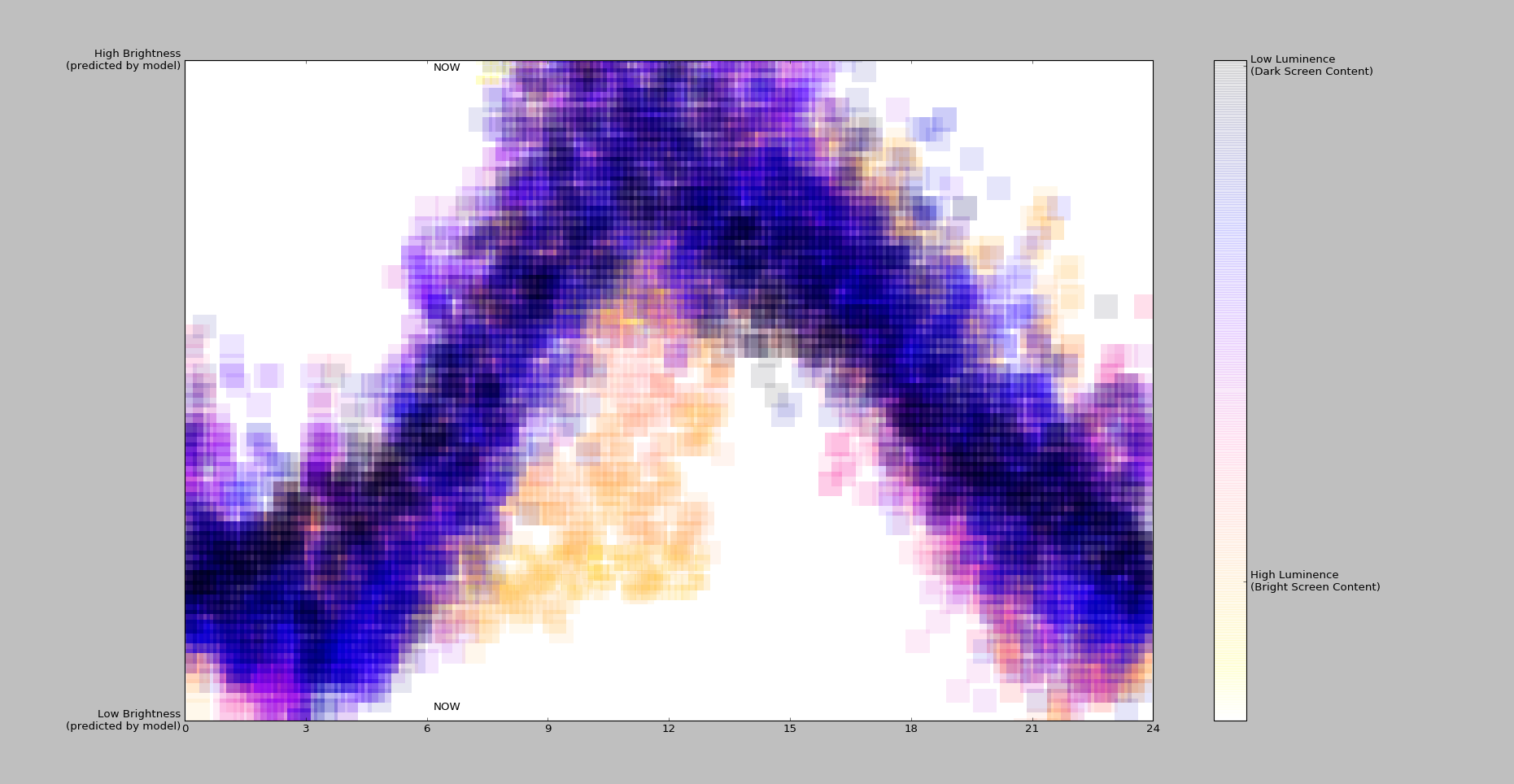
# color is the input luminence. (5K - 65K, lower value is darker screen content)
# x axis is hour (0 - 24, with UTC offset applied)
# y axis is predicted brightness level from the model (0 - 100%)


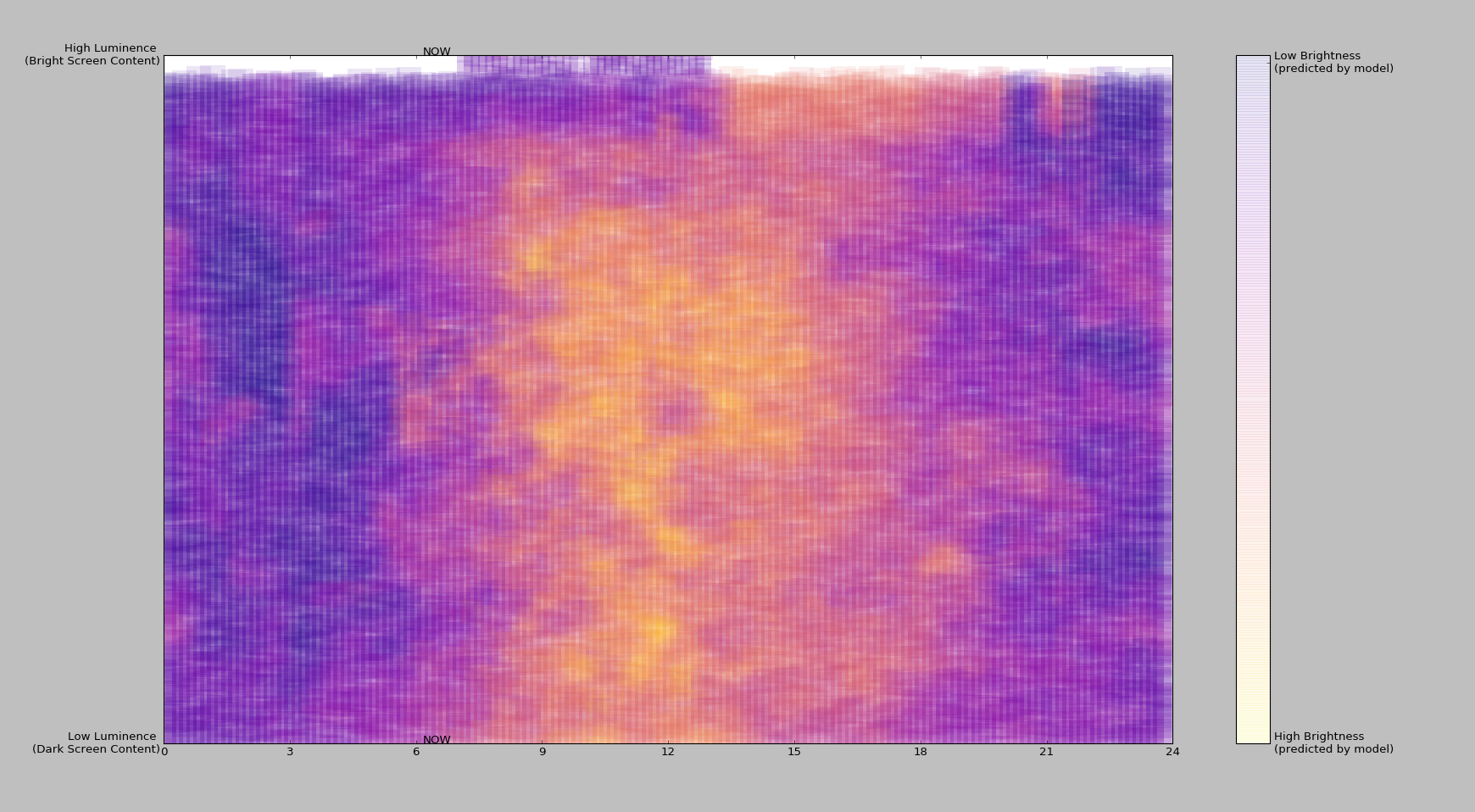
autolux --vis --plot-luma
# --plot-luma will swap the luma and brightness on the Y axis and colorbar
1 maintainer

Metadata
1 maintainer
Release files for autolux 0.0.35
For a detailed explanation of source distributions (sdists) and built distributions (wheels), please see the package formats documentation.
Source distribution (sdist)
| File | Size | Uploaded | Provenance | |
|---|---|---|---|---|
| autolux-0.0.35.tar.gz | 9.0 kB | Without provenance | Details |
Release files / autolux-0.0.35.tar.gz
| Download URL | autolux-0.0.35.tar.gz |
|---|---|
| Size | 9.0 kB |
| Tags | Source |
|
SHA-256 checksum How to use checksums |
8a971fc232b9aa1aac281f0250519c2689754b6e37e4968bcff83b5fdefe7360
|
|
BLAKE2b-256 checksum How to use checksums |
5fe15b61967e332758242879064ce49eb5ceff147fbbfec49cb2b19bf62a857a
|
| Upload date | |
|
Uploaded using Trusted Publishing? What is trusted publishing? |
No |
| Uploaded via |
Python-urllib/2.7
|
Security for autolux 0.0.35
Provenance
Provenance describes where a file came from. On PyPI, provenance is shared via attestations, which provide a verifiable record of the build or publishing details. View details, limitations and caveats.
No provenance found
None of the files in this release were uploaded with provenance metadata.
A note on package security
PyPI is a repository for distributing packages, not a service for auditing them. While third-party security researchers and our staff do their best to detect and remove malicious packages, PyPI cannot guarantee the quality, security or suitability of any given package.














