
PX4/ArduPilot Autopilot tools 


Tools for automating configuration, testing, and log analysis of PX4 and ArduPilot autopilots.
1. USE CASES
After the installation the package is accessible as a few executables.
1.1. Flight Log Player
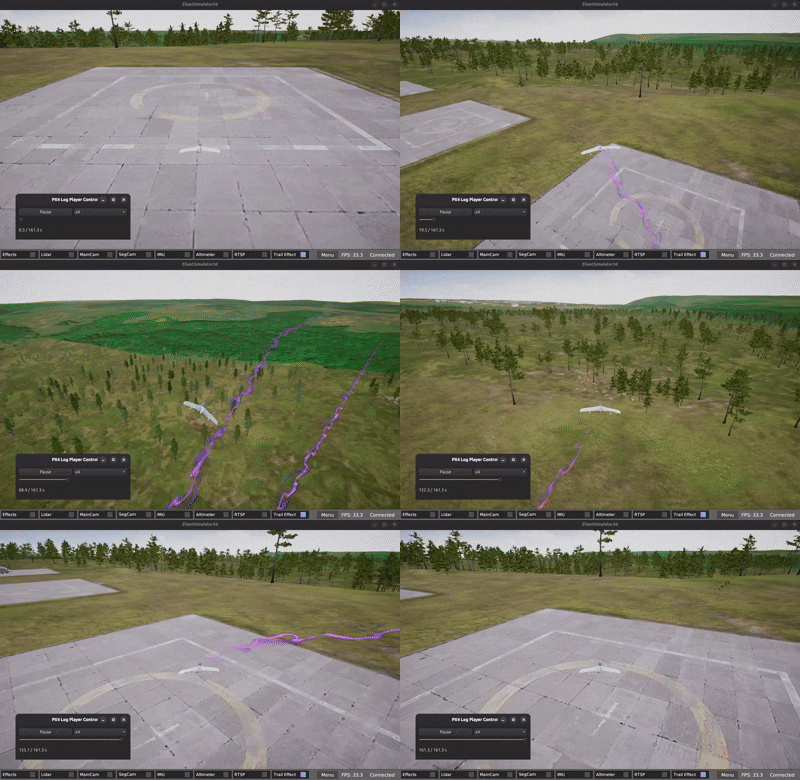
saisei lets you play a flight log in a 3D Simulator.
Install
pip install "autopilot_tools[saisei]"
Example
saisei --gui --log ~/Documents/px4_flight_log.ulg
or
python3 -m "autopilot_tools.saisei.cli" --help
1.2. Autopilot configurator
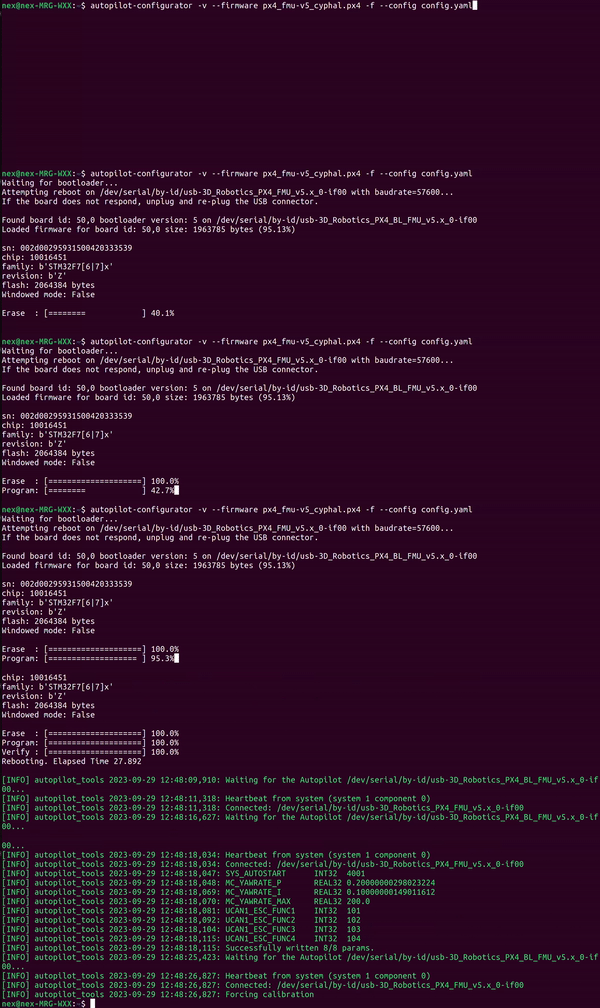
autopilot-configurator lets you take an unknown autopilot state and make it reproducible:
- flash a specific PX4 or ArduPilot firmware,
- reset parameters and apply a parameter set in a defined order,
- run forced sensor calibration (useful for HITL).
Install
pip install autopilot_tools
Example 1 - firmware + params:
autopilot-configurator -v --firmware https://github.com/ZilantRobotics/PX4-Autopilot/releases/download/v1.15.0-0.4.3-beta1/px4_fmu-v6c_cyphal.px4 --params examples/px4_sys_autostart_13000.yaml
Example 2 - single YAML “recipe”:
cd ~/zilant/uav_hitl_sim # or your path to the simulator
autopilot-configurator -v --force configs/vehicles/px4_v1_15_0_cyphal_quadplane_vtol.yaml
Example 3 – use as a library:
from autopilot_tools.configurator import AutopilotConfigurator

AutopilotConfigurator.configure_with_yaml_file(
    config_path="path_to_config_file.yaml",
    need_upload_firmware=True,
    need_load_parameters=True,
)
1.3. Test scenario
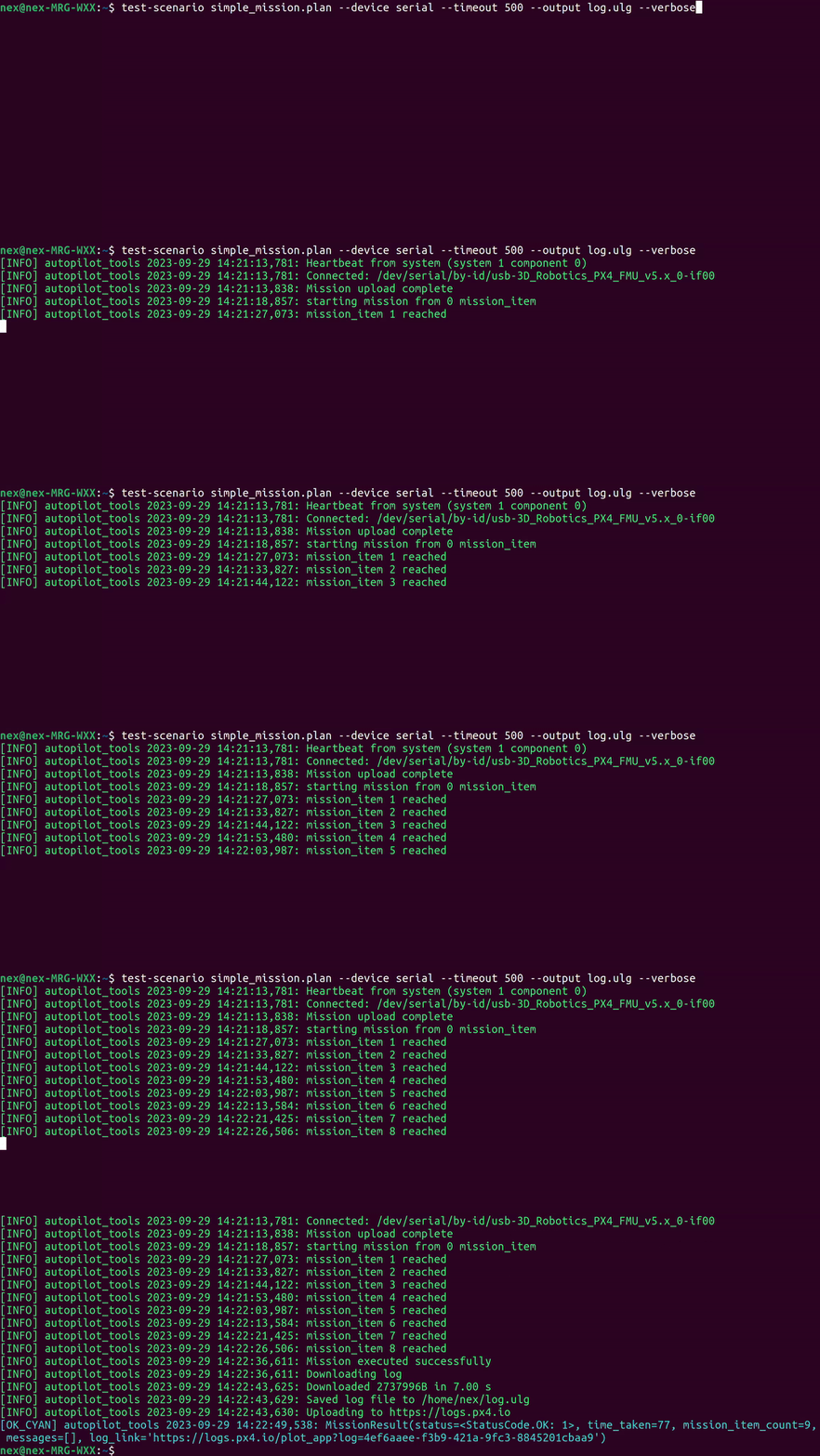
test-scenario runs a full mission and collects results automatically:
- uploads a mission to the autopilot,
- runs it and waits for completion,
- downloads the flight log and uploads it to review.px4.io,
- prints mission result and a link to the log.
Install
pip install autopilot_tools
Example:
test-scenario examples/plan_without_fence.plan --output flight.ulg
This runs the mission from examples/ and saves the log to flight.ulg.
2. CONTRIBUTING
A developer should follow the CONTRIBUTING.md guide.
It is recommended installing the package from sources in Development Mode (a.k.a. “Editable Installs”). Clone the repository, install the package in development mode and use it in virtual environment:
git clone https://github.com/PonomarevDA/autopilot_tools.git
python3 -m venv venv
./venv/bin/activate
pip install -e .
3. LICENSE
The package inherits ArduPilot/pymavlink license and is distributed under GPLv3 license.
1 maintainer

Metadata
1 maintainer
Release files for autopilot-tools 0.7.0
For a detailed explanation of source distributions (sdists) and built distributions (wheels), please see the package formats documentation.
Source distribution (sdist)
| File | Size | Uploaded | Provenance | Actions |
|---|---|---|---|---|
| autopilot_tools-0.7.0.tar.gz | 84.0 kB | Without provenance | Details for autopilot_tools-0.7.0.tar.gz |
Built distribution (wheel)
| File | Interpreter | ABI | Platform | Actions Reset |
|---|---|---|---|---|
| autopilot_tools-0.7.0-py3-none-any.whl | Python 3 | none | any | Details for autopilot_tools-0.7.0-py3-none-any.whl |
Total release size: 177.4 kB
Release files / autopilot_tools-0.7.0.tar.gz
| Download URL | autopilot_tools-0.7.0.tar.gz |
|---|---|
| Size | 84.0 kB |
| Tags | Source |
|
SHA-256 checksum How to use checksums |
a45678526c2d48b42fa590057bd19e2916db434a72dc66e2a9dc74e62eef45d6
|
|
BLAKE2b-256 checksum How to use checksums |
be1b78682539755046b28ddf24d47aee34f9cdb7b1251028f42ef3b57ec016f9
|
| Upload date | |
|
Uploaded using Trusted Publishing? What is trusted publishing? |
No |
| Uploaded via |
twine/6.2.0 CPython/3.11.14
|
Release files / autopilot_tools-0.7.0-py3-none-any.whl
| Download URL | autopilot_tools-0.7.0-py3-none-any.whl |
|---|---|
| Size | 93.4 kB |
| Tags | Python 3 |
|
SHA-256 checksum How to use checksums |
5d174c61bd815ad07e238c9e715a2681c50c68384591dccfcac108f8a2b72e65
|
|
BLAKE2b-256 checksum How to use checksums |
3dc41677d252828493b0627d08b96329bef44dbe942d449b1fb9ff690e2ae1c2
|
| Upload date | |
|
Uploaded using Trusted Publishing? What is trusted publishing? |
No |
| Uploaded via |
twine/6.2.0 CPython/3.11.14
|
Security for autopilot-tools 0.7.0
Provenance
Provenance describes where a file came from. On PyPI, provenance is shared via attestations, which provide a verifiable record of the build or publishing details. View details, limitations and caveats.
No provenance found
None of the files in this release were uploaded with provenance metadata.
A note on package security
PyPI is a repository for distributing packages, not a service for auditing them. While third-party security researchers and our staff do their best to detect and remove malicious packages, PyPI cannot guarantee the quality, security or suitability of any given package.
To learn more about protecting yourself from malicious actors, visit our package security documentation.














