
HITL infrastructure for AI agents. Your agent calls await_human(), a human reviews via Slack/email/dashboard, agent resumes with a typed response.

Project description
awaithumans — HITL infrastructure for AI agents

Your agents already await promises. Now they can await humans.






Docs · Quickstart · Examples · Discord
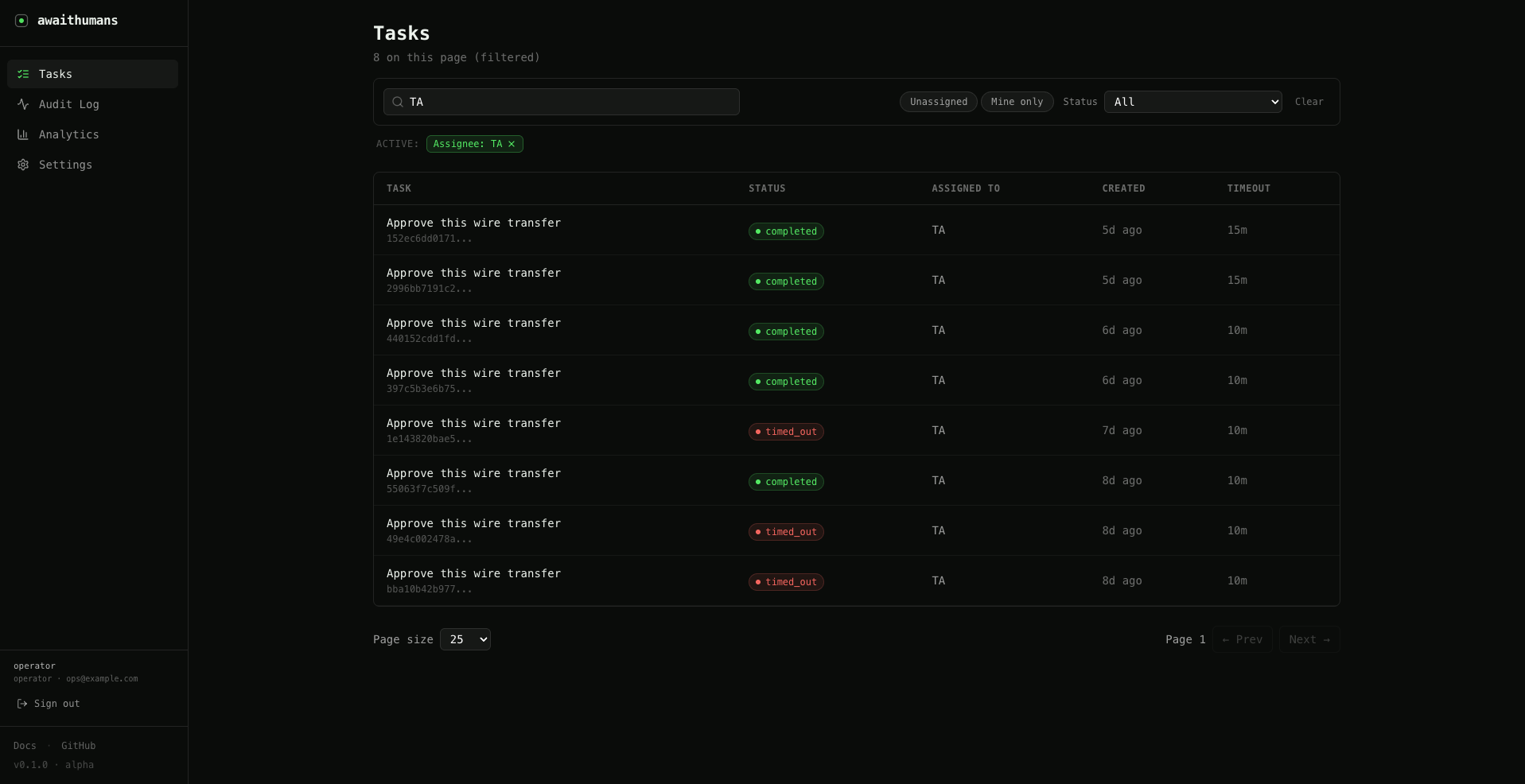
HITL infrastructure for AI agents — open source. A single primitive (await_human()) your agent calls when the model can't or shouldn't proceed alone. A human gets notified (Slack, email, or dashboard), reviews the request, submits a typed response, and your agent resumes — like awaiting any other coroutine.
from awaithumans import await_human
from pydantic import BaseModel

class Decision(BaseModel):
    approved: bool
    note: str | None = None

decision = await await_human(
    task="Approve refund request",
    payload_schema=RefundRequest,
    payload=RefundRequest(order_id="A-4721", amount_usd=180),
    response_schema=Decision,
    timeout_seconds=900,
)

if decision.approved:
    process_refund(...)

Install
pip install awaithumans                    # SDK only — lightweight HTTP client
pip install "awaithumans[server]"          # SDK + server + CLI + bundled dashboard
Extras for specific adapters:
pip install "awaithumans[temporal]"        # Temporal workflow adapter
pip install "awaithumans[langgraph]"       # LangGraph interrupt/resume adapter
pip install "awaithumans[verifier-claude]" # AI verification via Claude
Extras stack — install multiple in one command:
pip install "awaithumans[server,temporal,verifier-claude]"
Quick start
pip install "awaithumans[server]"
awaithumans dev
First run prints a setup URL. Open it, create the operator account,
you're in. The dashboard runs on http://localhost:3001.
Then your agent:
from awaithumans import await_human_sync
from pydantic import BaseModel

class RefundRequest(BaseModel):
    order_id: str
    amount_usd: float

class Decision(BaseModel):
    approved: bool

decision = await_human_sync(
    task="Approve refund",
    payload_schema=RefundRequest,
    payload=RefundRequest(order_id="A-4721", amount_usd=180),
    response_schema=Decision,
    timeout_seconds=900,
)
await_human_sync is the blocking form. For async agents use
await_human directly.
Routing
Route tasks to people (not channels) via assign_to:
decision = await await_human(
    task="...",
    assign_to={"role": "kyc-reviewer", "access_level": "senior"},
    ...,
)
The server picks the least-recently-assigned active user matching the filter — fair distribution across your team. Manage the user directory via the dashboard's Settings page or the CLI:
awaithumans add-user --email alice@company.com --role kyc-reviewer --access-level senior
awaithumans list-users
awaithumans remove-user alice@company.com
awaithumans set-password alice@company.com
Notifications
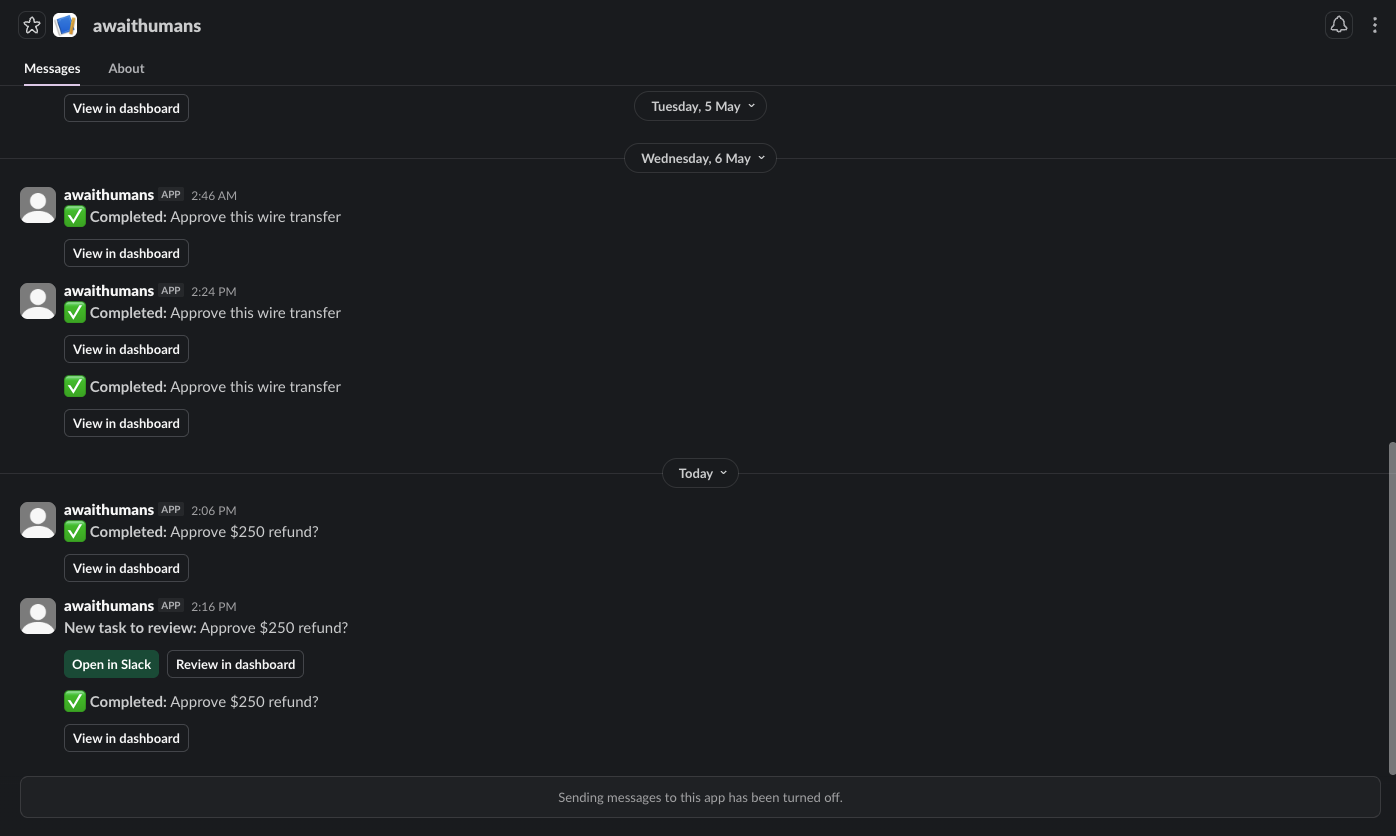
notify=["slack:#ops", "email:reviewer@company.com"]
Slack channel broadcasts post a "Claim this task" button; first clicker atomically wins. Direct messages and emails go straight to the recipient.
Durable workflows
from awaithumans.adapters.temporal import await_human_temporal
from awaithumans.adapters.langgraph import await_human_langgraph
Same await_human shape. The adapter hands the wait to the engine
(Temporal signal / LangGraph interrupt) so the orchestrator isn't
holding a connection open for 15 minutes.
AI verification
from awaithumans.verifiers.claude import verify_with_claude

decision = await await_human(
    task="...",
    verifier=verify_with_claude(
        instructions="Reject if the note contradicts the approval.",
        max_attempts=2,
    ),
)
The verifier runs after each human submission; failures re-send to the human with the reason attached. Claude, OpenAI, Gemini, and Azure OpenAI are all supported.
Documentation
- Repository: github.com/awaithumans/awaithumans
- Full docs: awaithumans.dev
- Examples:
examples/quickstart/andexamples/quickstart-ts/ - Changelog:
CHANGELOG.md
License
Apache License 2.0 across the whole package — SDK, server, dashboard, adapters, channels. Permissive, OSI-approved, with an explicit patent grant. Use it in proprietary stacks, fork it, ship it inside paid products.
Release history Release notifications | RSS feed


Download files
Download the file for your platform. If you're not sure which to choose, learn more about installing packages.
Source Distribution
Built Distribution
Filter files by name, interpreter, ABI, and platform.
If you're not sure about the file name format, learn more about wheel file names.
Copy a direct link to the current filters
File details
Details for the file awaithumans-0.1.7.tar.gz.
File metadata
- Download URL: awaithumans-0.1.7.tar.gz
- Upload date:
- Size: 602.1 kB
- Tags: Source
- Uploaded using Trusted Publishing? No
- Uploaded via: twine/6.2.0 CPython/3.12.2
File hashes
| Algorithm | Hash digest | |
|---|---|---|
| SHA256 |
1051fc345aa7d1865e9088780432ae2d3fa19c49c196d136569ee66ebb287d85
|
|
| MD5 |
eafada8566971b9484e46eb8838c510b
|
|
| BLAKE2b-256 |
fbfd0bce718cd483cd31a5360893a126de81c8d324caf28a734791117b87a669
|
File details
Details for the file awaithumans-0.1.7-py3-none-any.whl.
File metadata
- Download URL: awaithumans-0.1.7-py3-none-any.whl
- Upload date:
- Size: 695.2 kB
- Tags: Python 3
- Uploaded using Trusted Publishing? No
- Uploaded via: twine/6.2.0 CPython/3.12.2
File hashes
| Algorithm | Hash digest | |
|---|---|---|
| SHA256 |
84caf87c53646b1758e672554ab73467ed27c38cbaa79fffa12ff155eedb716f
|
|
| MD5 |
ac2b0e0d0e184f1c5dbd3b8bb45e4063
|
|
| BLAKE2b-256 |
ff4932dc4cb9228769b3d1e0da23259e97d23db127455b204cf67a808e70917d
|






