
An interactive Azure CLI 2.0 command line interface.
[Note] Microsoft official Azure CLI 2.0 shell can be found at Azure/azure-cli-shell
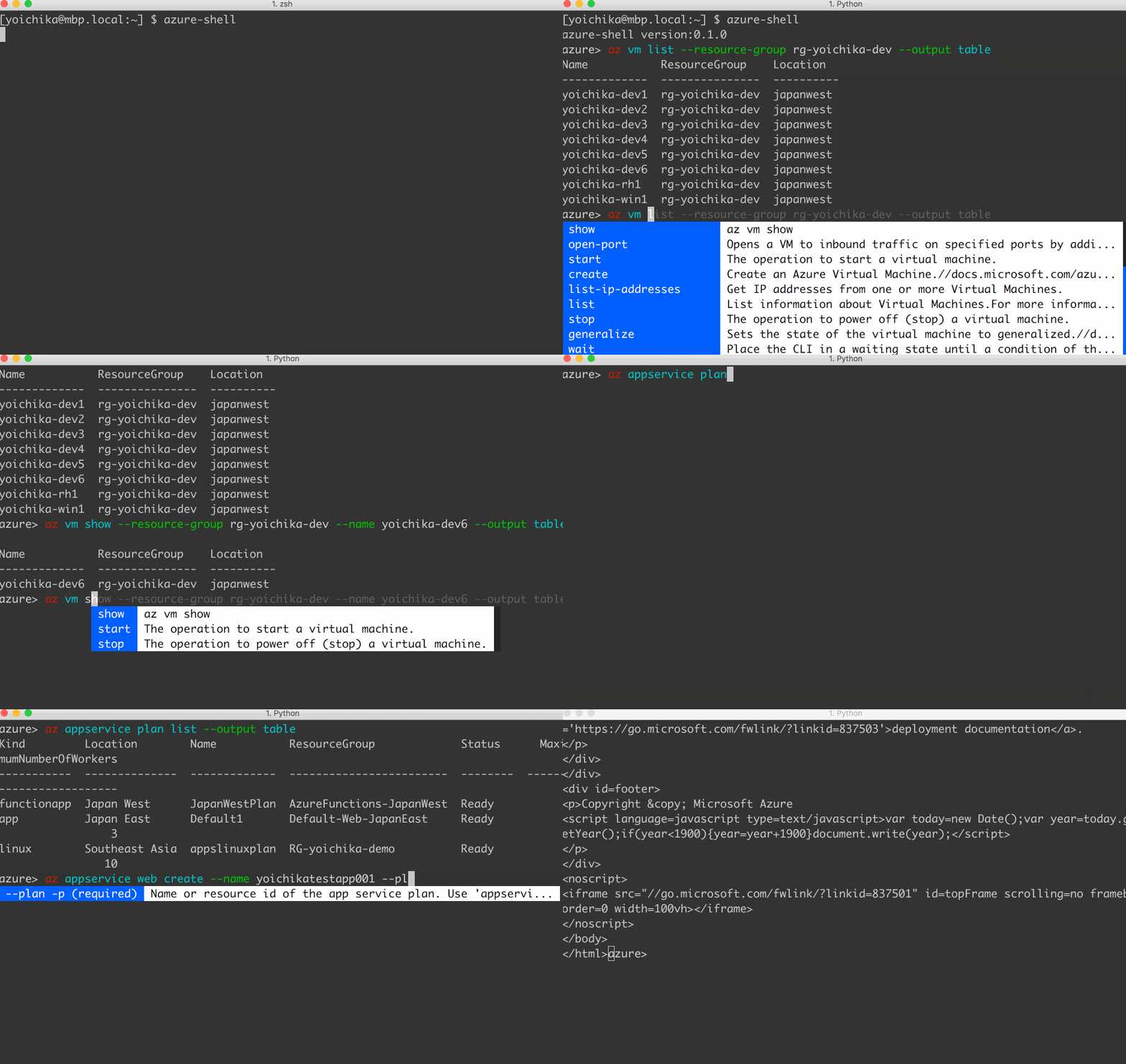
Features
Auto-completion of Azure CLI group, subgroups, commands, and parameters
Syntax highlighting
Command history
Supported Environments
Python versions: 2.7, 3.3, 3.4, 3.5, 3.5, 3.6 and maybe more
OS: Mac, Ubuntu, CentOS, Bash-on-Windows, or any platform where azure-cli can be installed
Prerequisites
You need Azure CLI 2.0 installed as prerequisites for azure-shell. Please refer to Install Azure CLI 2.0 and install it if not yet installed
Installation
The azure-shell requires python and pip to install. You can install the azure-shell using pip:
pip install azure-shell
If you’ve already have azure-shell installed and want to upgrade to the latest version, you can upgrade like this:
pip install --upgrade azure-shell
Usage
Once you’ve installed the azure-shell, you can run azure-shell by simply typing azure-shell:
azure-shell
You can exit the azure-shell by typing either exit or quit:
azure> exit
Basically you can run azure-shell without making any configurations but you can give options to azure-shell to change its default behabior:
azure-shell --help

Usage: azure-shell [-h] [--version] [--basedir BASEDIR] [--config CONFIG]
                   [--index INDEX]

An interactive Azure CLI command line interface

optional arguments:
  -h, --help         show this help message and exit
  --version          show program's version number and exit
  --basedir BASEDIR  Azure Shell base dir path ($HOME/.azureshell by default)
  --config CONFIG    Azure Shell config file path
                     ($HOME/.azureshell/azureshell.conf by default)
  --index INDEX      Azure Shell index file to load ($HOME/.azureshel/cli-
                     index-<azure_cli_version>.json)
Azure Shell Index Generator
You can generate an index for azure-shell using azure-shell-index-generator command. Please be noted that it will take time before all data generation works are done
azure-shell-index-generator --output ~/.azureshell/cli-index.json
Basically you don’t need to generate the index by yourself as azure-shell automatically downloads an index from its repository and load it for commands and parameters completion in startup time. But you also can give azure-shell your index using –index option.
azure-shell --index ~/.azureshell/cli-index.json
Contributing
Bug reports and pull requests are welcome on GitHub at https://github.com/yokawasa/azure-shell
More Information
1 maintainer

Release files for azure-shell 0.2.5
For a detailed explanation of source distributions (sdists) and built distributions (wheels), please see the package formats documentation.
Source distribution (sdist)
| File | Size | Uploaded | |
|---|---|---|---|
| azure-shell-0.2.5.tar.gz | 12.4 kB | Details |
Built distribution (wheel)
| File | Interpreter | ABI | Platform | Reset |
|---|---|---|---|---|
| azure_shell-0.2.5-py2.py3-none-any.whl | Python 2, Python 3 | none | any | Details |
Total release size: 29.8 kB
Release files / azure-shell-0.2.5.tar.gz
| Download URL | azure-shell-0.2.5.tar.gz |
|---|---|
| Size | 12.4 kB |
| Tags | Source |
|
SHA-256 checksum How to use checksums |
09e7a187d504d4ceee602bb49c525bf84fc2707b88cedd4a64007946e654dc63
|
|
BLAKE2b-256 checksum How to use checksums |
fc37504d45c9b3f8bc0a7c0801c2900e0cfbe9e2250dcaa4ac9388b2129c40df
|
| Upload date | |
|
Uploaded using Trusted Publishing? What is trusted publishing? |
No |
Release files / azure_shell-0.2.5-py2.py3-none-any.whl
| Download URL | azure_shell-0.2.5-py2.py3-none-any.whl |
|---|---|
| Size | 17.4 kB |
| Tags | Python 2 Python 3 |
|
SHA-256 checksum How to use checksums |
1f5891a0a1ab28f18d06a4c70ad3fef5dfc9570233dac95b77056fc52c73d813
|
|
BLAKE2b-256 checksum How to use checksums |
83ebaf400484e2031616955bff1efae15aaf2150914f821305e895f0d0df8105
|
| Upload date | |
|
Uploaded using Trusted Publishing? What is trusted publishing? |
No |














