
barcode-server 
A simple daemon to read barcodes from USB Barcode Scanners and expose them to other service using HTTP calls, a websocket API or MQTT.
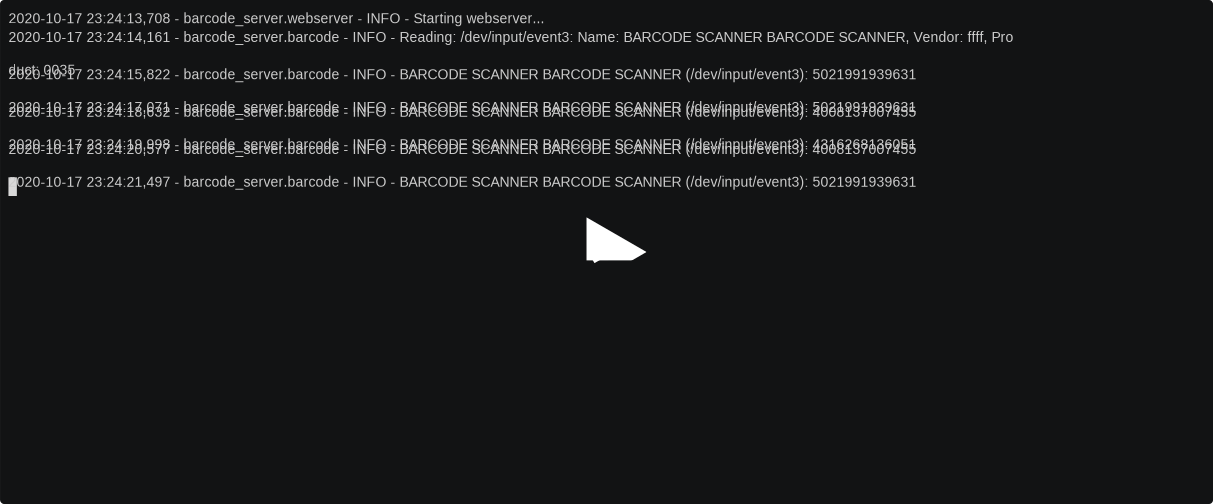
Features
- Autodetect Barcode Scanner devices on the fly
- Request Server information via REST API
- Subscribe to barcode events using
- Push barcode events using
- Get statistics via Prometheus exporter
How to use
Device Access Permissions
Ensure the user running this application is in the correct group for accessing
input devices (usually input), like this:
sudo usermod -a -G input myusername
Configuration
barcode-server uses container-app-conf to provide configuration via a YAML or TOML file as well as ENV variables. Have a look at the documentation about it.
The config file is searched for in the following locations (in this order):
./~/.config/~/
See barcode_server.yaml for an example in this repo.
Native
# create venv
python -m venv ./venv
# enter venv
source ./venv/bin/activate
# install barcode-server
pip install barcode-server
# exit venv
deactivate

# print help
./venv/bin/barcode-server -h
This will give you an overview of all available commands:
> ./venv/bin/barcode-server -h
Usage: barcode-server [OPTIONS] COMMAND [ARGS]...

Options:
  --version   Show the version and exit.
  -h, --help  Show this message and exit.

Commands:
  config  Print the current configuration of barcode-server
  run     Run the barcode-server
Docker
The docker image will by default be launched with the run command, making it easier
for production deployment. When starting the docker container, make sure to pass through
input devices as well as the configuration file:
docker run -it --rm \
  --name barcode \
  --device=/dev/input \
  -v "/home/markus/.config/barcode_server.yaml:/app/barcode_server.yaml" \
  -e PUID=0 \
  -e PGID=0 \
  markusressel/barcode-server
Note: Although barcode-server will continuously try to detect new devices,
even when passing through /dev/input like shown above, new devices can not be detected
due to the way docker works. If you need to detect devices in real-time, you have to use
the native approach.
The user and group id that should be used within the container can be specified using the
PUID and PGID environment variables.
To override the default command, simply specify command arguments directly:
docker run -it --rm \
  ...
  markusressel/barcode-server --help
Webserver
By default the webserver will listen to 127.0.0.1 on port 9654.
Authorization
When specified in the config, an API token is required to authorize clients, which must
be passed using a X-Auth-Token header when connecting. Since barcode-scanner doesn't rely on any
persistence, the token is specified in the configuration file and can not be changed on runtime.
Rest API
barcode-server provides a simple REST API to get some basic information. This API can not be used to retrieve barcode events. To do that you have to use one of the approaches described below.
| Endpoint | Description |
|---|---|
/devices |
A list of all currently detected devices. |
Websocket API
In addition to the REST API barcode-server also exposes a websocket at /, which can be used
to get realtime barcode scan events.
To connect to it, you have to provide
- a
Client-IDheader with a UUID (v4) - (optional) an empty
Drop-Event-Queueheader, to ignore events that happened between connections - (optional) an
X-Auth-Tokenheader, to authorize the client
Messages received on this websocket are JSON formatted strings with the following format:
{
  "id": "33cb5677-3d0b-4faf-9dc4-d19a8ee7d8a1",
  "serverId": "cash-register-1",
  "date": "2020-08-03T10:00:00+00:00",
  "device": {
    "name": "BARCODE SCANNER BARCODE SCANNER",
    "path": "/dev/input/event3",
    "vendorId": "ffff",
    "productId": "0035"
  },
  "barcode": "4250168519463"
}
To test the connection you can use f.ex. websocat:
> websocat - autoreconnect:ws://127.0.0.1:9654 --text --header "Client-ID:dc1f14fc-a7a6-4102-af60-2b6e0dcf744c" --header "Drop-Event-Queue:" --header "X-Auth-Token:EmUSqjXGfnQwn5wn6CpzJRZgoazMTRbMNgH7CXwkQG7Ph7stex"
{"date":"2020-12-20T19:35:04.769739","device":{"name":"BARCODE SCANNER BARCODE SCANNER","path":"/dev/input/event3","vendorId":65535,"productId":53},"barcode":"D-t38409355843o52230Lm54784"}
{"date":"2020-12-20T19:35:06.237408","device":{"name":"BARCODE SCANNER BARCODE SCANNER","path":"/dev/input/event3","vendorId":65535,"productId":53},"barcode":"4250168519463"}
HTTP Request
When configured, you can let barcode-scanner issue a HTTP request (defaults to POST) when a
barcode is scanned, which provides the ability to push barcode events to a server that is unaware
of any client. The body of the request will contain the same JSON as in the websocket API example.
To do this simply add the following section to your config:
barcode_server:
  [ ... ]
  http:
    url: "https://my.domain.com/barcode"
Have a look at the example config for more options.
MQTT Publish
When configured, you can let barcode-scanner publish barcode events to a MQTT broker. The payload of the message will contain the same JSON as in the websocket API example.
To do this simply add the following section to your config:
barcode_server:
  [ ... ]
  mqtt:
    host: "my.mqtt.broker"
Have a look at the example config for more options.
Statistics
barcode-server exposes a prometheus exporter (defaults to port 8000) to give some statistical insight.
A brief overview of (most) available metrics:
| Name | Type | Description |
|---|---|---|
| websocket_client_count | Gauge | Number of currently connected websocket clients |
| devices_count | Gauge | Number of currently detected devices |
| scan_count | Gauge | Number of times a scan has been detected |
| device_detection_processing_seconds | Summary | Time spent detecting devices |
| rest_endpoint_processing_seconds | Summary | Time spent in a rest command handler |
| notifier_processing_seconds | Summary | Time spent in a notifier |
FAQ
Can I lock the Barcode Scanner to this application?
Yes. Most barcode readers normally work like a keyboard, resulting in their input being evaluated by the system, which can clutter up your TTY or other open programs. barcode-server will try to grab input devices, making it the sole recipient of all incoming input events from those devices, which should prevent the device from cluttering your TTY.
If, for some reason, this does not work for you, try this:
Create a file /etc/udev/rules.d/10-barcode.rules:
SUBSYSTEM=="input", ACTION=="add", ATTRS{idVendor}=="xxxx", ATTRS{idProduct}=="yyyy", RUN+="/bin/sh -c 'echo remove > /sys$env{DEVPATH}/uevent'"
SUBSYSTEM=="input", ACTION=="add", ATTRS{idVendor}=="xxxx", ATTRS{idProduct}=="yyyy", DEVPATH=="*:1.0/*", KERNEL=="event*", RUN+="/bin/sh -c 'ln -sf /dev/input/$kernel /dev/input/barcode_scanner'"
Replace the idVendor and idProduct values with the values of your barcode reader (a 4 digit hex value with leading
zeros).
You can find them in the log output of barcode-reader or using lsusb with the wireless receiver attached to your
computer.
Reload udev rules using:
udevadm control --reload
then remove and reinsert the wireless receiver.
You should now have a symlink in /dev/input/barcode_scanner:
ls -lha /dev/input/barcode_scanner
which can be used in the device_paths section of the barcode-server config.
Contributing
GitHub is for social coding: if you want to write code, I encourage contributions through pull requests from forks of this repository. Create GitHub tickets for bugs and new features and comment on the ones that you are interested in.
License
barcode-server is free software: you can redistribute it and/or modify
it under the terms of the GNU General Public License as published by
the Free Software Foundation, either version 3 of the License, or
(at your option) any later version.

This program is distributed in the hope that it will be useful,
but WITHOUT ANY WARRANTY; without even the implied warranty of
MERCHANTABILITY or FITNESS FOR A PARTICULAR PURPOSE.  See the
GNU General Public License for more details.

You should have received a copy of the GNU General Public License
along with this program.  If not, see <https://www.gnu.org/licenses/>.
1 maintainer

Metadata
1 maintainer
Release files for barcode-server 2.4.1
For a detailed explanation of source distributions (sdists) and built distributions (wheels), please see the package formats documentation.
Source distribution (sdist)
| File | Size | Uploaded | Provenance | Actions |
|---|---|---|---|---|
| barcode_server-2.4.1.tar.gz | 29.6 kB | Without provenance | Details for barcode_server-2.4.1.tar.gz |
Built distribution (wheel)
| File | Interpreter | ABI | Platform | Actions Reset |
|---|---|---|---|---|
| barcode_server-2.4.1-py3-none-any.whl | Python 3 | none | any | Details for barcode_server-2.4.1-py3-none-any.whl |
Total release size: 61.0 kB
Release files / barcode_server-2.4.1.tar.gz
| Download URL | barcode_server-2.4.1.tar.gz |
|---|---|
| Size | 29.6 kB |
| Tags | Source |
|
SHA-256 checksum How to use checksums |
64d00c8cf03763257fdf531f6197584fd57e140a43247eaa13e7b687c0dc056a
|
|
BLAKE2b-256 checksum How to use checksums |
a46d113b689aa54f18a4aaccdc7050cb72f38956e2072089664d7d186fdee53e
|
| Upload date | |
|
Uploaded using Trusted Publishing? What is trusted publishing? |
No |
| Uploaded via |
twine/5.0.0 CPython/3.12.3
|
Release files / barcode_server-2.4.1-py3-none-any.whl
| Download URL | barcode_server-2.4.1-py3-none-any.whl |
|---|---|
| Size | 31.4 kB |
| Tags | Python 3 |
|
SHA-256 checksum How to use checksums |
96a17b3570bbf737a31ef73c24866dba020754f407025ab6cbf06f16228b1b50
|
|
BLAKE2b-256 checksum How to use checksums |
8d58c0212624a1b7f06892a782a9954482473e83a9f45637f3da614b8d52eba0
|
| Upload date | |
|
Uploaded using Trusted Publishing? What is trusted publishing? |
No |
| Uploaded via |
twine/5.0.0 CPython/3.12.3
|
Security for barcode-server 2.4.1
Provenance
Provenance describes where a file came from. On PyPI, provenance is shared via attestations, which provide a verifiable record of the build or publishing details. View details, limitations and caveats.
No provenance found
None of the files in this release were uploaded with provenance metadata.
A note on package security
PyPI is a repository for distributing packages, not a service for auditing them. While third-party security researchers and our staff do their best to detect and remove malicious packages, PyPI cannot guarantee the quality, security or suitability of any given package.
To learn more about protecting yourself from malicious actors, visit our package security documentation.














