
BDF Parser Python library





BDF (Glyph Bitmap Distribution; Wikipedia; Spec) format bitmap font file parser library in Python. It has Font, Glyph and Bitmap classes providing more than 30 chainable API methods of parsing BDF fonts, getting their meta information, rendering text in any writing direction, adding special effects and manipulating bitmap images. It works seamlessly with PIL / Pillow and NumPy, and has detailed documentation / tutorials / API reference.
BDF Parser TypeScript (JavaScript) library (documentation; GitHub page; npm page; npm i bdfparser) is a port of BDF Parser Python library (documentation; GitHub page; PyPI page; pip install bdfparser). Both are written by Tom Chen and under the MIT License.
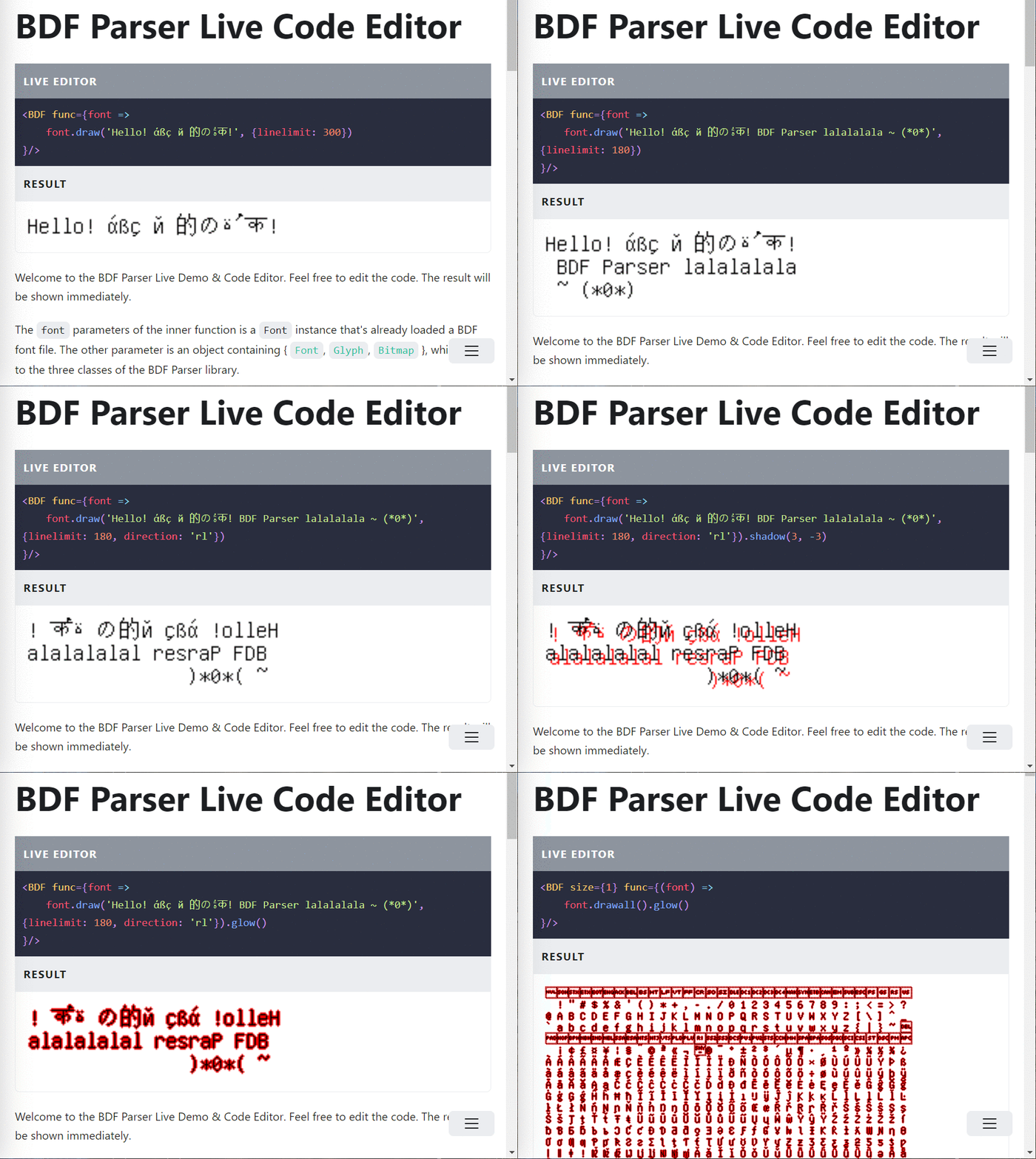
The BDF Parser TypeScript (JavaScript) library has a Live Demo & Editor you can try.
Below I'll show you some quick examples, but it is still strongly recommended you go to BDF Parser Python Library's official website to read the detailed documentation / tutorials / API reference.
Install bdfparser Python library with pip:
pip install bdfparser
Then:
from bdfparser import Font
font = Font('tests/fonts/unifont-13.0.04.bdf')
print(f"This font's global size is "
      f"{font.headers['fbbx']} x {font.headers['fbby']} (pixel), "
      f"it contains {len(font)} glyphs.")

# =================================

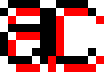
ac = font.glyph("a").draw().crop(6, 8, 1, 2).concat(
    font.glyph("c").draw().crop(6, 8, 1, 2)
    ).shadow()
ac_8x8 = ac * 8

from PIL import Image
im_ac = Image.frombytes('RGBA',
                        (ac_8x8.width(), ac_8x8.height()),
                        ac_8x8.tobytes('RGBA'))
im_ac.save("ac.png", "PNG")

# =================================

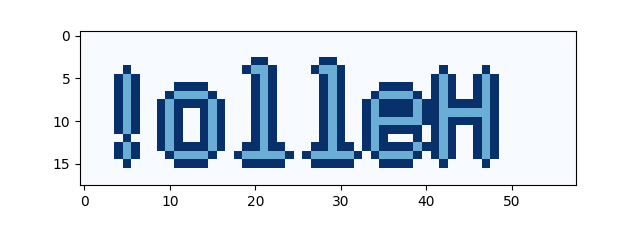
hello = font.draw('Hello!', direction='rl').glow()
print(hello)

import numpy
import matplotlib.pyplot as plt
nparr = numpy.array(hello.todata(2))
plt.imshow(nparr, 'Blues')
plt.show()

# =================================

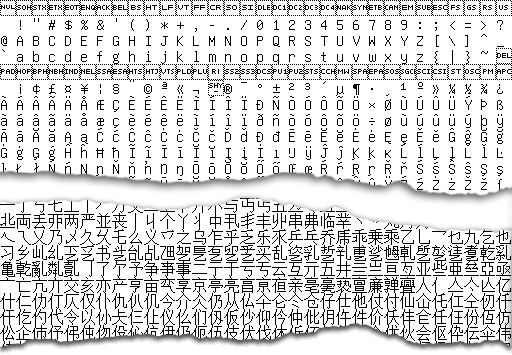
font_preview = font.drawall()
im_ac = Image.frombytes('1',
                        (font_preview.width(), font_preview.height()),
                        font_preview.tobytes('1'))
im_ac.save("font_preview.png", "PNG")
You probably understand what I did in these examples. Whether you do or not, go to bdfparser's documentation website.
1 maintainer

Metadata
1 maintainer
Release files for bdfparser 2.2.0
For a detailed explanation of source distributions (sdists) and built distributions (wheels), please see the package formats documentation.
Source distribution (sdist)
| File | Size | Uploaded | |
|---|---|---|---|
| bdfparser-2.2.0.tar.gz | 14.6 kB | Details |
Built distribution (wheel)
| File | Interpreter | ABI | Platform | Reset |
|---|---|---|---|---|
| bdfparser-2.2.0-py3-none-any.whl | Python 3 | none | any | Details |
Total release size: 27.2 kB
Release files / bdfparser-2.2.0.tar.gz
| Download URL | bdfparser-2.2.0.tar.gz |
|---|---|
| Size | 14.6 kB |
| Tags | Source |
|
SHA-256 checksum How to use checksums |
75cebd7c2f1ed5e5d0985763b255726a9538c602c7c5ca8639707aec54a58683
|
|
BLAKE2b-256 checksum How to use checksums |
e3b78e2a9b806450254f1ae0d4e18e4d8612cf7561fb87a5a8395e369b3bf4b9
|
| Upload date | |
|
Uploaded using Trusted Publishing? What is trusted publishing? |
No |
| Uploaded via |
twine/3.3.0 pkginfo/1.7.0 requests/2.25.1 setuptools/49.2.1 requests-toolbelt/0.9.1 tqdm/4.56.0 CPython/3.9.1
|
Release files / bdfparser-2.2.0-py3-none-any.whl
| Download URL | bdfparser-2.2.0-py3-none-any.whl |
|---|---|
| Size | 12.6 kB |
| Tags | Python 3 |
|
SHA-256 checksum How to use checksums |
62ceed3b90b1fca050fcb414e70cc5b1f4551d57b088f9e7417678563eebf135
|
|
BLAKE2b-256 checksum How to use checksums |
2f00846b41165fd31b5668fe89bdbda9f44099d9df8760c3865404336af094a3
|
| Upload date | |
|
Uploaded using Trusted Publishing? What is trusted publishing? |
No |
| Uploaded via |
twine/3.3.0 pkginfo/1.7.0 requests/2.25.1 setuptools/49.2.1 requests-toolbelt/0.9.1 tqdm/4.56.0 CPython/3.9.1
|














