
🦁 Brave Search Python Client

















The Brave Search Python Client provides Web, Image, News, and Video search capabilities.
Use Cases:
- Integrate into your Python code to help users find what they're looking for.
- Add to your AI applications to give LLMs access to current web information.
- Use the built-in CLI in shell scripts to get search results in JSON format.
Overview
Installation is as simple as:
uv add brave-search-python-client # add dependency to your project
If you don't have uv installed follow these instructions. If you still prefer pip over the modern and fast package manager uv, you can install the library like this:
pip install brave-search-python-client # add dependency to your project
Obtain your Brave Search API key by signing up here - the free tier includes 2,000 requests per month. For guidance on how to integrate the Brave Search Python client into your code base check out the examples below and explore the reference documentation. If you just want to try out the client without having to write code you can use the integrated CLI:
export BRAVE_SEARCH_API_KEY=YOUR_API_KEY         # replace YOUR_API_KEY
uvx brave-search-python-client web "hello world" # search for hello world
All advanced search options of Brave Search are supported by the client and in the CLI:
# Find all German content about AI added in the last 24 hours
uvx brave-search-python-client web --country=DE --search-lang=de --units=metric --freshness=pd ai
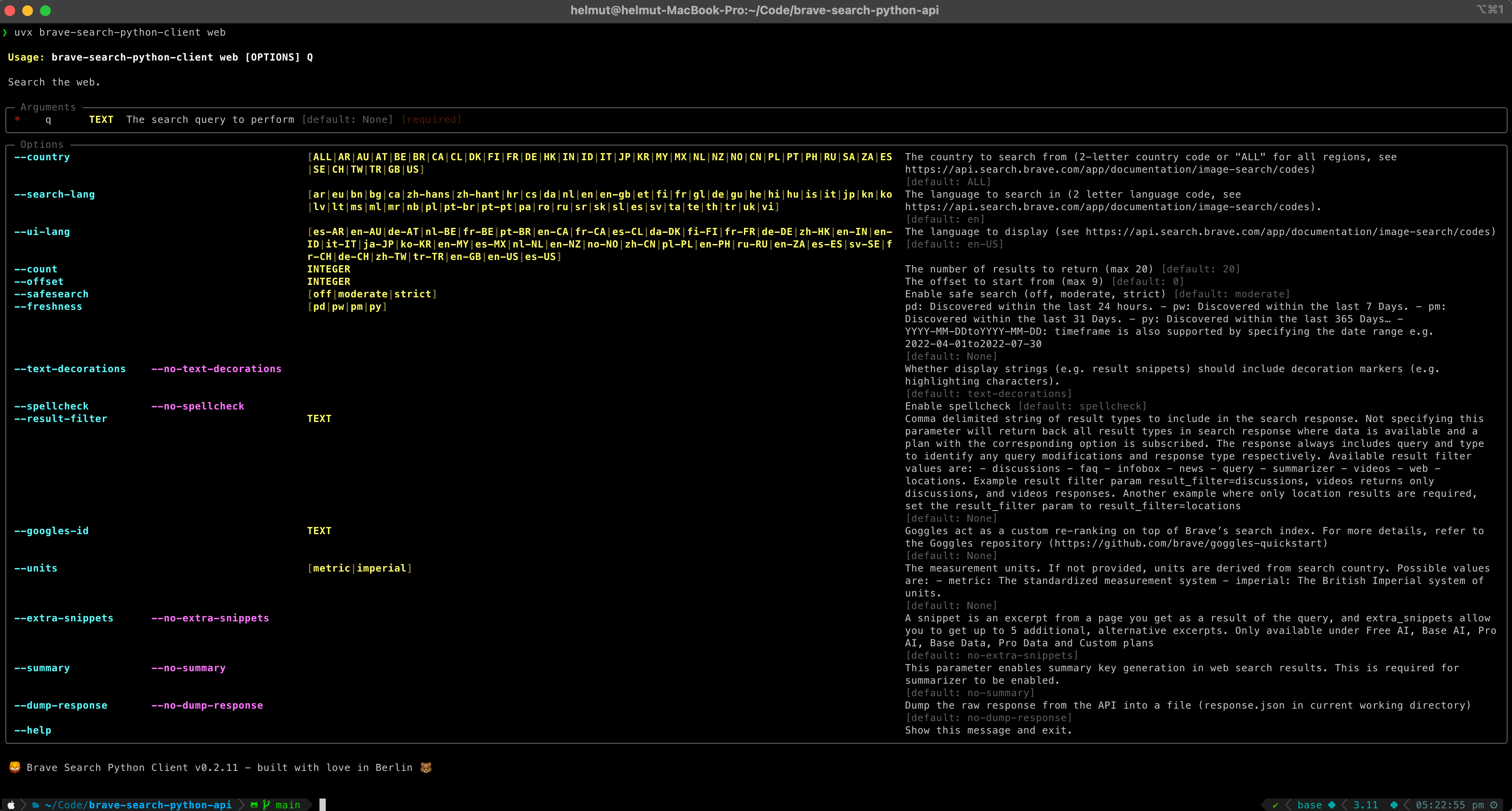
The CLI provides extensive help:
uvx brave-search-python-client --help            # all CLI commands
uvx brave-search-python-client web --help        # all options for web search
uvx brave-search-python-client images --help     # all options image search
uvx brave-search-python-client videos --help     # all options video search
uvx brave-search-python-client news --help       # all options news search
Highlights
- Modern async Python client for Web, Image, Video and News search powered by Brave Search
- Various Examples:
- Thorough validation of both requests and responses (powered by Pydantic)
- Complete reference documenation on Read the Docs
- 100% test coverage including unit and E2E tests (reported on Codecov)
- Matrix tested with Python 3.11, 3.12 and 3.13 to ensure compatibility (powered by Nox)
- 100% compliant with modern linting and formatting standards (powered by Ruff)
- 100% up-to-date dependencies (monitored by Renovate)
- A-grade code quality in security, maintainability, and reliability with 0 technical debt and 0 codesmell (verified by SonarQube)
- 1-liner for installation and execution of command line interface (CLI) via uv(x) or Docker
- Setup for developing inside a devcontainer included (supports VSCode and GitHub Codespaces)
- Later: MCP server to connect Brave Search with Claude Desktop and other MCP clients
Usage Examples
Streamlit App

Minimal Python Script:
"""
Example script demonstrating the usage of the Brave Search Python Client.

For web, image, video and news search.
"""

import asyncio
import os

from dotenv import load_dotenv

from brave_search_python_client import (
    BraveSearch,
    CountryCode,
    ImagesSearchRequest,
    LanguageCode,
    NewsSearchRequest,
    VideosSearchRequest,
    WebSearchRequest,
)

# Load .env file and get Brave Search API key from environment
load_dotenv()
api_key = os.getenv("BRAVE_SEARCH_API_KEY")
if not api_key:
    msg = "BRAVE_SEARCH_API_KEY not found in environment"
    raise ValueError(msg)


async def search() -> None:
    """Run various searches using the Brave Search Python Client (see https://brave-search-python-client.readthedocs.io/en/latest/reference_index.html)."""
    # Initialize the Brave Search Python client, using the API key from the environment
    bs = BraveSearch()

    # Perform a web search
    response = await bs.web(WebSearchRequest(q="jupyter"))

    # Print results as JSON

    # Iterate over web hits and render links in markdown
    for _result in response.web.results if response.web else []:
        pass

    # Advanced search with parameters
    response = await bs.web(
        WebSearchRequest(
            q="python programming",
            country=CountryCode.DE,
            search_lang=LanguageCode.DE,
        ),
    )
    for _result in response.web.results if response.web else []:
        pass

    # Search and render images
    response = await bs.images(ImagesSearchRequest(q="cute cats"))
    for _image in response.results or []:
        pass

    # Search and render videos
    response = await bs.videos(VideosSearchRequest(q="singularity is close"))
    for _video in response.results or []:
        pass

    # Search and render news
    response = await bs.news(NewsSearchRequest(q="AI"))
    for _item in response.results or []:
        pass


# Run the async search function
# Alternatively use await search() from an async function
asyncio.run(search())
Show script code - Read the reference documentation
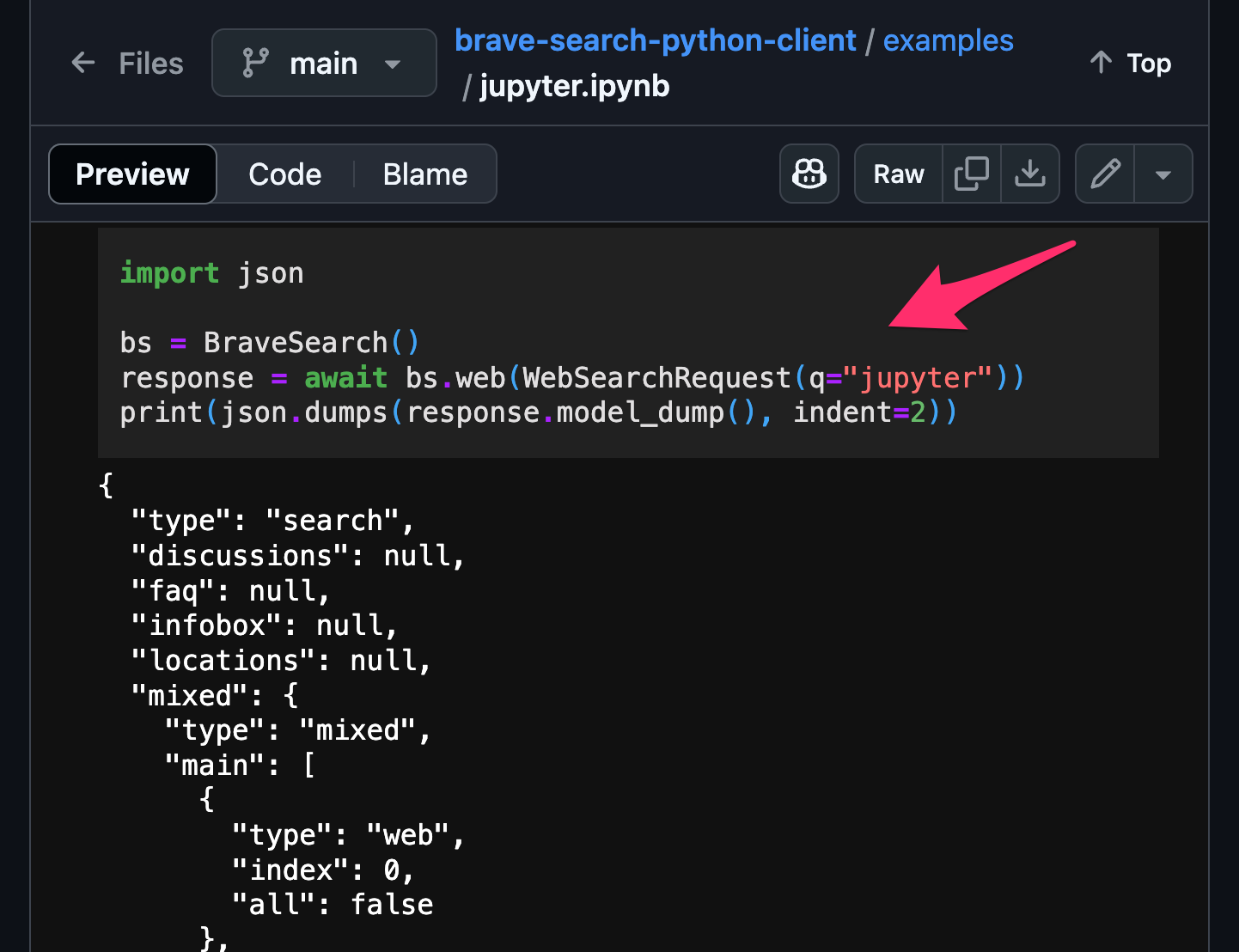
Jupyter Notebook
Command Line Interface (CLI)
Run with uvx
Add Brave Search API key to the environment
export BRAVE_SEARCH_API_KEY=YOUR_API_KEY
Show available commands:
uvx brave-search-python-client --help
Search the web for "hello world":
uvx brave-search-python-client web "hello world"
Show options for web search
uvx brave-search-python-client web --help
Search images:
uvx brave-search-python-client images "hello world"
Show options for image search
uvx brave-search-python-client images --help
Search videos:
uvx brave-search-python-client videos "hello world"
Show options for videos search
uvx brave-search-python-client videos --help
Search news:
uvx brave-search-python-client news "hello world"
Show options for news search
uvx brave-search-python-client news --help
Run with Docker
Note: Replace YOUR_BRAVE_SEARCH_API_KEY with your API key in the following examples.
Show available commands:
docker run helmuthva/brave-search-python-client --help
Search the web:
docker run --env BRAVE_SEARCH_API_KEY=YOUR_BRAVE_SEARCH_API_KEY helmuthva/brave-search-python-client web "hello world"
Show options for web search
docker run helmuthva/brave-search-python-client web --help
Search images:
docker run --env BRAVE_SEARCH_API_KEY=YOUR_BRAVE_SEARCH_API_KEY helmuthva/brave-search-python-client images "hello world"
Show options for image search
docker run helmuthva/brave-search-python-client images --help
Search videos:
docker run --env BRAVE_SEARCH_API_KEY=YOUR_BRAVE_SEARCH_API_KEY helmuthva/brave-search-python-client videos "hello world"
Show options for video search
docker run helmuthva/brave-search-python-client videos --help
Search news:
docker run --env BRAVE_SEARCH_API_KEY=YOUR_BRAVE_SEARCH_API_KEY helmuthva/brave-search-python-client news "hello world"
Show options for news search
docker run helmuthva/brave-search-python-client news --help
Extra: MCP Server
TK
Contributing
Please read our Contributing Guidelines for how to setup your development environment, and guidance for making pull requests.
Resources
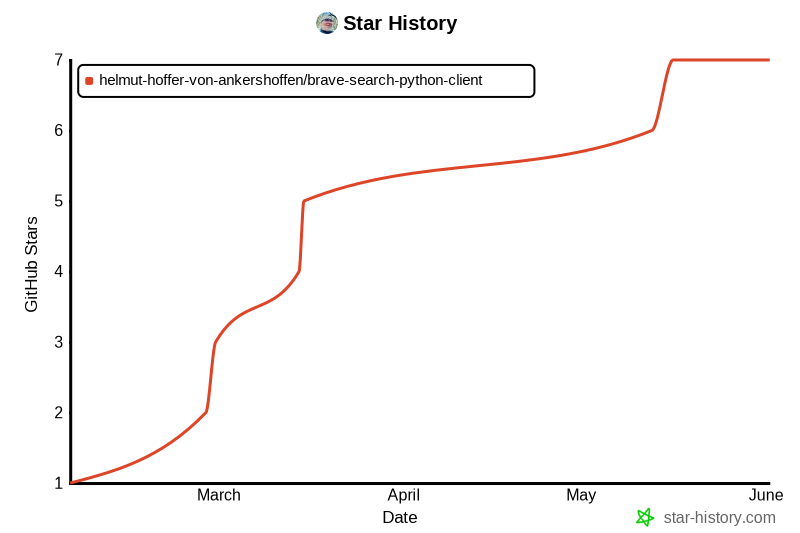
Star History
1 maintainer

Metadata
1 maintainer
Release files for brave-search-python-client 0.2.17
For a detailed explanation of source distributions (sdists) and built distributions (wheels), please see the package formats documentation.
Source distribution (sdist)
| File | Size | Uploaded | Provenance | Actions |
|---|---|---|---|---|
| brave_search_python_client-0.2.17.tar.gz | 37.3 MB | Without provenance | Details for brave_search_python_client-0.2.17.tar.gz |
Built distribution (wheel)
| File | Interpreter | ABI | Platform | Actions Reset |
|---|---|---|---|---|
| brave_search_python_client-0.2.17-py3-none-any.whl | Python 3 | none | any | Details for brave_search_python_client-0.2.17-py3-none-any.whl |
Total release size: 37.4 MB
Release files / brave_search_python_client-0.2.17.tar.gz
| Download URL | brave_search_python_client-0.2.17.tar.gz |
|---|---|
| Size | 37.3 MB |
| Tags | Source |
|
SHA-256 checksum How to use checksums |
a1f418f15c1a7219ab99a2f2cfeb3e2b92ca28566e2af4706edf1cb56deec022
|
|
BLAKE2b-256 checksum How to use checksums |
70956043dba7007e1b9318ec37c9d8fc9e235b48c790ebfeb2c158f5a97eb0a0
|
| Upload date | |
|
Uploaded using Trusted Publishing? What is trusted publishing? |
No |
| Uploaded via |
uv/0.5.9
|
Release files / brave_search_python_client-0.2.17-py3-none-any.whl
| Download URL | brave_search_python_client-0.2.17-py3-none-any.whl |
|---|---|
| Size | 66.6 kB |
| Tags | Python 3 |
|
SHA-256 checksum How to use checksums |
8ba6ae772e9572e6045e33f3ccb79d1e9ce5af0144552a7b02e2e14d096c100c
|
|
BLAKE2b-256 checksum How to use checksums |
de9fd9ce4e90da1e46b4b6b628f51ac54a7d4a9379f590ca40b3d14d41a4195b
|
| Upload date | |
|
Uploaded using Trusted Publishing? What is trusted publishing? |
No |
| Uploaded via |
uv/0.5.9
|
Security for brave-search-python-client 0.2.17
Provenance
Provenance describes where a file came from. On PyPI, provenance is shared via attestations, which provide a verifiable record of the build or publishing details. View details, limitations and caveats.
No provenance found
None of the files in this release were uploaded with provenance metadata.
A note on package security
PyPI is a repository for distributing packages, not a service for auditing them. While third-party security researchers and our staff do their best to detect and remove malicious packages, PyPI cannot guarantee the quality, security or suitability of any given package.
To learn more about protecting yourself from malicious actors, visit our package security documentation.














