
BSPump: A real-time stream processor for Python 3.5+




Documentation
Principles
Write once, use many times
Everything is a stream
Schema-less
Kappa architecture
Real-Time
High performance
Simple to use and well documented, so anyone can write their own stream processor
Asynchronous via Python 3.5+ async/await and asyncio
Single-threaded core but compatible with threads
Compatible with pypy, Just-In-Time compiler capable of boosting Python code performace more then 5x times
Good citizen of the Python ecosystem
Modularized
Stream processor example
#!/usr/bin/env python3
import bspump
import bspump.socket
import bspump.common
import bspump.elasticsearch

class MyPipeline(bspump.Pipeline):
    def __init__(self, app):
        super().__init__(app)
        self.build(
            bspump.socket.TCPStreamSource(app, self),
            bspump.common.JSONParserProcessor(app, self),
            bspump.elasticsearch.ElasticSearchSink(app, self, "ESConnection")
        )


if __name__ == '__main__':
    app = bspump.BSPumpApplication()
    svc = app.get_service("bspump.PumpService")
    svc.add_connection(bspump.elasticsearch.ElasticSearchConnection(app, "ESConnection"))
    svc.add_pipeline(MyPipeline(app))
    app.run()
Video tutorial
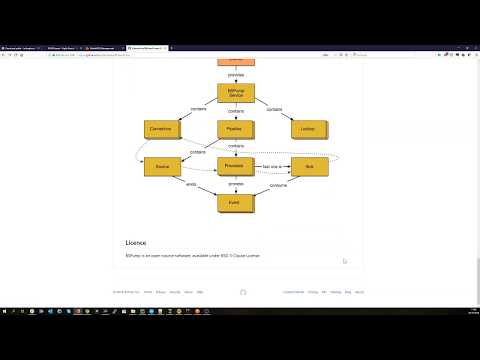
Build
Docker build
Dockerfile and instructions are in separate repository.
PyPI release
Releases are happening from a git tag (format: vYY.MM) git tag -a v19.07
Following the PyPI packaging, generate distribution package and upload it using following command python -m twine upload dist/*
Blank application setup
You can clone blank application from it’s own repository.
Available technologies
bspump.amqp AMQP/RabbitMQ connection, source and sink
bspump.avro Apache Avro file source and sink
bspump.common Common processors and parsers
bspump.elasticsearch ElasticSearch connection, source and sink
bspump.file File sources and sinks (plain files, JSON, CSV)
bspump.filter Content, Attribute and TimeDrift filters
bspump.http.client HTTP client source, WebSocket client sink
bspump.http.web HTTP server source and sink, WebSocket server source
bspump.influxdb InfluxDB connection and sink
bspump.kafka Kafka connection, source and sink
bspump.mail SMTP connection and sink
bspump.mongodb MongoDB connection and lookup
bspump.mysql MySQL connection, source and sink
bspump.parquet Apache Parquet file sink
bspump.postgresql PostgreSQL connection and sink
bspump.slack Slack connection and sink
bspump.socket TCP source, UDP source
bspump.trigger Opportunistic, PubSub and Periodic triggers
bspump.crypto Cryptography
bspump.declarative Declarative processors and expressions
Hashing: SHA224, SHA256, SHA384, SHA512, SHA1, MD5, BLAKE2b, BLAKE2s
Symmetric Encryption: AES 128, AES 192, AES 256
bspump.analyzer
Time Window analyzer
Session analyzer
Geographical analyzer
Time Drift analyzer
bspump.lookup
GeoIP Lookup
bspump.unittest
Interface for testing Processors / Pipelines
bspump.web Pump API endpoints for pipelines, lookups etc.
Google Sheet with technological compatiblity matrix: https://docs.google.com/spreadsheets/d/1L1DvSuHuhKUyZ3FEFxqEKNpSoamPH2Z1ZaFuHyageoI/edit?usp=sharing
High-level architecture

Unit test
from unittest.mock import MagicMock
from bspump.unittest import ProcessorTestCase


class MyProcessorTestCase(ProcessorTestCase):

    def test_my_processor(self):

        # setup processor for test
        self.set_up_processor(my_project.processor.MyProcessor, "proc-arg", proc="key_arg")

        # mock methods to suit your needs on pipeline ..
        self.Pipeline.method = MagicMock()

        # .. or instance of processor
        self.Pipeline.Processor.method = MagicMock()

        output = self.execute(
            [(None, {'foo': 'bar'})]  # Context, event
        )

        # assert output
        self.assertEqual(
            [event for context, event in output],
            [{'FOO': 'BAR'}]
        )

        # asssert expected calls on `self.Pipeline.method` or `self.Pipeline.Processor.method`
        self.Pipeline.Processor.method.assert_called_with(**expected)
Running of unit tests
python3 -m unittest test
You can replace test with a location of your unit test module.
Licence
BSPump is an open-source software, available under BSD 3-Clause License.
1 maintainer

Metadata
1 maintainer
Release files for bspump 21.11
For a detailed explanation of source distributions (sdists) and built distributions (wheels), please see the package formats documentation.
Source distribution (sdist)
| File | Size | Uploaded | Provenance | Actions |
|---|---|---|---|---|
| bspump-21.11.tar.gz | 182.5 kB | Without provenance | Details for bspump-21.11.tar.gz |
Built distribution (wheel)
| File | Interpreter | ABI | Platform | Actions Reset |
|---|---|---|---|---|
| bspump-21.11-py3-none-any.whl | Python 3 | none | any | Details for bspump-21.11-py3-none-any.whl |
Total release size: 467.3 kB
Release files / bspump-21.11.tar.gz
| Download URL | bspump-21.11.tar.gz |
|---|---|
| Size | 182.5 kB |
| Tags | Source |
|
SHA-256 checksum How to use checksums |
796d98dd3ca3dbdb65c68a993151abb3f857cc32b5f4f73803ba6c129a974a35
|
|
BLAKE2b-256 checksum How to use checksums |
0d287d13b6d9d2ea1305f6315c14e728bcd446648742f848783bca56f2090e62
|
| Upload date | |
|
Uploaded using Trusted Publishing? What is trusted publishing? |
No |
| Uploaded via |
twine/3.6.0 importlib_metadata/4.8.2 pkginfo/1.7.1 requests/2.25.1 requests-toolbelt/0.9.1 tqdm/4.62.3 CPython/3.8.10
|
Release files / bspump-21.11-py3-none-any.whl
| Download URL | bspump-21.11-py3-none-any.whl |
|---|---|
| Size | 284.8 kB |
| Tags | Python 3 |
|
SHA-256 checksum How to use checksums |
f67cc43b3ce4ce951bd6a82896d4f09d01d7db7983bd1d05c65a1d6ecc13c249
|
|
BLAKE2b-256 checksum How to use checksums |
25e6ae9020be7709fb12a8fdf049e4e99aaa15689af6fabc5fb0d7a4b1b16297
|
| Upload date | |
|
Uploaded using Trusted Publishing? What is trusted publishing? |
No |
| Uploaded via |
twine/3.6.0 importlib_metadata/4.8.2 pkginfo/1.7.1 requests/2.25.1 requests-toolbelt/0.9.1 tqdm/4.62.3 CPython/3.8.10
|
Security for bspump 21.11
Provenance
Provenance describes where a file came from. On PyPI, provenance is shared via attestations, which provide a verifiable record of the build or publishing details. View details, limitations and caveats.
No provenance found
None of the files in this release were uploaded with provenance metadata.
A note on package security
PyPI is a repository for distributing packages, not a service for auditing them. While third-party security researchers and our staff do their best to detect and remove malicious packages, PyPI cannot guarantee the quality, security or suitability of any given package.
To learn more about protecting yourself from malicious actors, visit our package security documentation.














