
BTC Fake Formset
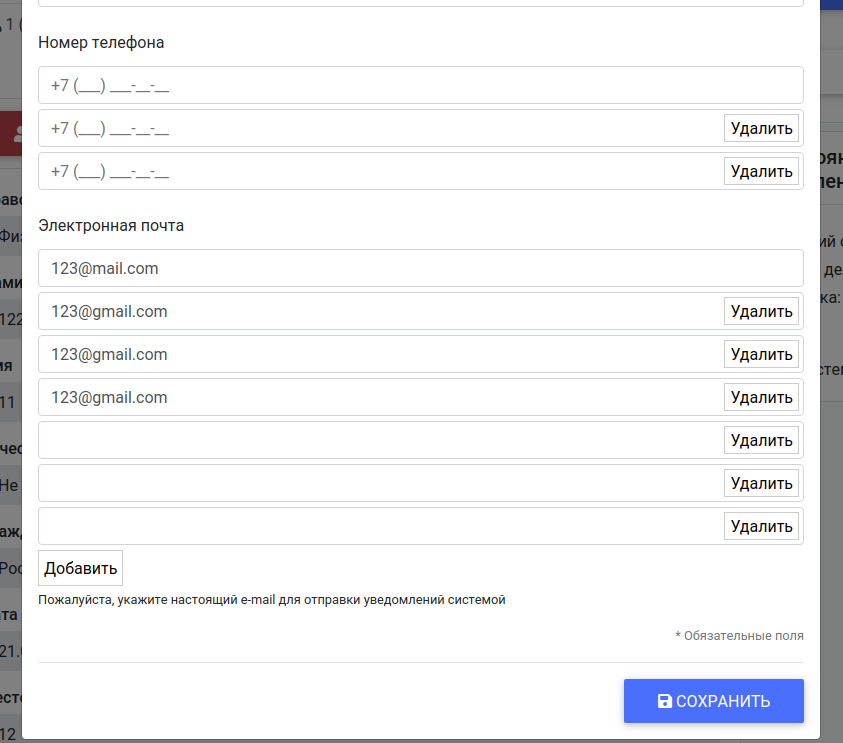
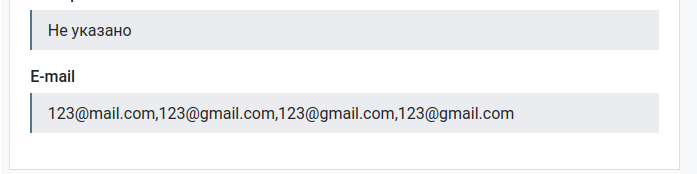
Fake Formset designed to display data of one form field (separated by characters) as a set of fields. Adding / editing / deleting field’s data parts also is possible.
Detailed documentation is in the “docs” directory.
Quick start
Add “fake_formset” to your INSTALLED_APPS setting like this:
INSTALLED_APPS = (
    ...
    'fake_formset',
)
Add static files css/js:
<link type="text/css" rel="stylesheet" href="{% static 'fake_formset/css/fake_formset.css' %}">
<script src="{% static 'fake_formset/js/fake_formset.js' %}"></script>
Setup form field, wrap field into following containers:
<div class="fake-formset-field-group-container js-fake-formset_field_group_container">
    <div class="fake-formset-field_wrapper js-fake_formset_field_wrapper">
        {{ form.my_field }}
    </div>
</div>
In form setup field like this:
'my_field': forms.TextInput(attrs={
    'data-fake-formset-id': 'my_field',      - unique identifier
    'data-fake-formset-max-fields': 3,       - fake field max number
    'data-fake-formset-split-symbol': '-/'   - split symbol for storing value in database (1-/2-/3-/), "," by default.
})
Setup js-handler:
const fake_formset = new FakeFormset();
fake_formset.add_button_text = 'Add row';
fake_formset.delete_button_text = 'Remove';
fake_formset.initSignals();

$(document).on('fake-formset:fake-field:added', function (event, fake_field, field, formset_id) {
    if (formset_id === 'my_field') {
        fake_field.mask('+7 (999) 999-99-99');  - here you can bind other handlers.
    }
})
$(document).on('fake-formset:fake-field:deleted', function (event, base_field) {
    // callback on field delete.
})
$(document).on('fake-formset:target-field:recalculated', function (event, field) {
    // callback after base hidden field recalculating.
})
Example:
1 maintainer

Metadata
1 maintainer
Release files for btc-fake-formset 0.1.3
For a detailed explanation of source distributions (sdists) and built distributions (wheels), please see the package formats documentation.
Source distribution (sdist)
| File | Size | Uploaded | |
|---|---|---|---|
| btc-fake-formset-0.1.3.tar.gz | 4.5 kB | Details |
Release files / btc-fake-formset-0.1.3.tar.gz
| Download URL | btc-fake-formset-0.1.3.tar.gz |
|---|---|
| Size | 4.5 kB |
| Tags | Source |
|
SHA-256 checksum How to use checksums |
e7f0e1159a15c6bc6d2fb97b21b7aae9747a70246839238e58be7dd5425bd3b0
|
|
BLAKE2b-256 checksum How to use checksums |
8ed52a59ba7e118f152503aeb1fb6764524717c3658ce20a66487a6a6b855e18
|
| Upload date | |
|
Uploaded using Trusted Publishing? What is trusted publishing? |
No |
| Uploaded via |
twine/3.1.1 pkginfo/1.5.0.1 requests/2.22.0 setuptools/41.6.0 requests-toolbelt/0.9.1 tqdm/4.40.0 CPython/3.7.5
|














