
An application for cryptographic signing of models, files and etc.
Detailed documentation is in the “docs” directory.
Quick start
Add sign manager app to project app list in project settings:
INSTALLED_APPS = [
    ...
    'sign_manager'
]
Setup simple wizard app (see repo README).
Add tray template to base template:
{% include 'sign_manager/tray.html' with tray_id='main_sign_manager' only %}Add static files (css and js):
<script src="{% static 'sign_manager/js/tray.js' %}"></script>
<script src="{% static 'sign_manager/js/api.js' %}"></script>

<link rel="stylesheet" href="{% static 'sign_manager/css/tray.css' %}">
Add classes for sign modal:
class CryptoProWizardStepMixin(SignManagerMixin, WizardModalStepMixin):
    """
    Common class for CryptoPro modal
    """

    template_name = 'simple_wizard/crypto_pro_sign_modal.html'
    cache_step = False
    buttons = [
        BaseWizardButton(
            load_step='crypto_pro_step',
            method='post',
            always_fetch=True,
            title='Apply',
            css_classes=['btn btn-primary', 'js-crypto_pro_start_sign']
        )
    ]

    def get_buttons(self) -> list:
        buttons = super().get_buttons()
        crypto_pro_debug = getattr(settings, 'CRYPTO_PRO_DEBUG', False)
        if crypto_pro_debug and len(buttons) == 1:
            buttons.append(
                BaseWizardButton(
                    load_step='crypto_pro_step',
                    method='post',
                    always_fetch=True,
                    title='Skip sign',
                    css_classes=['btn btn-primary', 'js-crypto_pro_skip_sign']
                )
            )
        return buttons

    def set_sign_initial_data(self) -> List[BaseSignatureObject]:
        # set initial data for create data-formset
        test_model = TestModel.objects.filter(pk=self.kwargs.get('pk')).first()
        test_model.set_status()  # status set must be without commit
        initial_data = [XMLSignatureObject(object_for_sign=test_model)]
        return initial_data

    def process_view(self) -> None:
        # make all operations in this method
        pass


class CryptoProWizardView(WizardBaseView):
    """
    View for creating wizard with CryptoPro sign
    """

    management_url_pattern = 'test_app:wizard_management'
    common_title = 'CryptoPro'

    ...  # see simple wizard README

    class ThirdStep(CryptoProWizardStepMixin, TemplateView):
        """
        CryptoPro modal
        """

        unique_name = 'crypto_pro_step'

        def restore_objects_from_cache(self) -> None:
            # you can restore cached objects before sign save (in some cases it
            # necessary because some data can be changed on result save).
            # put some code here for restoring models states.
            # you can use built-in CacheManager method - "deserialize_object()" -
            # just call "save()" for proxy-object (see method).

            pass
6. Prepare your model (add “AbstractSignManager” in superclasses). You can create custom “AbstractSignManager” through defining variable “SIGN_MANAGER_ABSTRACT_MODEL_CLASS” in project settings:
...

AbstractSignManager = get_sign_manager_abstract_model_class()

...

class TestModel(AbstractSignManager):

    ...

    def serialize_for_sign(self) -> Union[bytes, str]:
        # change serialization if needed
        xml = super().serialize_for_sign()
        return base64.b64encode(xml.encode()).decode('utf-8')

    def get_stages_number(self) -> int:
        # setup chucks total number (here you can check file size if you want
        # sign file and etc. and recognize optimal stages number)
        # in this example we will sign just a string in base64 encoding
        # 10 steps - 10 requests to the server to receive necessary data
        return 10

    def get_data_chunk(self, stage: int, stages_num: int) -> str:
        # here you can provide logic for chunks creation.
        # in this example we use built-in method based on slicing for small simple strings.
        # for big files use file.read(bytes_to_read) or another approach.
        # stage - current stage of stages_num - this info can help in data-chucks creation
        return self.get_data_chunk_for_simple_string(stage, stages_num).
Setup Queue handler:
class SignQueue(SignManagerQueueView):
    """
    Handler-view for sending data for sign to js script
    """

    pass
Setup queue-handler url and wizard url:
app_name = 'test_app'

urlpatterns = [
    ...

    path('wizard-management/<step_to_load>/test_model/<int:pk>/', CryptoProWizardView.as_view(),
        name='wizard_management'),
    path('sign-queue/', SignQueue.as_view(), name='sign_queue')
]
Initialize js handlers (wizard and signer):
const django_modal_wizard = new DjangoModalWizard(
    '#wizard-modal',
    '.js-wizard_modal_content',
    '.js-load_wizard',
    '.js-close_wizard'
);
django_modal_wizard.initSignals();

const sign_manager = new BTCCryptoProClientManager();
sign_manager.ask_url = '/test-app/sign-queue/';
sign_manager.form_elements_container_selector = '.js-wizard_modal_content';
sign_manager.initSignals();

# fill certificates choices on crypto pro modal load
$(document).on('django-wizard:step-loaded', function (event, step_to_load, method_name, data) {
    if (step_to_load === 'crypto_pro_step') {
        sign_manager.fillCertificatesSelect();
        event.preventDefault();
    }
});

# customize handler if needed - all attributes can be redefined
Migrate:
./manage.py migrate
11. For customizing Queue logic you can override “CacheManager” class by defining variable “SIGN_MANAGER_CACHE_MANAGER_CLASS” in project settings:
class CustomCacheManager(CacheManager):
    """
    Custom class for queue control (big files serialization and etc.)
    """
    ...

# in project settings:
...

SIGN_MANAGER_CACHE_MANAGER_CLASS = 'test_app.CustomCacheManager'
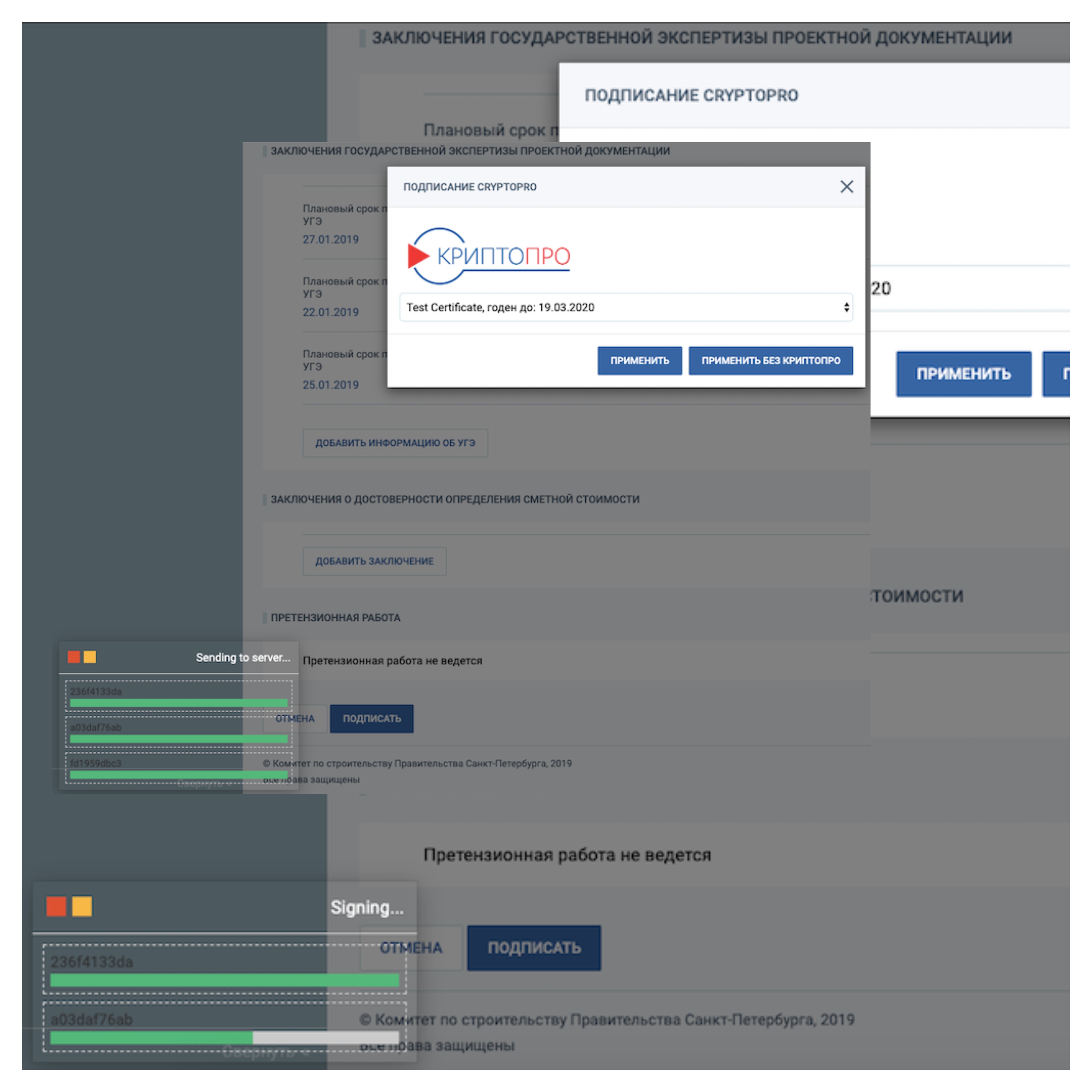
Example
1 maintainer

Metadata
1 maintainer
Release files for btc-sign-manager 0.23
For a detailed explanation of source distributions (sdists) and built distributions (wheels), please see the package formats documentation.
Source distribution (sdist)
| File | Size | Uploaded | |
|---|---|---|---|
| btc_sign_manager-0.23.tar.gz | 25.8 kB | Details |
Release files / btc_sign_manager-0.23.tar.gz
| Download URL | btc_sign_manager-0.23.tar.gz |
|---|---|
| Size | 25.8 kB |
| Tags | Source |
|
SHA-256 checksum How to use checksums |
7c0cbedab22948d2cf2927183332b47f62a508b4beb428a8985850d48b5d5665
|
|
BLAKE2b-256 checksum How to use checksums |
712c299c495f94735ea1314ce1c9b400633b45724443c77958b45baf87cfbe74
|
| Upload date | |
|
Uploaded using Trusted Publishing? What is trusted publishing? |
No |
| Uploaded via |
twine/4.0.2 CPython/3.7.17
|














