
This project has been archived by its maintainers, and is no longer receiving any updates.
CancelChain
CancelChain is an open-source python project that implements a custom blockchain ledger. The ledger protocol allows for the assigning of tokens to subjects (utf-8 strings of less than 80 characters) as indications of either opposition or support. Opposition entries are allowed to be rescinded later. Support is forever.
Quick Start
Requirements
Python >= 3.9
Install
Install CancelChain using pip:
$ pip install cancelchainIt is recommended that a python virtual environment is used for all the usual reasons.
Configure
Create a python-dotenv .env file. The cancelchain command loads a .env file in the current working directory by default. See dotenv documentation to locate the file elsewhere. The following cancelchain command examples assume that the .env file is loaded by default.
A minimal .env configuration file:
# Flask Settings
FLASK_APP=cancelchain
FLASK_SECRET_KEY=0b6ceaa3b10d3e7a5dc53194

# Flask-SQLAlchemy Settings
FLASK_SQLALCHEMY_DATABASE_URI=sqlite:///cc.sqlite
The FLASK_SECRET_KEY value should be a unique random string.
See the Configuration Documentation for more configuration settings.
Initialize
Create a local database by running the init command:
$ cancelchain initThe FLASK_SQLALCHEMY_DATABASE_URI value in the example configuration above specifies a SQLite database called cc.sqlite with a file path relative to the cancelchain instance folder.
Import
Download the most recent export of CancelChain data. This JSON Lines file is updated at every blockchain epoch (2016 blocks or approximately every two weeks).
Run the import command, passing it the location of the downloaded file:
$ cancelchain import path/to/cancelchain.jsonlThis command could take a while to run depending on your computer and the number of blocks imported. A progress bar will display with estimated time remaining. You can run the import command multiple times and it will only import new blocks that are not yet in the database.
Run
Run the cancelchain application by issuing the run command:
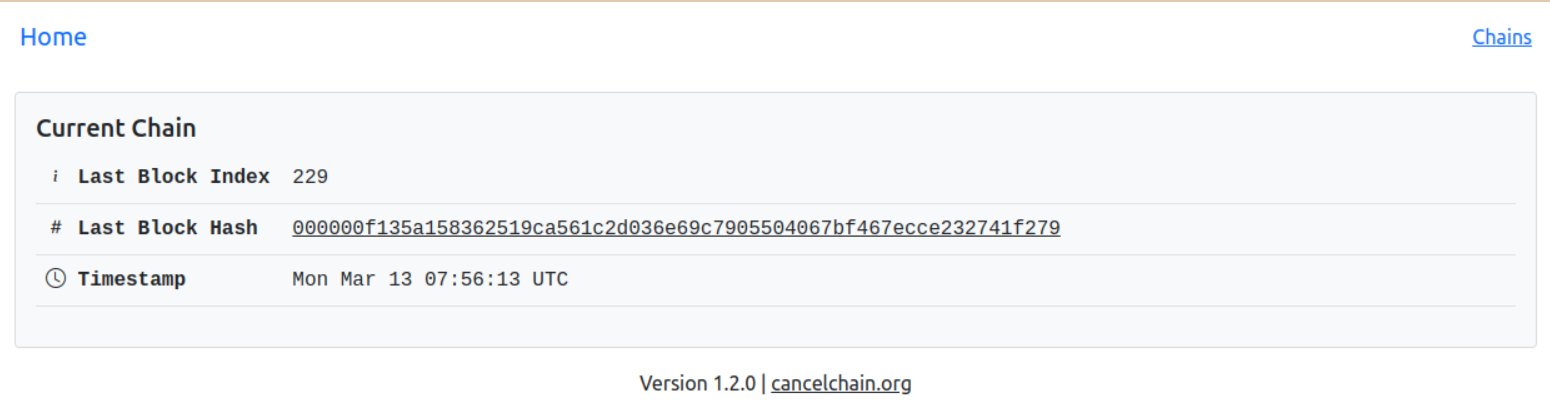
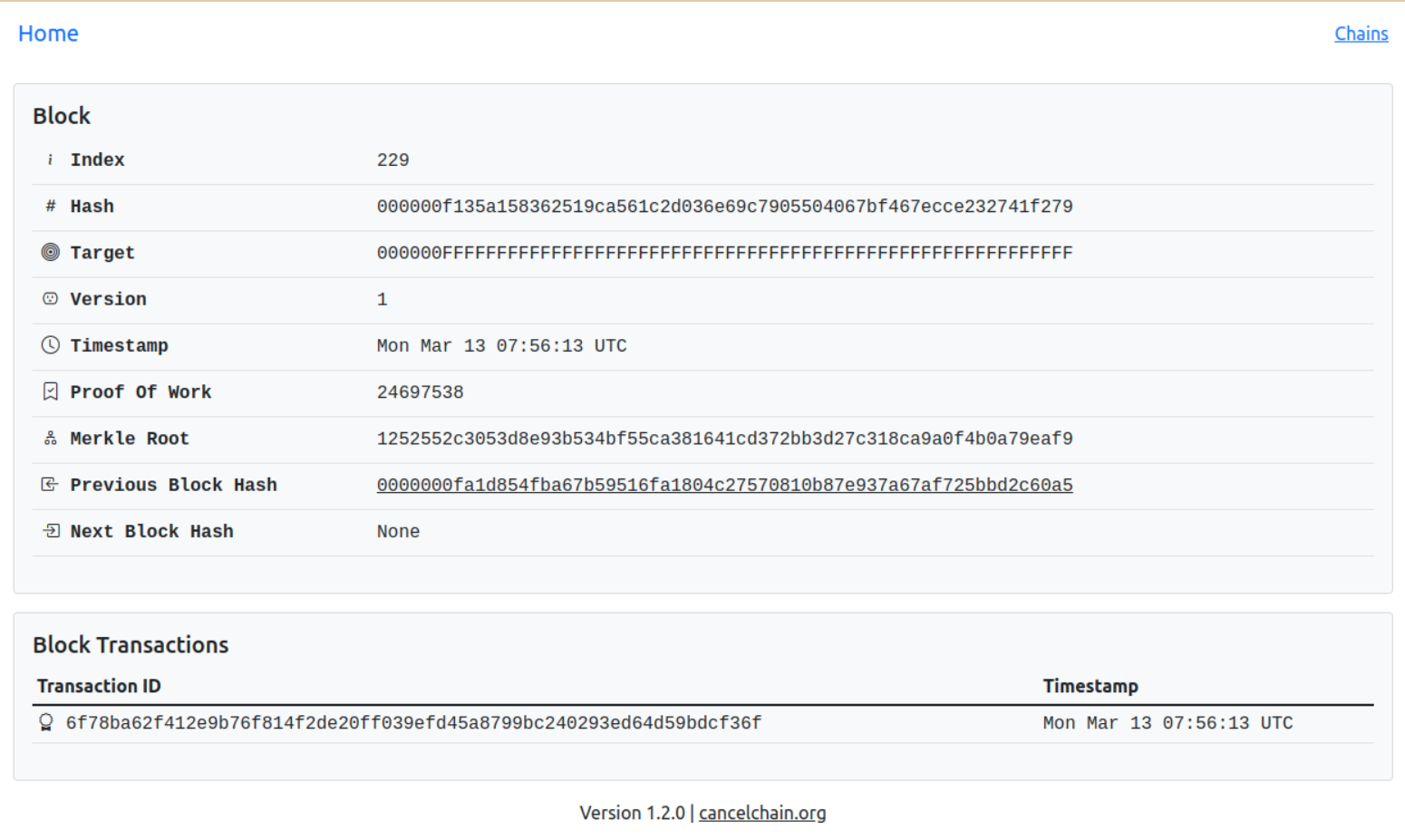
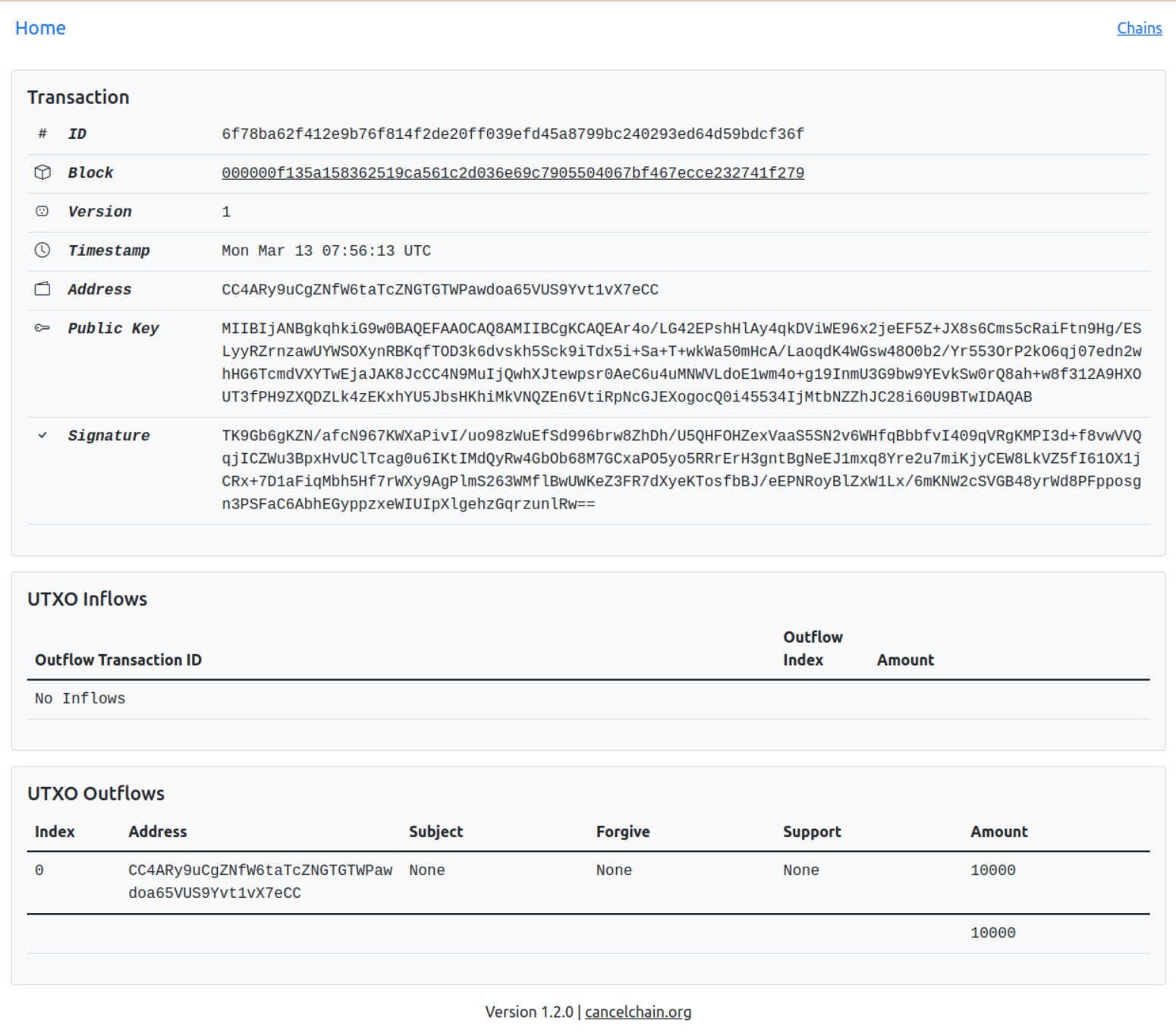
$ cancelchain runOpen http://localhost:5000 in a browser to explore the local copy of the blockchain.
Home Page (Current Chain)
Block Page
Transaction Page
Running the cancelchain application also exposes a set of web service endpoints that comprise the communications layer of the blockchain. See the API Documentation for more information.
There are other cancelchain commands for interacting with the blockchain. See the Command Line Interface Documentation for more information or run cancelchain --help.
Joining The CancelChain Network
The CancelChain is run by a permissioned network of nodes. A CancelChain instance requires miller or transactor role API access to a node in the network in order to have locally milled blocks or submitted transactions propagate to the official CancelChain.
The Cancel Button allows reader role API access to any account that completes at least one transaction on the blockchain:
Submit a successful transaction for any subject. Access won’t be granted until the sentiment transaction successfully completes.
Click Download Account Key on the account page to download the account’s key (PEM) file.
Create a directory called wallets and copy the downloaded key file into it.
Add the following settings to the .env configuration file. Replace CCTheCancelButtonAddressCC with the address on the account page and /path/to/wallet with the path to the wallets directory created above:
# CancelChain Settings
CC_NODE_HOST=http://CCTheCancelButtonAddressCC@localhost:5000
CC_PEERS=["https://CCTheCancelButtonAddressCC@thecancelbutton.com"]
CC_DEFAULT_COMMAND_HOST=https://CCTheCancelButtonAddressCC@thecancelbutton.com
CC_WALLET_DIR=/path/to/wallets
Restart to load the new configuration.
See Configuration Documentation for more detailed information about these settings.
The reader role API access allows the sync command to update to the most recent peer block data:
$ cancelchain syncThis command could take a while to run depending on your computer, internet access, and the number of blocks synchronized. A progress bar will display with estimated time remaining. You can run the sync command multiple times and it will only synchronize new blocks that are not yet in the database.
Reader access also allows querying data (i.e. subject counts and balances) using the CLI. See Command Line Interface Documentation for more information.
If you would like to be granted other API access to a node in the CancelChain network, send an email to contact@cancelchain.org including what kind of role you’d like (e.g. reader, transactor, or miller) and how you intend to use it (e.g. research, business, non-profit, hobby).
See the documentation for some potential development ideas.
1 maintainer

Metadata
1 maintainer
Release files for cancelchain 1.4.1
For a detailed explanation of source distributions (sdists) and built distributions (wheels), please see the package formats documentation.
Source distribution (sdist)
| File | Size | Uploaded | Provenance | Actions |
|---|---|---|---|---|
| cancelchain-1.4.1.tar.gz | 38.1 kB | Without provenance | Details for cancelchain-1.4.1.tar.gz |
Built distribution (wheel)
| File | Interpreter | ABI | Platform | Actions Reset |
|---|---|---|---|---|
| cancelchain-1.4.1-py3-none-any.whl | Python 3 | none | any | Details for cancelchain-1.4.1-py3-none-any.whl |
Total release size: 85.1 kB
Release files / cancelchain-1.4.1.tar.gz
| Download URL | cancelchain-1.4.1.tar.gz |
|---|---|
| Size | 38.1 kB |
| Tags | Source |
|
SHA-256 checksum How to use checksums |
ff998245a250a60a42822fb012113725269ce59724151bc49b4927cac648b2c7
|
|
BLAKE2b-256 checksum How to use checksums |
5efc8962d0e72670e9ef2634ed734df70dd655a524bf6c4b8cd36c46df0d0e98
|
| Upload date | |
|
Uploaded using Trusted Publishing? What is trusted publishing? |
No |
| Uploaded via |
python-httpx/0.24.1
|
Release files / cancelchain-1.4.1-py3-none-any.whl
| Download URL | cancelchain-1.4.1-py3-none-any.whl |
|---|---|
| Size | 47.0 kB |
| Tags | Python 3 |
|
SHA-256 checksum How to use checksums |
c2a1ab85b2ea6074bc3c1c2c1900542527667cfb3aa872653dcf04d741031597
|
|
BLAKE2b-256 checksum How to use checksums |
357a65868962f61a2a22977880a4eedd35242926612d36a398080cd126e08ab3
|
| Upload date | |
|
Uploaded using Trusted Publishing? What is trusted publishing? |
No |
| Uploaded via |
python-httpx/0.24.1
|
Security for cancelchain 1.4.1
Provenance
Provenance describes where a file came from. On PyPI, provenance is shared via attestations, which provide a verifiable record of the build or publishing details. View details, limitations and caveats.
No provenance found
None of the files in this release were uploaded with provenance metadata.
A note on package security
PyPI is a repository for distributing packages, not a service for auditing them. While third-party security researchers and our staff do their best to detect and remove malicious packages, PyPI cannot guarantee the quality, security or suitability of any given package.
To learn more about protecting yourself from malicious actors, visit our package security documentation.














