













Cellfinder
Whole-brain cell detection, registration and analysis.
N.B. If you want to just use the cell detection part of cellfinder, please see the standalone cellfinder-core package, or the cellfinder plugin for napari.
cellfinder is a collection of tools developed by Adam Tyson, Charly Rousseau and Christian Niedworok in the Margrie Lab, generously supported by the Sainsbury Wellcome Centre.
cellfinder is a designed for the analysis of whole-brain imaging data such as
serial-section imaging
and lightsheet imaging in cleared tissue. The aim is to provide a single solution for:
- Cell detection (initial cell candidate detection and refinement using deep learning) (using cellfinder-core)
- Atlas registration (using brainreg)
- Analysis of cell positions in a common space
Installation is with
pip install cellfinder
Basic usage:
cellfinder -s signal_images -b background_images -o output_dir --metadata metadata
Full documentation can be found here.
This software is at a very early stage, and was written with our data in mind. Over time we hope to support other data types/formats. If you have any issues, please get in touch on the forum or by raising an issue.
Illustration
Introduction
cellfinder takes a stitched, but otherwise raw whole-brain dataset with at least two channels:
- Background channel (i.e. autofluorescence)
- Signal channel, the one with the cells to be detected:

Cell candidate detection
Classical image analysis (e.g. filters, thresholding) is used to find cell-like objects (with false positives):

Cell candidate classification
A deep-learning network (ResNet) is used to classify cell candidates as true cells or artefacts:

Registration and segmentation (brainreg)
Using brainreg, cellfinder aligns a template brain and atlas annotations (e.g. the Allen Reference Atlas, ARA) to the sample allowing detected cells to be assigned a brain region.
This transformation can be inverted, allowing detected cells to be transformed to a standard anatomical space.

Analysis of cell positions in a common anatomical space
Registration to a template allows for powerful group-level analysis of cellular disributions. (Example to come)
Examples
(more to come)
Tracing of inputs to retrosplenial cortex (RSP)
Input cell somas detected by cellfinder, aligned to the Allen Reference Atlas, and visualised in brainrender along with RSP.

Data courtesy of Sepiedeh Keshavarzi and Chryssanthi Tsitoura. Details here
Visualisation
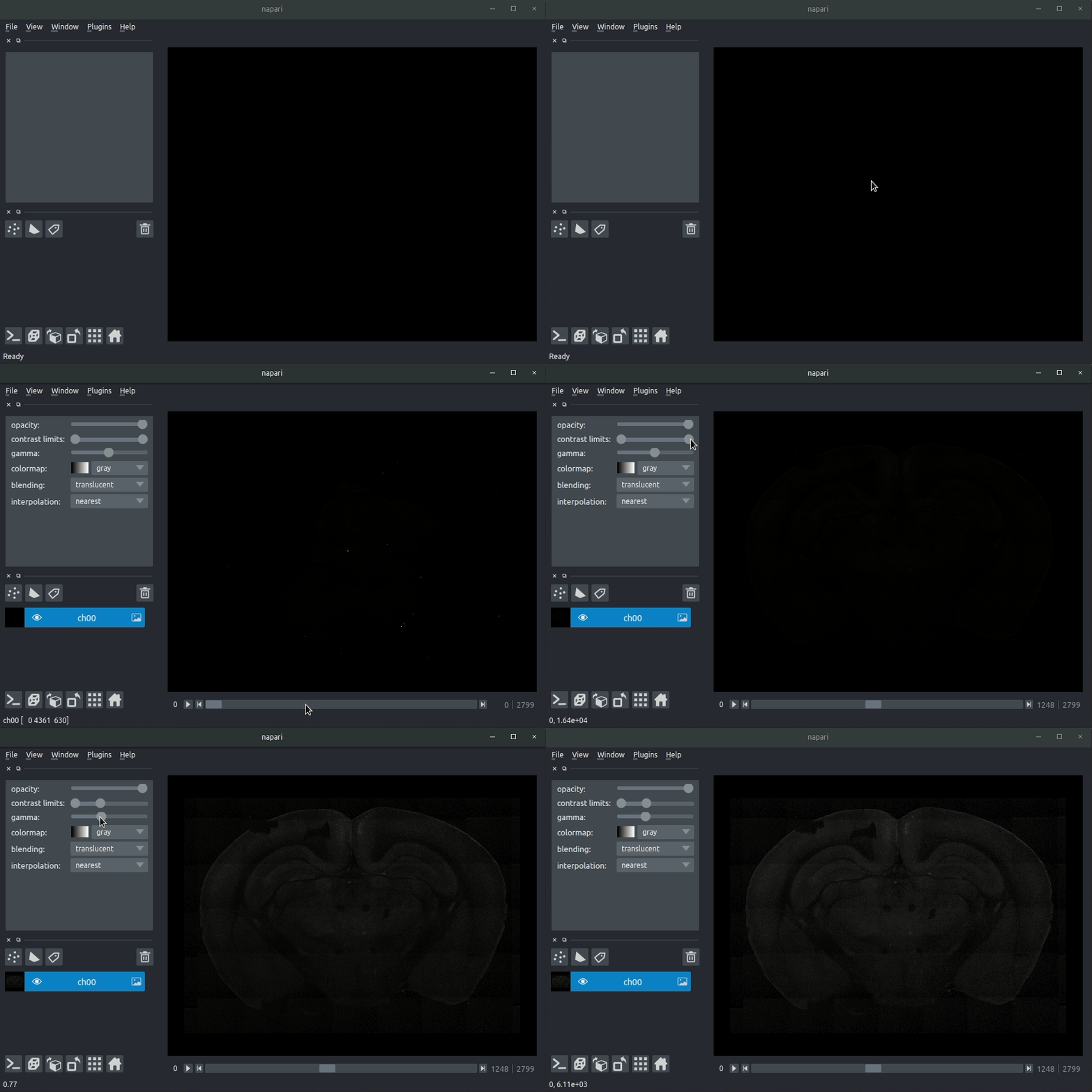
cellfinder comes with a plugin (brainglobe-napari-io) for napari to view your data
Usage
- Open napari (however you normally do it, but typically just type
napariinto your terminal, or click on your desktop icon)
Load cellfinder XML file
- Load your raw data (drag and drop the data directories into napari, one at a time)
- Drag and drop your cellfinder XML file (e.g.
cell_classification.xml) into napari.
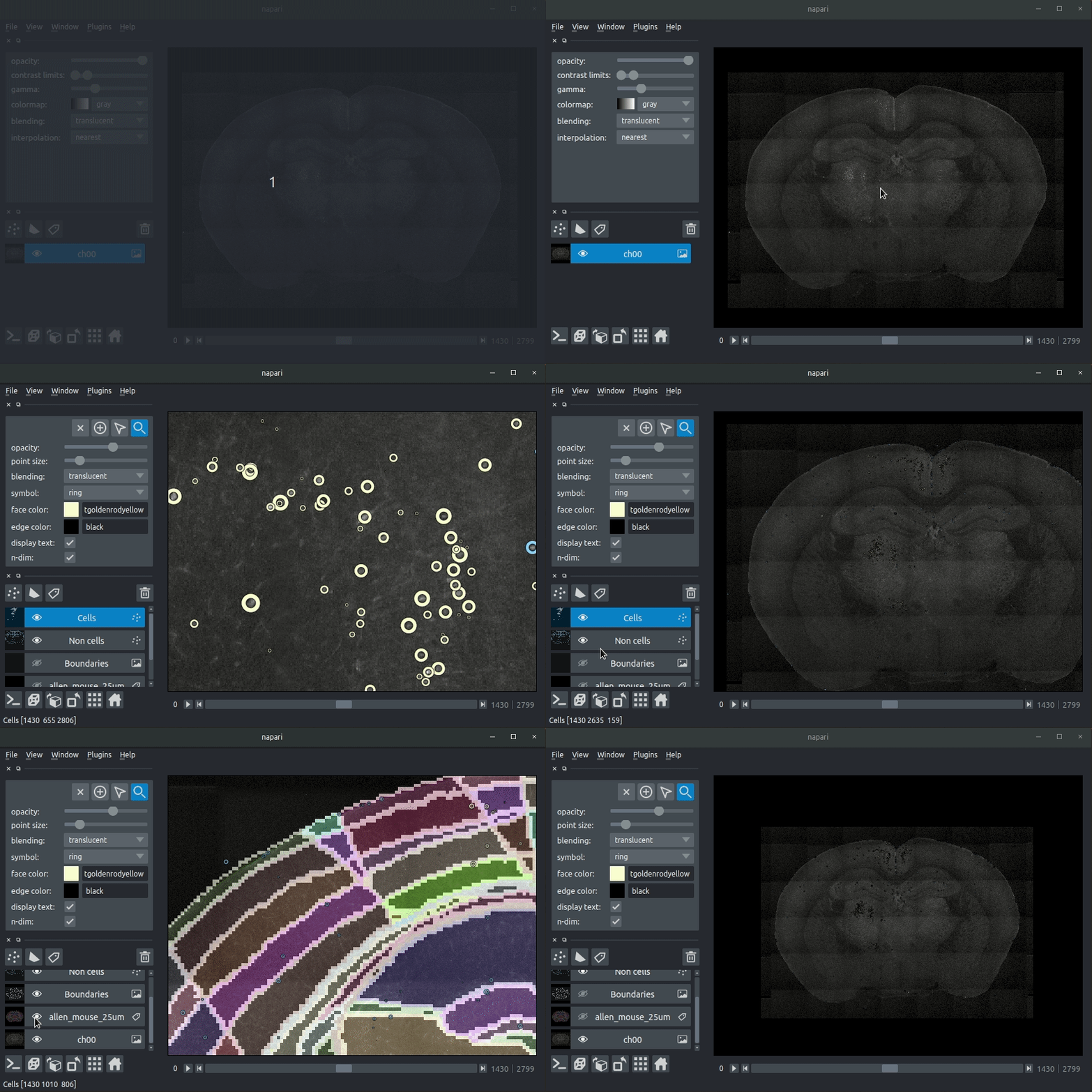
Load cellfinder directory
- Load your raw data (drag and drop the data directories into napari, one at a time)
- Drag and drop your cellfinder output directory into napari.
The plugin will then load your detected cells (in yellow) and the rejected cell candidates (in blue). If you carried out registration, then these results will be overlaid (similarly to the loading brainreg data, but transformed to the coordinate space of your raw data).
Contributing
Contributions to cellfinder are more than welcome. Please see the developers guide.
Citing cellfinder
If you find cellfinder useful, and use it in your research, please cite the paper outlining the cell detection algorithm:
Tyson, A. L., Rousseau, C. V., Niedworok, C. J., Keshavarzi, S., Tsitoura, C., Cossell, L., Strom, M. and Margrie, T. W. (2021) “A deep learning algorithm for 3D cell detection in whole mouse brain image datasets’ PLOS Computational Biology, 17(5), e1009074 https://doi.org/10.1371/journal.pcbi.1009074
If you use any of the image registration functions in cellfinder, please also cite brainreg.
If you use this, or any other tools in the brainglobe suite, please let us know, and we'd be happy to promote your paper/talk etc.
2 maintainers


Metadata
2 maintainers
Release files for cellfinder 0.7.0
For a detailed explanation of source distributions (sdists) and built distributions (wheels), please see the package formats documentation.
Source distribution (sdist)
| File | Size | Uploaded | Provenance | Actions |
|---|---|---|---|---|
| cellfinder-0.7.0.tar.gz | 33.9 kB | Without provenance | Details for cellfinder-0.7.0.tar.gz |
Built distribution (wheel)
| File | Interpreter | ABI | Platform | Actions Reset |
|---|---|---|---|---|
| cellfinder-0.7.0-py3-none-any.whl | Python 3 | none | any | Details for cellfinder-0.7.0-py3-none-any.whl |
Total release size: 67.8 kB
Release files / cellfinder-0.7.0.tar.gz
| Download URL | cellfinder-0.7.0.tar.gz |
|---|---|
| Size | 33.9 kB |
| Tags | Source |
|
SHA-256 checksum How to use checksums |
520fda9e35fc0891eb85b9f12db938050dc2e175a896d8a0104ddb7a09a9ae84
|
|
BLAKE2b-256 checksum How to use checksums |
5b9b41703498abbae9c54b7ec9b7021397d47cdbea38da7c07acb5e03233ec2d
|
| Upload date | |
|
Uploaded using Trusted Publishing? What is trusted publishing? |
No |
| Uploaded via |
twine/4.0.2 CPython/3.11.4
|
Release files / cellfinder-0.7.0-py3-none-any.whl
| Download URL | cellfinder-0.7.0-py3-none-any.whl |
|---|---|
| Size | 33.9 kB |
| Tags | Python 3 |
|
SHA-256 checksum How to use checksums |
6a4b8f630067abc0eafff994397d802f9619e39ecff0f1f2467652acd54f44e3
|
|
BLAKE2b-256 checksum How to use checksums |
ebd474d4266f953f307b761afe4676670e1466919295205d508fc906f8213818
|
| Upload date | |
|
Uploaded using Trusted Publishing? What is trusted publishing? |
No |
| Uploaded via |
twine/4.0.2 CPython/3.11.4
|
Security for cellfinder 0.7.0
Provenance
Provenance describes where a file came from. On PyPI, provenance is shared via attestations, which provide a verifiable record of the build or publishing details. View details, limitations and caveats.
No provenance found
None of the files in this release were uploaded with provenance metadata.
A note on package security
PyPI is a repository for distributing packages, not a service for auditing them. While third-party security researchers and our staff do their best to detect and remove malicious packages, PyPI cannot guarantee the quality, security or suitability of any given package.
To learn more about protecting yourself from malicious actors, visit our package security documentation.














