
A tool to help make command line drawing easier.

Project description
CLITUI
Installing
pip install clitui
module v 0.1.0
keyboard support only on: Mac Linux
TUI is a module for making custom CLI/Console App's with python
Terminal suport
- Mac
- Linux
- Windows CMD
Hope to add more cool things to package like window manager but I'm not sure what I'll need yet do to this projects is only made to help another project I am working on. https://github.com/cowboy8625/WordRPG
here is a example on how to use clitui code found in projects examples folder.
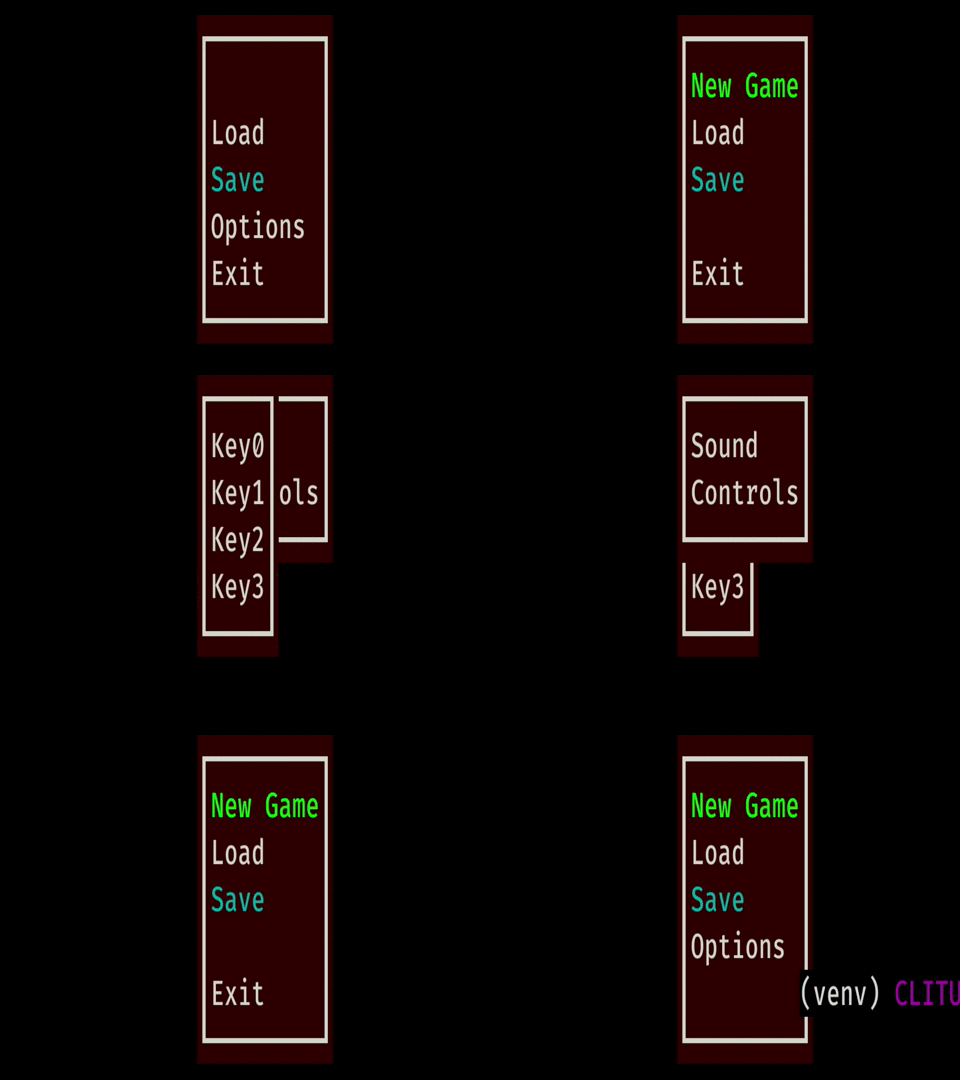
#  First off we import all the things needed for this
#  example
from clitui import Menu, getchar, fg_by, bg_by, safe_run, is_pressed

#  There many ways of setting colors in clitui but here is one where
#  We made a global variable to use throughout code
FG_CYAN = fg_by(0, 160, 160)

# We first create instances of any kind of menu or submenui
# with Menu class.  Menu takes a x and y and an option argument
# if no x, y is given submenu's default to parant menu's x, y.
main_menu = Menu("Main Menu", x=10, y=10)
options_menu = Menu("Options Menu")
key_controls = Menu("Key Controler")

# to set color for any menu or submenu just call background_color method.
# it takes a wide array of valid options.
# string of "black" or "cycan"
# a tuple (0, 160, 160) or just put bg_by function directly in there
main_menu.background_color((50, 0, 0))

# here we add items to are menu
# you can stack method calls on here as well
# you need a Name and a id for all menu items.
main_menu.add("New Game", 0).font_color_for(0, (0, 255, 0))
main_menu.add("Load", 1).font_color_for(1, FG_CYAN)
main_menu.add("Save", 2).font_color_for(2, "Cyan")

# if the menu item has a submenu then give it a Menu instances
# in submenu method
main_menu.add("Options", 3).submenu(3, options_menu)
main_menu.add("Exit", 4).add_action(4, exit)

# here we are adding submenu items
options_menu.add("Sound", 0)
options_menu.add("Controls", 1).submenu(1, key_controls)

key_controls.add("Key0", 0)
key_controls.add("Key1", 1)
key_controls.add("Key2", 2)
key_controls.add("Key3", 3)

# finally we call the create method to genorate all the need
# items for drawing.
main_menu.create()


def main():
    while True:
        # to get key presses call getchar
        key = getchar()

        # finally to get the fun part and draw the menu just call the draw
        # method
        main_menu.draw()

        # to get the curser to move pass in key to method
        # move_curser and use up and down
        main_menu.move_curser(key)

        if is_pressed("ESC", key):
            exit()


#  if you want to hide the curser you can call them directly from the curser_controller
#  module in clitui but it is advised to use the safe_run function so you dont get
#  your terminal out of sync
safe_run(main)


Download files
Download the file for your platform. If you're not sure which to choose, learn more about installing packages.
Source Distribution
clitui-0.2.2.tar.gz
(9.9 kB
view details)
File details
Details for the file clitui-0.2.2.tar.gz.
File metadata
- Download URL: clitui-0.2.2.tar.gz
- Upload date:
- Size: 9.9 kB
- Tags: Source
- Uploaded using Trusted Publishing? No
- Uploaded via: twine/3.1.1 pkginfo/1.5.0.1 requests/2.23.0 setuptools/45.2.0 requests-toolbelt/0.9.1 tqdm/4.43.0 CPython/3.8.1
File hashes
| Algorithm | Hash digest | |
|---|---|---|
| SHA256 |
550973720ba4c175fe232b871c4c48c89293abe01e205b8ebcdbaf3880ee5986
|
|
| MD5 |
4577f6475de6489cf4a68b3455c5efb5
|
|
| BLAKE2b-256 |
12e21052514f02773e16f0f6f2fbea6d8ccf320536047a2c6780d02600af0f50
|






