
# cmsplugin-forms-builder
### A [django-forms-builder](https://github.com/stephenmcd/django-forms-builder) plugin for [django-cms](https://github.com/divio/django-cms)
[](https://travis-ci.org/nimbis/cmsplugin-forms-builder)
This plugin provides a simple means of inserting django-forms-builder forms as django-cms plugins. You will need to override django-forms-builder’s default built_form.html [template](https://github.com/stephenmcd/django-forms-builder/blob/master/forms_builder/forms/templates/forms/includes/built_form.html) in your project in order to POST the form using AJAX, which is then handled appropriately by django-forms-builder’s built in views. See the sample [template](https://github.com/nimbis/cmsplugin-forms-builder/blob/master/sample/templates/forms/includes/built_form.html) for a better idea of how this works.
## Requires
django >= 1.8
django-cms >= 3.3.1
django-forms-builder
## Setup
Verify django-cms and django-forms-builder are installed correctly.
Run pip install cmsplugin-forms-builder or download this package and run python setup.py install
Add ‘forms_builder.forms’, ‘cmsplugin_forms_builder’ to your project’s INSTALLED_APPS.
In order to submit your django-forms-builder forms via AJAX, you will need to override django-forms-builder’s default built_form.html template. Since everyone’s use case is different, this repository does not come with a predefined template in order to work “out-of-the-box”. However, a sample [template](https://github.com/nimbis/cmsplugin-forms-builder/blob/master/sample/templates/forms/includes/built_form.html) is provided to help you get started.
Contributing
See the [Contributing Guidelines](CONTRIBUTING.md).
## History
v1.1.1 (March 29, 2018):
Organize the plugin in the admin UI with other form plugins.
Display a useful string description of forms in the admin UI.
v1.1.0 (September 8, 2016):
Adding migration required for Django CMS v3.3.1 and later, which is now required for this app.
v1.0.1:
Include README.md in the manifest.
v1.0.0:
Removed unnecessary code in views.py and urls.py.
Improved documentation in README
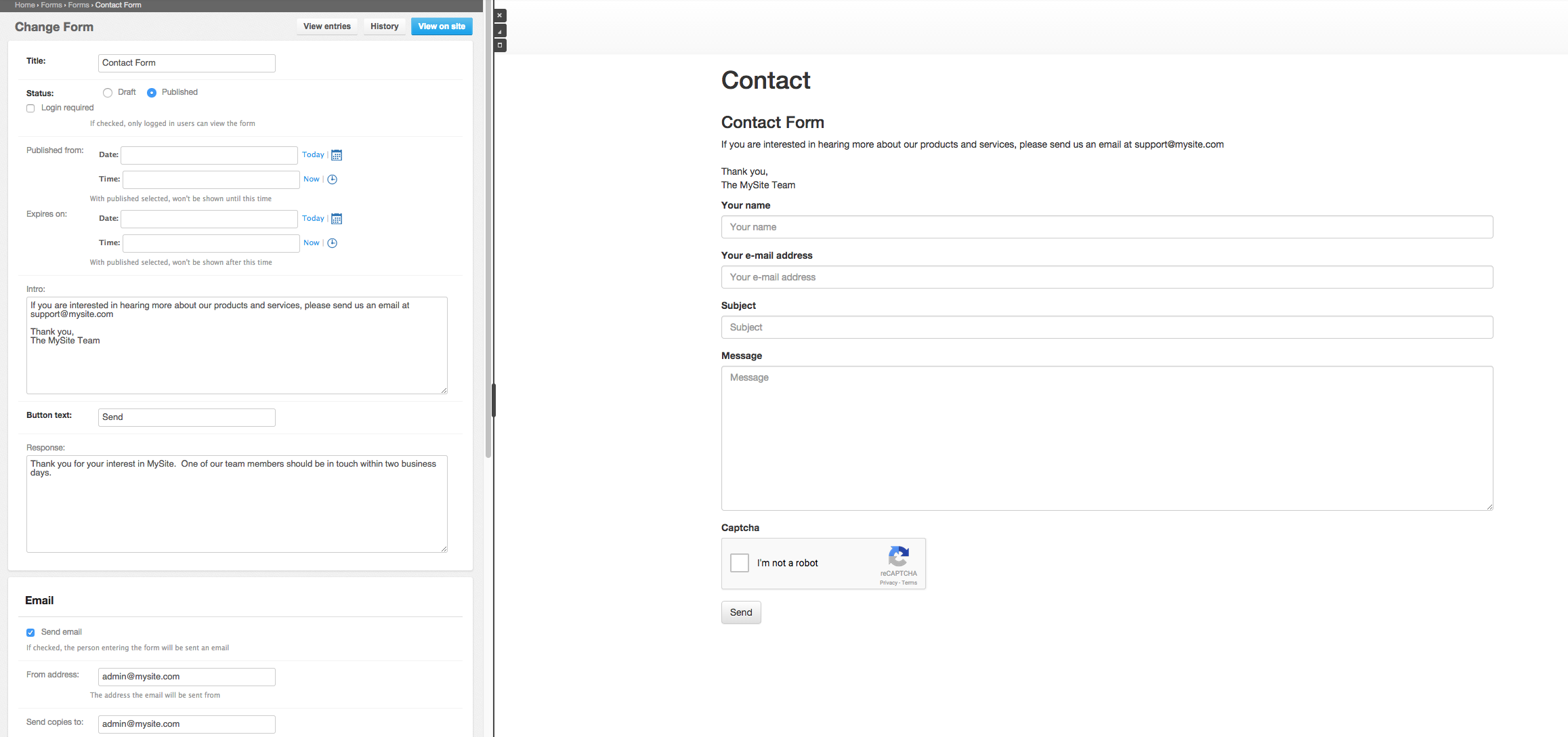
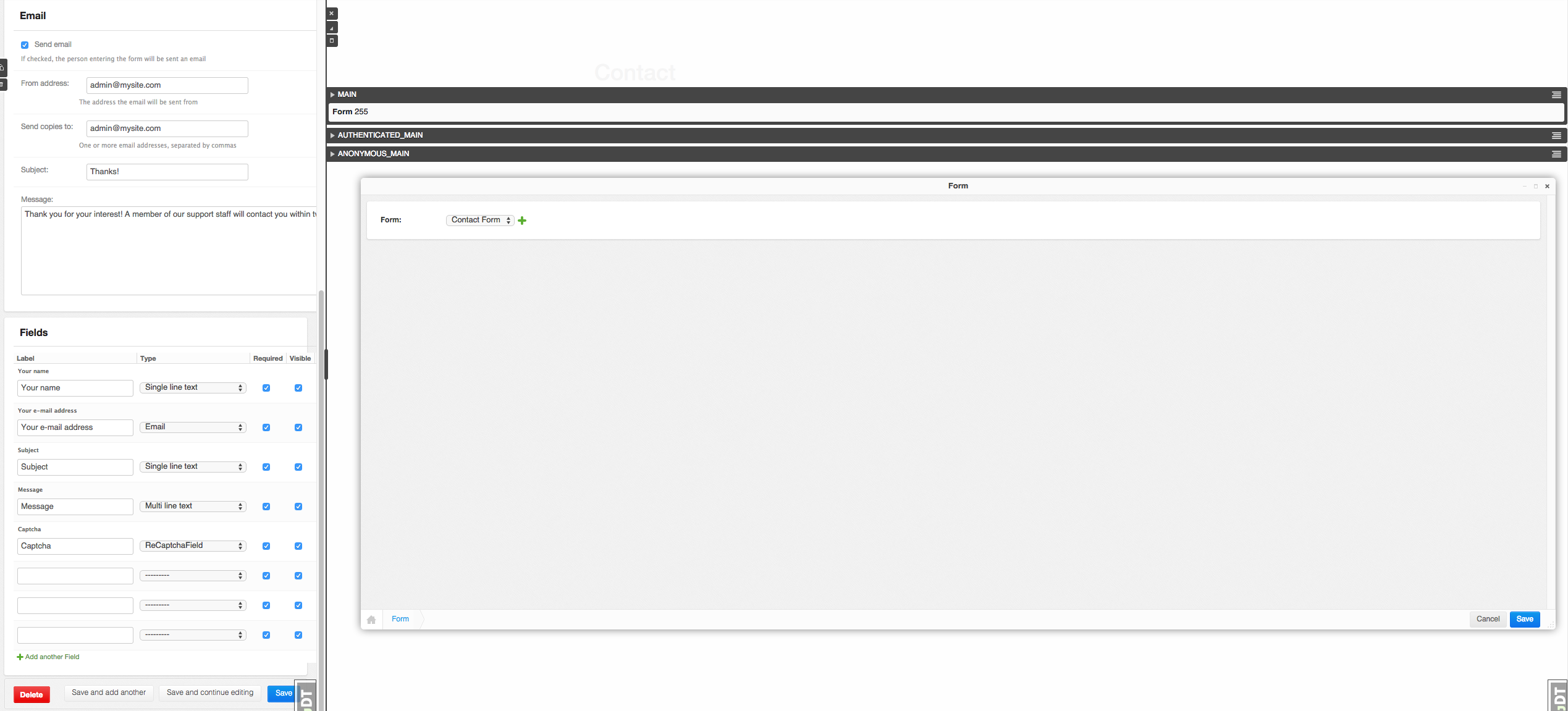
Added screenshots and sample build_form.html template
Fixed setup.py, no longer requires pip>=6.0
Loosened requirements slightly
v0.1.11:
Update to Django 1.7 migrations
v0.1.4:
Fixed bug on Safari browser, make sure that ‘cmsplugin_forms_builder’ comes above ‘forms_builder.forms’ in INSTALLED_APPS
v0.1.1:
Fixed bugs related to imports in views.py
v0.1.0:
Initial commit
1 maintainer

Metadata
1 maintainer
Release files for cmsplugin-forms-builder 1.1.1
For a detailed explanation of source distributions (sdists) and built distributions (wheels), please see the package formats documentation.
Source distribution (sdist)
| File | Size | Uploaded | Provenance | Actions |
|---|---|---|---|---|
| cmsplugin-forms-builder-1.1.1.tar.gz | 5.5 kB | Without provenance | Details for cmsplugin-forms-builder-1.1.1.tar.gz |
Release files / cmsplugin-forms-builder-1.1.1.tar.gz
| Download URL | cmsplugin-forms-builder-1.1.1.tar.gz |
|---|---|
| Size | 5.5 kB |
| Tags | Source |
|
SHA-256 checksum How to use checksums |
662b144a2f034bd8ca16c15de67226e1c4d7a40ffc4e280806d46db763c38f7f
|
|
BLAKE2b-256 checksum How to use checksums |
f9cf1d074ebb912e50c4e0d8f3c6d4f25e107c14dbe6b855ca4b3b7f90822c1e
|
| Upload date | |
|
Uploaded using Trusted Publishing? What is trusted publishing? |
No |
Security for cmsplugin-forms-builder 1.1.1
Provenance
Provenance describes where a file came from. On PyPI, provenance is shared via attestations, which provide a verifiable record of the build or publishing details. View details, limitations and caveats.
No provenance found
None of the files in this release were uploaded with provenance metadata.
A note on package security
PyPI is a repository for distributing packages, not a service for auditing them. While third-party security researchers and our staff do their best to detect and remove malicious packages, PyPI cannot guarantee the quality, security or suitability of any given package.
To learn more about protecting yourself from malicious actors, visit our package security documentation.

















](https://travis-ci.org/nimbis/cmsplugin-forms-builder)