
color-ssh
Runs remote commands, colorfully.





Features
Two commands will be installed.
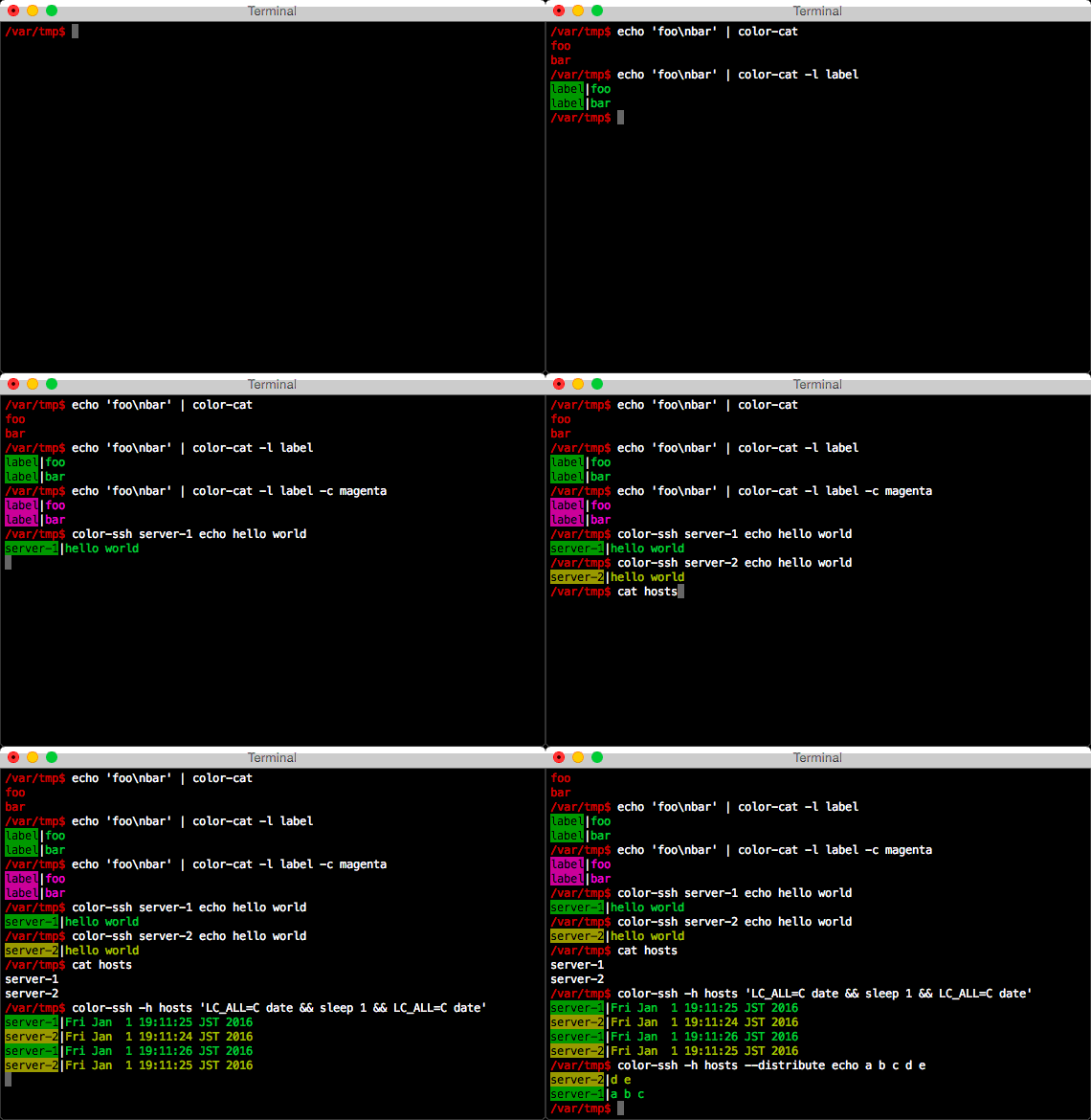
color-cat: Similar to Linux’s cat command, but the only difference is that the output is colored.
The color is determined by the label string, therefore same label makes the output to be same color.
color-ssh: Execute remote commands via ssh with colored output. You can do parallel optionally.
Dependencies
Python: 2.6 / 2.7 / 3.2 / 3.3 / 3.4 / 3.5
Installation
pip command may need sudo
Operation |
Command |
|---|---|
Install |
pip install color-ssh |
Upgrade |
pip install --upgrade color-ssh |
Uninstall |
pip uninstall color-ssh |
Check installed version |
color-cat --version
color-ssh --version
|
Help |
color-cat --help
color-ssh --help
|
Quickstart
color-cat
echo abc | color-cat -l label             # print colored label and output
echo abc | color-cat -l label -c magenta  # specify color
echo abc | color-cat -l label -s '=>'     # specify separator
color-cat -l label README.rst             # print the content of the file
color-ssh
Basic usage
color-ssh server-1 ls -l                       # run command in server-1 with colored output
color-ssh server-1 'cd /tmp && pwd'
color-ssh --ssh 'ssh -v' username@server-1 id  # overwrite ssh command to "ssh -v"
Parallel command executing
color-ssh -h ~/hosts ls -l              # load host list from file (each line "[user@]host[:port]")
color-ssh -H 'server-1 server-2' ls -l  # specify server list within the command line
color-ssh -h ~/hosts -p 4 ls -l         # specify parallelism
Uploading files and distributing command-line arguments
color-ssh -h ~/hosts --upload-with /path/to/xxx do-something /path/to/xxx     # upload file before executing command
color-ssh -h ~/hosts --upload-with '/path/to/xxx /path/to/yyy' do-something   # upload two files
color-ssh -h ~/hosts --distribute do-something a b c d e
  # distirubute arguments to each server
  # e.g.
  # server-1: do-something a b c
  # server-2: do-something d e
color-ssh -h ~/hosts --upload --distribute do-something /path/to/xxx /path/to/yyy
  # upload files before executing command
  # e.g.
  # server-1: do-something /path/to/xxx (uploading /path/to/xxx)
  # server-2: do-something /path/to/yyy (uploading /path/to/yyy)
1 maintainer

Release files for color-ssh 0.1.6
For a detailed explanation of source distributions (sdists) and built distributions (wheels), please see the package formats documentation.
Source distribution (sdist)
| File | Size | Uploaded | |
|---|---|---|---|
| color-ssh-0.1.6.tar.gz | 6.4 kB | Details |
Release files / color-ssh-0.1.6.tar.gz
| Download URL | color-ssh-0.1.6.tar.gz |
|---|---|
| Size | 6.4 kB |
| Tags | Source |
|
SHA-256 checksum How to use checksums |
978920d20b0167c4f99222a9923d2c4001354dd7a15b71e5df2bff5c58119251
|
|
BLAKE2b-256 checksum How to use checksums |
1cb6f277525f6942be683274a74a5e9e3cd8bad511ccf61ac11e59a0c6bd7746
|
| Upload date | |
|
Uploaded using Trusted Publishing? What is trusted publishing? |
No |














