
Colorwheel is a package for generating colorwheels with different numbers of colors.
How to install this package :
pip install colorwheel
pip install pathlib if you don't have it installed
How to use this package :
When instantiating the class, there is a parameter side, which is responsible for the height of the picture. The default value for side is 768 and the width of the picture is proportioned so that the picture fills the screen of a 15.6 inch laptop. For other screen sizes you can instantiate the class with another value for side and also another value for the parameter screen_portion. screen_portion default value is 1.778 which is portion of width to height of a 15.6 inch laptop. For other screen sizes you should calculate the value for screen_portion yourself.
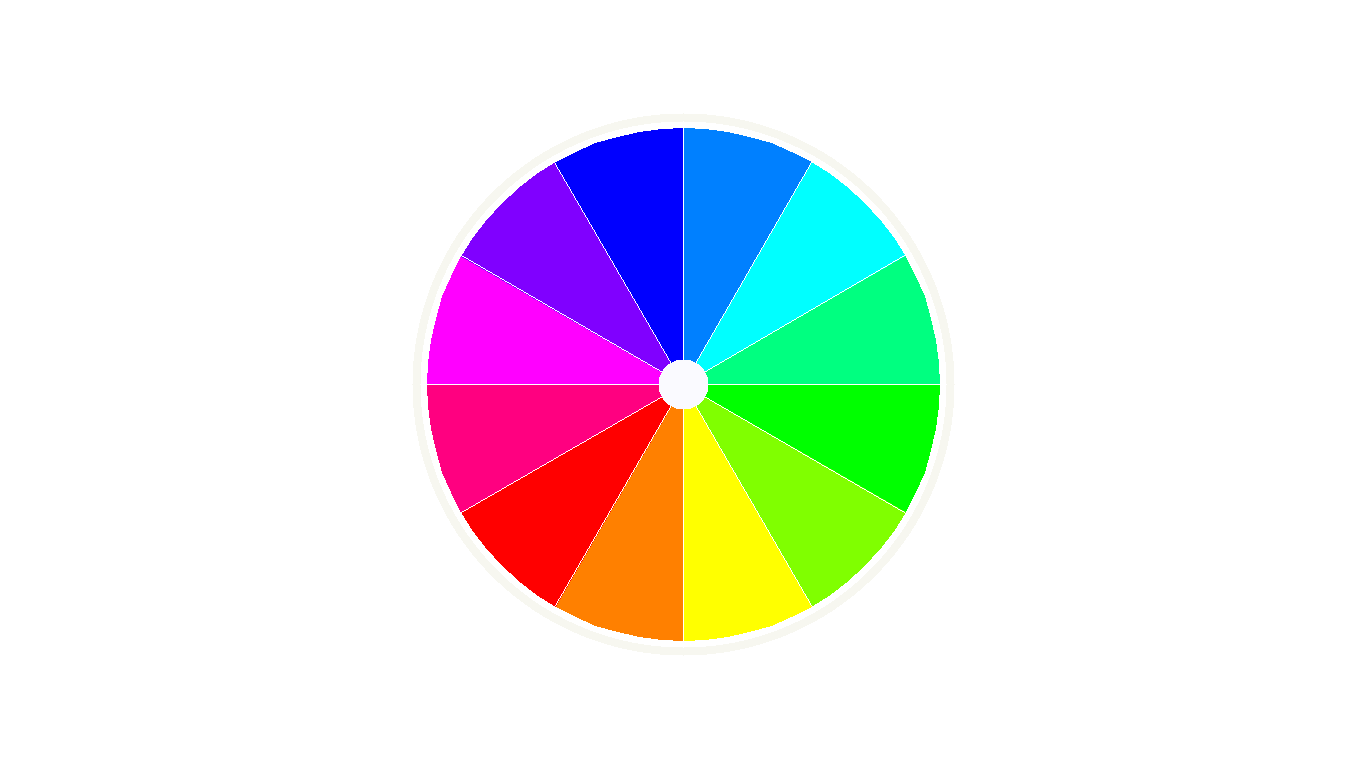
After instantiating the Colorwheel class, just execute show() method on the object to see the colorwheel. By default the colorwheel will have 12 colors but you can change the number by giving value to parameter color_number when instantiating the class. Note that only numbers in the formats below are acceptable :
3*2, 3*4, 3*8, 3*16, 3*32, ... and 12, 12*2, 12*3, 12*4, ...
Also if you want to save a picture of the colorwheel, just press 's' on your keyboard while the picture window is open.
There are some other features that come with the final picture. Like lines between colors, a small white circle in the center of colorwheel, the direction of the colors and rotation angel for the colors in the colorwheel.
For each feature there is a parameter responsible for changing or canceling that feature :
- Lines between colors : By default you should have lines between colors, but if you set parameter
linesto False when instantiating the class then this feature will be cancelled. - White circle in the center of colorwheel : If you dont like it just instantiate the class with parameter
center_circlewith value of False. - Direction of the colors : If you want to change the direction of the colors in the colorwheel just instantiate the class with parameter
reversingwith value of True. - Rotation angel for the colors : By default
rotationparameter is 0, but if you want the colors to rotate ,then instantiate the class with parameterrotationset to a degree [0, 360].
Example
from colorwheel import ColorWheel
cw = ColorWheel() ## colorwheel with 12 colors
cw.show()
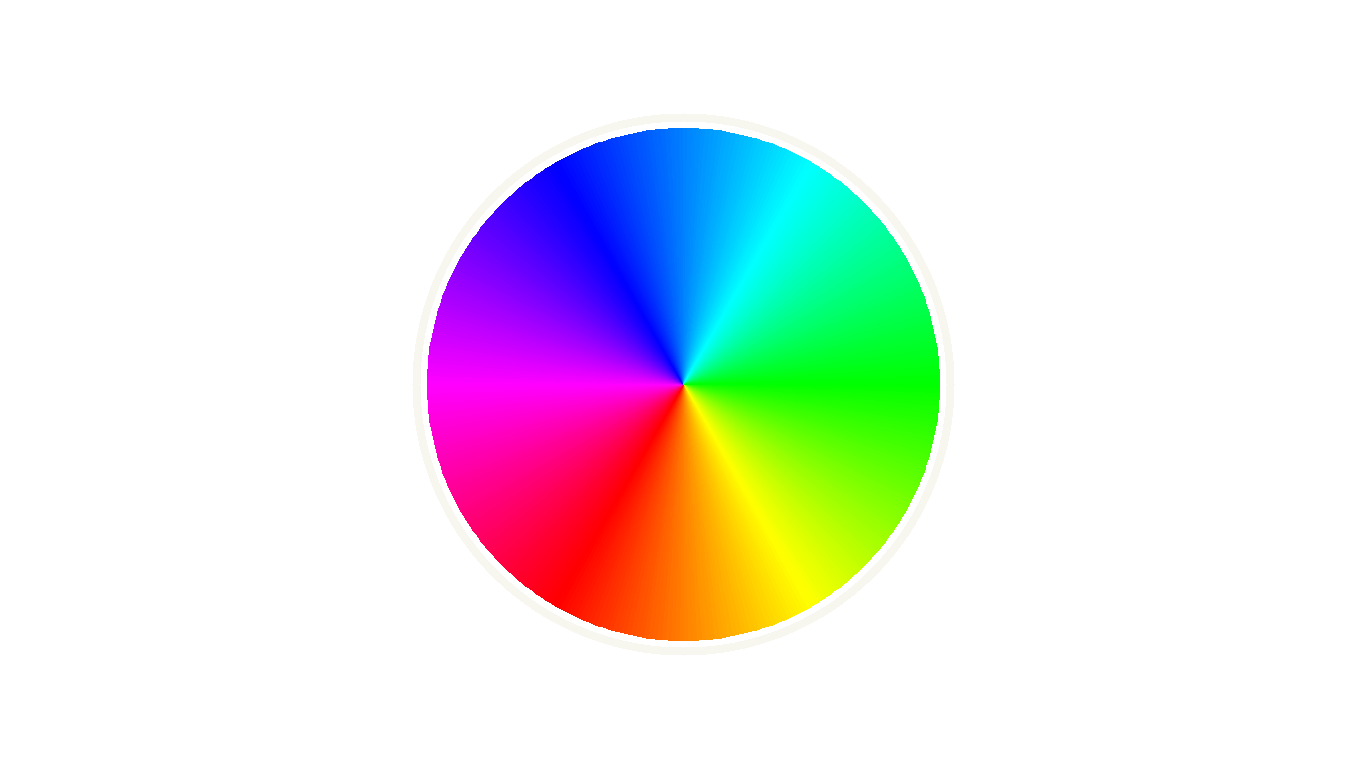
cw = ColorWheel(color_number=7200, lines=False, center_circle=False) ## colorwheel with 7200 colors
cw.show()
Github address
github.com/aliloloee1 maintainer

Metadata
1 maintainer
Release files for colorwheel 1.0.0
For a detailed explanation of source distributions (sdists) and built distributions (wheels), please see the package formats documentation.
Source distribution (sdist)
| File | Size | Uploaded | Provenance | |
|---|---|---|---|---|
| colorwheel-1.0.0.tar.gz | 3.9 kB | Without provenance | Details |
Built distribution (wheel)
| File | Interpreter | ABI | Platform | Reset |
|---|---|---|---|---|
| colorwheel-1.0.0-py3-none-any.whl | Python 3 | none | any | Details |
Total release size: 9.4 kB
Release files / colorwheel-1.0.0.tar.gz
| Download URL | colorwheel-1.0.0.tar.gz |
|---|---|
| Size | 3.9 kB |
| Tags | Source |
|
SHA-256 checksum How to use checksums |
d423972ff342189517040210470f3e7d8988561b7ae610ca25314432ad1e4320
|
|
BLAKE2b-256 checksum How to use checksums |
79abadc724f7f51ca68278d4537ea6712f56eba7f845081e09f4173ce4050bdc
|
| Upload date | |
|
Uploaded using Trusted Publishing? What is trusted publishing? |
No |
| Uploaded via |
twine/3.4.1 importlib_metadata/4.0.1 pkginfo/1.7.0 requests/2.25.1 requests-toolbelt/0.9.1 tqdm/4.60.0 CPython/3.8.7
|
Release files / colorwheel-1.0.0-py3-none-any.whl
| Download URL | colorwheel-1.0.0-py3-none-any.whl |
|---|---|
| Size | 5.5 kB |
| Tags | Python 3 |
|
SHA-256 checksum How to use checksums |
416b93370a89ef33e83d806482c0a4f391afeca69681855c571b8b473ceb3231
|
|
BLAKE2b-256 checksum How to use checksums |
010f4b6cbfedd73bc027868eb540eb3d8c728b57863f336da2aa874a30545eca
|
| Upload date | |
|
Uploaded using Trusted Publishing? What is trusted publishing? |
No |
| Uploaded via |
twine/3.4.1 importlib_metadata/4.0.1 pkginfo/1.7.0 requests/2.25.1 requests-toolbelt/0.9.1 tqdm/4.60.0 CPython/3.8.7
|
Security for colorwheel 1.0.0
Provenance
Provenance describes where a file came from. On PyPI, provenance is shared via attestations, which provide a verifiable record of the build or publishing details. View details, limitations and caveats.
No provenance found
None of the files in this release were uploaded with provenance metadata.
A note on package security
PyPI is a repository for distributing packages, not a service for auditing them. While third-party security researchers and our staff do their best to detect and remove malicious packages, PyPI cannot guarantee the quality, security or suitability of any given package.
To learn more about protecting yourself from malicious actors, visit our package security documentation.













