
Complexitty







Introduction
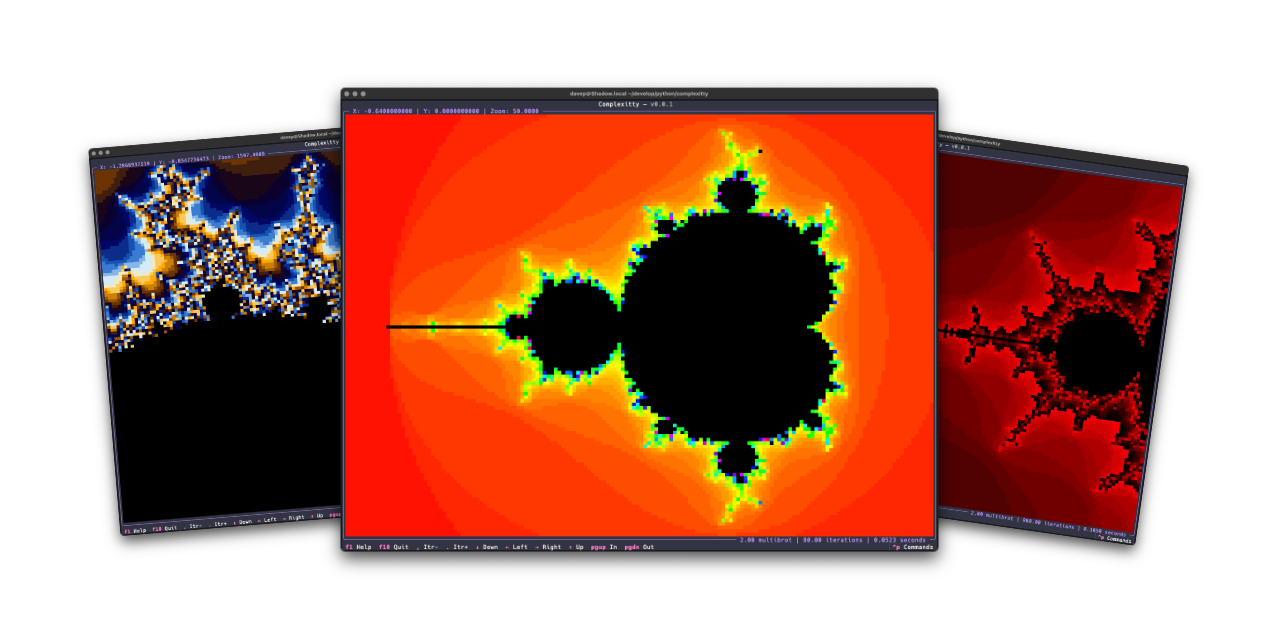
Complexitty is a simple terminal-based application that lets you explore the
classic Mandelbrot set in full character-based glory. It is the successor to
and replacement for
textual-mandelbrot.
Installing
pipx
The package can be installed using pipx:
$ pipx install complexitty
uv
The application can be installed using uv:
uv tool install complexitty
If you don't have uv installed you can use uvx.sh to
perform the installation. For GNU/Linux or macOS or similar:
curl -LsSf uvx.sh/complexitty/install.sh | sh
or on Windows:
powershell -ExecutionPolicy ByPass -c "irm https://uvx.sh/complexitty/install.ps1 | iex"
Going faster
Complexitty has a (currently experimental) installation option to make it go
faster using Numba. If you want to try this out,
install it as complexitty[faster] rather than complexitty.
Using Complexitty
Once you've installed Complexitty using one of the above methods, you can
run the application using the complexitty command.
The best way to get to know Complexitty is to read the help screen, once in the main application you can see this by pressing F1.
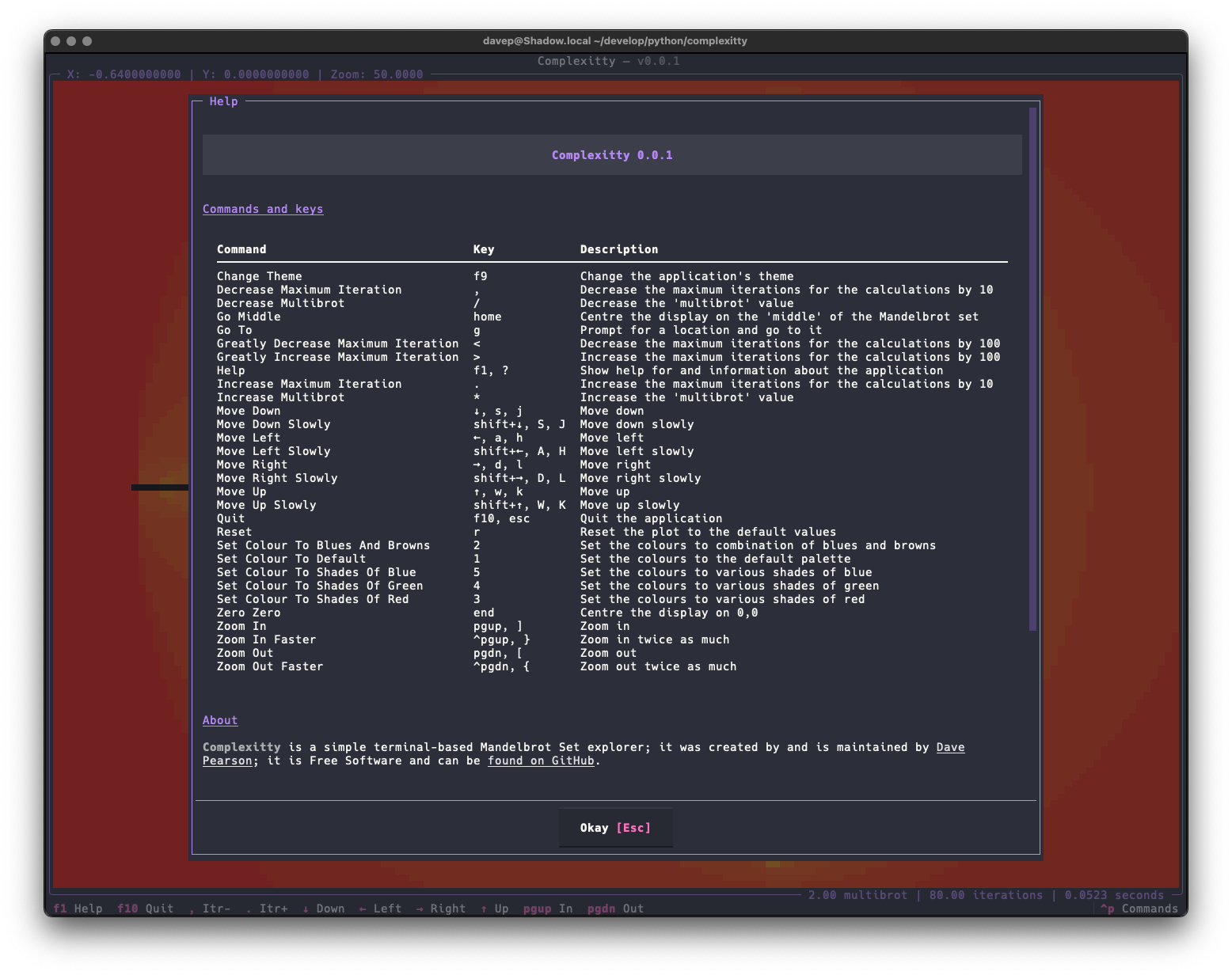
For more information and details on configuring Complexitty, see the online documentation.
Getting help
If you need help, or have any ideas, please feel free to raise an issue or start a discussion.
TODO
See the TODO tag in issues to see what I'm planning.
1 maintainer

Metadata
1 maintainer
Release files for complexitty 1.1.0
For a detailed explanation of source distributions (sdists) and built distributions (wheels), please see the package formats documentation.
Source distribution (sdist)
| File | Size | Uploaded | |
|---|---|---|---|
| complexitty-1.1.0.tar.gz | 14.4 kB | Details |
Built distribution (wheel)
| File | Interpreter | ABI | Platform | Reset |
|---|---|---|---|---|
| complexitty-1.1.0-py3-none-any.whl | Python 3 | none | any | Details |
Total release size: 35.7 kB
Release files / complexitty-1.1.0.tar.gz
| Download URL | complexitty-1.1.0.tar.gz |
|---|---|
| Size | 14.4 kB |
| Tags | Source |
|
SHA-256 checksum How to use checksums |
9b88755c952a0fb58033f782888008a420385b0cd55e548c13e7a1646ed69ffd
|
|
BLAKE2b-256 checksum How to use checksums |
0fef7c21a6ddfcbc3d6e67a765b58e6986a7dd438abd4df77e74959506981a59
|
| Upload date | |
|
Uploaded using Trusted Publishing? What is trusted publishing? |
No |
| Uploaded via |
uv/0.10.6 {"installer":{"name":"uv","version":"0.10.6","subcommand":["publish"]},"python":null,"implementation":{"name":null,"version":null},"distro":{"name":"macOS","version":null,"id":null,"libc":null},"system":{"name":null,"release":null},"cpu":null,"openssl_version":null,"setuptools_version":null,"rustc_version":null,"ci":null}
|
Release files / complexitty-1.1.0-py3-none-any.whl
| Download URL | complexitty-1.1.0-py3-none-any.whl |
|---|---|
| Size | 21.4 kB |
| Tags | Python 3 |
|
SHA-256 checksum How to use checksums |
09207b507a99681689bf7f047d9ed036886a5aff1e3ca66ff1d6037963c0b66a
|
|
BLAKE2b-256 checksum How to use checksums |
dbb7d613363960b0470baba731786771f98656afd7f43aa9dbd36d5c72609cd2
|
| Upload date | |
|
Uploaded using Trusted Publishing? What is trusted publishing? |
No |
| Uploaded via |
uv/0.10.6 {"installer":{"name":"uv","version":"0.10.6","subcommand":["publish"]},"python":null,"implementation":{"name":null,"version":null},"distro":{"name":"macOS","version":null,"id":null,"libc":null},"system":{"name":null,"release":null},"cpu":null,"openssl_version":null,"setuptools_version":null,"rustc_version":null,"ci":null}
|














