
compose-watcher
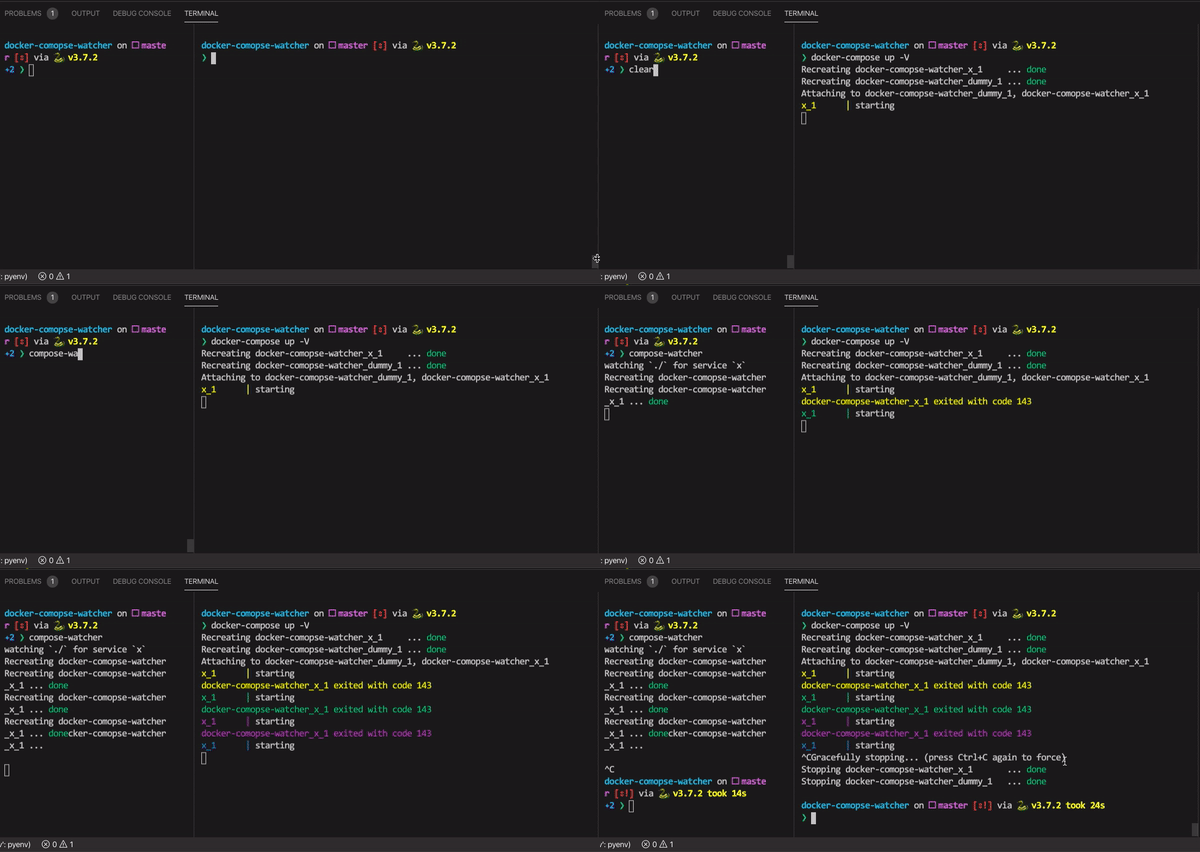
Cli that restarts you docker compose services when a file inside one of its volumes changes.
Useful for faster developement with containers that expose behaviour based on mounted files.
Example usage
- graphql api restart when schema file changes
- graphql api mocks based on schema file (like this one)
- Every container that generates code and exposes a server based on a config file
- Nodejs container restarts when the src folder changes, recompiling with tsc
- Mongoke restarts when config schema changes
Install
pip3 install compose-watcher
# then you can watch for changes
compose-watcher -f docker-compose.yml
Usage
Use the directories you want to track as service volumes.
Also consider using init: true in the compose service definition for faster killing of processes.
To not stop the docker-compose commands on other terminals there should be always a running container (this is a strange fact about docker-compose).
version: '3'

services:
  api:
    build: .
    command: sh -c 'tsc --incremental && node index.js'
    volumes:
      - ./src:/src
Then execute compose-watcher to watch changes.
compose-watcher -f docker-compose.yml --timeout 5
TODO add extension filter
How it works
After running the compose-watcher command all the volumes mounted on every service are tracked for change, when a change happens the service where the volume is mounted is restarted toghether with the services in the depends_on filed. Then the other services that have the restarted service as a dependency in depends_on are restarted too.
1 maintainer

Metadata
1 maintainer
Release files for compose-watcher 1.2.5
For a detailed explanation of source distributions (sdists) and built distributions (wheels), please see the package formats documentation.
Source distribution (sdist)
| File | Size | Uploaded | Provenance | |
|---|---|---|---|---|
| compose-watcher-1.2.5.tar.gz | 5.1 kB | Without provenance | Details |
Release files / compose-watcher-1.2.5.tar.gz
| Download URL | compose-watcher-1.2.5.tar.gz |
|---|---|
| Size | 5.1 kB |
| Tags | Source |
|
SHA-256 checksum How to use checksums |
1664612d4009c971123f5a7ef4213f3f5165ed2caedfc6437ace0dca56858cf0
|
|
BLAKE2b-256 checksum How to use checksums |
b889d21e3244386d5d1d358a09ee827f79b5732c858eada98d04e81f29e14305
|
| Upload date | |
|
Uploaded using Trusted Publishing? What is trusted publishing? |
No |
| Uploaded via |
twine/1.13.0 pkginfo/1.5.0.1 requests/2.21.0 setuptools/40.8.0 requests-toolbelt/0.9.1 tqdm/4.31.1 CPython/3.6.8
|
Security for compose-watcher 1.2.5
Provenance
Provenance describes where a file came from. On PyPI, provenance is shared via attestations, which provide a verifiable record of the build or publishing details. View details, limitations and caveats.
No provenance found
None of the files in this release were uploaded with provenance metadata.
A note on package security
PyPI is a repository for distributing packages, not a service for auditing them. While third-party security researchers and our staff do their best to detect and remove malicious packages, PyPI cannot guarantee the quality, security or suitability of any given package.














