
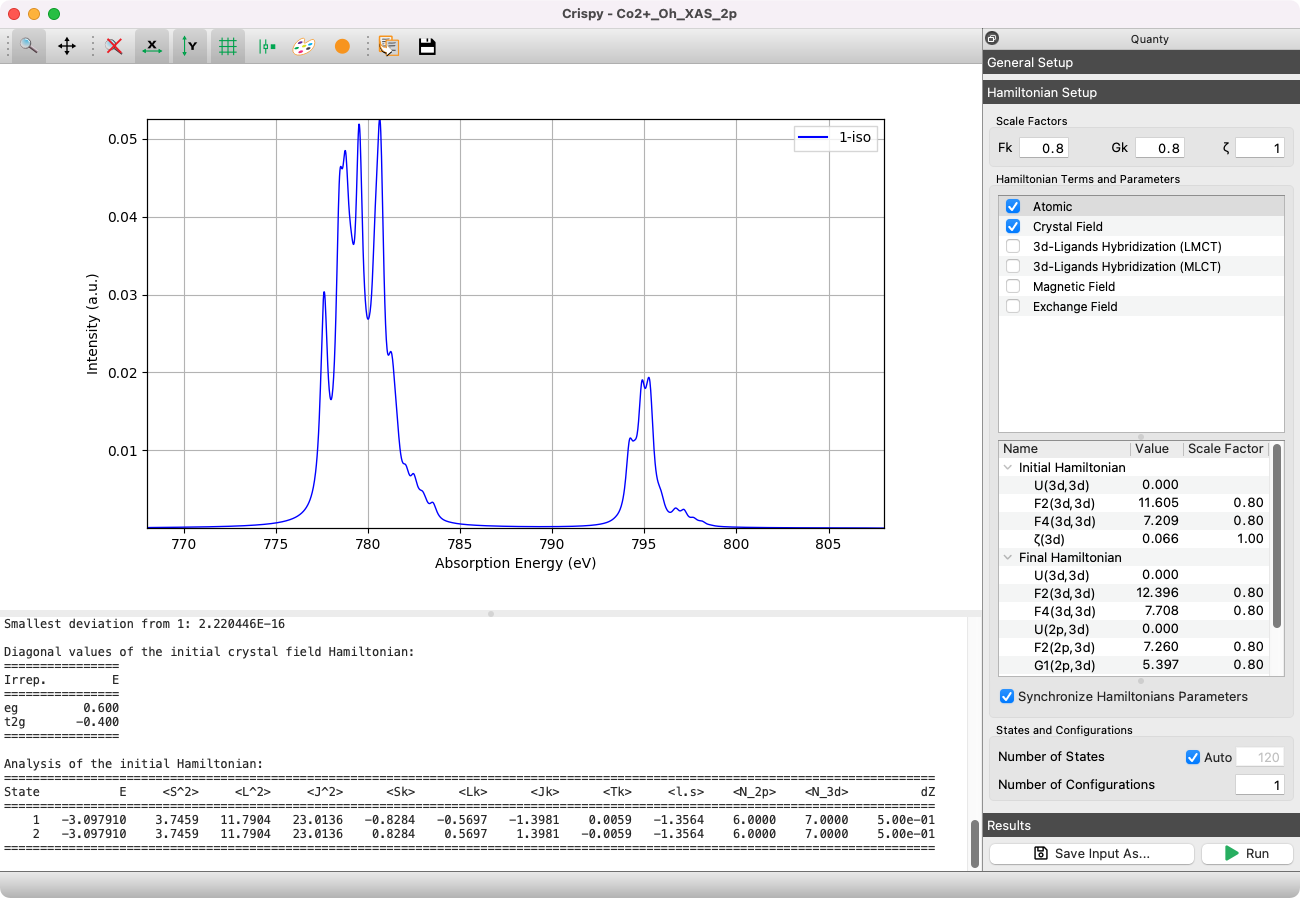
Crispy is a modern graphical user interface to calculate core-level spectra using the semi-empirical multiplet approaches implemented in Quanty. The application provides tools to generate input files, submit calculations, and plot the resulting spectra.




Installation
Windows and macOS Applications
Download the application from the Downloads page. These applications include Python and Quanty. You do not need to install Python separately.
Windows (64-bit)
Run the downloaded .exe installer and follow its instructions. The installer removes the previous version, if present.
Start Crispy from the Start menu.
macOS (14 or later)
The application supports both Intel and Apple Silicon Macs.
Open the downloaded .dmg file.
Drag Crispy into the Applications folder.
Start Crispy from Applications.
Using pip
Use pip on Linux, or for a Python installation on Windows or macOS. Install a 64-bit Python distribution, version 3.10 or later, with pip and venv. Python installers for Windows and macOS are available from python.org.
Create a virtual environment in a folder where you want to keep Crispy. This keeps its dependencies separate from other Python applications.
Linux and macOS
Open a terminal and run:
python3 -m venv .venv
source .venv/bin/activate
Windows
Open Command Prompt and run:
py -3 -m venv .venv
.venv\Scripts\activate.bat
With the environment active, install Crispy:
python -m pip install --upgrade pip
python -m pip install crispy
Start the application:
python -m crispyThe crispy command also starts the application when the environment is active. Activate the same environment when you open a new terminal. For more information, see the Python Packaging guide.
To update a pip installation, activate its environment and run:
python -m pip install --upgrade crispyDevelopment Version
Use the development version to test changes from the main branch. Activate the virtual environment described above, then install or update Crispy:
python -m pip install --upgrade --force-reinstall https://github.com/mretegan/crispy/tarball/mainThe --force-reinstall option installs the current code even when its version number did not change.
Quanty
Crispy includes Quanty executables for Windows, macOS, and Linux. Register on the Quanty website if you do not already have an account.
Crispy uses Quanty from PATH when available, otherwise it uses the bundled executable. To select another executable, open Quanty → Preferences and choose its path in Quanty Executable. Downloads are available from the Quanty download area.
Usage
Start the Windows application from the Start menu, or the macOS application from Applications. For a pip installation, activate its virtual environment, then run:
python -m crispyTo run Crispy on the ESRF compute cluster, see Launching Crispy.
Citation
If you use Crispy in your research, please cite it. Crispy is archived on Zenodo under the DOI 10.5281/zenodo.1008184, which resolves to the most recent release.
@software{retegan_crispy,
  author  = {Retegan, Marius},
  title   = {Crispy},
  version = {2026.2},
  year    = {2026},
  doi     = {10.5281/zenodo.1008184},
  url     = {https://crispy.esrf.fr},
}
The CITATION.cff file holds the full citation metadata. On GitHub, the Cite this repository button converts it to APA or BibTeX.
License
The source code of Crispy is licensed under the MIT license.
1 maintainer

Metadata
1 maintainer
Release files for crispy 2026.2
For a detailed explanation of source distributions (sdists) and built distributions (wheels), please see the package formats documentation.
Source distribution (sdist)
| File | Size | Uploaded | |
|---|---|---|---|
| crispy-2026.2.tar.gz | 35.1 MB | Details |
Built distribution (wheel)
| File | Interpreter | ABI | Platform | Reset |
|---|---|---|---|---|
| crispy-2026.2-py3-none-any.whl | Python 3 | none | any | Details |
Total release size: 72.0 MB
Release files / crispy-2026.2.tar.gz
| Download URL | crispy-2026.2.tar.gz |
|---|---|
| Size | 35.1 MB |
| Tags | Source |
|
SHA-256 checksum How to use checksums |
15f23cf982c48b1712bd3a91d23b5cae77884d9ada571cbf944fea60646abaa5
|
|
BLAKE2b-256 checksum How to use checksums |
2a74b794d23efc08a48034115b7a7e56a2ce960f887ae759a2fd2e97ddedf520
|
| Upload date | |
|
Uploaded using Trusted Publishing? What is trusted publishing? |
Yes |
| Uploaded via |
twine/7.0.0 CPython/3.13.14
|
Provenance
Provenance describes where a file came from. On PyPI, provenance is shared via attestations, which provide a verifiable record of the build or publishing details. View details, limitations and caveats.


PyPI Publish Attestation
PyPI verified that this artifact, at this checksum, originated from the publisher listed below.
Signed by GitHub Actions, verified by PyPI on Oct 9, 2026.
Transparency logRelease files / crispy-2026.2-py3-none-any.whl
| Download URL | crispy-2026.2-py3-none-any.whl |
|---|---|
| Size | 36.9 MB |
| Tags | Python 3 |
|
SHA-256 checksum How to use checksums |
9f41fd41be2597cb5dc2fb507eee228828c0abfd93f10d324fa173502b25985c
|
|
BLAKE2b-256 checksum How to use checksums |
f7ba63418ff7a642f963f2da0dc467dff4f627f6889bc78f539b87118d62336c
|
| Upload date | |
|
Uploaded using Trusted Publishing? What is trusted publishing? |
Yes |
| Uploaded via |
twine/7.0.0 CPython/3.13.14
|
Provenance
Provenance describes where a file came from. On PyPI, provenance is shared via attestations, which provide a verifiable record of the build or publishing details. View details, limitations and caveats.
PyPI Publish Attestation
PyPI verified that this artifact, at this checksum, originated from the publisher listed below.
Signed by GitHub Actions, verified by PyPI on Oct 9, 2026.
Transparency log













