
cursely
Cross-platform mod management for Minecraft.
pip install cursely
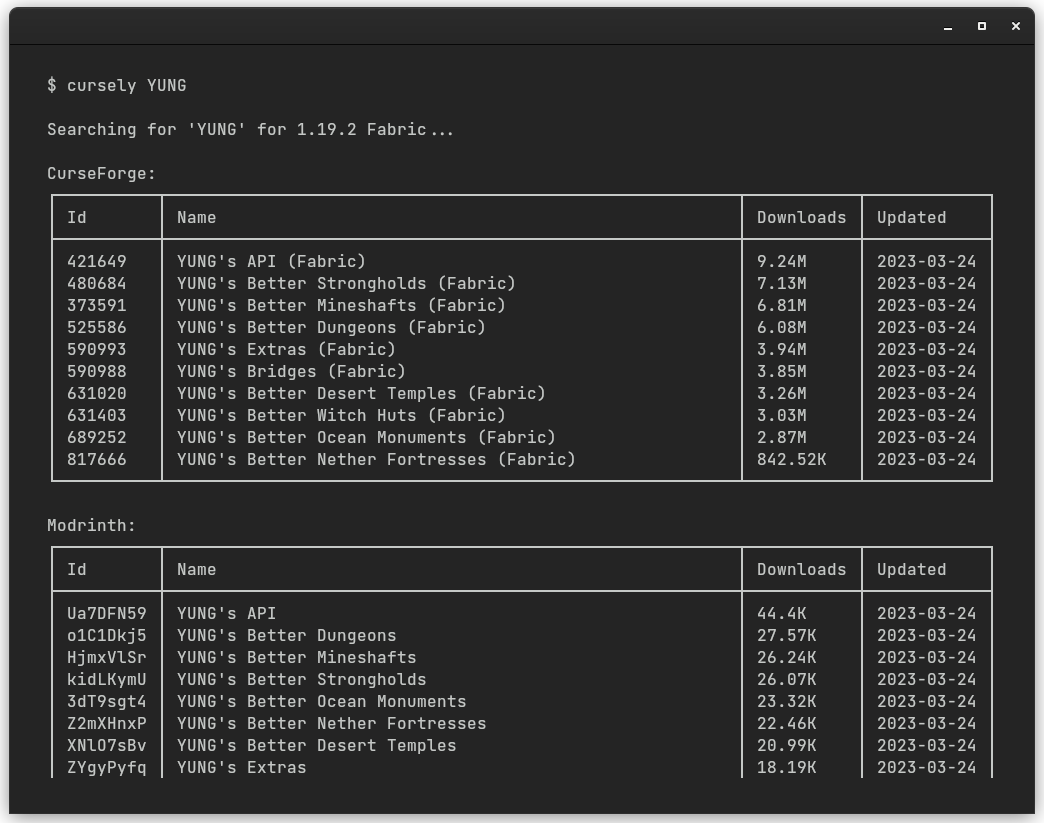
Get search results from CurseForge and Modrinth.
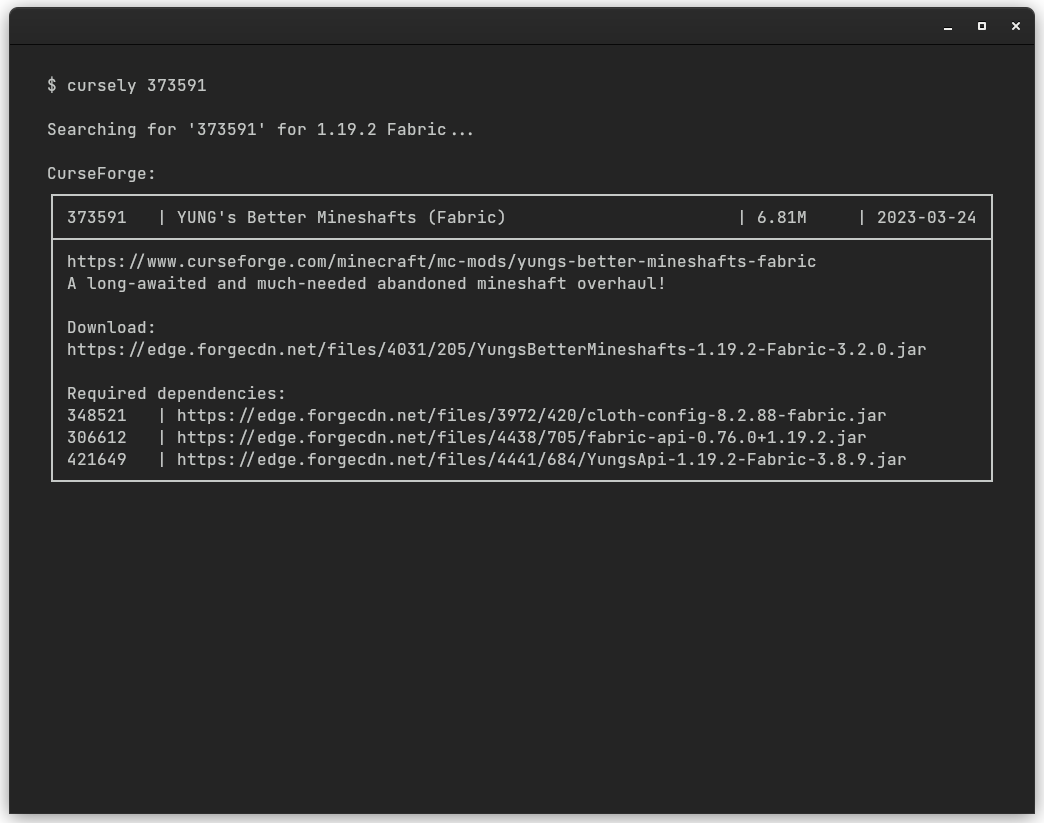
View mod details, dependencies and download links.
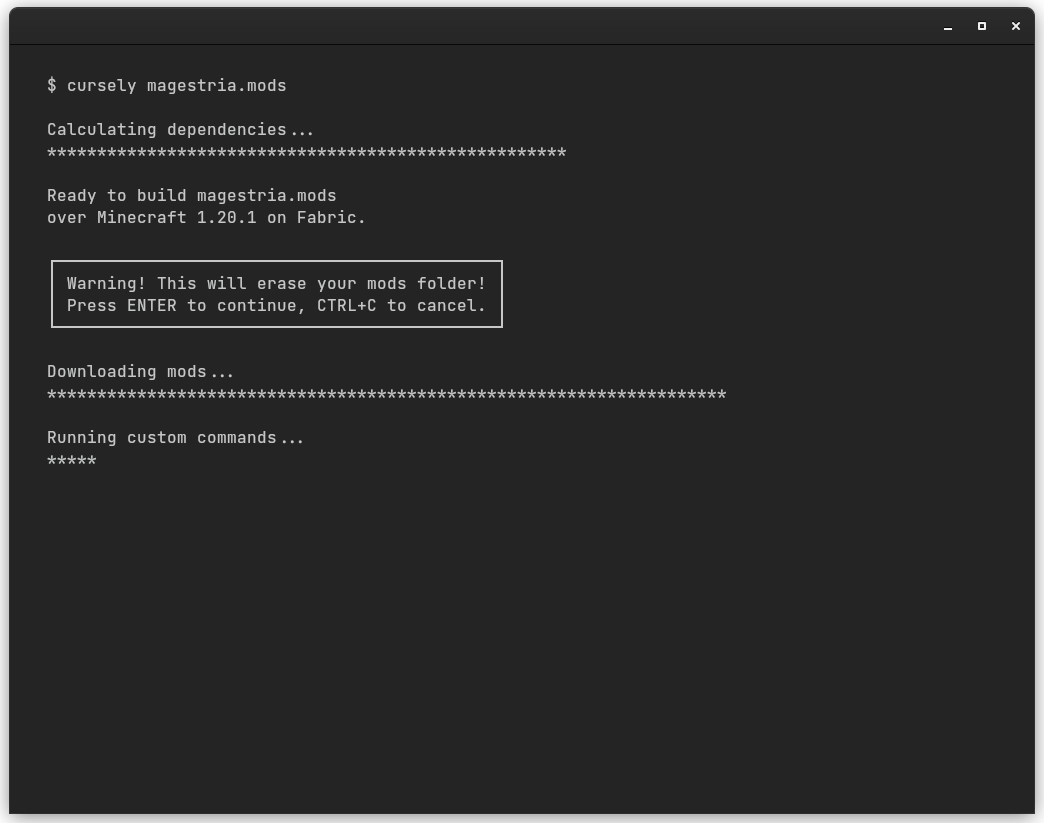
Deploy a modpack with its configuration.
Usage
cursely [MOD_ID]    Get a brief description of a mod and its download link.
cursely [KEYWORD]   Search for a mod by its name or author.
cursely [MODPACK]   Install all listed mods and their dependencies.
cursely --help      Show this help message.
Modpacks
A modpack file is a plain text file with the .mods extension and the following format:
example_modpack.mods
game minecraft == 1.20.1
loader fabric == 0.15.1
config example_modpack_config.zip

#    Mod ID  Comments (optional)  File version (optional)
mod  325471  Inventory Sorting    == 5455951
mod  429084  Limited Spawners
mod  551140  Furnace Recycle

#         Download URL                     Mod (optional)
download  https://manual_mod_download_url
download  https://manual_mod_download_url  for mod 917292

# ...
Running cursely example_modpack.mods will:
- Download and install the listed mods.
- Download and install their required dependencies.
- Copy the config files from the zip archive to the minecraft installation folder.
- Print any errors that might have occurred.
You can find examples for modpacks in cursely/modpacks/.
Resolution files
Resolution files contain all the mods and their dependencies for a modpack, fixed to the specific versions downloaded by the installer when the build was created. This enables reproducible builds, providing the option to replicate the exact same modpack in the future, preventing the incompatibilities that can arise as mods get updated and their versions change over time.
When installing a modpack:
-
If no resolution file exists, a new one will be created with the same name and the
.resolved-modsextension. -
If a resolution file exists, the program will try to use it as long as it has the same name as the requested modpack (except for the extension).
To build a modpack using the latest compatible version of each mod,
simply delete the resolution file and rerun cursely your_modpack.mods.
Disclaimer
Modrinth and CurseForge are registered trademarks owned by their respective owners. Any references to these brands within this repository are for descriptive purposes only and do not imply endorsement or affiliation with said trademarks.
1 maintainer

Metadata
1 maintainer
Release files for cursely 0.8.0
For a detailed explanation of source distributions (sdists) and built distributions (wheels), please see the package formats documentation.
Source distribution (sdist)
| File | Size | Uploaded | |
|---|---|---|---|
| cursely-0.8.0.tar.gz | 67.5 MB | Details |
Built distribution (wheel)
| File | Interpreter | ABI | Platform | Reset |
|---|---|---|---|---|
| cursely-0.8.0-py3-none-any.whl | Python 3 | none | any | Details |
Total release size: 134.9 MB
Release files / cursely-0.8.0.tar.gz
| Download URL | cursely-0.8.0.tar.gz |
|---|---|
| Size | 67.5 MB |
| Tags | Source |
|
SHA-256 checksum How to use checksums |
66895e805db439fe8a0e8dfb35d89caaf83863e8043caf1c9e12166c6f743a6c
|
|
BLAKE2b-256 checksum How to use checksums |
8e03e4c19d98ecf3c11903ed374a9e6e89282458bea5e927080b77528f256e4a
|
| Upload date | |
|
Uploaded using Trusted Publishing? What is trusted publishing? |
No |
| Uploaded via |
poetry/1.8.3 CPython/3.12.4 Linux/5.15.0-113-generic
|
Release files / cursely-0.8.0-py3-none-any.whl
| Download URL | cursely-0.8.0-py3-none-any.whl |
|---|---|
| Size | 67.5 MB |
| Tags | Python 3 |
|
SHA-256 checksum How to use checksums |
1f92826b697a43bc73b9a344d0cdc99803a40708170f97eceb515504503b85b2
|
|
BLAKE2b-256 checksum How to use checksums |
99dc11adc604812fa3526eb7831b5c4e9408242262e24fa75c55f2f9ce3dcffd
|
| Upload date | |
|
Uploaded using Trusted Publishing? What is trusted publishing? |
No |
| Uploaded via |
poetry/1.8.3 CPython/3.12.4 Linux/5.15.0-113-generic
|














