A terminal-based crossword puzzle solving interface

Project description
cursewords
cursewords is a "graphical" command line program for solving crossword puzzles in the terminal. It can be used to open files saved in the widely used AcrossLite .puz format.
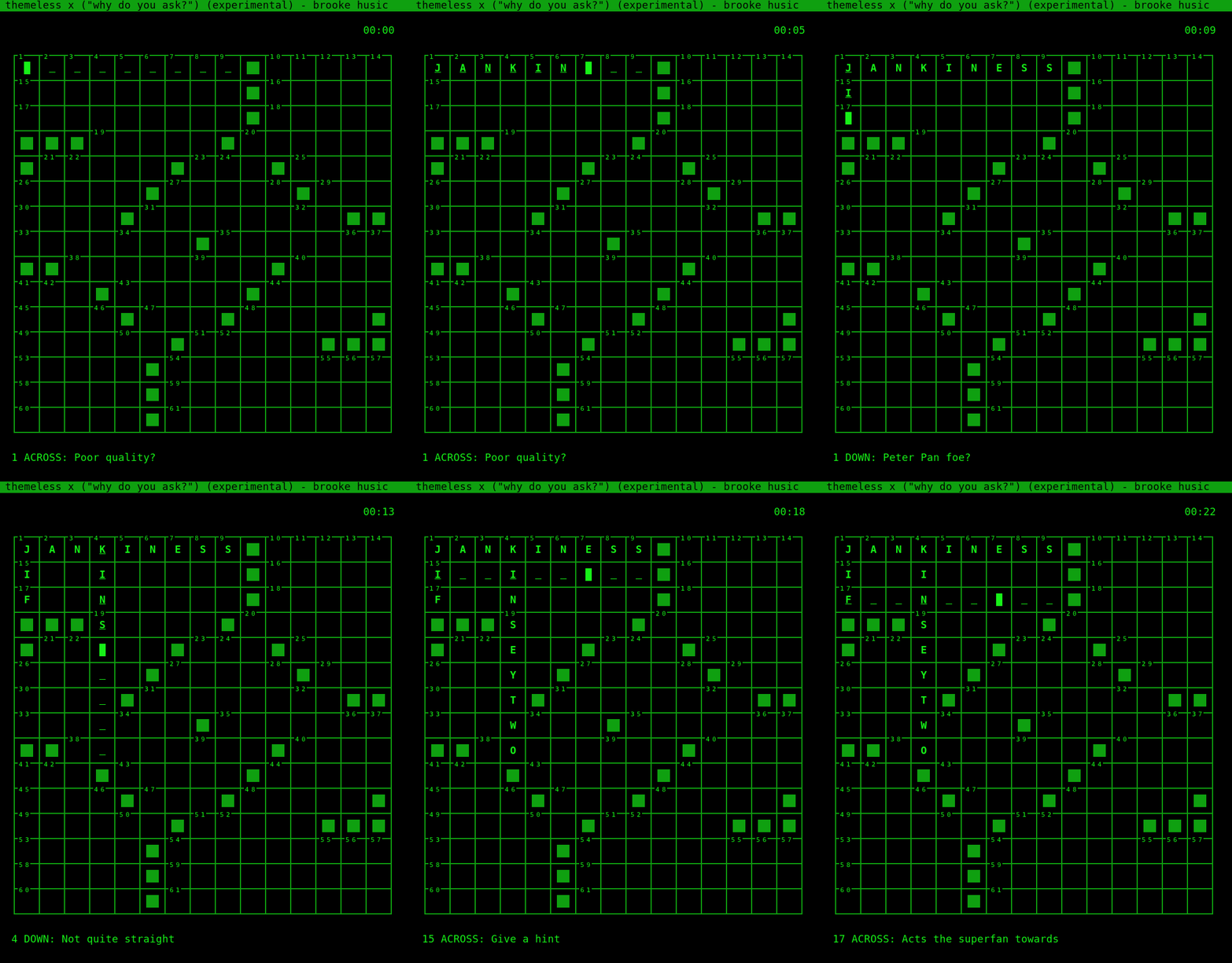
cursewords includes nearly every major feature you might expect in a crossword program, including:
- intuitive navigation
- answer-checking for squares, words, and full puzzles
- a pausable puzzle timer
- a puzzle completeness notification
It is currently under active development, and should not be considered fully "released." That said, it is stable and suitable for everyday use.
Installation
cursewords is only compatible with python3, and can be installed through pip. If you don't know what that means, the best command is probably:
pip3 install --user cursewords
You should then be ready to go. You can then use cursewords to open .puz files directly:
cursewords todaysnyt.puz
Usage
If you've used a program to solve crossword puzzles, navigation should be pretty intuitive. tab and shift+tab are the workhorses for navigation between blanks. page up and page down (on Mac, Fn+ up/down arrow keys) jump between words without considering blank spaces. ctrl+g, followed by a number, will jump directly to the space with that number.
If you need some help, ctrl+c will check the current square, word, or entire puzzle for errors, and ctrl+r will reveal answers (subject to the same scoping options). To clear all entries on the puzzle, use ctrl+x, and to reset the puzzle to its original state (resetting the timer and removing any stored information about hints and corrections, use ctrl+z.
To open a puzzle in downs-only mode, where only the down clues are visible, use the --downs-only flag when opening the file on the command line.
Release history Release notifications | RSS feed


Download files
Download the file for your platform. If you're not sure which to choose, learn more about installing packages.
Source Distribution
Built Distribution
Hashes for cursewords-1.0.6-py3-none-any.whl
| Algorithm | Hash digest | |
|---|---|---|
| SHA256 | 568f51f618704dcf44d9e2917277e9edad2c5f9a5597aeac0f45f76dc648b0af |
|
| MD5 | df6eff538c47edb8be8243e8261918a7 |
|
| BLAKE2b-256 | 337062da62fae3e73a5dacc8121b99cf5c56f063b8b494a738c98d159c7dfba8 |