
自定义标题栏 CustomTkinterTitlebar
📃 这是一个项目可以帮助你拥有一个自定义的标题栏!小组件可以被放到这个标题栏里面
This is a project can help you to have a custom titlebar! Widgets can add into titlebar!
安装 Install
pip install CustomTkinterTitlebar --user
Gallery
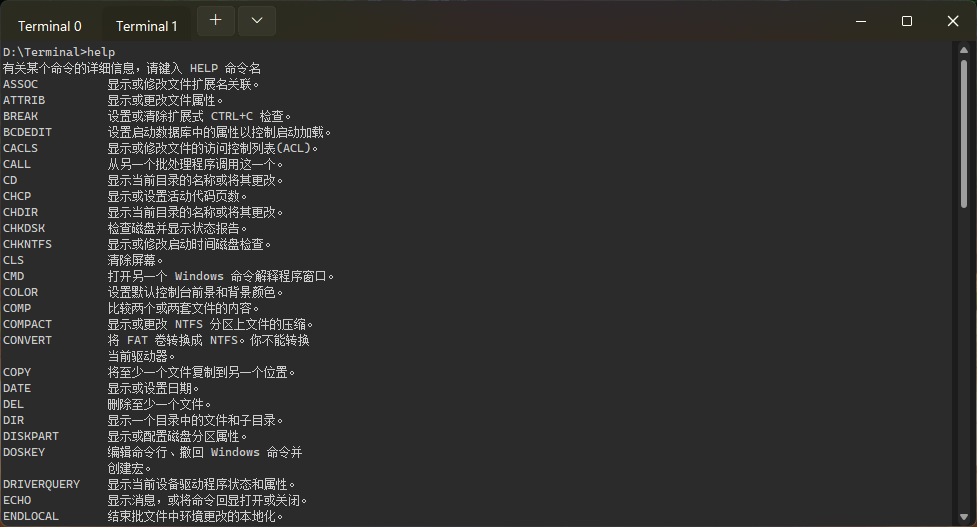
repo: https://github.com/littlewhitecloud/Terminal
快速开始 Quick Start
from customtitlebar import CTT
from tkinter import ttk
from sv_ttk import set_theme

example = CTT()
example.title("TitleBar")
example.geometry("1030x570")
set_theme("dark")
en = ttk.Entry(example.titlebar)
en.pack(fill = "y", expand = True, pady = 1)

example.mainloop()
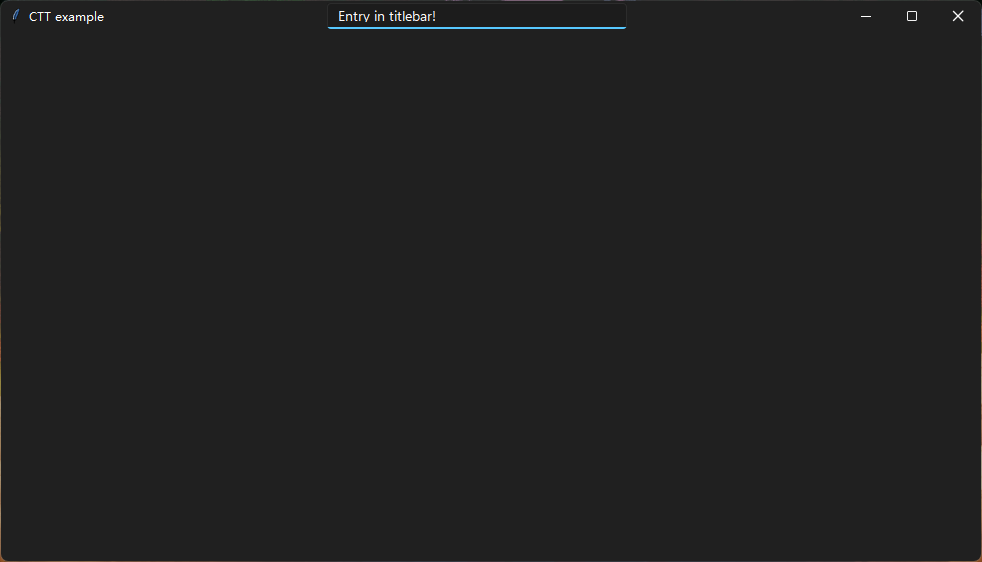
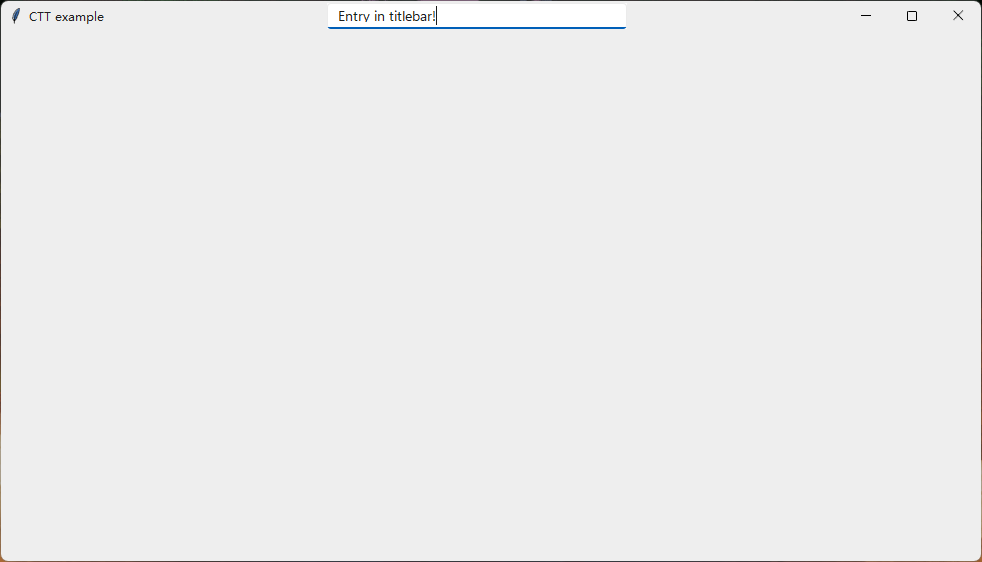
1 maintainer

Metadata
1 maintainer
Release files for CustomTkinterTitlebar 1.0.8.7
For a detailed explanation of source distributions (sdists) and built distributions (wheels), please see the package formats documentation.
Source distribution (sdist)
| File | Size | Uploaded | Provenance | |
|---|---|---|---|---|
| customtkintertitlebar-1.0.8.7.tar.gz | 20.1 kB | Without provenance | Details |
Built distribution (wheel)
| File | Interpreter | ABI | Platform | Reset |
|---|---|---|---|---|
| customtkintertitlebar-1.0.8.7-py3-none-any.whl | Python 3 | none | any | Details |
Total release size: 43.9 kB
Release files / customtkintertitlebar-1.0.8.7.tar.gz
| Download URL | customtkintertitlebar-1.0.8.7.tar.gz |
|---|---|
| Size | 20.1 kB |
| Tags | Source |
|
SHA-256 checksum How to use checksums |
99f7e9aa07eea8c37f47926847b6214332fba9f037f3ee4a1a5ce489cd84bd95
|
|
BLAKE2b-256 checksum How to use checksums |
0290fbe0554d3e14b7f6bc98b258db84c48a68cfae11555b644bb35d4a638706
|
| Upload date | |
|
Uploaded using Trusted Publishing? What is trusted publishing? |
No |
| Uploaded via |
twine/6.1.0 CPython/3.9.23
|
Release files / customtkintertitlebar-1.0.8.7-py3-none-any.whl
| Download URL | customtkintertitlebar-1.0.8.7-py3-none-any.whl |
|---|---|
| Size | 23.8 kB |
| Tags | Python 3 |
|
SHA-256 checksum How to use checksums |
b9fe02fd9a4c0d3f0f7a3ae20d8e91e585c77c4a8f79e0406872f818b0c25674
|
|
BLAKE2b-256 checksum How to use checksums |
6d240b3cfb8ea5fc1bd7217917afa5c74ed84072516d0b3a531c54a5b18cb856
|
| Upload date | |
|
Uploaded using Trusted Publishing? What is trusted publishing? |
No |
| Uploaded via |
twine/6.1.0 CPython/3.9.23
|
Security for CustomTkinterTitlebar 1.0.8.7
Provenance
Provenance describes where a file came from. On PyPI, provenance is shared via attestations, which provide a verifiable record of the build or publishing details. View details, limitations and caveats.
No provenance found
None of the files in this release were uploaded with provenance metadata.
A note on package security
PyPI is a repository for distributing packages, not a service for auditing them. While third-party security researchers and our staff do their best to detect and remove malicious packages, PyPI cannot guarantee the quality, security or suitability of any given package.














