
cx: Experimental CLI for Citrix Cloud
Note: Given that this is experimental software, your mileage may vary. The CLI-syntax is not yet finalized and may still change.
The CLI works using the REST APIs of Citrix Cloud, as documented on Citrix's Developer Portal.
Features
- Provides a simple and efficient way to interact with Citrix Cloud
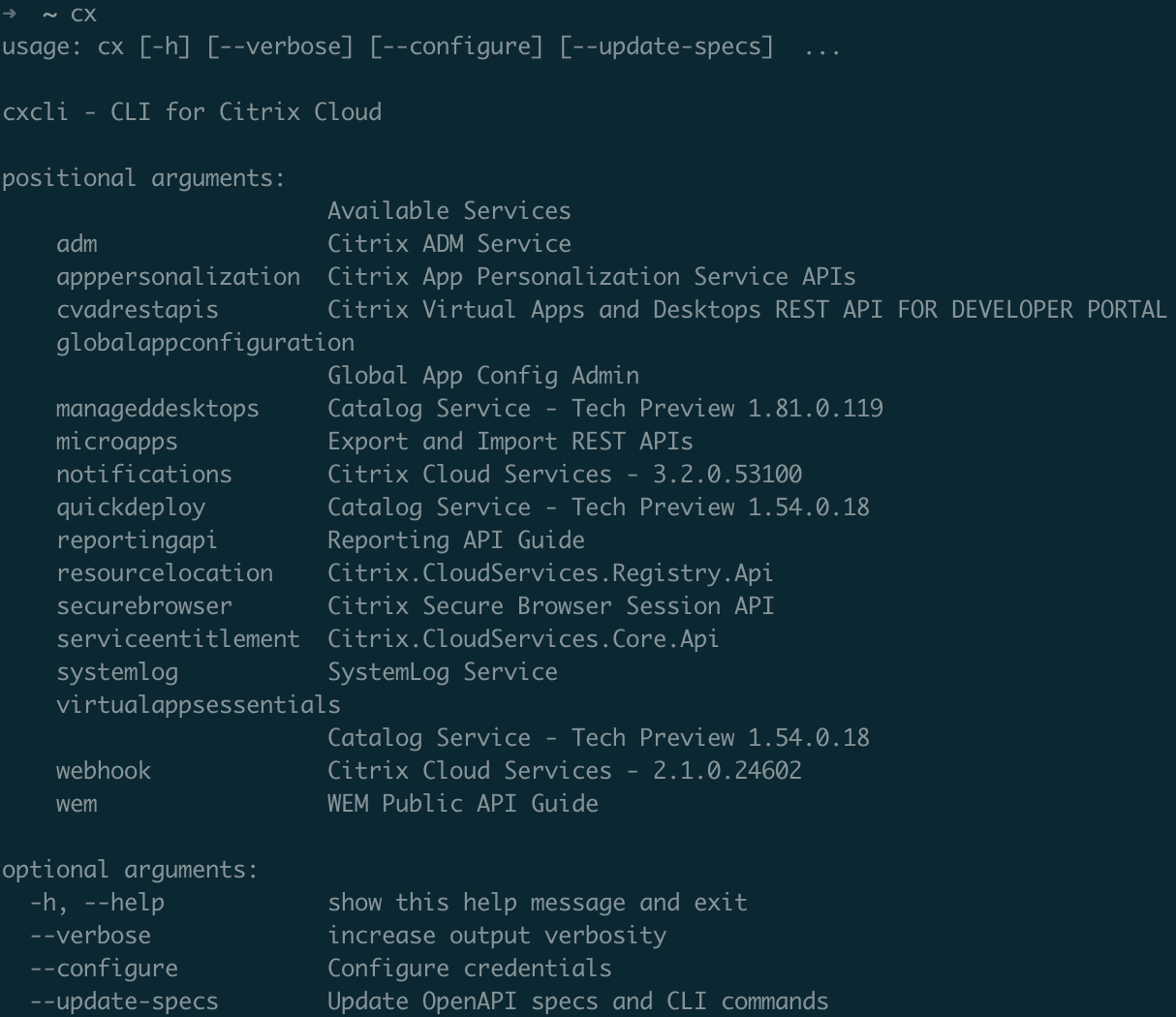
- Supports many Citrix Cloud services including: adm, apppersonalization, cvadrestapis, globalappconfiguration, manageddesktops, microapps, notifications, quickdeploy, securebrowser, reportingapi, systemlog, virtualappsessentialls, webhook, and wem.
- Always up-to-date as it synchronizes the latest published OpenAPI-specifications.
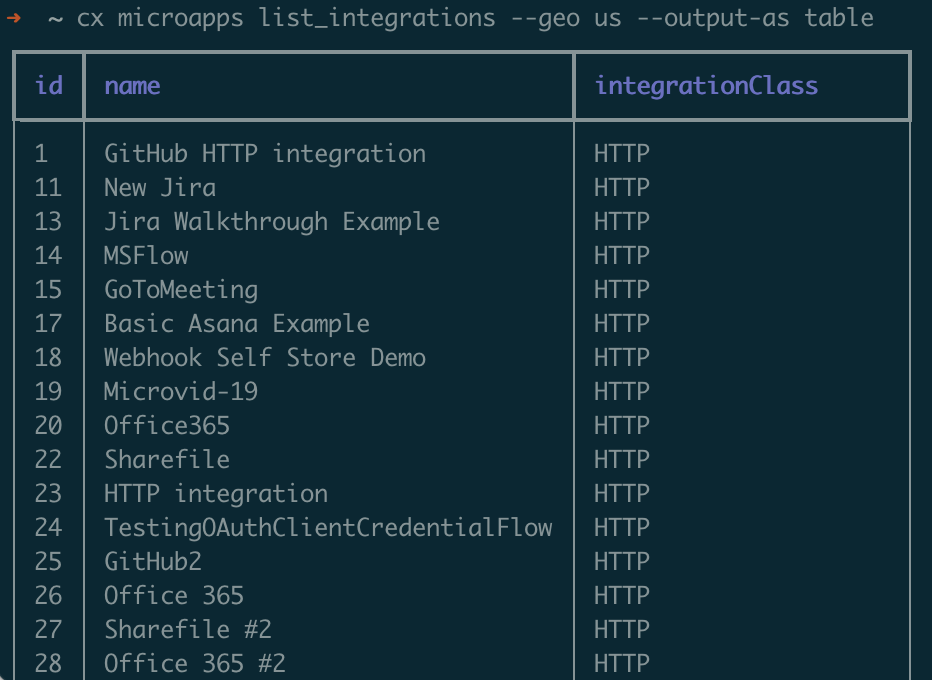
- Responses can be formatted as either JSON, YAML, Table, CSV, or binary.
- Powerful query and filter syntax powered by JMESPath.
- Handles authentication and caches tokens transparently.
- Secrets are stored using the user's OS keyring service.
- Autocompletion for Bash and Zsh (see below)
Installation
cxcli requires Python 3.x. Find more information here.
Install cxcli using:
python3 -m pip install cxcli
Configuration
Once installed, configure cxcli interactively:
cx --configure
Follow the Citrix Cloud Documentation, to create an API Client and obtain the CustomerId, ClientID, ClientSecret required as part of the configuration.
Note: By default, cxcli will store credentials in the user's system keyring service (Windows Credential Locker, macOS Keychain, KDE KWallet, FreeDesktop Secret Service). Should your environment not have a keyring service, or every keyring access require a keyring password, you can provide the configuration alternatively using environment variables
CXCUSTOMERID,CXCLIENTID, andCXCLIENTSECRET.
Usage examples
-
Show a list of Cloud Services available via CLI:
cx -h -
Show a list of commands available within a Cloud Service:
cx systemlog -
Extract the latest records from Citrix Cloud's systemlog-service:
cx systemlog GetRecords -
Provide output as YAML:
cxcli systemlog GetRecords --output-as yaml -
Filter for fields using JMESPath:
cx systemlog GetRecords --cliquery 'Items[].Message."en-US"' -
Filter for values using JMESPath:
cx systemlog GetRecords --cliquery 'Items[?ActorDisplayName == "a.bad@m.an"]' -
Show information about the CVAD Site:
cx cvadrestapis Me_GetMe -
Create an Administrator notification in Citrix Cloud:
cx notifications Notifications_CreateItems --eventId $(uuidgen) --content '{
      "languageTag": "en-US",
      "title": "Dinner Time",
      "description": "Fish and Chips!"
   }'  --severity "Information" --destinationAdmin "*" --component "Citrix Cloud" --priority High --createdDate 2021-02-13T08:20:17.120808-08:00
- Export a Microapp integration bundle as a backup:
cx microapps export_bundle --geo us --bundleExportType default --integrationExportConfig-id 1 --output-binary integration.mapp
- Re-importing the Microapp integration bundle, providing the necessary base configuration:
echo '{ "integrationImportConfig": { "type": "GWSC", "baseUrl": "https://mybaseurl/"} }' > config.txt
cx microapps import_bundle --geo us  --config config.txt --bundle integration.mapp
Autocomplete for Bash and Zsh
For Bash - add the following snippet to your ~/.bashrc-file:
eval "$(register-python-argcomplete cx)"
For zsh - Add the following snippet to your ~/.zshrc-file:
autoload bashcompinit
bashcompinit
eval "$(register-python-argcomplete cx)"
1 maintainer

Metadata
1 maintainer
Release files for cxcli 0.1.2
For a detailed explanation of source distributions (sdists) and built distributions (wheels), please see the package formats documentation.
Source distribution (sdist)
| File | Size | Uploaded | Provenance | |
|---|---|---|---|---|
| cxcli-0.1.2.tar.gz | 15.4 kB | Without provenance | Details |
Built distribution (wheel)
| File | Interpreter | ABI | Platform | Reset |
|---|---|---|---|---|
| cxcli-0.1.2-py3-none-any.whl | Python 3 | none | any | Details |
Total release size: 30.3 kB
Release files / cxcli-0.1.2.tar.gz
| Download URL | cxcli-0.1.2.tar.gz |
|---|---|
| Size | 15.4 kB |
| Tags | Source |
|
SHA-256 checksum How to use checksums |
17144bcad7828f12e2ee3b19be44e242b5de741a21e5adedeee74fa022b29281
|
|
BLAKE2b-256 checksum How to use checksums |
2440a8289d119f4e8cefb6d589bc4a9df0805394d91b267ad2e9ab9ba109f4b4
|
| Upload date | |
|
Uploaded using Trusted Publishing? What is trusted publishing? |
No |
| Uploaded via |
twine/3.4.1 importlib_metadata/3.10.1 pkginfo/1.7.0 requests/2.25.1 requests-toolbelt/0.9.1 tqdm/4.60.0 CPython/3.9.4
|
Release files / cxcli-0.1.2-py3-none-any.whl
| Download URL | cxcli-0.1.2-py3-none-any.whl |
|---|---|
| Size | 14.9 kB |
| Tags | Python 3 |
|
SHA-256 checksum How to use checksums |
599cf211ded6062a6f64550e819c0b31daa201ec8b0cc4f2e5c866e1e3d33965
|
|
BLAKE2b-256 checksum How to use checksums |
f676ed3990440b163a8dac9b1b1897193ab78b80d36129848f4d1157ae24109b
|
| Upload date | |
|
Uploaded using Trusted Publishing? What is trusted publishing? |
No |
| Uploaded via |
twine/3.4.1 importlib_metadata/3.10.1 pkginfo/1.7.0 requests/2.25.1 requests-toolbelt/0.9.1 tqdm/4.60.0 CPython/3.9.4
|
Security for cxcli 0.1.2
Provenance
Provenance describes where a file came from. On PyPI, provenance is shared via attestations, which provide a verifiable record of the build or publishing details. View details, limitations and caveats.
No provenance found
None of the files in this release were uploaded with provenance metadata.
A note on package security
PyPI is a repository for distributing packages, not a service for auditing them. While third-party security researchers and our staff do their best to detect and remove malicious packages, PyPI cannot guarantee the quality, security or suitability of any given package.














