
Quick Data Science tools.

Project description
datascientists
Quick Data Science tools, providing data processing and visualization in Hypotheses Testing, Regression, and etc.
Dev Version
Try latest version, visit Test PyPI.
Best Practices
Best Practices for datascientists visualization require nodejs and jupyter.
Best Practices for Python venv
If you need to isolate the Python environment, visit venv — Creation of virtual environments
Best Practices for nodejs
Install nvm (Node Version Manager) from github
Check your nvm version:
nvm -v
Once you installed nvm, using nvm to install node:
nvm install node
To list all local nodes:
nvm list
To choose your node version:
For example, using v16.0.0
nvm use node v16.0.0
You can list available versions using ls-remote:
nvm ls-remote
Best Practices for Jupyterlab
Install jupyterlab
pip install jupyterlab
Set jupyterlab and install extensions for plotly:
# (OS X/Linux)
export NODE_OPTIONS=--max-old-space-size=4096

# Jupyter widgets extension
jupyter labextension install @jupyter-widgets/jupyterlab-manager --no-build

# jupyterlab renderer support
jupyter labextension install jupyterlab-plotly --no-build

# FigureWidget support
jupyter labextension install plotlywidget --no-build

# Build jupyterlab (must be done to activate extensions since --no-build is used above)
jupyter lab build

# Unset NODE_OPTIONS environment variable
# (OS X/Linux)
unset NODE_OPTIONS
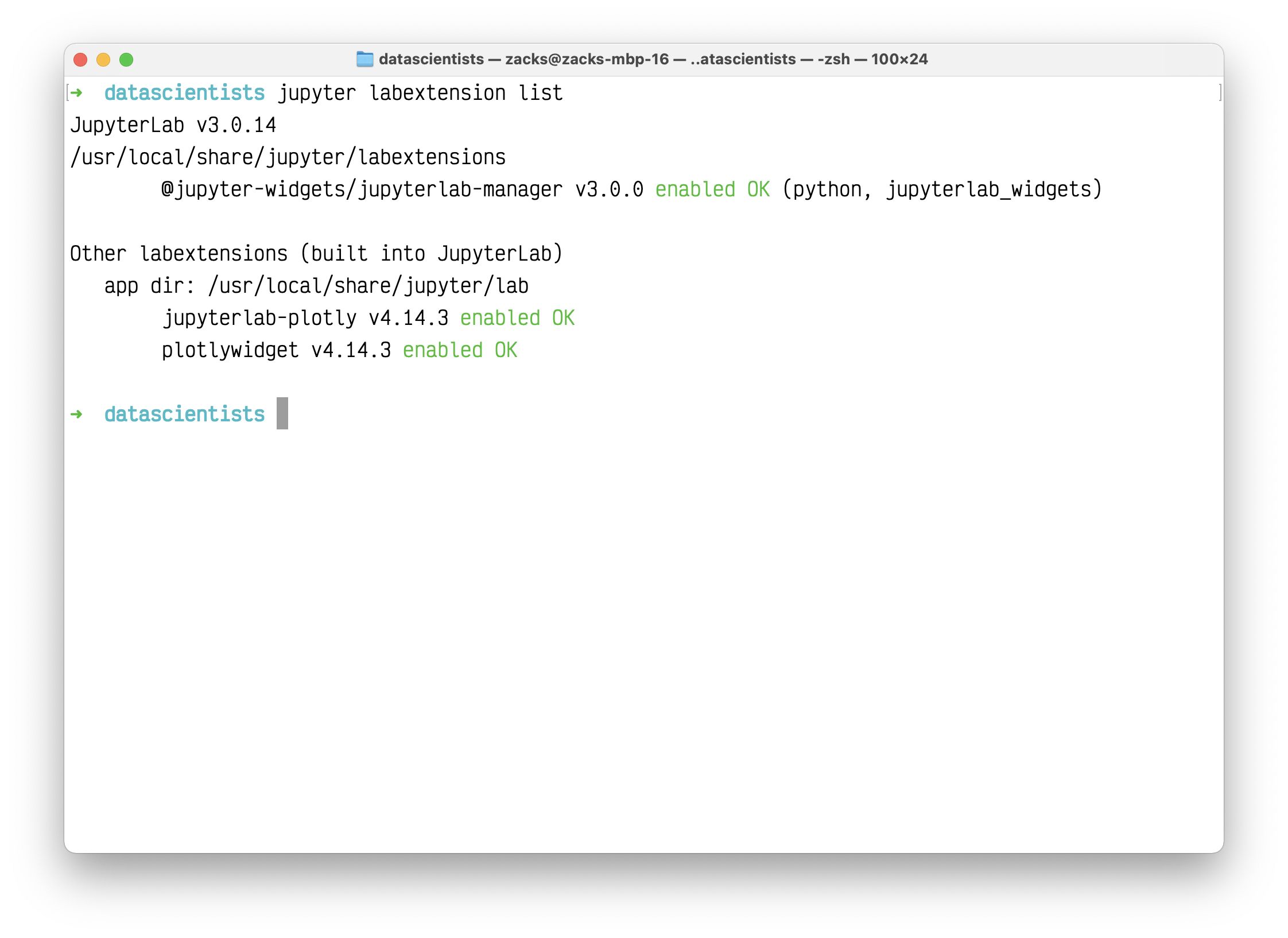
See if you have installed the three extensions correctly:
jupyter labextension list
You should see:
@jupyter-widgets/jupyterlab-managerjupyterlab-plotlyplotlywidget
Release history Release notifications | RSS feed


Download files
Download the file for your platform. If you're not sure which to choose, learn more about installing packages.
Source Distribution
Built Distribution
Filter files by name, interpreter, ABI, and platform.
If you're not sure about the file name format, learn more about wheel file names.
Copy a direct link to the current filters
File details
Details for the file datascientists-0.0.3.tar.gz.
File metadata
- Download URL: datascientists-0.0.3.tar.gz
- Upload date:
- Size: 13.3 kB
- Tags: Source
- Uploaded using Trusted Publishing? No
- Uploaded via: twine/3.4.1 importlib_metadata/4.0.1 pkginfo/1.7.0 requests/2.25.1 requests-toolbelt/0.9.1 tqdm/4.60.0 CPython/3.9.4
File hashes
| Algorithm | Hash digest | |
|---|---|---|
| SHA256 |
8d011d460ddef5ae8d68ea7d80438ea1c088261590fde182215e04711699f58c
|
|
| MD5 |
0c2023968de5bc646cff0e788d6c0020
|
|
| BLAKE2b-256 |
782efbff99e2d86389b881df84c5f18d5e0df3ef8e7a4f75e99945472c3544dd
|
File details
Details for the file datascientists-0.0.3-py3-none-any.whl.
File metadata
- Download URL: datascientists-0.0.3-py3-none-any.whl
- Upload date:
- Size: 16.7 kB
- Tags: Python 3
- Uploaded using Trusted Publishing? No
- Uploaded via: twine/3.4.1 importlib_metadata/4.0.1 pkginfo/1.7.0 requests/2.25.1 requests-toolbelt/0.9.1 tqdm/4.60.0 CPython/3.9.4
File hashes
| Algorithm | Hash digest | |
|---|---|---|
| SHA256 |
3baa3da5627c73252463328ce9ee10c26a0c204bc3ce573b0f22fc6df501f95a
|
|
| MD5 |
e52d7a58a72b5e5fea5e2d115d865cb7
|
|
| BLAKE2b-256 |
a8fc41cb99c8fa77f99c65ddca0d200db5d9a1d7ab8a8cf08685a74f5fd78541
|






