

Diagrams












Diagram as Code.
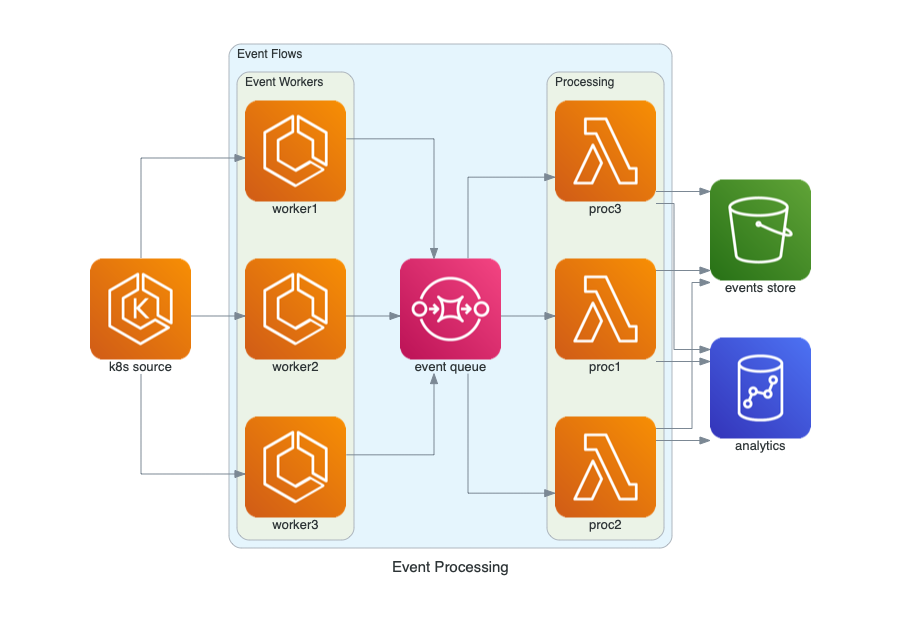
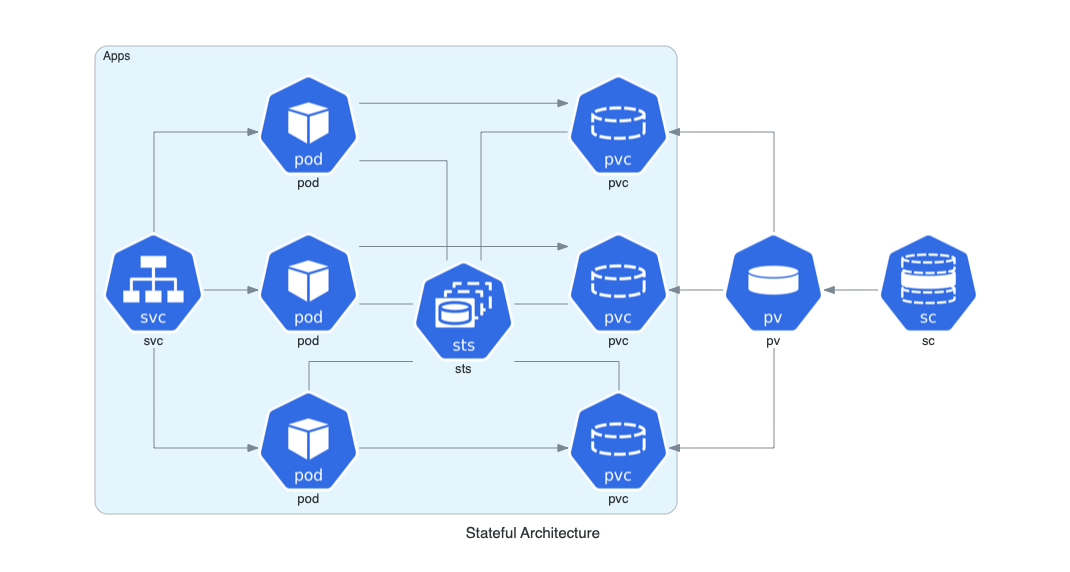
Diagrams lets you draw the cloud system architecture in Python code. It was born for prototyping a new system architecture design without any design tools. You can also describe or visualize the existing system architecture as well. Diagrams currently supports six major providers: AWS, Azure, GCP, Kubernetes, Alibaba Cloud and Oracle Cloud. It now also supports On-Premise nodes.
Diagram as Code also allows you to track the architecture diagram changes in any version control system.
NOTE: It does not control any actual cloud resources nor does it generate cloud formation or terraform code. It is just for drawing the cloud system architecture diagrams.
Getting Started
It requires Python 3.6 or higher, check your Python version first.
It uses Graphviz to render the diagram, so you need to install Graphviz to use diagrams. After installing graphviz (or already have it), install the diagrams.
macOS users can download the Graphviz via
brew install graphvizif you're using Homebrew.
# using pip (pip3)
$ pip install diagrams

# using pipenv
$ pipenv install diagrams

# using poetry
$ poetry add diagrams
You can start with quick start. Check out guides for more details, and you can find all available nodes list in here.
Examples
| Event Processing | Stateful Architecture | Advanced Web Service |
|---|---|---|
 |
 |
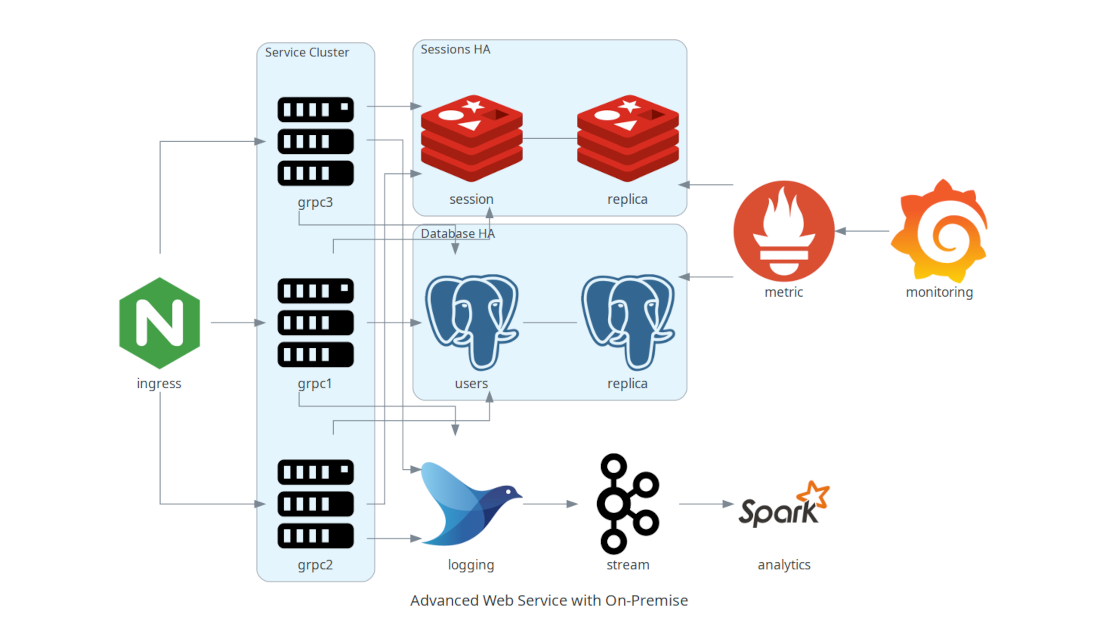 |
You can find all the examples on the examples page.
Contributing
To contribute to diagram, check out contribution guidelines.
Let me know if you are using diagrams! I'll add you in showcase page. (I'm working on it!) :)
Who use it?

GitPitch is a markdown presentation service for developers. Diagrams is now integrated as Cloud Diagram Widget of GitPitch, so you can use the Diagrams when to create slide decks for Tech Conferences, Meetups, and Training with GitPitch.
License
1 maintainer

Metadata
1 maintainer
Release files for diagrams 0.12.0
For a detailed explanation of source distributions (sdists) and built distributions (wheels), please see the package formats documentation.
Source distribution (sdist)
| File | Size | Uploaded | Provenance | Actions |
|---|---|---|---|---|
| diagrams-0.12.0.tar.gz | 11.8 MB | Without provenance | Details for diagrams-0.12.0.tar.gz |
Built distribution (wheel)
| File | Interpreter | ABI | Platform | Actions Reset |
|---|---|---|---|---|
| diagrams-0.12.0-py3-none-any.whl | Python 3 | none | any | Details for diagrams-0.12.0-py3-none-any.whl |
Total release size: 24.1 MB
Release files / diagrams-0.12.0.tar.gz
| Download URL | diagrams-0.12.0.tar.gz |
|---|---|
| Size | 11.8 MB |
| Tags | Source |
|
SHA-256 checksum How to use checksums |
8cfc6554c79c9dc2372f144a857819e0ef982082cb690b0ac22c255e5177ee4a
|
|
BLAKE2b-256 checksum How to use checksums |
46982263109a2e67936f4cad5b453338fb20b123f5466ef74aee6abbfc232c5d
|
| Upload date | |
|
Uploaded using Trusted Publishing? What is trusted publishing? |
No |
| Uploaded via |
poetry/1.0.5 CPython/3.8.2 Darwin/19.4.0
|
Release files / diagrams-0.12.0-py3-none-any.whl
| Download URL | diagrams-0.12.0-py3-none-any.whl |
|---|---|
| Size | 12.3 MB |
| Tags | Python 3 |
|
SHA-256 checksum How to use checksums |
a15ffa0e6984926710c996fafaed9745626cc12091e3ca4ec2a723e2330bcc33
|
|
BLAKE2b-256 checksum How to use checksums |
d2ab9acda9512c754e313a7f790d1ace74e19d8cfb79d9837f2c044027a45710
|
| Upload date | |
|
Uploaded using Trusted Publishing? What is trusted publishing? |
No |
| Uploaded via |
poetry/1.0.5 CPython/3.8.2 Darwin/19.4.0
|
Security for diagrams 0.12.0
Provenance
Provenance describes where a file came from. On PyPI, provenance is shared via attestations, which provide a verifiable record of the build or publishing details. View details, limitations and caveats.
No provenance found
None of the files in this release were uploaded with provenance metadata.
A note on package security
PyPI is a repository for distributing packages, not a service for auditing them. While third-party security researchers and our staff do their best to detect and remove malicious packages, PyPI cannot guarantee the quality, security or suitability of any given package.
To learn more about protecting yourself from malicious actors, visit our package security documentation.














