
Directord
Directord is a powerful automation platform and protocol built to drive infrastructure and applications across the physical, edge, IoT, and cloud boundaries; efficient, pseudo-real-time, at scale, made simple.
Design Principles
The Directord design principles can be found here.
Documentation
Additional documentation covering everything from application design, wire diagrams, installation, usage, and more can all be found here.
Welcome Contributors
-
Read documentation on how best to deploy and leverage directord.
-
When ready, if you'd like to contribute to Directord pull-requests are very welcomed. Directord is an open platform built for operators. If you see something broken, please feel free to raise a but and/or fix it.
-
Information on running tests can be found here.
Have Questions?
Join us on libera.chat at
#directord. The community is just getting started: folks are here to help,
answer questions, and support one another.
Quick Introduction
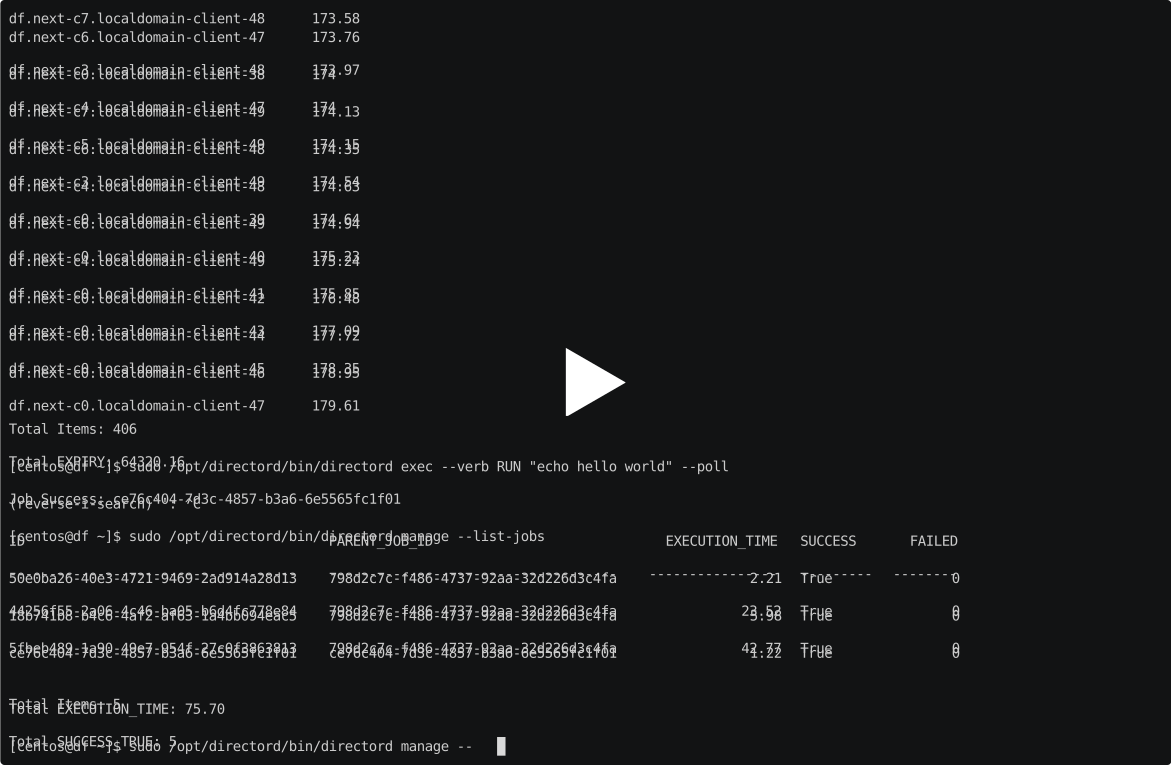
This quick cast shows how easy it is to install, bootstrap, and deploy a scale test environment.
Hello World
Let's create a virtual env on your local machine to bootstrap the installation, once installed you can move to the server node and call all your tasks from there
$ python3 -m venv --system-site-packages ~/directord
$ ~/directord/bin/pip install --upgrade pip setuptools wheel
$ ~/directord/bin/pip install directord
We need to create a catalog for bootstrapping. Let's assume we are installing directord in two machines:
-
directord-1 192.168.1.100 : directord server, a client
-
directord-2 192.168.1.101 : Only a client
For that we create a file
$ vi ~/directord-catalog.yaml
with the contents
directord_server:
  targets:
  - host: 192.168.1.100
  port: 22
  username: fedora

directord_clients:
  args:
    port: 22
    username: fedora
  targets:
  - host: 192.168.1.100
  - host: 192.168.1.101
We can now call directord to bootstrap the installation. Bootstrapping uses ssh to connect to the machines but after that ssh is no longer used. and you only need the ssh keys to connect your local machine to the machines you are installing into the server and client do not need shared keys between themselves.
To kickstart the bootstrapping you call directord with the catalog file you created and a catalog with the jobs required to bootstrap them.
$ ~/directord/bin/directord bootstrap \
                            --catalog ~/directord-catalog.yaml  \
                            --catalog ~/directord/share/directord/tools/directord-dev-bootstrap-zmq.yaml
Once that is ran you can now ssh to the server and issue all the commands from there
$ ssh fedora@192.168.1.100
First to make sure all the nodes are connected
$ sudo /opt/directord/bin/directord manage --list-nodes
Should show you
ID             EXPIRY  VERSION    HOST_UPTIME     AGENT_UPTIME
-----------  --------  ---------  --------------  --------------
directord-1    132.2   0.9.0      1:38:53.240000  0:00:00.051849
directord-2    131.69  0.9.0      1:39:25.780000  0:00:00.099533
Then we create our first orchestration job lets add a file called
$ vi helloworld.yaml
With the contents
- jobs:
  - ECHO: hello world
Then we call the orchestration to use it
$ sudo /opt/directord/bin/directord orchestrate helloworld.yaml
Should return something like:
Job received. Task ID: 9bcf31cb-7faf-4367-bf37-57c11b3f81dc
We use that task ID to probe how the job went or we can list all the jobs with"
$ sudo /opt/directord/bin/directord manage --list-jobs
That returns something like:
ID                                    PARENT_JOB_ID                           EXECUTION_TIME    SUCCESS    FAILED
------------------------------------  ------------------------------------  ----------------  ---------  --------
9bcf31cb-7faf-4367-bf37-57c11b3f81dc  9bcf31cb-7faf-4367-bf37-57c11b3f81dc              0.02          2         0
With the task id we can see how the job went:
$ sudo /opt/directord/bin/directord manage --job-info 9bcf31cb-7faf-4367-bf37-57c11b3f81dc
And voila here is our first orchestrated hello world:
KEY                   VALUE
--------------------  -------------------------------------------------------
ID                    9bcf31cb-7faf-4367-bf37-57c11b3f81dc
INFO                  test1 = hello world
                      test2 = hello world
STDOUT                test1 = hello world
                      test2 = hello world
...
License
Apache License Version 2.0 COPY
2 maintainers


Metadata
2 maintainers
Release files for directord 0.12.0
For a detailed explanation of source distributions (sdists) and built distributions (wheels), please see the package formats documentation.
Source distribution (sdist)
| File | Size | Uploaded | |
|---|---|---|---|
| directord-0.12.0.tar.gz | 115.8 kB | Details |
Built distribution (wheel)
| File | Interpreter | ABI | Platform | Reset |
|---|---|---|---|---|
| directord-0.12.0-py3-none-any.whl | Python 3 | none | any | Details |
Total release size: 302.8 kB
Release files / directord-0.12.0.tar.gz
| Download URL | directord-0.12.0.tar.gz |
|---|---|
| Size | 115.8 kB |
| Tags | Source |
|
SHA-256 checksum How to use checksums |
6a7e1c6dee56443450caa9e4124ef78793d98e0810d9fccb0f8268a1df143184
|
|
BLAKE2b-256 checksum How to use checksums |
fbeb7170b9941c3cd83b9a615fdfdfaf9f6a37deee50ca76d2ee4740bb90f16c
|
| Upload date | |
|
Uploaded using Trusted Publishing? What is trusted publishing? |
No |
| Uploaded via |
twine/3.7.1 importlib_metadata/4.10.0 pkginfo/1.8.2 requests/2.27.1 requests-toolbelt/0.9.1 tqdm/4.62.3 CPython/3.9.9
|
Release files / directord-0.12.0-py3-none-any.whl
| Download URL | directord-0.12.0-py3-none-any.whl |
|---|---|
| Size | 187.0 kB |
| Tags | Python 3 |
|
SHA-256 checksum How to use checksums |
a30fc3fad1f4a3237f976bd9fb03ab2d20349887597ffdc7dff89fdca2cc2080
|
|
BLAKE2b-256 checksum How to use checksums |
fd47f7b32899daffc92f25ddcfe59c0f4ab30fc6fe2c0b77145c458eb823b7aa
|
| Upload date | |
|
Uploaded using Trusted Publishing? What is trusted publishing? |
No |
| Uploaded via |
twine/3.7.1 importlib_metadata/4.10.0 pkginfo/1.8.2 requests/2.27.1 requests-toolbelt/0.9.1 tqdm/4.62.3 CPython/3.9.9
|














