
django-admin-site-search










A global/site search modal for the Django admin.
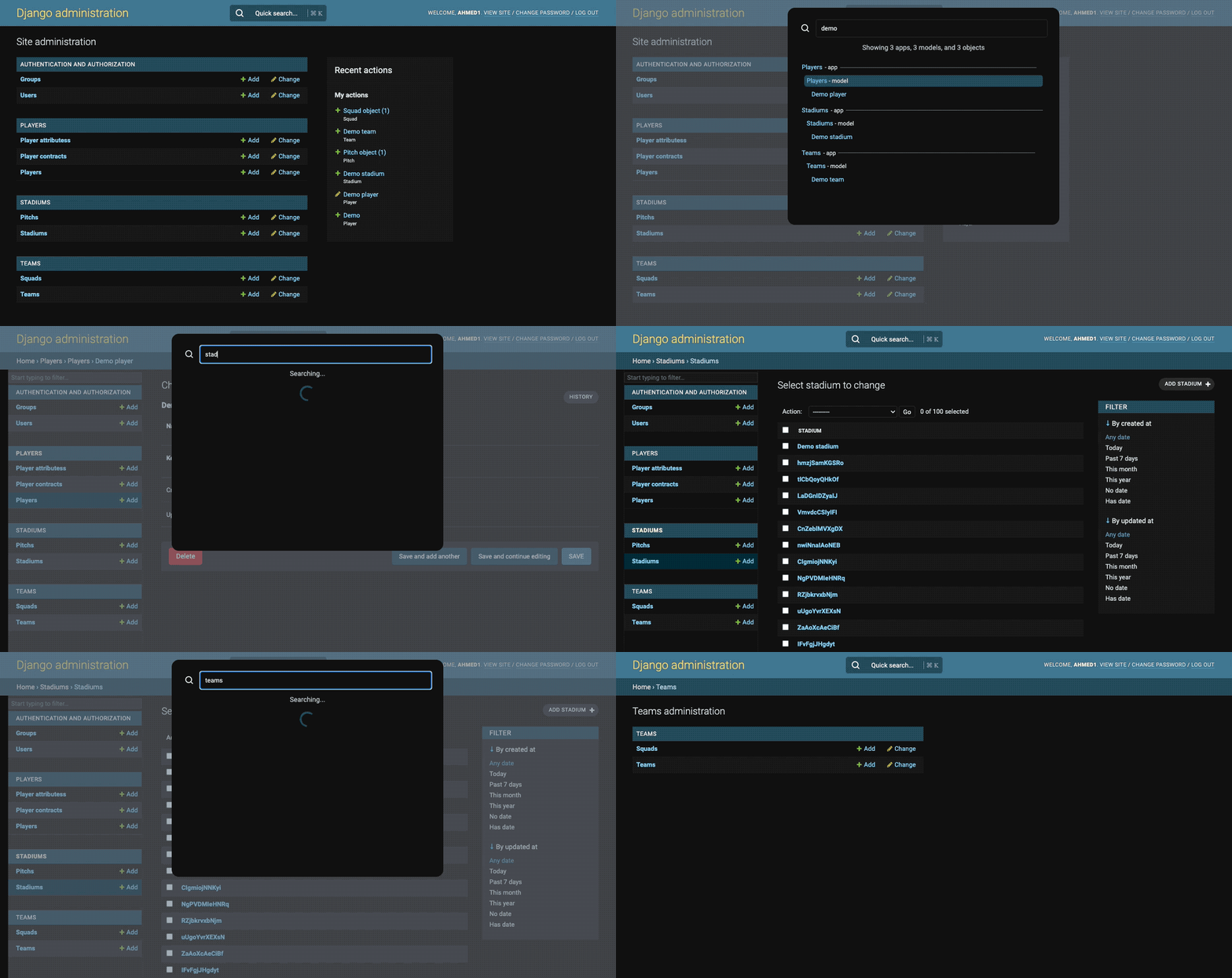
Features
- 🎩 Works out-of-the-box, with minimal config.
- 🔎 Search performed on:
- App labels.
- Model labels and field attributes.
- Model instances, with two options for a search method:
model_char_fields(default): AllCharField(and subclass) values, with__icontains.admin_search_fields: Invoke each ModelAdmin's get_search_results(...) method.
- 🔒 Built-in auth: users can only search apps and models that they have permission to view.
- ⚡ Results appear on-type, with throttling/debouncing to avoid excessive requests.
- 🎹 Keyboard navigation (cmd+k, up/down, enter).
- ✨ Responsive, and supports dark/light mode.
- Django's built-in CSS vars are used to match your admin theme.
Requirements
- Python 3.10 - 3.14.
- Django 3.2 - 6.1.
Setup
1. Install
- Install with your package manager, e.g.
pip install django-admin-site-search. - Add
admin_site_searchto yourINSTALLED_APPSsetting.
2. Add View
- If you haven't already, override/extend the default AdminSite.
- Add the
AdminSiteSearchViewto your AdminSite:
from django.contrib import admin
from admin_site_search.views import AdminSiteSearchView

class MyAdminSite(AdminSiteSearchView, admin.AdminSite):
    ...
3. Add Templates
- If you haven't already, create
admin/base_site.htmlin yourtemplates/directory.- Note: if your
templates/directory is inside of an app, then that app must appear inINSTALLED_APPSbefore your custom admin app.
- Note: if your
- Include the
admin_site_searchtemplates:
{% extends "admin/base_site.html" %}

{% block extrahead %}
    {% include 'admin_site_search/head.html' %}
    {{ block.super }}
{% endblock %}

{% block footer %}
    {{ block.super }}
    {% include 'admin_site_search/modal.html' %}
{% endblock %}

{% block usertools %}
    {% include 'admin_site_search/button.html' %}
    {{ block.super }}
{% endblock %}
Notes
- Along with styles,
admin_site_search/head.htmlloads Alpine JS.- This is bundled into
/static/, to avoid external dependencies.
- This is bundled into
- The placement of
modal.htmlandbutton.htmlare not strict, though the former would ideally be in a top-level position.- Django 4.x exposes
{% block header %}- this is preferable tofooter.
- Django 4.x exposes
Customisation
Class attributes
class MyAdminSite(AdminSiteSearchView, admin.AdminSite):

    # Sets the last part of the search route (`<admin_path>/search/`).
    site_search_path: str = "search/"
    # Set the search method/behaviour.
    site_search_method: Literal["model_char_fields", "admin_search_fields"] = "model_char_fields"
Methods
def match_app(
    self, request, query: str, name: str
) -> bool:
    """DEFAULT: case-insensitive match the app name"""

def match_model(
    self, request, query: str, name: str, object_name: str, fields: List[Field]
) -> bool:
    """DEFAULT: case-insensitive match the model and field attributes"""

def match_objects(
    self, request, query: str, model_class: Model, model_fields: List[Field]
) -> QuerySet:
    """DEFAULT: Returns the QuerySet after performing an OR filter across all Char fields in the model."""

def filter_field(
    self, request, query: str, field: Field
) -> Optional[Q]:
    """DEFAULT: Returns a Q 'icontains' filter for Char fields, otherwise None

    Note: this method is only invoked if model_char_fields is the site_search_method."""

def get_model_queryset(
    self, request, model_class: Model, model_admin: Optional[ModelAdmin]
) -> QuerySet:
    """DEFAULT: Returns the model class' .objects.all() queryset."""

def get_model_class(
    self, request, app_label: str, model_dict: dict
) -> Optional[Model]:
    """DEFAULT: Retrieve the model class from the dict created by admin.AdminSite"""
Examples
1. Skip models from search.
class CustomAdminSite(AdminSiteSearchView, admin.AdminSite):

    def get_model_class(self, *args, **kwargs) -> Optional[Model]:
        """Extends super() to skip the auth.User model"""
        model_class = super().get_model_class(*args, **kwargs)
        model_name = f"{model_class._meta.app_label}.{model_class._meta.object_name}"

        if model_name == "auth.User":
            return None

        return model_class
This can be adapted to skip multiple models, or applications.
2. Add TextField results to search.
class MyAdminSite(AdminSiteSearchView, admin.AdminSite):

    site_search_method: "model_char_fields"

    def filter_field(self, request, query: str, field: Field) -> Optional[Q]:
        """Extends super() to add TextField support to site search"""
        if isinstance(field, TextField):
            return Q(**{f"{field.name}__icontains": query})
        return super().filter_field(query, field)
Note that this isn't done by default for performance reasons: __icontains on a
large number of text entries is suboptimal.
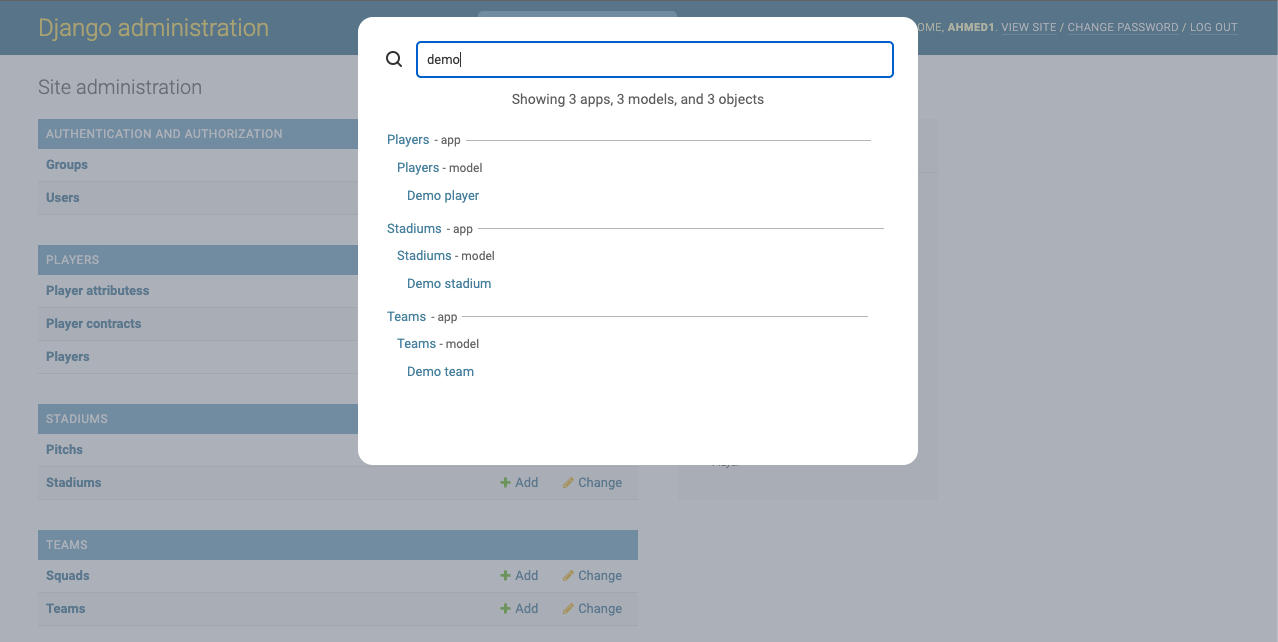
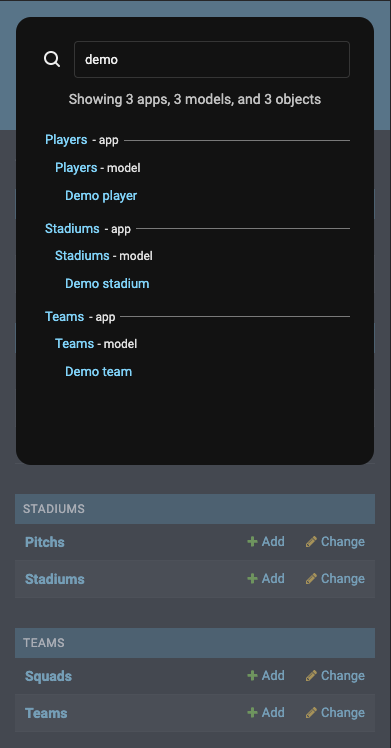
Screenshots

1 maintainer

Metadata
1 maintainer
Release files for django-admin-site-search 1.2.0
For a detailed explanation of source distributions (sdists) and built distributions (wheels), please see the package formats documentation.
Source distribution (sdist)
| File | Size | Uploaded | Provenance | Actions |
|---|---|---|---|---|
| django_admin_site_search-1.2.0.tar.gz | 36.2 kB | Without provenance | Details for django_admin_site_search-1.2.0.tar.gz |
Built distribution (wheel)
| File | Interpreter | ABI | Platform | Actions Reset |
|---|---|---|---|---|
| django_admin_site_search-1.2.0-py3-none-any.whl | Python 3 | none | any | Details for django_admin_site_search-1.2.0-py3-none-any.whl |
Total release size: 73.3 kB
Release files / django_admin_site_search-1.2.0.tar.gz
| Download URL | django_admin_site_search-1.2.0.tar.gz |
|---|---|
| Size | 36.2 kB |
| Tags | Source |
|
SHA-256 checksum How to use checksums |
357543a866edd787f3bed4c0ff2daff94ac40667998e02a019346ba3139af372
|
|
BLAKE2b-256 checksum How to use checksums |
87a3a1bdb9e2fe13c85b57358affaa231bd52703b2d34fe74a2a45d55a599963
|
| Upload date | |
|
Uploaded using Trusted Publishing? What is trusted publishing? |
No |
| Uploaded via |
twine/7.0.0 CPython/3.14.7
|
Release files / django_admin_site_search-1.2.0-py3-none-any.whl
| Download URL | django_admin_site_search-1.2.0-py3-none-any.whl |
|---|---|
| Size | 37.2 kB |
| Tags | Python 3 |
|
SHA-256 checksum How to use checksums |
90449490c26cd56ed2c791807b1591512a9b2c21cc2d34a5fde28181f4ab8c4e
|
|
BLAKE2b-256 checksum How to use checksums |
0e1d9b3ac147d248474578fbdbd7754e0988667d28ca6b01c4966dd51c40bcdf
|
| Upload date | |
|
Uploaded using Trusted Publishing? What is trusted publishing? |
No |
| Uploaded via |
twine/7.0.0 CPython/3.14.7
|
Security for django-admin-site-search 1.2.0
Provenance
Provenance describes where a file came from. On PyPI, provenance is shared via attestations, which provide a verifiable record of the build or publishing details. View details, limitations and caveats.
No provenance found
None of the files in this release were uploaded with provenance metadata.
A note on package security
PyPI is a repository for distributing packages, not a service for auditing them. While third-party security researchers and our staff do their best to detect and remove malicious packages, PyPI cannot guarantee the quality, security or suitability of any given package.
To learn more about protecting yourself from malicious actors, visit our package security documentation.














