

django-bona-blog
A Django blog app with features of a standard blogging platform.





Table of contents
- General info
- Standalone Project
- Screenshots
- Features
- Technologies
- Setup
- Status
- Contact
- License
- Contributing
General info
An Open-Source Django blogging app like Medium and Real Python. It has features of a standard blogging platform.
Standalone Project
There is a standalone version of this django package. You can get it from its GitHub Repo.
Screenshots
| Authors Dashboard Page |
|---|
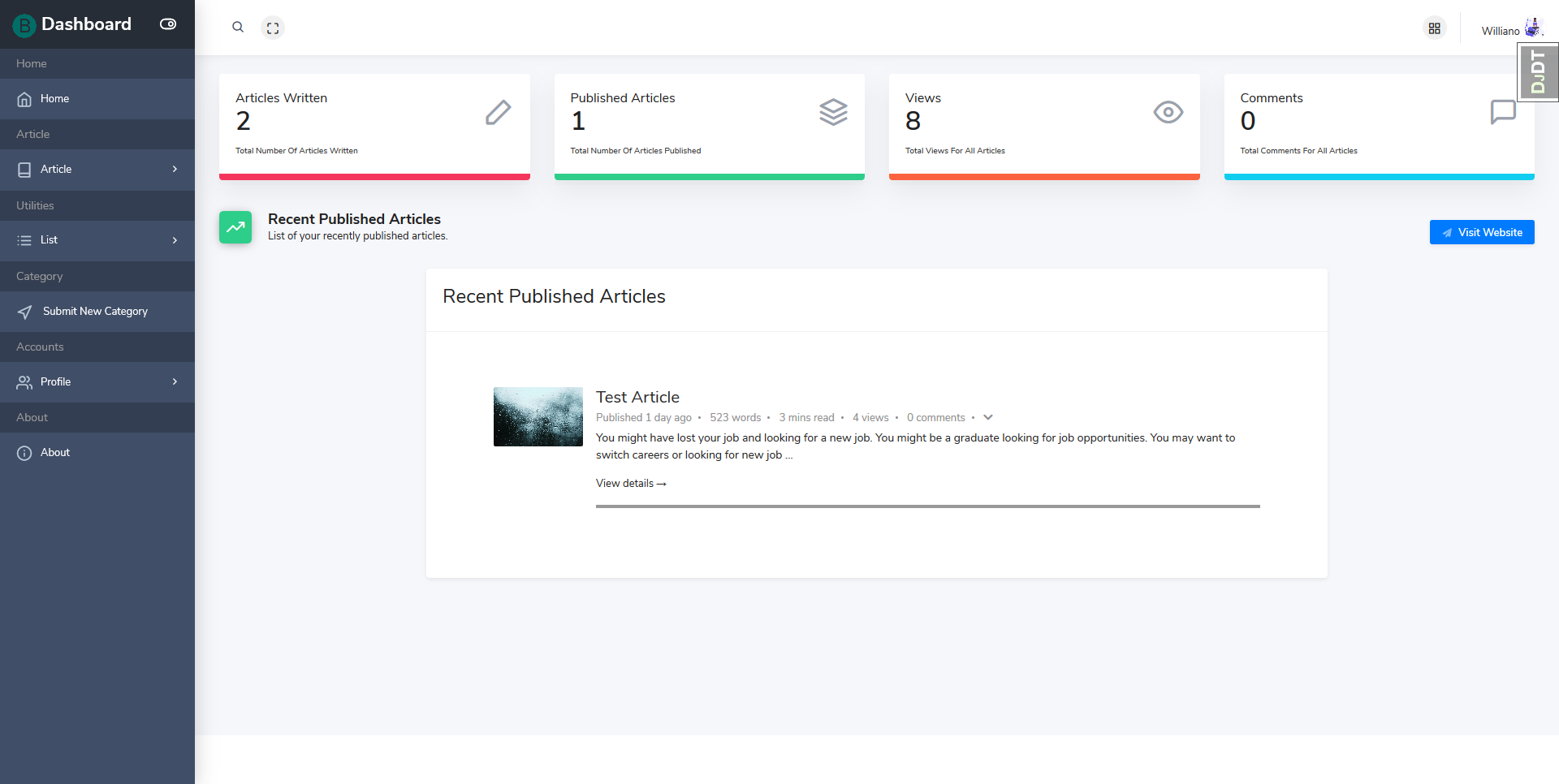 |
| Create Article Page |
|---|
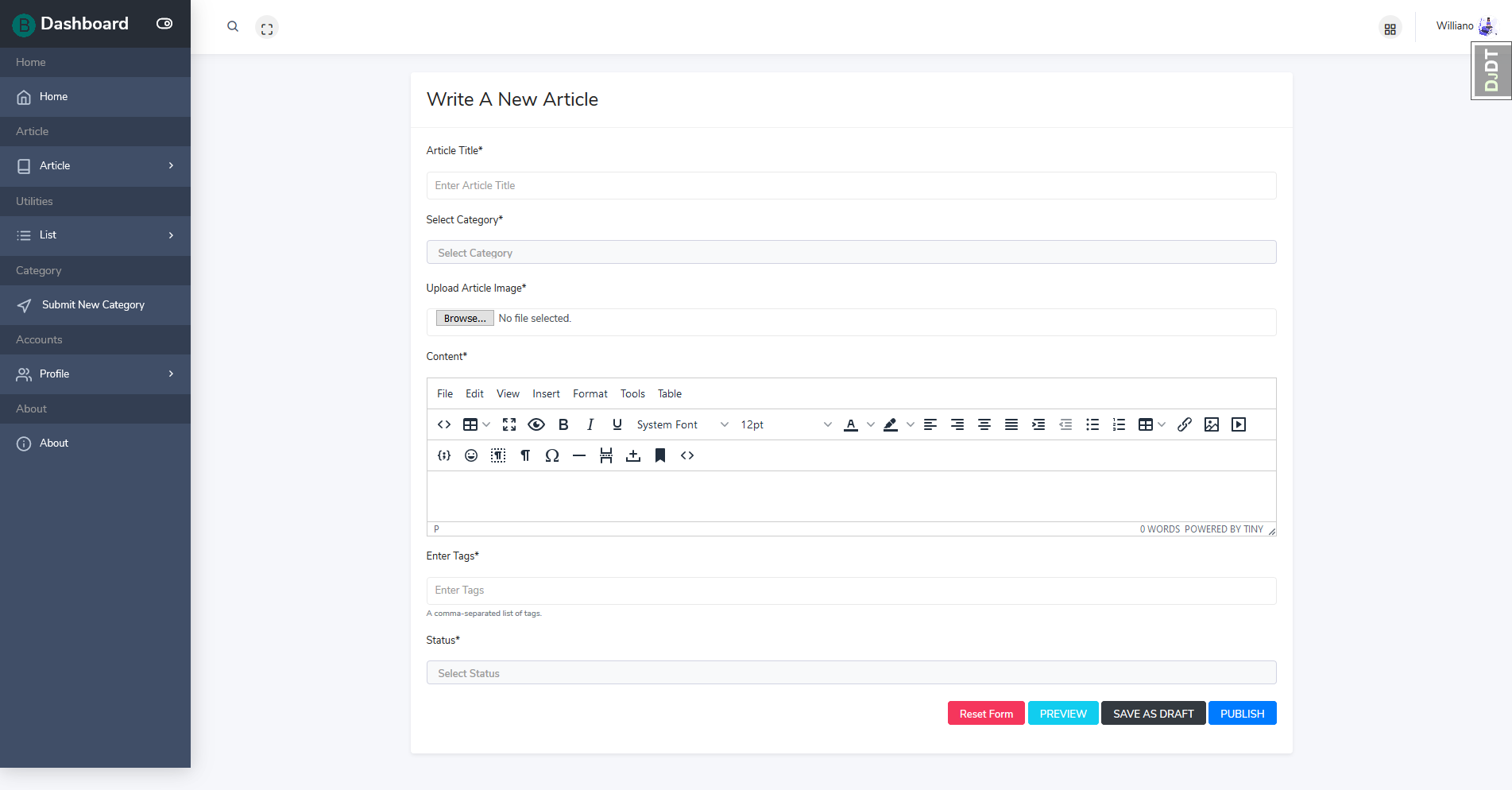 |
| Authors Profile Details Page |
|---|
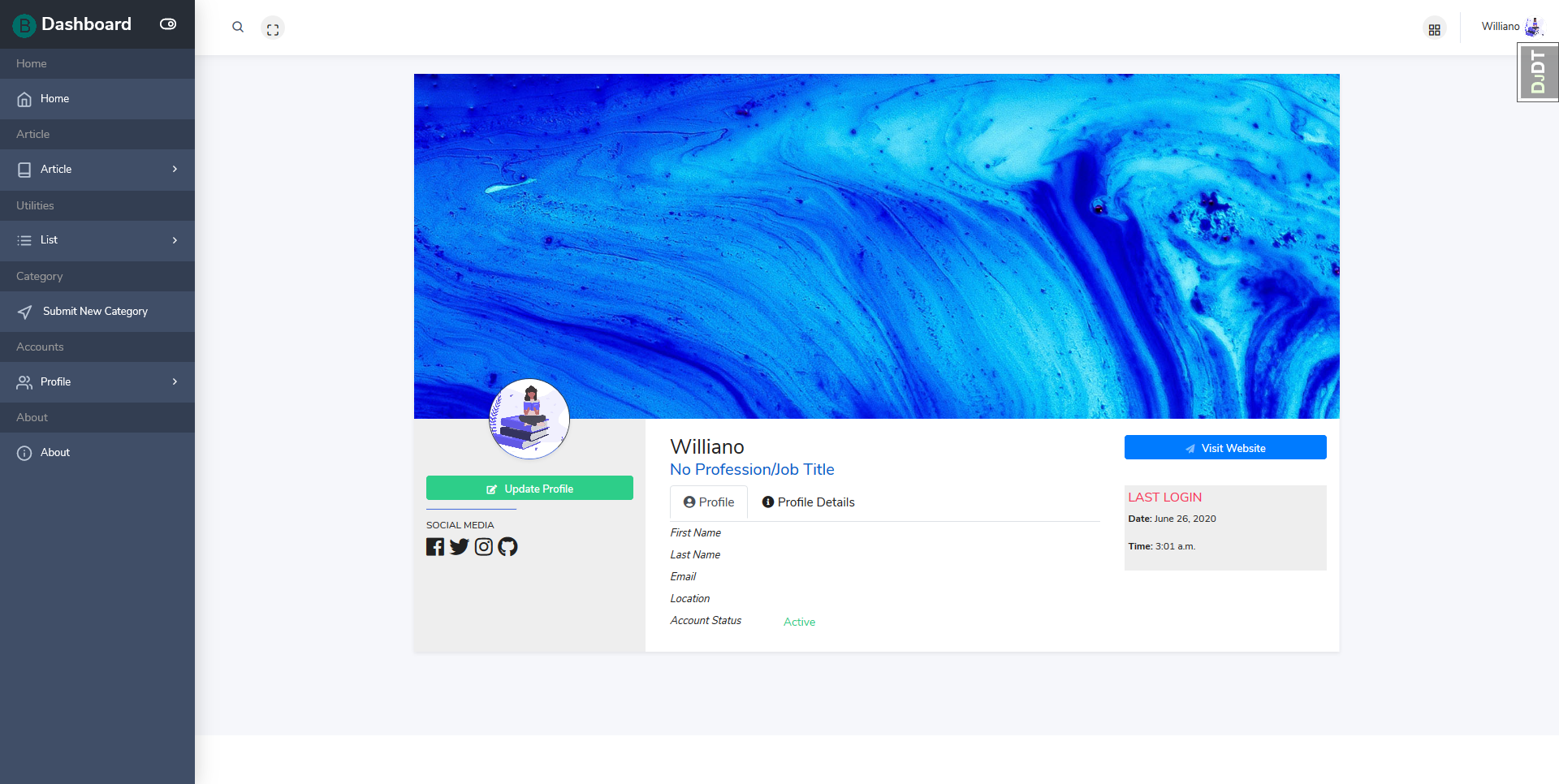 |
| Home Page | List of Categories Page |
|---|---|
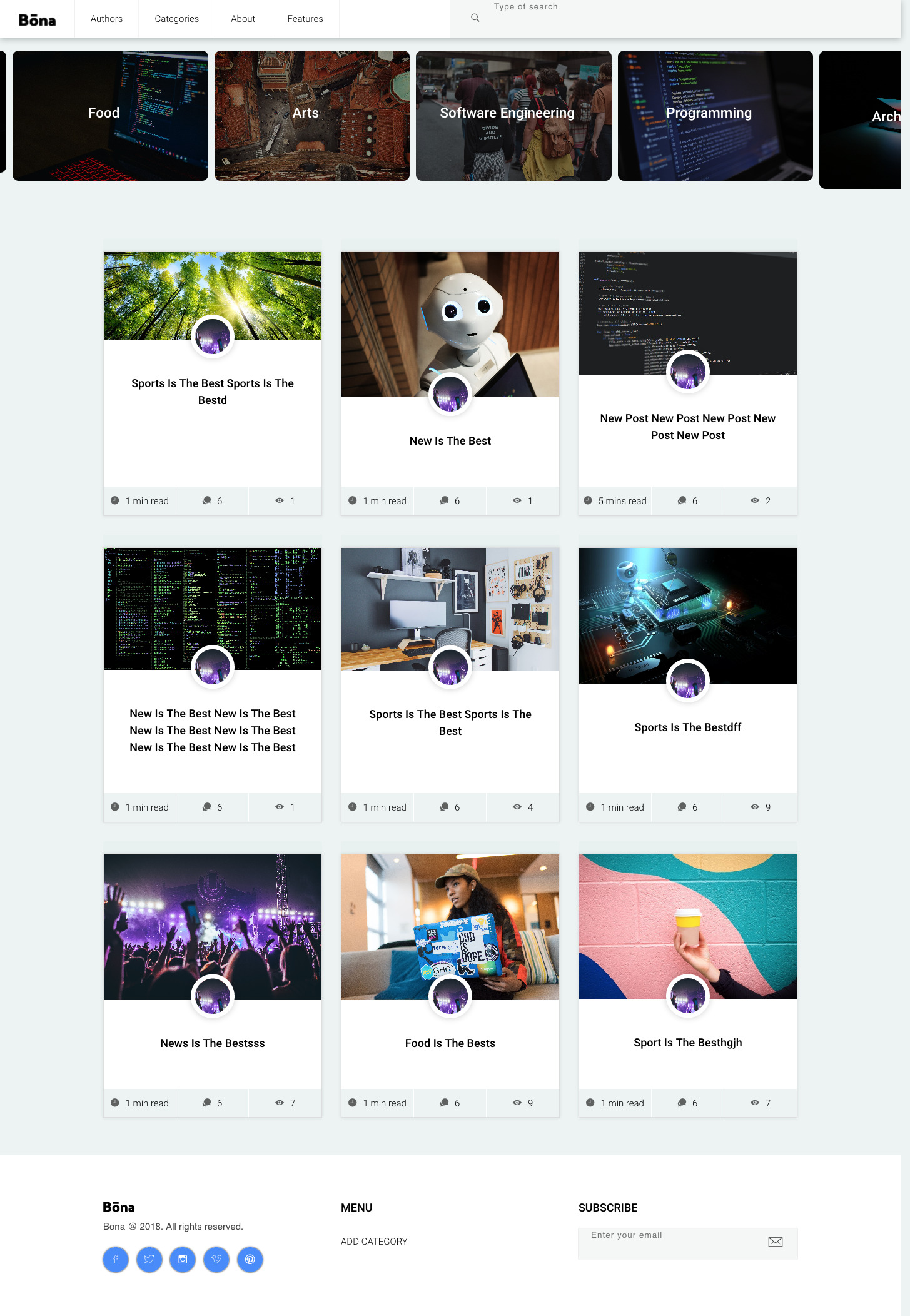 |
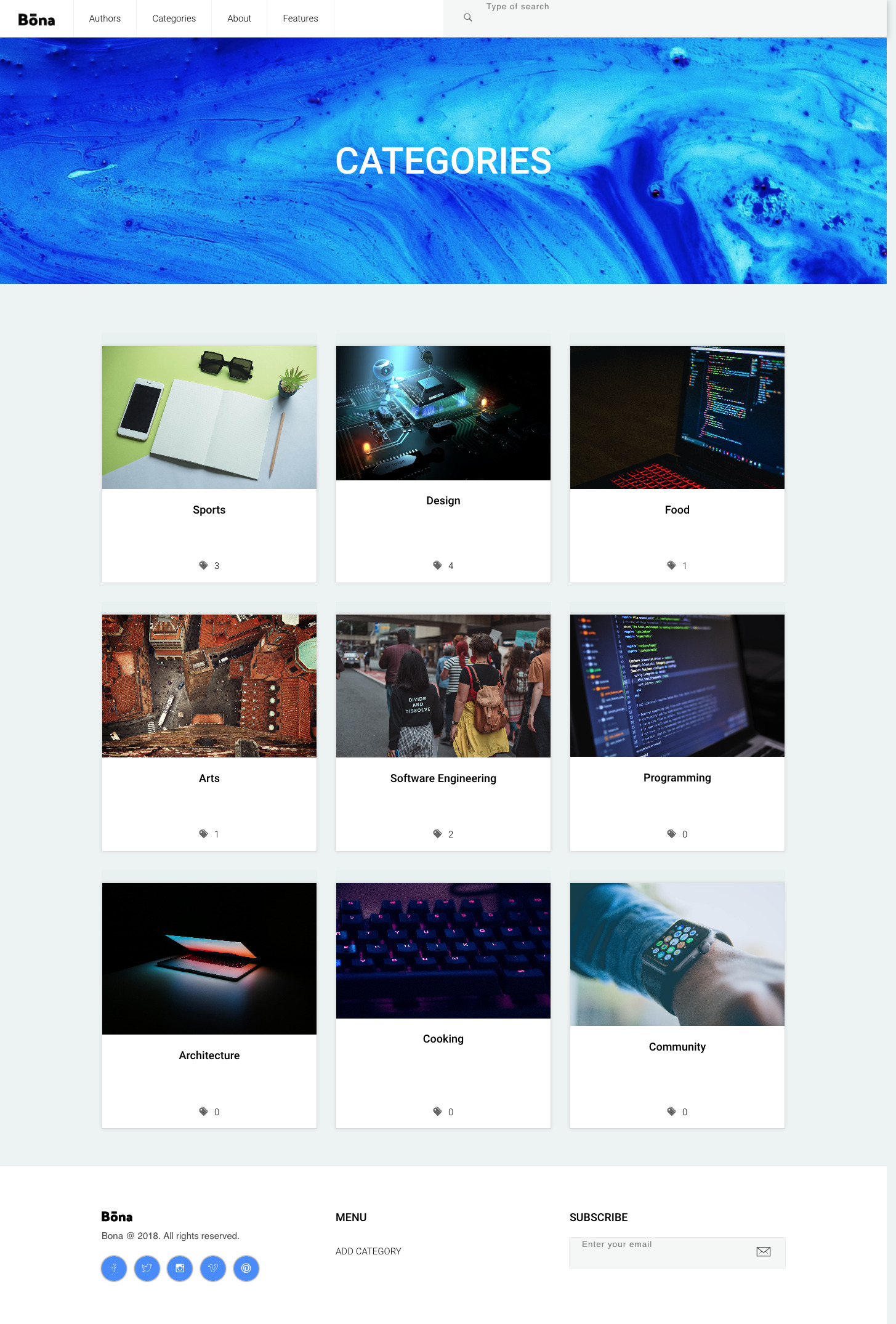 |
| Category Articles List Page | Author Articles List Page |
|---|---|
 |
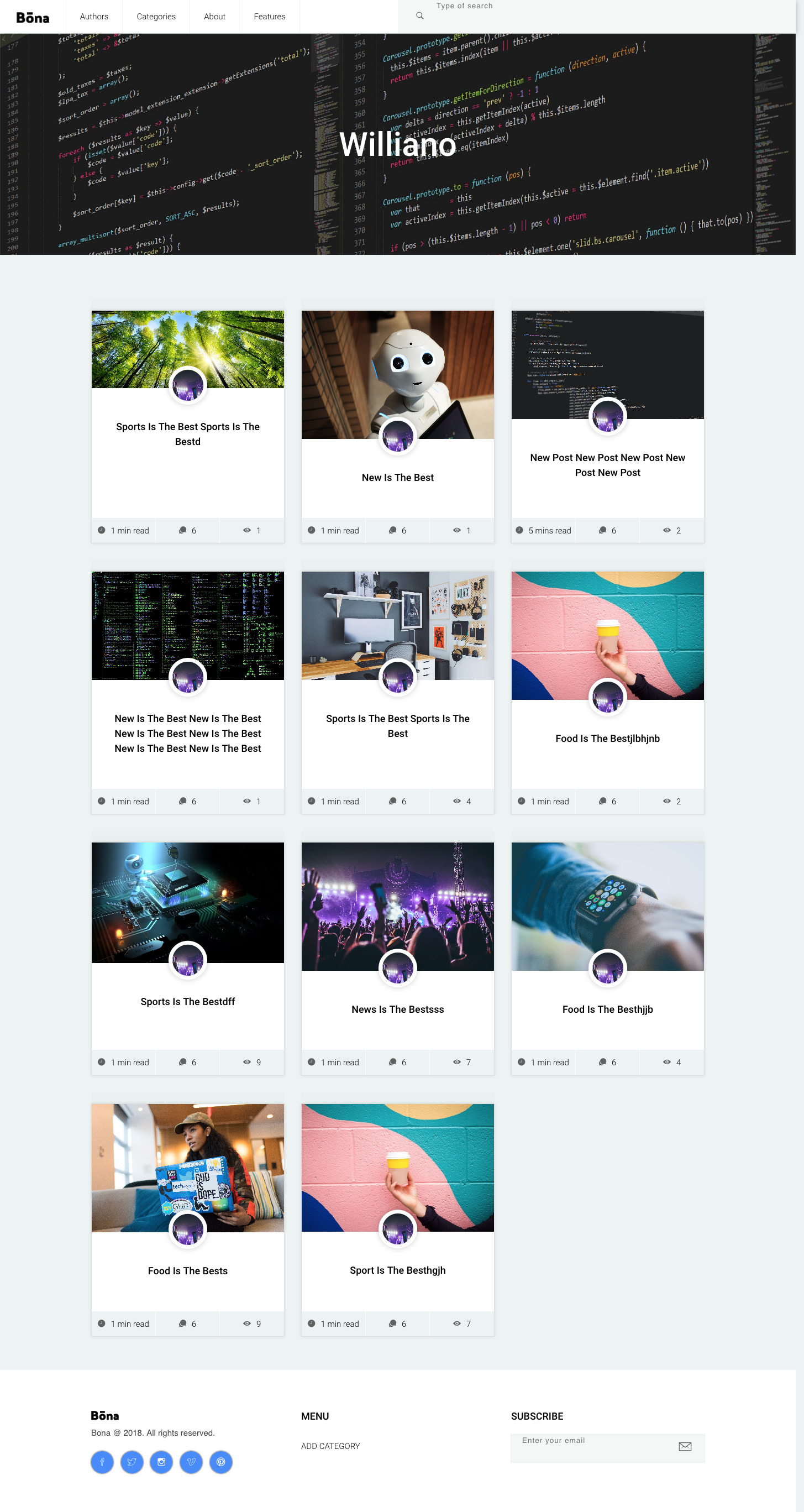 |
| Article Detail Page |
|---|
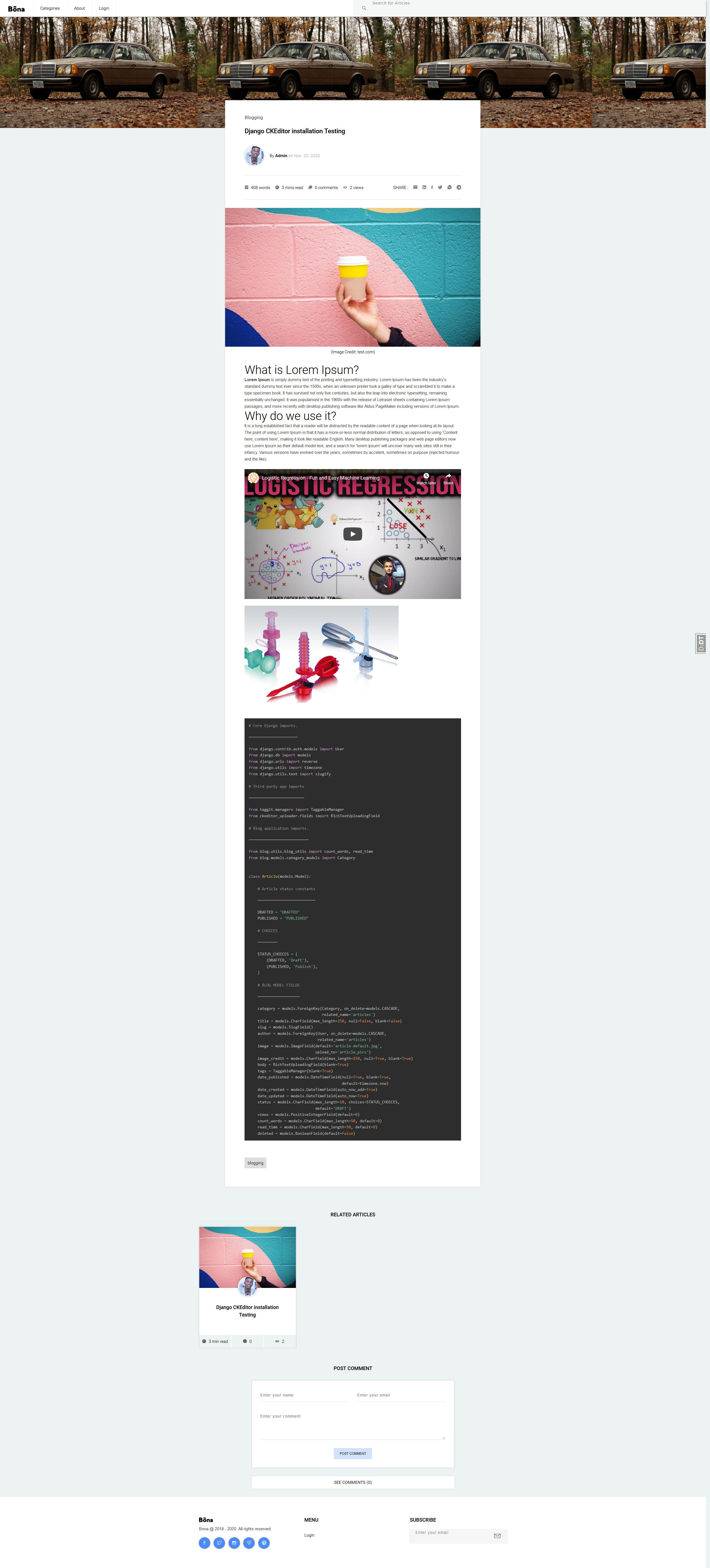 |
Features
- Mobile App Version
- Dashboard for Authors
- WYSIWYG Editor
- Account Verification
- Author Login
- Author Password Reset
- API for Clients
- Category List
- Category Articles List
- New Category Submission
- Related Articles
- Comments
- Articles Search
- Article Social Media Share
- Article Minute Read
- Article Number of Words
- Article Number of Views
- Article Tags
- Tag Related Articles
- Markdown Support
- Responsive on all devices
- Pagination
- Clean Code
- 90% test coverage
Technologies
- Python 3.6
- Javascript
- Jquery
- Ajax
- PrismJS
- Django 3
- HTML5
- CSS3
- Bootstrap 4
- Ion Icons
- Font awesome
- CKEditor
- SQLite
- PostgreSQL
Setup
To run this app, you will need to follow these 3 steps:
1. Requirements
-
a Laptop
-
Text Editor or IDE (eg. vscode, PyCharm)
-
Python 3.6 +
-
Django 2.2+
2. Install Python and Pipenv
3. Local Setup and Running on Windows, Linux and Mac OS
a. Install package with pip or pipenv
  ```
      $ pip install django-bona-blog

  ```

               or
  ```
      $ pipenv install django-bona-blog

  ```
b. Add django_filter, ckeditor, taggit, crispy_forms and rest_framework to your INSTALLED_APPS in settings.py:
    INSTALLED_APPS = (
        ...
            'django_filters',
            'rest_framework',
            'taggit',
            'ckeditor',
            'ckeditor_uploader',
            'crispy_forms',
    )
c. Add CKEditor Configuration to settings.py:
    # CKEditor Settings
    CKEDITOR_UPLOAD_PATH = 'uploads/'
    CKEDITOR_IMAGE_BACKEND = "pillow"

    CKEDITOR_CONFIGS = {
        'default':
            {'toolbar': 'full',
             'width': 'auto',
             'extraPlugins': ','.join([
                 'codesnippet',
                 'youtube'
             ]),
             },
    }
d. Add blog to INSTALLED_APPS in settings.py for your Django project:
    INSTALLED_APPS = (
        ...
        'blog.apps.BlogConfig',
    )
e. Add blog.urls, tinmyce.urls and api.urls to urls.py of your project:
    from django.urls import include


    urlpatterns = [
      ...
      path('ckeditor/', include('ckeditor_uploader.urls')),
      path('blog/', include('blog.urls')),
      path('api/v1/', include('blog.api.v1.routers.routers')),
  ]
f. Add configuration to serve static files in development to urls.py of your project:
     from django.conf.urls.static import static
     from django.conf import settings


     if settings.DEBUG:
        urlpatterns += static(settings.MEDIA_URL, document_root=settings.MEDIA_ROOT)
g. Create blog database tables
$ python manage.py migrate blog
h. Add dashboard configuration to your project settings.py:
   # Account Settings
     LOGIN_URL = '/account/login/'
     LOGIN_REDIRECT_URL = '/author/dashboard/'
     LOGOUT_REDIRECT_URL = '/account/logout/'
i. Add email configuration for account signup and password reset
   # Email Settings (Development)
     EMAIL_BACKEND = 'django.core.mail.backends.console.EmailBackend'


  # Email Settings (Production)
    EMAIL_BACKEND = ''
    EMAIL_HOST = ''
    EMAIL_HOST_USER = ''
    EMAIL_HOST_PASSWORD = ""
    EMAIL_PORT = 587
    EMAIL_USE_TLS = True
j. Add static files configuration for serving staticfiles
     STATICFILES_DIRS = [ os.path.join(BASE_DIR, "blog/static"),]
     STATIC_ROOT = os.path.join(BASE_DIR, 'staticfiles')
     STATICFILES_FINDERS = [
           "django.contrib.staticfiles.finders.FileSystemFinder",
           "django.contrib.staticfiles.finders.AppDirectoriesFinder",
        ]
k. Add media files configuration for serving media files
       # Media files (User uploaded images)
       MEDIA_URL = '/media/'
       MEDIA_ROOT = os.path.join(BASE_DIR, 'media')
l. Collect static files
$ python manage.py collectstatic
Running Tests
$ python manage.py test blog.tests
Status
Project is: done
Contact
Created by Williano - feel free to contact me!
License
You can check out the full license here
This project is licensed under the terms of the MIT license.
Contributing
- Fork it (https://github.com/Williano/django-bona-blog.git)
- Create your feature branch (
git checkout -b feature/fooBar) - Commit your changes (
git commit -am 'Add some fooBar') - Push to the branch (
git push origin feature/fooBar) - Create a new Pull Request
1 maintainer

Release files for django-bona-blog 1.1.4
For a detailed explanation of source distributions (sdists) and built distributions (wheels), please see the package formats documentation.
Source distribution (sdist)
| File | Size | Uploaded | |
|---|---|---|---|
| django-bona-blog-1.1.4.tar.gz | 29.6 kB | Details |
Built distribution (wheel)
| File | Interpreter | ABI | Platform | Reset |
|---|---|---|---|---|
| django_bona_blog-1.1.4-py3-none-any.whl | Python 3 | none | any | Details |
Total release size: 77.3 kB
Release files / django-bona-blog-1.1.4.tar.gz
| Download URL | django-bona-blog-1.1.4.tar.gz |
|---|---|
| Size | 29.6 kB |
| Tags | Source |
|
SHA-256 checksum How to use checksums |
5103c32fb3f780728f5d1f8509215082980afd4ce16c080bd43c9e562ef5410a
|
|
BLAKE2b-256 checksum How to use checksums |
7541fca6c19ae2f16839b3a7aa042f2152eff4a30c6ea08f047dc4b7afb87d83
|
| Upload date | |
|
Uploaded using Trusted Publishing? What is trusted publishing? |
No |
| Uploaded via |
twine/3.3.0 pkginfo/1.5.0.1 requests/2.24.0 setuptools/49.1.0 requests-toolbelt/0.9.1 tqdm/4.47.0 CPython/3.8.2
|
Release files / django_bona_blog-1.1.4-py3-none-any.whl
| Download URL | django_bona_blog-1.1.4-py3-none-any.whl |
|---|---|
| Size | 47.7 kB |
| Tags | Python 3 |
|
SHA-256 checksum How to use checksums |
dd643517ba8c1885a60eb25f6a2c90cef6f2f2aa0975c47f613ec0bc6103d144
|
|
BLAKE2b-256 checksum How to use checksums |
b3dea3b0712251393a1b28a1f15c0cdcec38a55b6809fcc5f473a9436ad91b0a
|
| Upload date | |
|
Uploaded using Trusted Publishing? What is trusted publishing? |
No |
| Uploaded via |
twine/3.3.0 pkginfo/1.5.0.1 requests/2.24.0 setuptools/49.1.0 requests-toolbelt/0.9.1 tqdm/4.47.0 CPython/3.8.2
|














