
A django app that allows the easy addition of EpicEditor markdown editor to a django form field, whether in a custom app or the Django Admin.
Preview
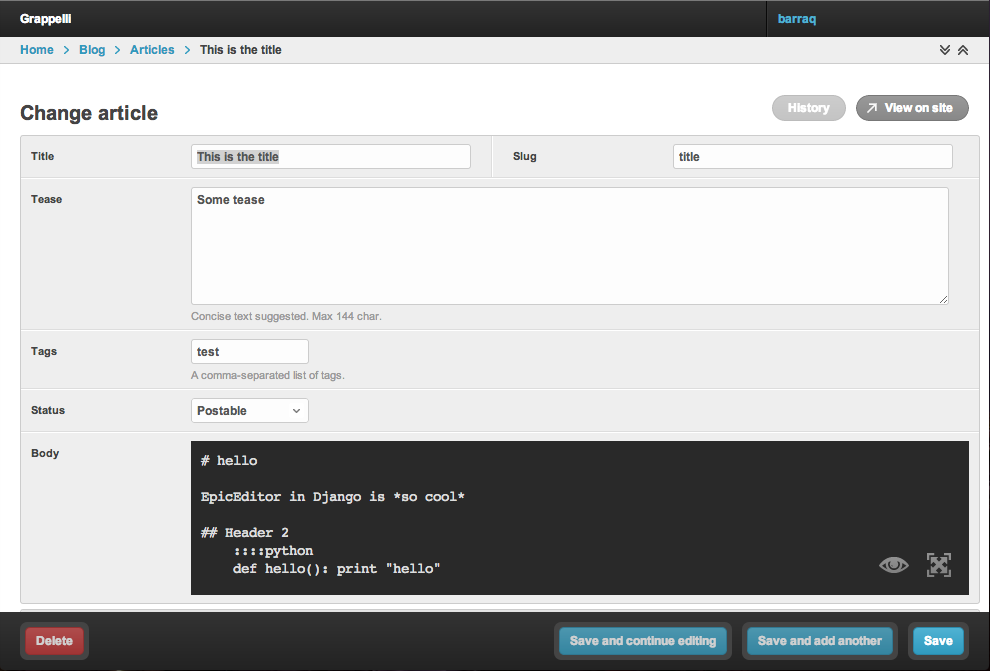
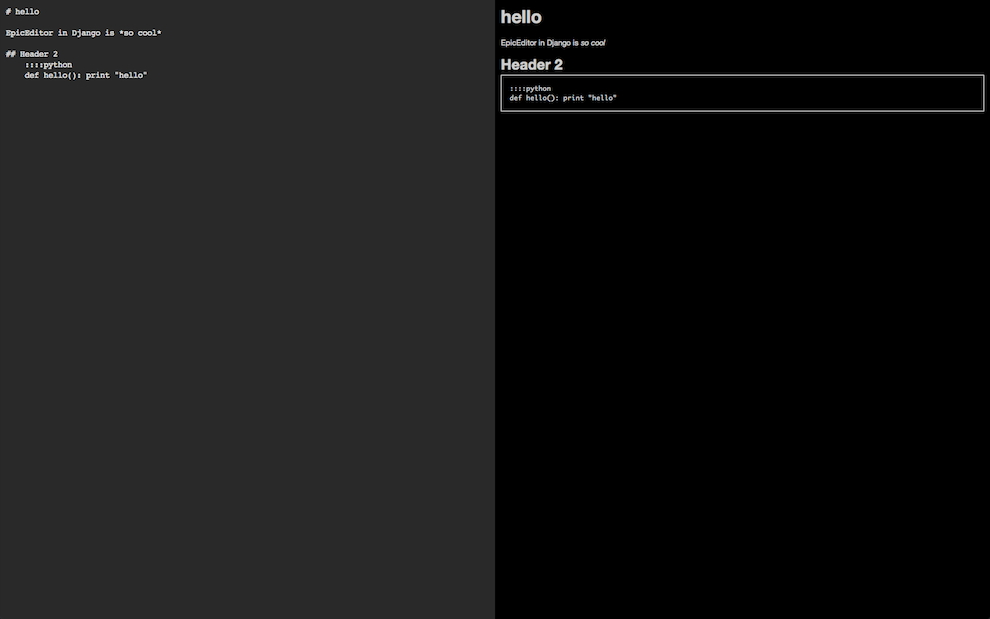
Here are a few screenshots of EpicEditor within django.
Standard edition mode
Fullscreen edition mode mode
Installation
Install via pip: pip install -e https://github.com/barraq/django-epiceditor.git#egg=django-epiceditor for the latest version, otherwise ‘pip install django-epiceditor’
Add epiceditor to your INSTALLED_APPS
Usage
If you want to use the EpicEditor editor in a django admin field, there are numerous possible approaches:
To use it in all TextField’s in you admin form:
from django.db import models
from epiceditor.widgets import AdminEpicEditorWidget

class FooModelAdmin(models.ModelAdmin):
    formfield_overrides = {
        models.TextField: {'widget': AdminEpicEditorWidget },
    }
Alternatively, to only use it on particular fields, first create a form (in forms.py):
from django import forms
from models import FooModel
from epiceditor.widgets import AdminEpicEditorWidget
class FooModelForm(forms.ModelForm):
    a_text_field = forms.CharField(widget=AdminEpicEditorWidget())
    another_text_field = forms.CharField(widget=AdminEpicEditorWidget())

    class Meta:
        model = FooModel
and in your admin.py:
from forms import FooModelForm

class FooModelAdmin(models.ModelAdmin):
    form = FooModelForm
Themes
EpicEditor comes with different themes. In order to change the default themes EpicEditorWidget allows you to pass themes parameters. For instance if you want to use the light theme for the editor do as follow:
from django import forms
from models import FooModel
from epiceditor.widgets import AdminEpicEditorWidget
class FooModelForm(forms.ModelForm):
    a_text_field = forms.CharField(widget=AdminEpicEditorWidget(themes={'editor':'epic-light.css'}))
    another_text_field = forms.CharField(widget=AdminEpicEditorWidget())

    class Meta:
        model = FooModel
Notes
This plugin was develop by taking inspiration from django-pagedown and is using the great EpicEditor.
1 maintainer

Metadata
1 maintainer
Release files for django-epiceditor 0.2.3
For a detailed explanation of source distributions (sdists) and built distributions (wheels), please see the package formats documentation.
Source distribution (sdist)
| File | Size | Uploaded | Provenance | |
|---|---|---|---|---|
| django-epiceditor-0.2.3.tar.gz | 234.6 kB | Without provenance | Details |
Release files / django-epiceditor-0.2.3.tar.gz
| Download URL | django-epiceditor-0.2.3.tar.gz |
|---|---|
| Size | 234.6 kB |
| Tags | Source |
|
SHA-256 checksum How to use checksums |
0f468ce126f632235f0f7a5a5ed902d4aa0261ccbe0162a5eee053f9a354e169
|
|
BLAKE2b-256 checksum How to use checksums |
13e6b9f1b4b44ce6ec41b8b5240d5cb7e625272277e0274aaa9c0b13a00e7a17
|
| Upload date | |
|
Uploaded using Trusted Publishing? What is trusted publishing? |
No |
Security for django-epiceditor 0.2.3
Provenance
Provenance describes where a file came from. On PyPI, provenance is shared via attestations, which provide a verifiable record of the build or publishing details. View details, limitations and caveats.
No provenance found
None of the files in this release were uploaded with provenance metadata.
A note on package security
PyPI is a repository for distributing packages, not a service for auditing them. While third-party security researchers and our staff do their best to detect and remove malicious packages, PyPI cannot guarantee the quality, security or suitability of any given package.














