







Reusable django-app for storing GIS and indoor coordinates of objects.
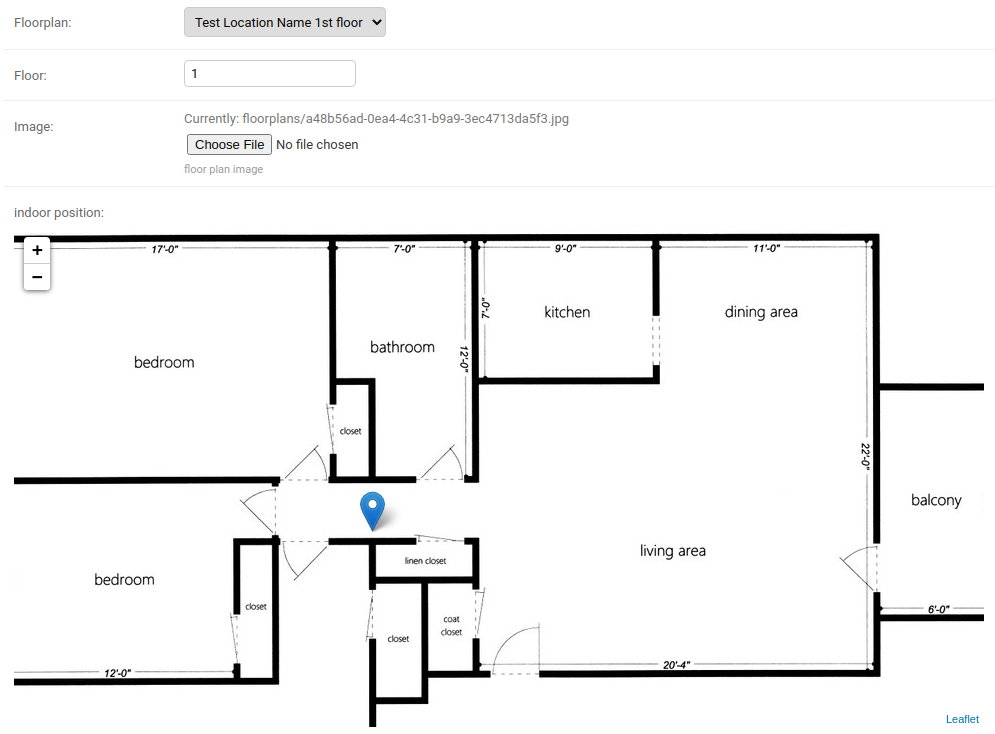
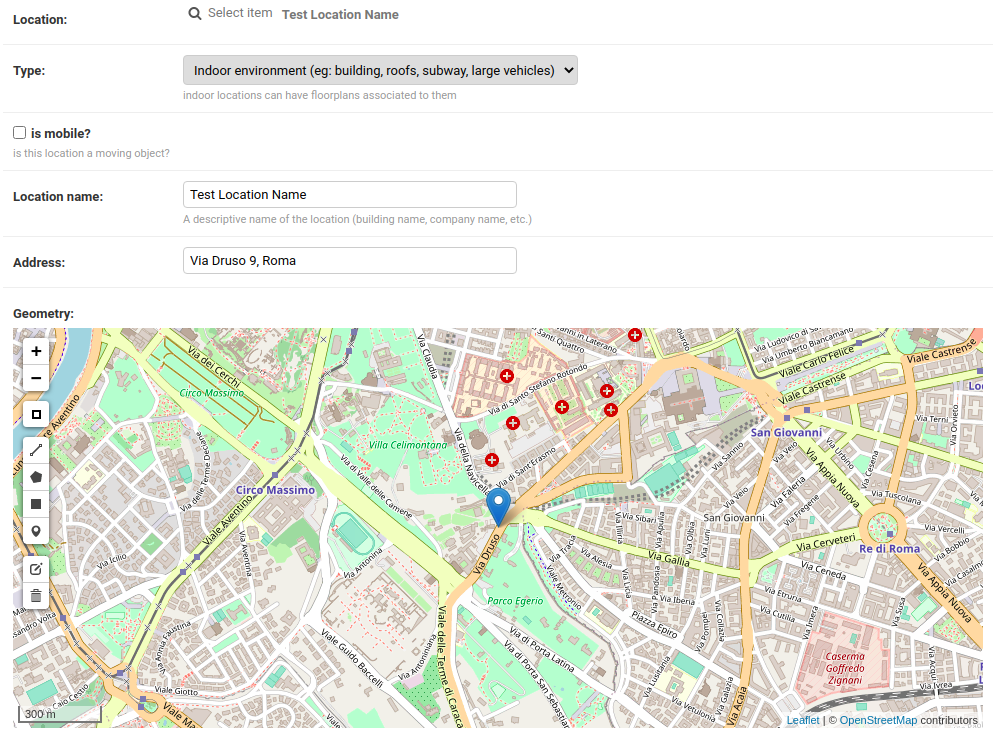
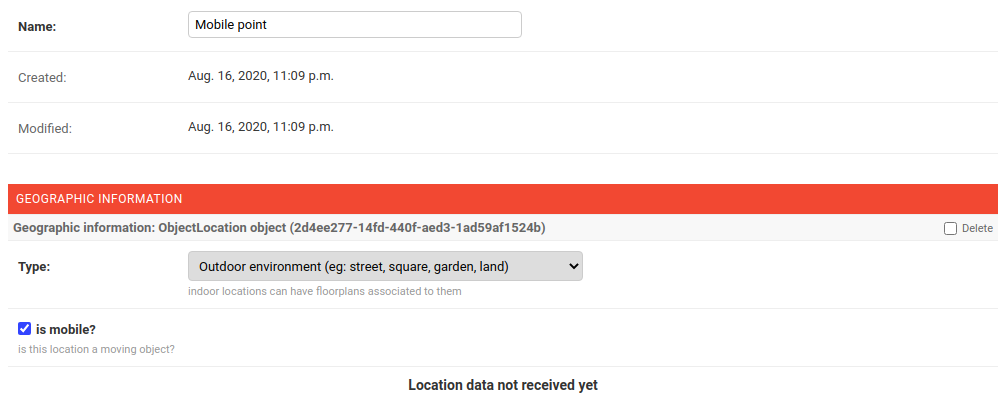
Dependencies
Python >= 3.6
GeoDjango (see GeoDjango Install Instructions)
One of the databases supported by GeoDjango
Compatibility Table
django-loci |
Python version |
0.2 |
2.7 or >=3.4 |
0.3 |
>=3.5 |
Install stable version from pypi
Install from pypi:
pip install django-lociInstall development version
First of all, install the dependencies of GeoDjango:
Spatial database, for development we use Spatialite, a spatial extension of sqlite
Install tarball:
pip install https://github.com/openwisp/django-loci/tarball/masterAlternatively you can install via pip using git:
pip install -e git+git://github.com/openwisp/django-loci#egg=django_lociIf you want to contribute, install your cloned fork:
git clone git@github.com:<your_fork>/django-loci.git
cd django_loci
python setup.py develop
Setup (integrate in an existing django project)
First of all, set up your database engine to one of the spatial databases suppported by GeoDjango.
Add django_loci and its dependencies to INSTALLED_APPS in the following order:
INSTALLED_APPS = [
    # ...
    'django.contrib.gis',
    'django_loci',
    'django.contrib.admin',
    'leaflet',
    'channels'
    # ...
]
Configure CHANNEL_LAYERS according to your needs, a sample configuration can be:
ASGI_APPLICATION = "django_loci.channels.routing.channel_routing"
CHANNEL_LAYERS = {
    "default": {
        "BACKEND": "channels.layers.InMemoryChannelLayer",
    },
}
Now run migrations:
./manage.py migrateTroubleshooting
Common issues and solutions when installing GeoDjango.
Unable to load the SpatiaLite library extension
If you get the following exception:
django.core.exceptions.ImproperlyConfigured: Unable to load the SpatiaLite library extension
You need to specify the SPATIALITE_LIBRARY_PATH in your settings.py as explained in the django documentation regarding how to install and configure spatialte.
Issues with other geospatial libraries
Please refer to the geodjango documentation on troubleshooting issues related to geospatial libraries.
Settings
LOCI_FLOORPLAN_STORAGE
type: |
str |
default: |
django_loci.storage.OverwriteStorage |
The django file storage class used for uploading floorplan images.
The filestorage can be changed to a different one as long as it has an upload_to class method which will be passed to FloorPlan.image.upload_to.
To understand the details of this statement, take a look at the code of django_loci.storage.OverwriteStorage.
Extending django-loci
django-loci provides a set of models and admin classes which can be imported, extended and reused by third party apps.
To extend django-loci, you MUST NOT add it to settings.INSTALLED_APPS, but you must create your own app (which goes into settings.INSTALLED_APPS), import the base classes of django-loci and add your customizations.
Extending models
This example provides an example of how to extend the base models of django-loci by adding a relation to another django model named Organization.
# models.py of your app
from django.db import models
from django_loci.base.models import (AbstractFloorPlan,
                                     AbstractLocation,
                                     AbstractObjectLocation)

# the model ``organizations.Organization`` is omitted for brevity
# if you are curious to see a real implementation, check out django-organizations


class OrganizationMixin(models.Model):
    organization = models.ForeignKey('organizations.Organization')

    class Meta:
        abstract = True


class Location(OrganizationMixin, AbstractLocation):
    class Meta(AbstractLocation.Meta):
        abstract = False

    def clean(self):
        # your own validation logic here...
        pass


class FloorPlan(OrganizationMixin, AbstractFloorPlan):
    location = models.ForeignKey(Location)

    class Meta(AbstractFloorPlan.Meta):
        abstract = False

    def clean(self):
        # your own validation logic here...
        pass


class ObjectLocation(OrganizationMixin, AbstractObjectLocation):
    location = models.ForeignKey(Location, models.PROTECT,
                                 blank=True, null=True)
    floorplan = models.ForeignKey(FloorPlan, models.PROTECT,
                                  blank=True, null=True)

    class Meta(AbstractObjectLocation.Meta):
        abstract = False

    def clean(self):
        # your own validation logic here...
        pass
Extending the admin
Following the previous Organization example, you can avoid duplicating the admin code by importing the base admin classes and registering your models with them.
But first you have to change a few settings in your settings.py, these are needed in order to load the admin templates and static files of django-loci even if it’s not listed in settings.INSTALLED_APPS.
Add django.forms to INSTALLED_APPS, now it should look like the following:
INSTALLED_APPS = [
    # ...
    'django.contrib.gis',
    'django_loci',
    'django.contrib.admin',
    #      ↓
    'django.forms', # <-- add this
    #      ↑
    'leaflet',
    'channels'
    # ...
]
Now add EXTENDED_APPS after INSTALLED_APPS:
INSTALLED_APPS = [
    # ...
]

EXTENDED_APPS = ('django_loci',)
Add openwisp_utils.staticfiles.DependencyFinder to STATICFILES_FINDERS:
STATICFILES_FINDERS = [
    'django.contrib.staticfiles.finders.FileSystemFinder',
    'django.contrib.staticfiles.finders.AppDirectoriesFinder',
    'openwisp_utils.staticfiles.DependencyFinder',
]
Add openwisp_utils.loaders.DependencyLoader to TEMPLATES:
TEMPLATES = [
    {
        'BACKEND': 'django.template.backends.django.DjangoTemplates',
        'DIRS': [],
        'OPTIONS': {
            'loaders': [
                'django.template.loaders.filesystem.Loader',
                'django.template.loaders.app_directories.Loader',
                # add the following line
                'openwisp_utils.loaders.DependencyLoader'
            ],
            'context_processors': [
                'django.template.context_processors.debug',
                'django.template.context_processors.request',
                'django.contrib.auth.context_processors.auth',
                'django.contrib.messages.context_processors.messages',
            ],
        },
    }
]
Last step, add FORM_RENDERER:
FORM_RENDERER = 'django.forms.renderers.TemplatesSetting'Then you can go ahead and create your admin.py file following the example below:
# admin.py of your app
from django.contrib import admin

from django_loci.base.admin import (AbstractFloorPlanAdmin, AbstractFloorPlanForm,
                                    AbstractFloorPlanInline, AbstractLocationAdmin,
                                    AbstractLocationForm, AbstractObjectLocationForm,
                                    AbstractObjectLocationInline)
from django_loci.models import FloorPlan, Location, ObjectLocation


class FloorPlanForm(AbstractFloorPlanForm):
    class Meta(AbstractFloorPlanForm.Meta):
        model = FloorPlan


class FloorPlanAdmin(AbstractFloorPlanAdmin):
    form = FloorPlanForm


class LocationForm(AbstractLocationForm):
    class Meta(AbstractLocationForm.Meta):
        model = Location


class FloorPlanInline(AbstractFloorPlanInline):
    form = FloorPlanForm
    model = FloorPlan


class LocationAdmin(AbstractLocationAdmin):
    form = LocationForm
    inlines = [FloorPlanInline]


class ObjectLocationForm(AbstractObjectLocationForm):
    class Meta(AbstractObjectLocationForm.Meta):
        model = ObjectLocation


class ObjectLocationInline(AbstractObjectLocationInline):
    model = ObjectLocation
    form = ObjectLocationForm


admin.site.register(FloorPlan, FloorPlanAdmin)
admin.site.register(Location, LocationAdmin)
Extending channel consumers
Extend the channel consumer of django-loci in this way:
from django_loci.channels.base import BaseLocationBroadcast
from ..models import Location  # your own location model


class LocationBroadcast(BaseLocationBroadcast):
    model = Location
Extending AppConfig
You may want to reuse the AppConfig class of django-loci too:
from django_loci.apps import LociConfig


class MyConfig(LociConfig):
    name = 'myapp'
    verbose_name = _('My custom app')

    def __setmodels__(self):
        from .models import Location
        self.location_model = Location
Installing for development
Install sqlite:
sudo apt-get install sqlite3 libsqlite3-dev libsqlite3-mod-spatialite gdal-binInstall your forked repo:
git clone git://github.com/<your_fork>/django-loci
cd django-loci/
python setup.py develop
Install test requirements:
pip install -r requirements-test.txtCreate database:
cd tests/
./manage.py migrate
./manage.py createsuperuser
Launch development server and SMTP debugging server:
./manage.py runserverYou can access the admin interface at http://127.0.0.1:8000/admin/.
Run tests with:
# pytests is used to test django-channels
./runtests.py && pytest
Contributing
Announce your intentions in the OpenWISP Mailing List
Fork this repo and install it
Write code
Write tests for your code
Ensure all tests pass
Ensure test coverage does not decrease
Document your changes
Send pull request
Changelog
See CHANGES.
License
See LICENSE.
1 maintainer

Metadata
1 maintainer
Release files for django-loci 0.3.4
For a detailed explanation of source distributions (sdists) and built distributions (wheels), please see the package formats documentation.
Source distribution (sdist)
| File | Size | Uploaded | Provenance | Actions |
|---|---|---|---|---|
| django-loci-0.3.4.tar.gz | 36.0 kB | Without provenance | Details for django-loci-0.3.4.tar.gz |
Built distribution (wheel)
| File | Interpreter | ABI | Platform | Actions Reset |
|---|---|---|---|---|
| django_loci-0.3.4-py2.py3-none-any.whl | Python 3, Python 2 | none | any | Details for django_loci-0.3.4-py2.py3-none-any.whl |
Total release size: 75.2 kB
Release files / django-loci-0.3.4.tar.gz
| Download URL | django-loci-0.3.4.tar.gz |
|---|---|
| Size | 36.0 kB |
| Tags | Source |
|
SHA-256 checksum How to use checksums |
860f1e644b125f57d0e00c40da8ec6aa06a3697889a2dfb54e943f8fdaec5b02
|
|
BLAKE2b-256 checksum How to use checksums |
1f243518f8ba8f456815358283b674818b04da0178d7d03577c9eec6cd2c523b
|
| Upload date | |
|
Uploaded using Trusted Publishing? What is trusted publishing? |
No |
| Uploaded via |
twine/3.2.0 pkginfo/1.5.0.1 requests/2.22.0 setuptools/44.0.0 requests-toolbelt/0.9.1 tqdm/4.48.2 CPython/3.8.2
|
Release files / django_loci-0.3.4-py2.py3-none-any.whl
| Download URL | django_loci-0.3.4-py2.py3-none-any.whl |
|---|---|
| Size | 39.3 kB |
| Tags | Python 2 Python 3 |
|
SHA-256 checksum How to use checksums |
d86797f7df7c53a3970917231d6f08d39181e4f7b8715af1f44de2504a74be09
|
|
BLAKE2b-256 checksum How to use checksums |
53eaa7e17f42ceb2e495dcffc41522a680355fde8f3a371d08b71ed2a02e5d8e
|
| Upload date | |
|
Uploaded using Trusted Publishing? What is trusted publishing? |
No |
| Uploaded via |
twine/3.2.0 pkginfo/1.5.0.1 requests/2.22.0 setuptools/44.0.0 requests-toolbelt/0.9.1 tqdm/4.48.2 CPython/3.8.2
|
Security for django-loci 0.3.4
Provenance
Provenance describes where a file came from. On PyPI, provenance is shared via attestations, which provide a verifiable record of the build or publishing details. View details, limitations and caveats.
No provenance found
None of the files in this release were uploaded with provenance metadata.
A note on package security
PyPI is a repository for distributing packages, not a service for auditing them. While third-party security researchers and our staff do their best to detect and remove malicious packages, PyPI cannot guarantee the quality, security or suitability of any given package.
To learn more about protecting yourself from malicious actors, visit our package security documentation.














