
Overview
Magneto is a content and template management application built for the Django framework.
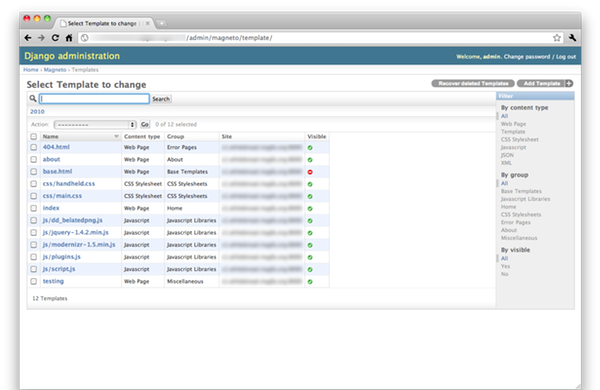
A Template represents a web page on your site. Within the template can be used any built-in Template Tags, as well as custom installed ones. Beyond HTML pages, a Template can also represent content types such as CSS, Javascript, JSON, and XML. When using template inheritance, templates can be marked for use strictly by the template loader and not for display as a web page.
Key Features
Because templates and web pages are synonymous you can use template tags and filters in your pages.
Manage content types like html, css, javascript, xml, json, and text.
Database queries can be minimized with the use of a cached template loader that caches pre-rendered templates.
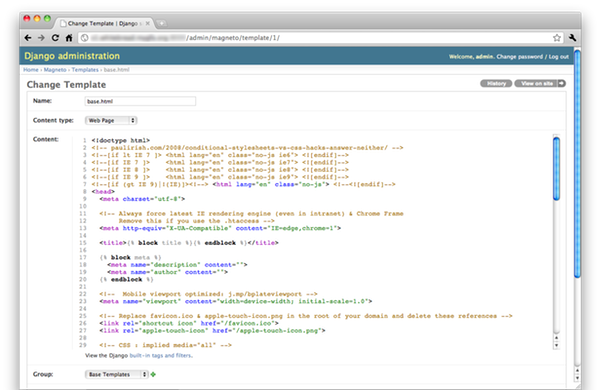
Use CodeMirror in the admin for template editing.
Know who changed what and when with built-in support for Reversion. Easily go back to older versions of the content.
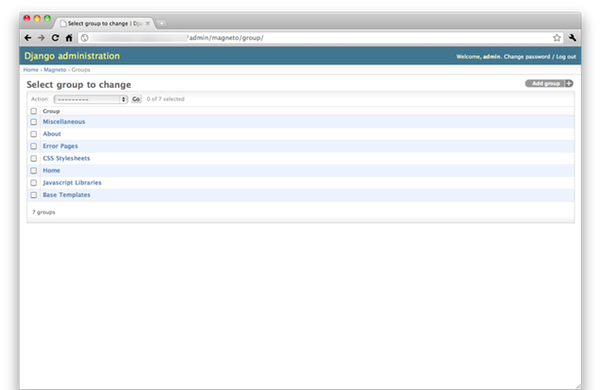
Group related templates with Template Groups. Useful when you have a large number of templates.
HTML5 Boilerplate fixtures included to get started quickly.
Support for South migrations.
Admin Pages
Sandbox Installation
An example application is provided to make this application easy to download and demo in a sandboxed environment. Use the following commands to run it:
$ hg clone http://bitbucket.org/prestontimmons/django-magneto
$ cd django-magneto
$ python bootstrap.py
$ bin/buildout
$ cp -r magneto/media/ example/media/magneto
$ bin/django syncdb
$ bin/django migrate
$ bin/django loaddata html5boilerplate.json
$ bin/django runserver 0.0.0.0:8000
Visit http://localhost:8000/admin/ and update your domain in Site settings to match the server your running on. Now you can view and edit the templates that were loaded in.
Site Installation
Configure your settings.py
Make sure django.contrib.sites and django.contrib.admin are installed. Add magneto and reversion to INSTALLED_APPS. Optionally add south for migration support.
Example:
INSTALLED_APPS = (
    'django.contrib.admin',
    'django.contrib.admindocs',
    'django.contrib.auth',
    'django.contrib.contenttypes',
    'django.contrib.sessions',
    'django.contrib.sites',

      ...

    'magneto',
    'reversion',

      ...

    'south', # optional for migrations
)
Add magneto.loader.CachedTemplateLoader to TEMPLATE_LOADERS.
Example:
TEMPLATE_LOADERS = (
    'magneto.loader.CachedTemplateLoader',

      ...

    'django.template.loaders.filesystem.load_template_source',
    'django.template.loaders.app_directories.load_template_source',
)
Copy media files to where they can be found by the admin pages. * See the notes on the MAGNETO_MEDIA_DIRECTORY setting below for more information.
Add a url entry in your site urls.py.
Example:
urlpatterns = patterns('',
    (r'^admin/', include(admin.site.urls)),
    (r'^accounts/login/$', 'django.contrib.auth.views.login'),

      ...

    # Mount it at a specific url
    (r'^pages/', include('magneto.urls')),

    # Or mount it at your root url
    (r'^', include('magneto.urls')),
)
Run python manage.py syncdb.
Run python manage.py runserver 0.0.0.0:8000 to start the Django devserver.
Configurable Settings
MAGNETO_MEDIA_DIRECTORY
The url of the root folder where the magneto media files are. This defaults to a folder called magneto in the directory specified by the MEDIA_URL setting.
Notes
Built for Python 2.6, Django 1.2 according to PEP8 and the Django Style Guide. If you’re using previous versions of Python or Django your mileage may vary. Let me know if anything doesn’t work.
Standing on the shoulders of giants
This application is like a combined version of Django DB Templates and the built-in Flatpages application. Thanks to Jannis Leidel for open-sourcing the DB Templates app and for everyone who contributed to Django.
1 maintainer

Metadata
1 maintainer
Release files for django-magneto 0.9.0
For a detailed explanation of source distributions (sdists) and built distributions (wheels), please see the package formats documentation.
Source distribution (sdist)
| File | Size | Uploaded | Provenance | |
|---|---|---|---|---|
| django-magneto-0.9.0.tar.gz | 48.3 kB | Without provenance | Details |
Release files / django-magneto-0.9.0.tar.gz
| Download URL | django-magneto-0.9.0.tar.gz |
|---|---|
| Size | 48.3 kB |
| Tags | Source |
|
SHA-256 checksum How to use checksums |
f138e9f8559e26354c71abf426487ec8de0af875b19ac3c8f53a6207d52bd99d
|
|
BLAKE2b-256 checksum How to use checksums |
20f528d4a71f369e477b37d4b7bf1379e909fa6f8f254a2f791f53b3f40f5936
|
| Upload date | |
|
Uploaded using Trusted Publishing? What is trusted publishing? |
No |
Security for django-magneto 0.9.0
Provenance
Provenance describes where a file came from. On PyPI, provenance is shared via attestations, which provide a verifiable record of the build or publishing details. View details, limitations and caveats.
No provenance found
None of the files in this release were uploaded with provenance metadata.
A note on package security
PyPI is a repository for distributing packages, not a service for auditing them. While third-party security researchers and our staff do their best to detect and remove malicious packages, PyPI cannot guarantee the quality, security or suitability of any given package.
To learn more about protecting yourself from malicious actors, visit our package security documentation.













