
Django Orderable
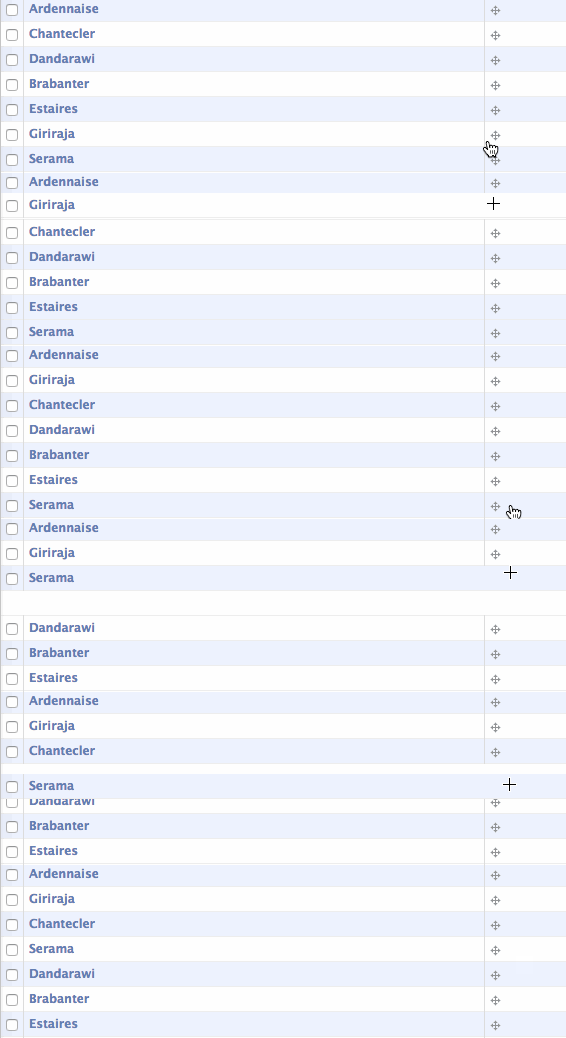
Add manual sort order to Django objects via an abstract base class and admin classes. Project includes:
- Abstract base Model
- Admin class
- Inline admin class
- Admin templates
Demo
Installation
Grab from the PyPI:
pip install django-orderable
Add to your INSTALLED_APPS:
...
'orderable',
...
Subclass the Orderable class:
from orderable.models import Orderable


class Book(Orderable):
    ...
Subclass the appropriate Orderable admin classes:
from orderable.admin import OrderableAdmin, OrderableTabularInline


class SomeInlineClass(OrderableTabularInline):
    ...

class SomeAdminClass(OrderableAdmin):
    list_display = ('__unicode__', 'sort_order_display')
    ...
jQuery and jQuery UI are used in the Admin for the draggable UI. You may override the versions with your own (rather than using Google's CDN):
class SomeAdminClass(OrderableAdmin):
    class Media:
        extend = False
        js = (
            'path/to/jquery.js',
            'path/to/jquery.ui.js',
        )
Notes
class Meta
If your subclass of Orderable defines class Meta then make sure it subclasses Orderable.Meta one so the model is sorted by sort_order. ie:
class MyOrderable(Orderable):
    class Meta(Orderable.Meta):
        ...
Custom Managers
Similarly, if your model has a custom manager, subclass orderable.managers.OrderableManager instead of django.db.models.Manager.
Transactions
Saving orderable models invokes a fair number of database queries, and in order to avoid race conditions should be run in a transaction.
Adding Orderable to Existing Models
You will need to populate the required sort_order field. Typically this is
done by adding the field in one migration with a default of 0, then creating
a data migration to set the value to that of its primary key:
for obj in orm['appname.Model'].objects.all():
    obj.sort_order = obj.pk
    obj.save()
Multiple Models using Orderable
When multiple models inherit from Orderable the next() and previous()
methods will look for the next/previous model with a sort order. However you'll
likely want to have the various sort orders determined by a foreign key or some
other predicate. The easiest way (currently) is to override the method in
question.


Release files for django-orderable 6.1.2
For a detailed explanation of source distributions (sdists) and built distributions (wheels), please see the package formats documentation.
Source distribution (sdist)
| File | Size | Uploaded | |
|---|---|---|---|
| django-orderable-6.1.2.tar.gz | 12.2 kB | Details |
Built distribution (wheel)
| File | Interpreter | ABI | Platform | Reset |
|---|---|---|---|---|
| django_orderable-6.1.2-py2.py3-none-any.whl | Python 3, Python 2 | none | any | Details |
Total release size: 28.8 kB
Release files / django-orderable-6.1.2.tar.gz
| Download URL | django-orderable-6.1.2.tar.gz |
|---|---|
| Size | 12.2 kB |
| Tags | Source |
|
SHA-256 checksum How to use checksums |
3dacd778d65cddbe4afa221d5c8b141cdccbdcb1ca6e90549e0e11df5f6f5dd3
|
|
BLAKE2b-256 checksum How to use checksums |
08966b12528fc96938a27504c4b1d4907be0aa1fbefbd7034c7436f765f0350c
|
| Upload date | |
|
Uploaded using Trusted Publishing? What is trusted publishing? |
No |
| Uploaded via |
twine/3.1.1 pkginfo/1.5.0.1 requests/2.24.0 setuptools/40.8.0 requests-toolbelt/0.9.1 tqdm/4.46.1 CPython/3.7.3
|
Release files / django_orderable-6.1.2-py2.py3-none-any.whl
| Download URL | django_orderable-6.1.2-py2.py3-none-any.whl |
|---|---|
| Size | 16.6 kB |
| Tags | Python 2 Python 3 |
|
SHA-256 checksum How to use checksums |
0de9b8d554ef05ad7f964a66b5d424b2610ca796bf4e2b939f9993a432256772
|
|
BLAKE2b-256 checksum How to use checksums |
80d8f0f4919e0bffd1a6eeb5a1202ea94538b61b6715189cfaa33c30b3e281b6
|
| Upload date | |
|
Uploaded using Trusted Publishing? What is trusted publishing? |
No |
| Uploaded via |
twine/3.1.1 pkginfo/1.5.0.1 requests/2.24.0 setuptools/40.8.0 requests-toolbelt/0.9.1 tqdm/4.46.1 CPython/3.7.3
|














