
Django autocomplete widgets and views using Tom Select


Project description
Django TomSelect





A powerful, lightweight Django package for dynamic select inputs with autocomplete, tagging, and more.
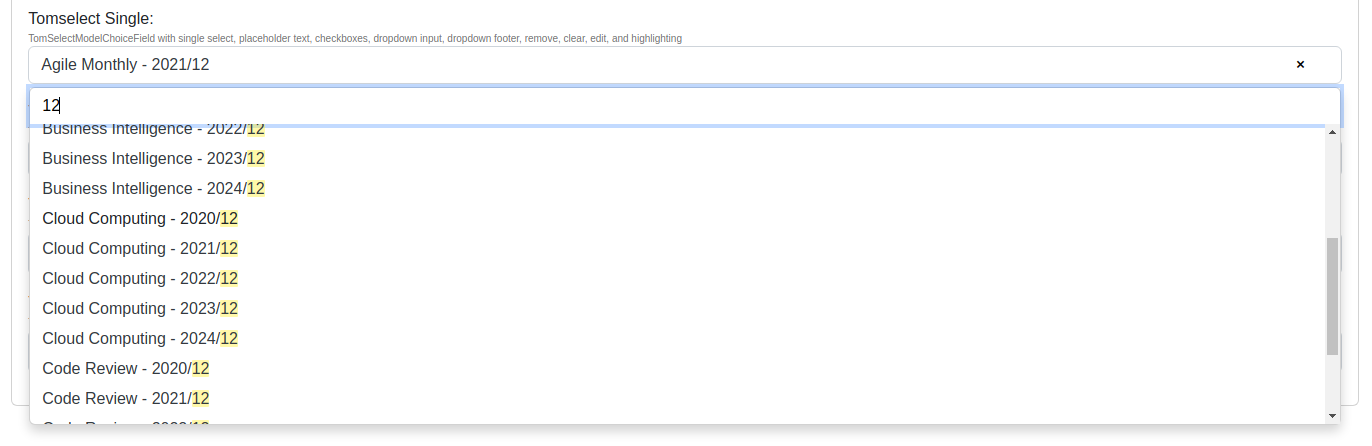
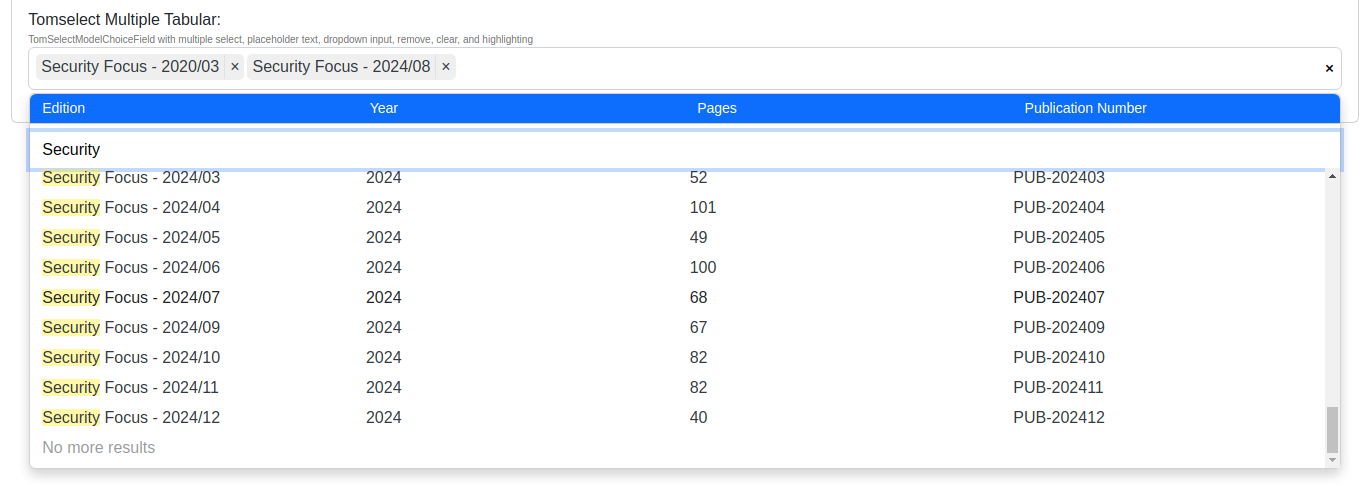
Django TomSelect integrates Tom Select into your Django projects, providing beautiful and intuitive select inputs with features like:
-
Live Search & Autocomplete
- Real-time filtering and highlighting as you type
- Server-side search with customizable lookups
- Automatic pagination for large datasets
- Customizable minimum query length
-
Rich UI Options
- Single and multiple selection modes
- Tabular display with custom columns
- Bootstrap 4/5 theming support
- Clear/remove buttons
- Dropdown headers & footers
- Checkbox options
- Customizable templates
Quick Start
- Install the package:
pip install django-tomselect
- Update settings.py:
INSTALLED_APPS = [
    ...
    "django_tomselect"
]

MIDDLEWARE = [
    ...
    "django_tomselect.middleware.TomSelectMiddleware",
    ...
]

TEMPLATES = [
    {
        "OPTIONS": {
            "context_processors": [
                ...
                "django_tomselect.context_processors.tomselect",
                ...
            ],
        },
    },
]
- Create an autocomplete view:
from django_tomselect.autocompletes import AutocompleteModelView

class PersonAutocompleteView(AutocompleteModelView):
    model = Person
    search_lookups = ["full_name__icontains"]
    value_fields = ["id","full_name"]
- Add URL pattern:
urlpatterns = [
    path("person-autocomplete/", PersonAutocompleteView.as_view(), name="person_autocomplete"),
]
- Use in your forms:
from django_tomselect.forms import TomSelectModelChoiceField, TomSelectConfig

class MyForm(forms.Form):
    person = TomSelectModelChoiceField(
        config = TomSelectConfig(
            url="person_autocomplete",
            value_field="id",
            label_field="full_name",
        )
    )
- Include in your template:
{{ form.media }}  {# Adds the required CSS/JS #}

{{ form }}
Other Features
Advanced Filtering
- Dependent/chained select fields
- Field exclusion support
- Custom search implementations
- Hooks for overriding functionality
Flexible Configuration
- Support for Tom Select Plugins
- Global settings and per-form-field configuration
- Override any template
Security
- Built-in permission handling
- including django auth, custom auth, object perms
Internationalization
- Translation support
- Customizable messages
Example Project
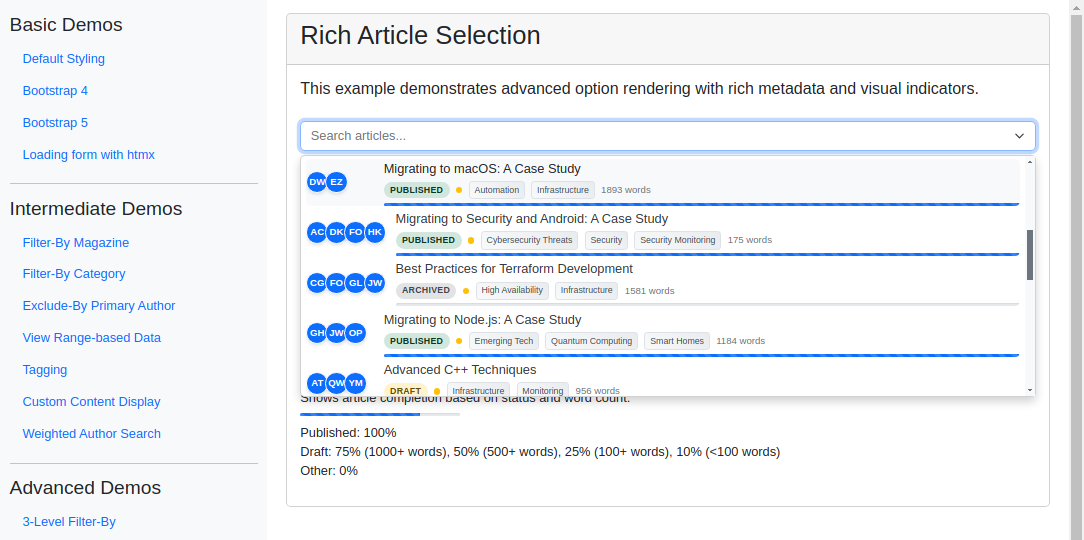
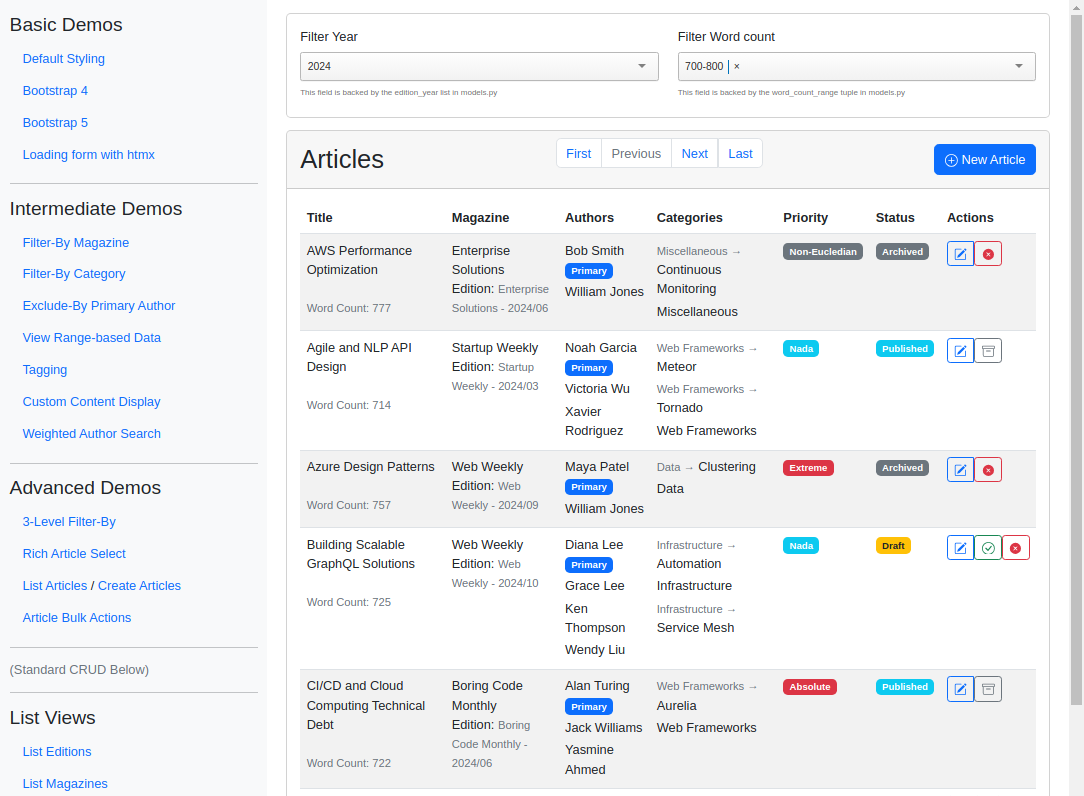
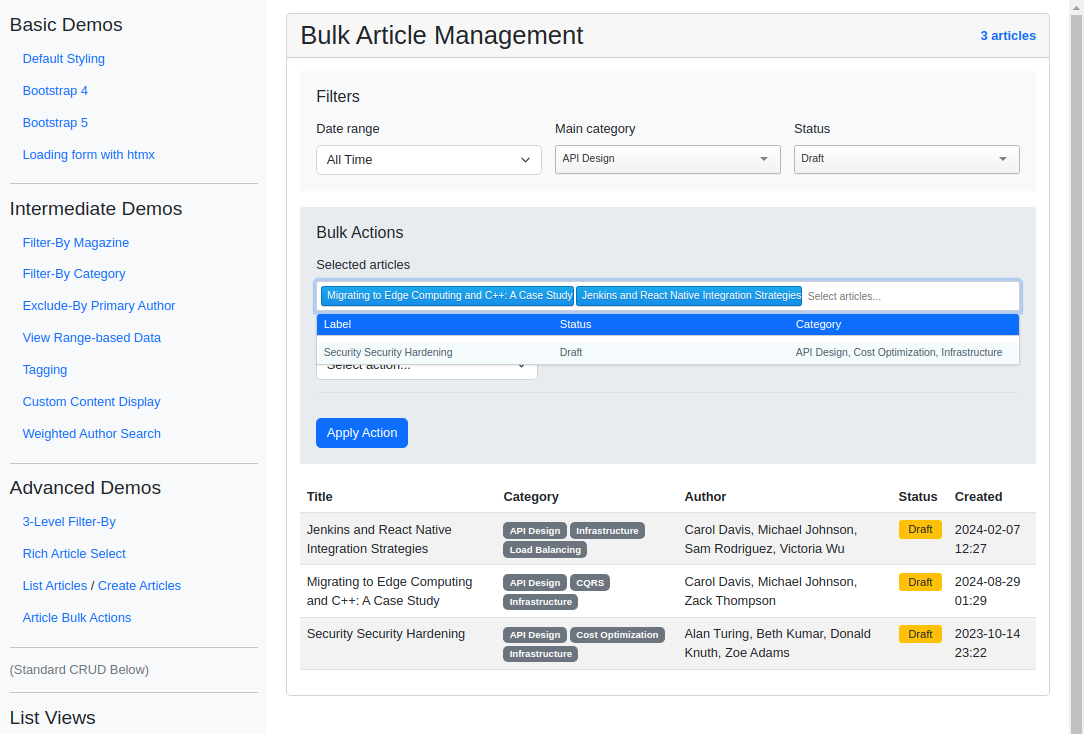
To see Django TomSelect in action, check out the Example Project. It demonstrates a variety of use cases, with 15 different implementations from basic atocompletion to advanced applications, showing how to use django-tomselect's autocomplete fields in a Django project.
Each of the examples is described in the Example Project docs.
Here are a few screenshots from the example project:
Documentation
Contributing
Contributions are welcome! Check out our Contributor Guide to get started.
License
This project is licensed under the MIT License - see the License file for details.
Acknowledgments
This package builds on the excellent work of Philip Becker in mizdb-tomselect, with a focus on generalization, Django templates, translations, and customization.
Release history Release notifications | RSS feed


Download files
Download the file for your platform. If you're not sure which to choose, learn more about installing packages.
Source Distribution
Built Distribution
Filter files by name, interpreter, ABI, and platform.
If you're not sure about the file name format, learn more about wheel file names.
Copy a direct link to the current filters
File details
Details for the file django_tomselect-2026.6.1.tar.gz.
File metadata
- Download URL: django_tomselect-2026.6.1.tar.gz
- Upload date:
- Size: 283.9 kB
- Tags: Source
- Uploaded using Trusted Publishing? No
- Uploaded via: uv/0.11.3 {"installer":{"name":"uv","version":"0.11.3","subcommand":["publish"]},"python":null,"implementation":{"name":null,"version":null},"distro":{"name":"Ubuntu","version":"24.04","id":"noble","libc":null},"system":{"name":null,"release":null},"cpu":null,"openssl_version":null,"setuptools_version":null,"rustc_version":null,"ci":null}
File hashes
| Algorithm | Hash digest | |
|---|---|---|
| SHA256 |
9bcd89e8fe8e8d0cb5633078fc73f738b83759a1b1961aaec218e2a0a98dd7f9
|
|
| MD5 |
b4b97f81a84e35dc636b3d34f3edf296
|
|
| BLAKE2b-256 |
c05da541bc2722b2f0ce969d6dadcaa563b559ddab5f37b827e527795a7254ee
|
File details
Details for the file django_tomselect-2026.6.1-py3-none-any.whl.
File metadata
- Download URL: django_tomselect-2026.6.1-py3-none-any.whl
- Upload date:
- Size: 321.6 kB
- Tags: Python 3
- Uploaded using Trusted Publishing? No
- Uploaded via: uv/0.11.3 {"installer":{"name":"uv","version":"0.11.3","subcommand":["publish"]},"python":null,"implementation":{"name":null,"version":null},"distro":{"name":"Ubuntu","version":"24.04","id":"noble","libc":null},"system":{"name":null,"release":null},"cpu":null,"openssl_version":null,"setuptools_version":null,"rustc_version":null,"ci":null}
File hashes
| Algorithm | Hash digest | |
|---|---|---|
| SHA256 |
592aeea6f07aee9e42e4534318765e8cd40f44f3e547967ad1d307f75d73e002
|
|
| MD5 |
1365d4e2c1055143c6422acc3a8c5ae9
|
|
| BLAKE2b-256 |
25360ce81932373b4af84a140a66eec9d9cd2f8bdabdd77f6e20387bd3037fb2
|






