
django CMS Admin Style






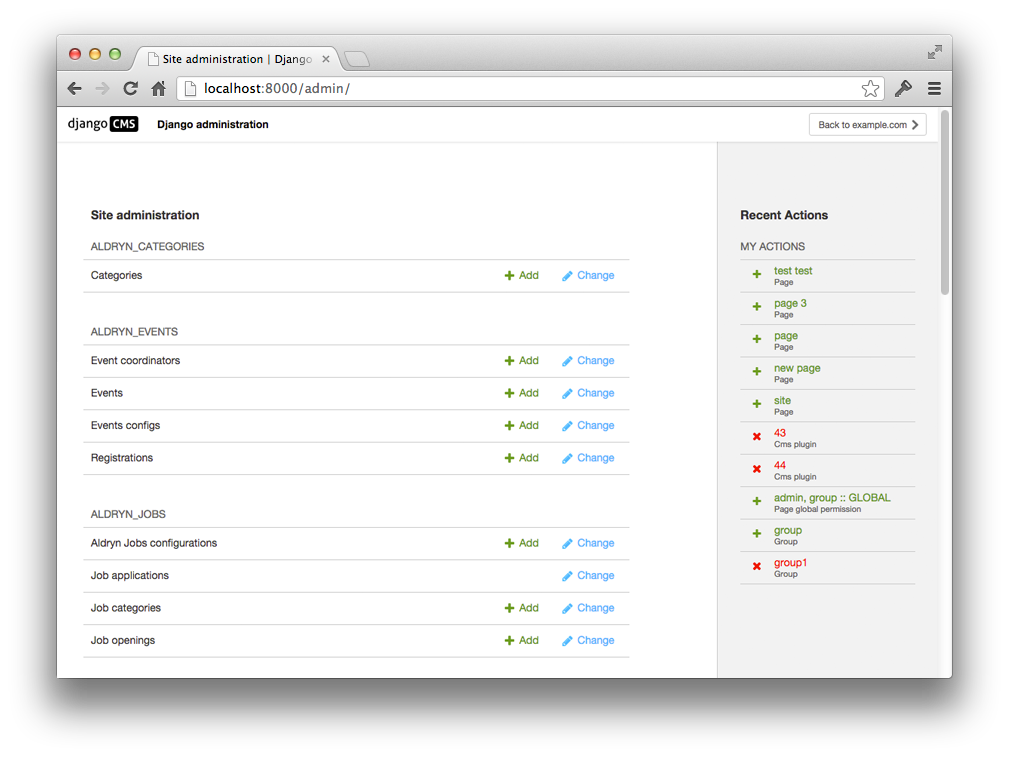
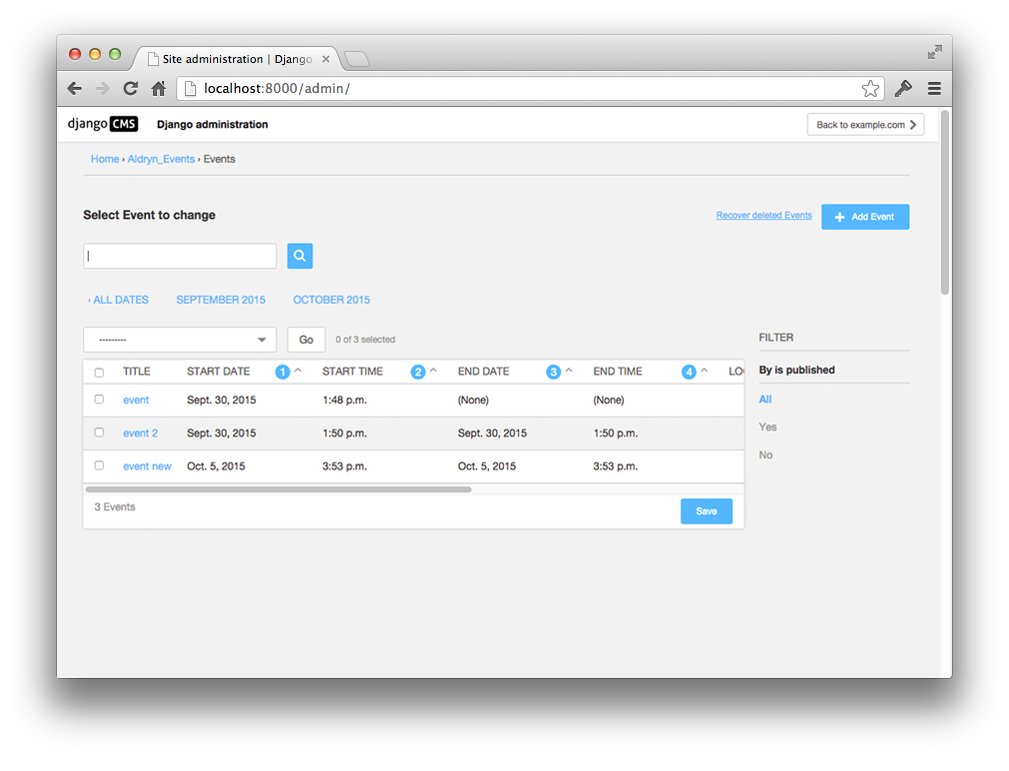
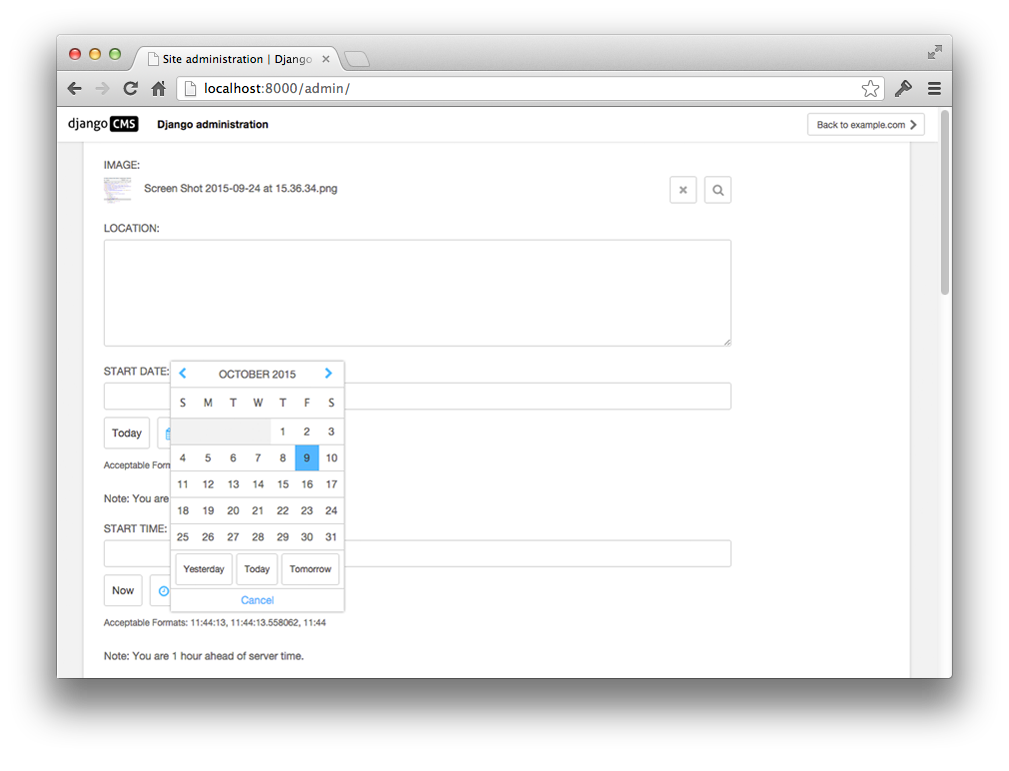
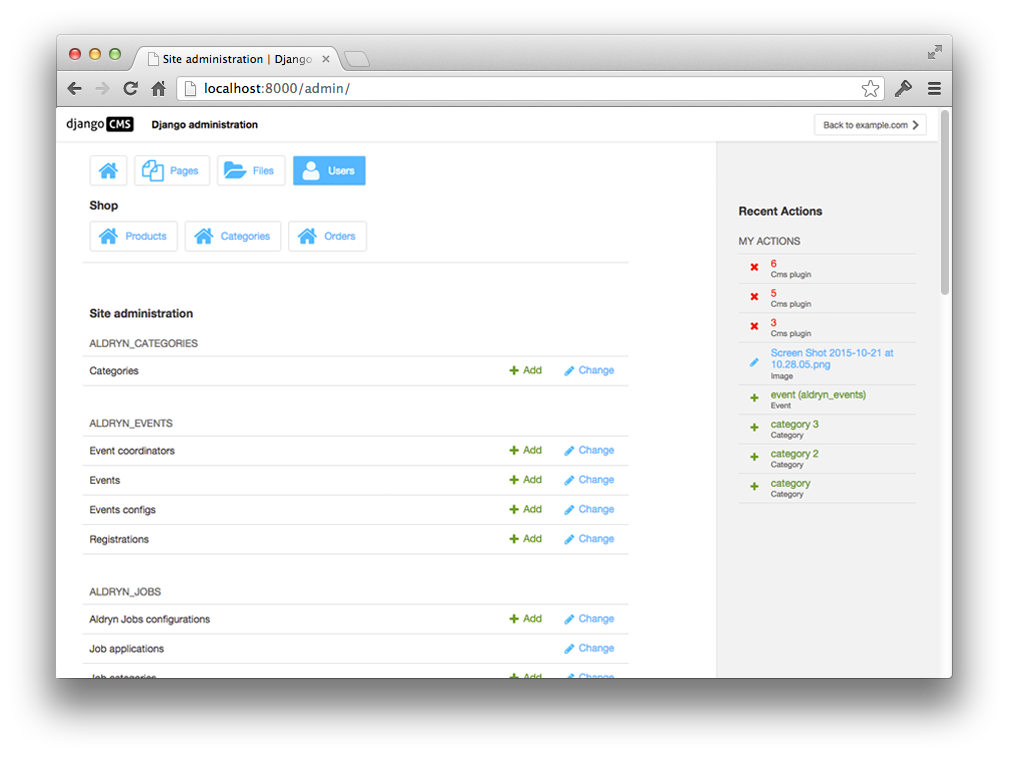
Adds pretty CSS styles for the django CMS admin interface. Supports optional django-admin-shortcuts package.
|
|
|
|
The shortcuts you see on top of the dashboard are from django-admin-shortcuts
Contribute to this project and win rewards
Because this is a an open-source project, we welcome everyone to get involved in the project and receive a reward for their contribution. Become part of a fantastic community and help us make django CMS the best CMS in the world.
We’ll be delighted to receive your feedback in the form of issues and pull requests. Before submitting your pull request, please review our contribution guidelines.
We’re grateful to all contributors who have helped create and maintain this package. Contributors are listed at the contributors section.
Documentation
See REQUIREMENTS in the setup.py file for additional dependencies:
Installation
For a manual install:
run pip install djangocms-admin-style
add djangocms_admin_style to your INSTALLED_APPS just before 'django.contrib.admin'
run python manage.py migrate djangocms_admin_style
Configuration
The django CMS Admin Style overrides django admin’s base_site.html, but you can still partially customize this page. Look at the source of templates/admin/base_site.html and override the templates that are included in various blocks. For example, you can add your own CSS in templates/admin/inc/extrastyle.html.
The following additional settings can be set:
CMS_ENABLE_UPDATE_CHECK = True Set to False to disable the update notification.
CMS_UPDATE_CHECK_TYPE = ('minor') Set to ('patch') to get only patch notifications. (minor = 3.x.x, patch = 3.4.x)
The update checker does not gather or record any data.
To compile CSS run the following commands using node 16:
nvm use
npm install
npx gulp icons sass bundle
For further options have a look at the gulpfile.js.
Dark mode support
Django supports a dark mode admin since version 3.1. djangocms-admin-style introduces css variables that contain color codes and change with the selected mode:
CMS variable name |
Color |
Django admin fallback |
Color |
--dca-white |
#ffffff |
--body-bg |
#ffffff |
--dca-black |
#000000 |
--body-fg |
#303030 |
--dca-gray |
#666 |
--body-quiet-color |
#666 |
--dca-gray-lightest |
#f2f2f2 |
--darkened-bg |
#f8f8f8 |
--dca-gray-lighter |
#ddd |
--border-color |
#ccc |
--dca-gray-light |
#999 |
--close-button-bg |
#888 |
--dca-gray-darker |
#454545 |
||
--dca-gray-darkest |
#333 |
||
--dca-gray-super-lightest |
#f7f7f7 |
||
--dca-primary |
#00bbff |
--primary |
#79aec8 |
Extending styles in your own app
If your project or app requires specific styles if djangocms-admin-style is installed (e.g., to better adjust to the django CMS style) you can add selective styling by adding the .djangocms-admin-style selector:
// Show widget in CMS colors if djangocms-admin-style is installed
.djangocms-admin-style #my-widget {
    color:  var(--dca-primary, black);
}
We recommend to following rules for your app’s admin css:
Try avoid using color, background etc. styles where possible and meaningful
If necessary use as few as possible standard django CMS colors (preferably from see above list with fallback colors)
Usage: var(--dca-color-var, var(--fallback-color-var, #xxxxxx)) where #xxxxxx represents the light version of the color.
Running Tests
You can run tests by executing:
virtualenv env
source env/bin/activate
pip install -r tests/requirements/base.txt
python setup.py test
In order to run integration tests you need to have Docker installed, then run the following command:
make test
To test other Django versions simply append VERSION=4.1`. You can also run the test server through:
make run
The integration tests are written using Casperjs, phantomcss and djangocms-casper-helpers.


Release files for djangocms-admin-style 3.3.1
For a detailed explanation of source distributions (sdists) and built distributions (wheels), please see the package formats documentation.
Source distribution (sdist)
| File | Size | Uploaded | Provenance | Actions |
|---|---|---|---|---|
| djangocms-admin-style-3.3.1.tar.gz | 319.1 kB | Without provenance | Details for djangocms-admin-style-3.3.1.tar.gz |
Built distribution (wheel)
| File | Interpreter | ABI | Platform | Actions Reset |
|---|---|---|---|---|
| djangocms_admin_style-3.3.1-py3-none-any.whl | Python 3 | none | any | Details for djangocms_admin_style-3.3.1-py3-none-any.whl |
Total release size: 727.9 kB
Release files / djangocms-admin-style-3.3.1.tar.gz
| Download URL | djangocms-admin-style-3.3.1.tar.gz |
|---|---|
| Size | 319.1 kB |
| Tags | Source |
|
SHA-256 checksum How to use checksums |
da20de3831f1a1a74de33fe12bbd3865a0027a982878c02aa1d102b1c799d767
|
|
BLAKE2b-256 checksum How to use checksums |
6c1e47b2d031c6d8f4ac5394b4b3dc863a8f21fd6d92aadf260ba1fc633b286f
|
| Upload date | |
|
Uploaded using Trusted Publishing? What is trusted publishing? |
No |
| Uploaded via |
twine/5.0.0 CPython/3.9.18
|
Release files / djangocms_admin_style-3.3.1-py3-none-any.whl
| Download URL | djangocms_admin_style-3.3.1-py3-none-any.whl |
|---|---|
| Size | 408.8 kB |
| Tags | Python 3 |
|
SHA-256 checksum How to use checksums |
9b76aafda245205e0a88d57efd5097a96c1a7fcb78d7f3efa50955eb980079de
|
|
BLAKE2b-256 checksum How to use checksums |
a6f2e0ed0cf8036708f7b7a26a4586a27b5e53891cf8d965f1e4751bf4f50de3
|
| Upload date | |
|
Uploaded using Trusted Publishing? What is trusted publishing? |
No |
| Uploaded via |
twine/5.0.0 CPython/3.9.18
|
Security for djangocms-admin-style 3.3.1
Provenance
Provenance describes where a file came from. On PyPI, provenance is shared via attestations, which provide a verifiable record of the build or publishing details. View details, limitations and caveats.
No provenance found
None of the files in this release were uploaded with provenance metadata.
A note on package security
PyPI is a repository for distributing packages, not a service for auditing them. While third-party security researchers and our staff do their best to detect and remove malicious packages, PyPI cannot guarantee the quality, security or suitability of any given package.
To learn more about protecting yourself from malicious actors, visit our package security documentation.














