
This project has been archived by its maintainers, and is no longer receiving any updates.

The weather plugin that links djangocms and Dark Sky.
Installation
- Install module using pipenv:
pipenv install djangocms-darksky-api
- Or pip:
pip install djangocms-darksky-api
- Add it to your installed apps:
"djangocms_darksky_api",
- Apply migrations
py manage.py migrate djangocms_darksky_api
- Include your api key in your settings (get one on darksky website)
DJANGOCMS_DARKSKY_API_SETTINGS = {"api_key": "your key here"}
- Or load it using an environment var:
import os
DJANGOCMS_DARKSKY_API_SETTINGS = {"api_key": os.getenv("DARKSKY_API_KEY", None)}
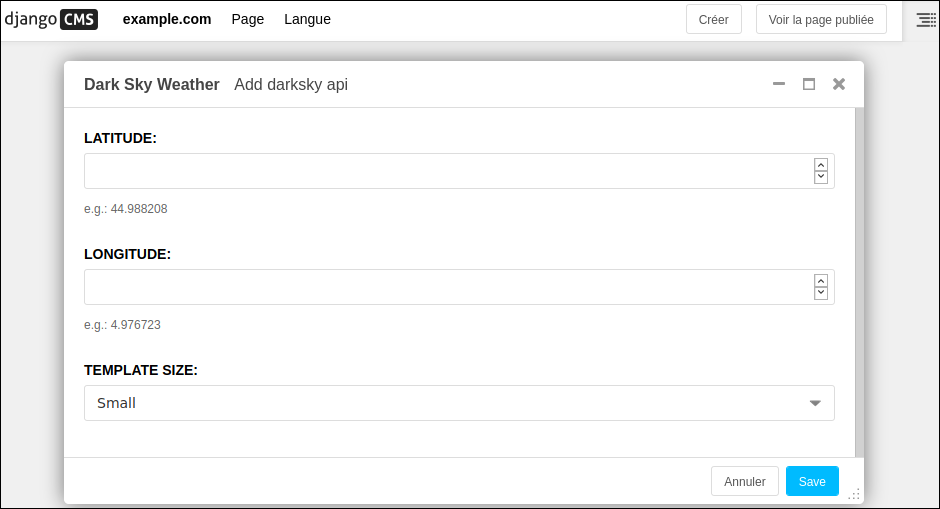
- Include weather plugin on your pages using djangocms

Examples
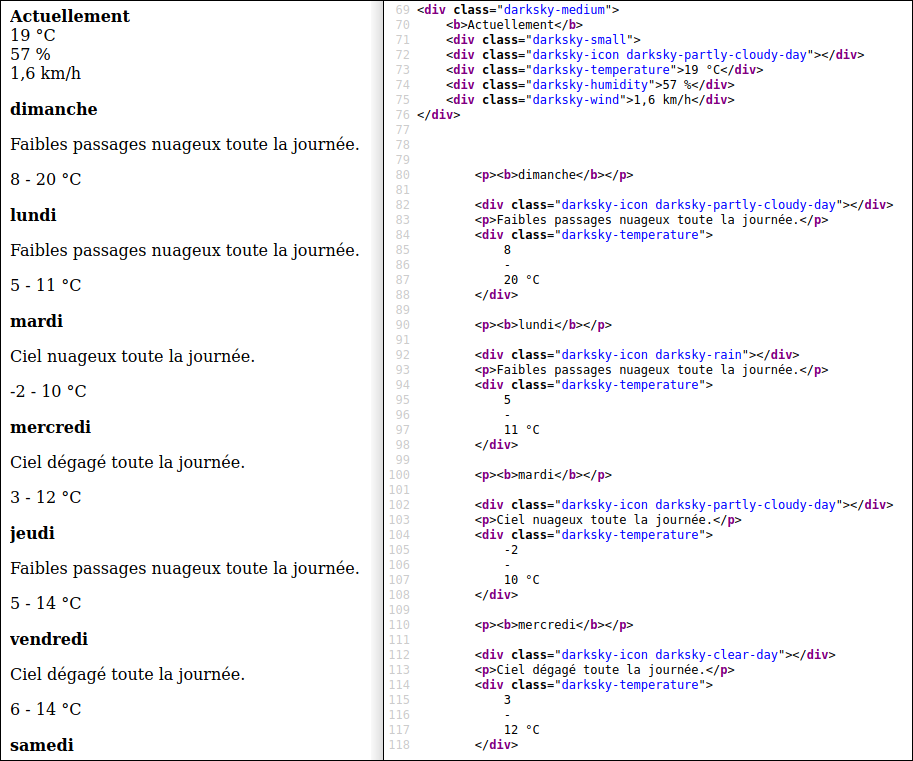
Raw results
Light template (view & src)

Full template (view & src)
Error msg (if api.darksky.net is down)
As the darksky api will sometimes suffer downtimes, the plugin can display an error message ("Data is currently unavailable."), embedded in a dataset.

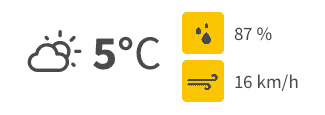
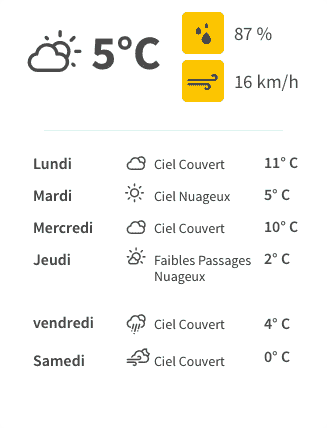
Examples of rendered views
Light template
Full template:
Miscellaneous
Css
Css classes for the icons (e.g. <div class="darksky-icon darksky-rain"></div>) are of the form darksky-icon darksky-[name].
[name] can be any of the following values (see darksky doc):
- clear-day
- clear-night
- rain
- snow
- sleet
- wind
- fog
- cloudy
- partly-cloudy-day
- partly-cloudy-night
Units
All values are returned using the International System (°C, km/h, ...) and are hard-coded in templates files.
Language
The language is searched using django.utils.translation.get_language() & django.conf.LANGUAGE_CODE.
Languages supported by the Dark Sky api can be found on their documentation.
Cache
Plugin
The plugin is cached (with the same duration as the json content).
Json
The values are cached for one hour (which avoids hundreds of thousands of queries per day on the darksky api site).
If you want to change the cache duration, add a cache entry in your DJANGOCMS_DARKSKY_API_SETTINGS dict, in your settings.py:
DJANGOCMS_DARKSKY_API_SETTINGS = {
    "api_key": "mysuperapikey",
    "cache": 60 * 60, # one hour
}
Or load it using an environment var:
import os
DJANGOCMS_DARKSKY_API_SETTINGS = {
    "api_key": os.getenv("DARKSKY_API_KEY", None),
    "cache": os.getenv("DARKSKY_CACHE_DURATION", 60 * 60), # return content of DARKSKY_CACHE_DURATION if it exists, or one hour if it doesn't
}
As stated in Django docs; "[The timeout is] the number of seconds the value should be stored in the cache. Passing in None for timeout will cache the value forever. A timeout of 0 won’t cache the value."
1 maintainer

Metadata
1 maintainer
Release files for djangocms-darksky-api 0.0.6
For a detailed explanation of source distributions (sdists) and built distributions (wheels), please see the package formats documentation.
Source distribution (sdist)
| File | Size | Uploaded | |
|---|---|---|---|
| djangocms-darksky-api-0.0.6.tar.gz | 8.0 kB | Details |
Built distribution (wheel)
| File | Interpreter | ABI | Platform | Reset |
|---|---|---|---|---|
| djangocms_darksky_api-0.0.6-py3-none-any.whl | Python 3 | none | any | Details |
Total release size: 33.6 kB
Release files / djangocms-darksky-api-0.0.6.tar.gz
| Download URL | djangocms-darksky-api-0.0.6.tar.gz |
|---|---|
| Size | 8.0 kB |
| Tags | Source |
|
SHA-256 checksum How to use checksums |
eb6e369bda482b8500679bae02e41346b9d794a5e23de7691878a6a6fa936abe
|
|
BLAKE2b-256 checksum How to use checksums |
535641645b1466c4d34815e0df0f04d37a7e4b74a11acf4283f8a8c2cc89867d
|
| Upload date | |
|
Uploaded using Trusted Publishing? What is trusted publishing? |
No |
| Uploaded via |
twine/3.1.1 pkginfo/1.5.0.1 requests/2.22.0 setuptools/45.0.0 requests-toolbelt/0.9.1 tqdm/4.41.1 CPython/3.6.9
|
Release files / djangocms_darksky_api-0.0.6-py3-none-any.whl
| Download URL | djangocms_darksky_api-0.0.6-py3-none-any.whl |
|---|---|
| Size | 25.6 kB |
| Tags | Python 3 |
|
SHA-256 checksum How to use checksums |
344d4e1a61705d01efafbab2611800c5e652766129467939a4e79472faa30baa
|
|
BLAKE2b-256 checksum How to use checksums |
1fda1e1b0a966a37d5d1b4cf93a25a0d6ae83121c161f714869c286e16e2f037
|
| Upload date | |
|
Uploaded using Trusted Publishing? What is trusted publishing? |
No |
| Uploaded via |
twine/3.1.1 pkginfo/1.5.0.1 requests/2.22.0 setuptools/45.0.0 requests-toolbelt/0.9.1 tqdm/4.41.1 CPython/3.6.9
|














