
DjangoCMS Mapy.cz Markers
The DjangoCMS Project Mapy.cz Markers is a plugin for the DjangoCMS framework, which allows you to use maps in this content management system. The plugin displays a map in which you can place your own markers. The display is handled by the Leaflet map library.
In addition, it is possible to display a panorama of the selected location. Furthermore, when entering a position on the map, you can use the address prompt, which sets the relevant geographical coordinates for the marker. However, for these two functions, it is necessary to create a REST API key. Instructions can be found on the Mapy.com REST API.
The plugin can be run on python >= 3.10 with DjangoCMS versions >=4.1,<6 and with Leaflet version 1.9.4 and leaflet.markercluster 1.3.0.
See Sample example below.
Usage
Plugin "Mapy.cz Markers"
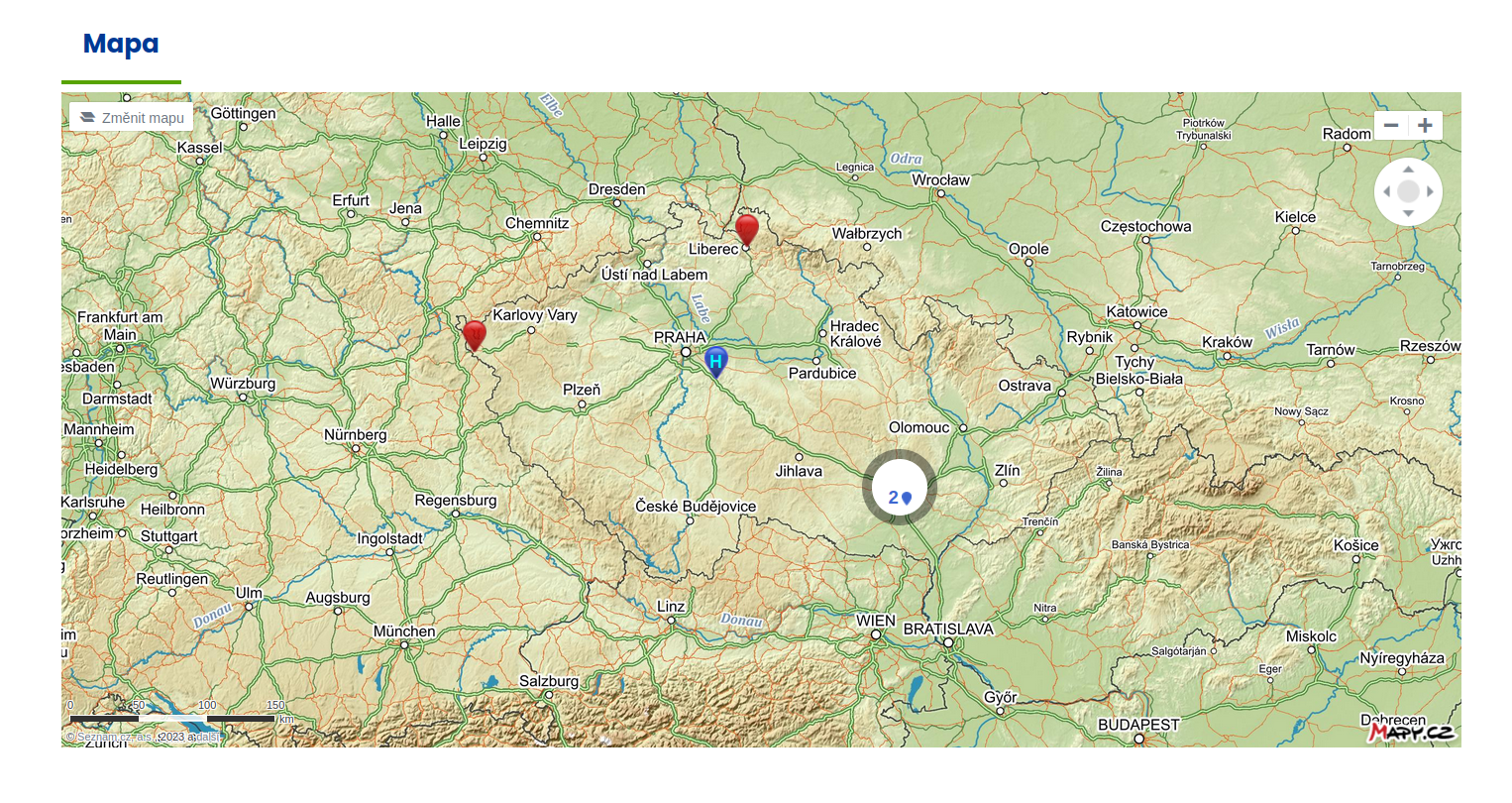
The Mapy.cz Markers plugin displays the map according to the set latitude and longitude. You can set the map size, location, and zoom level. You can also disable zooming with the mouse wheel. By default, markers that are close to each other are automatically grouped together. This feature can be disabled in the plugin.
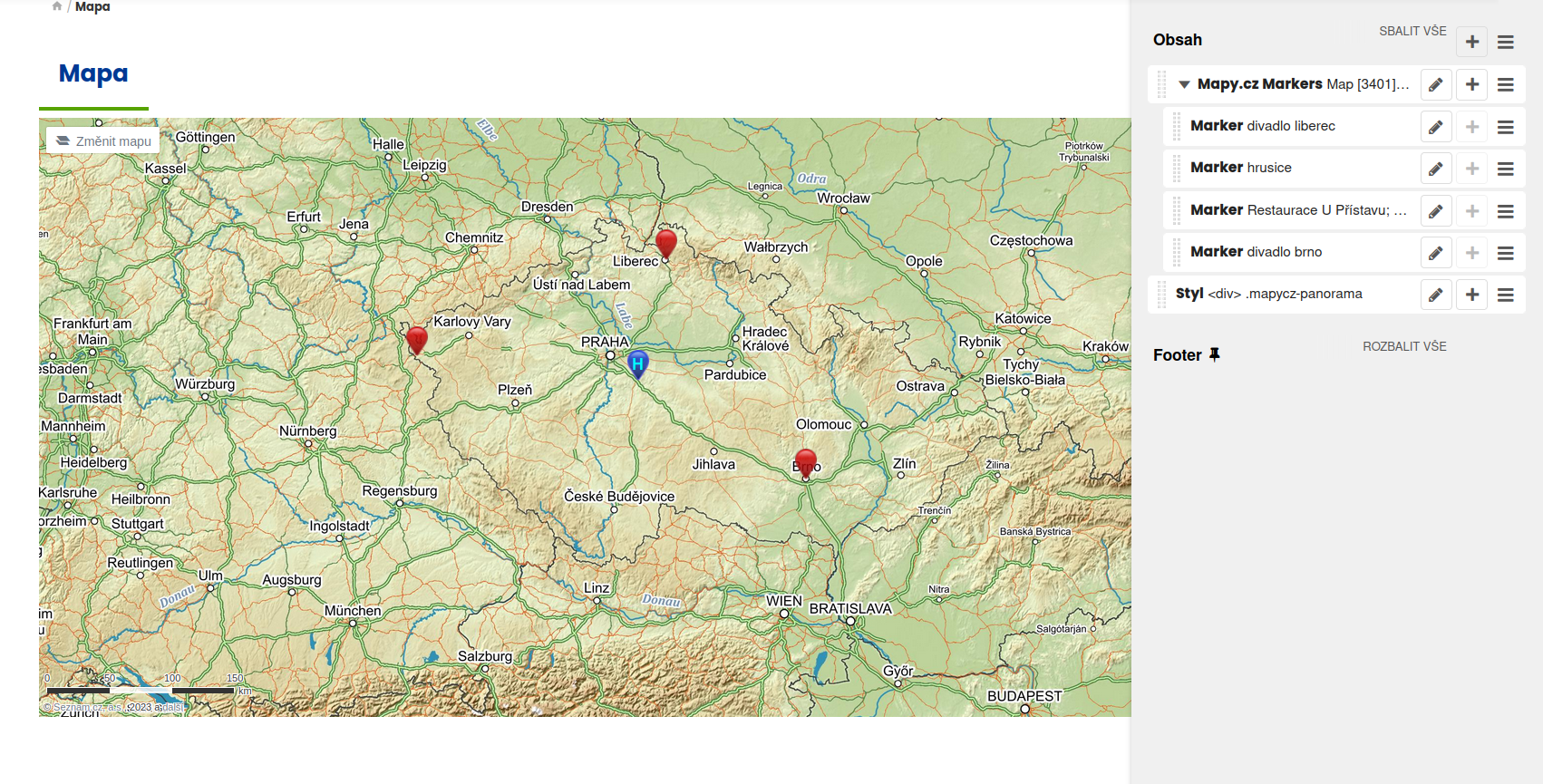
A cluster of two markers in Brno:
Plugin "Marker"
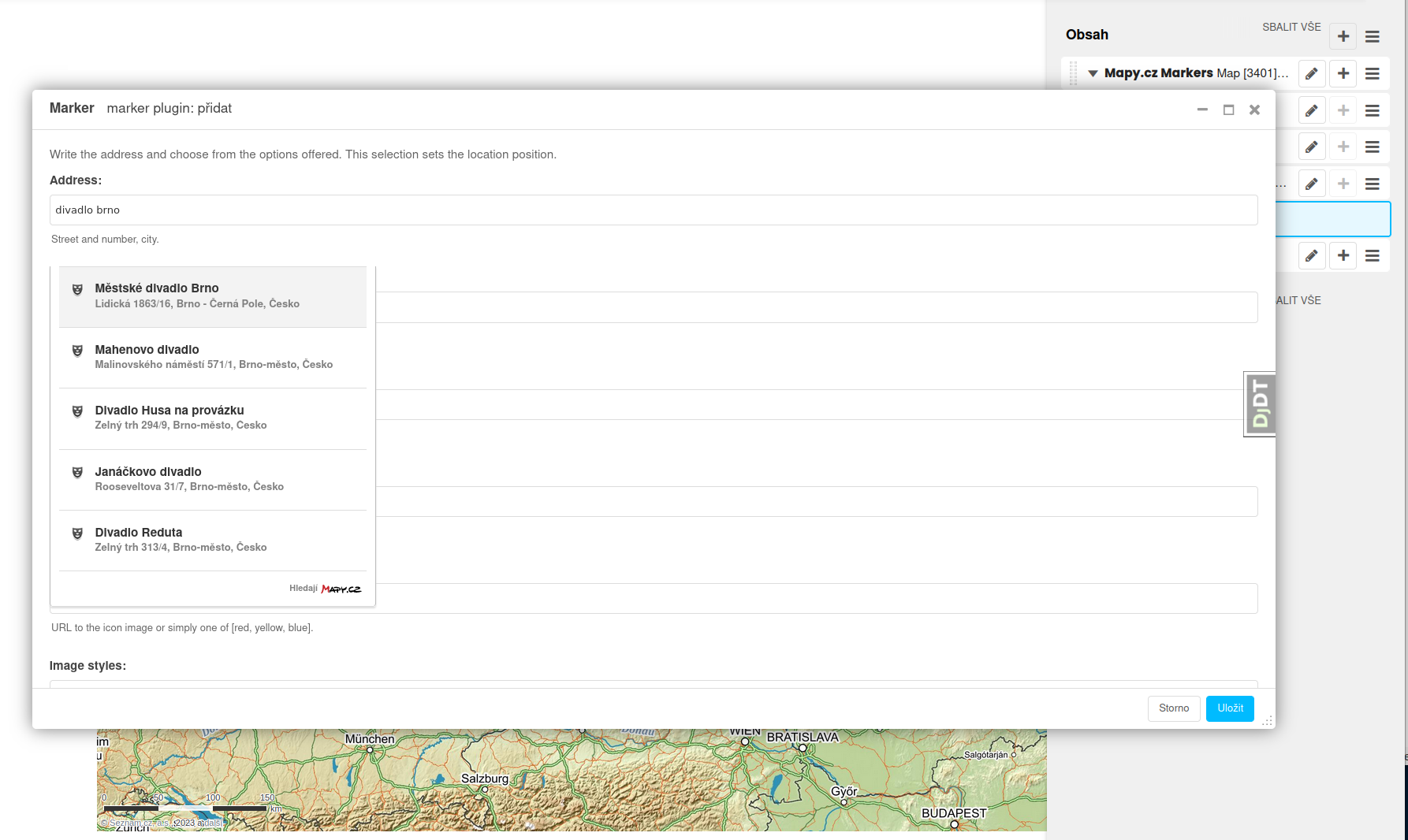
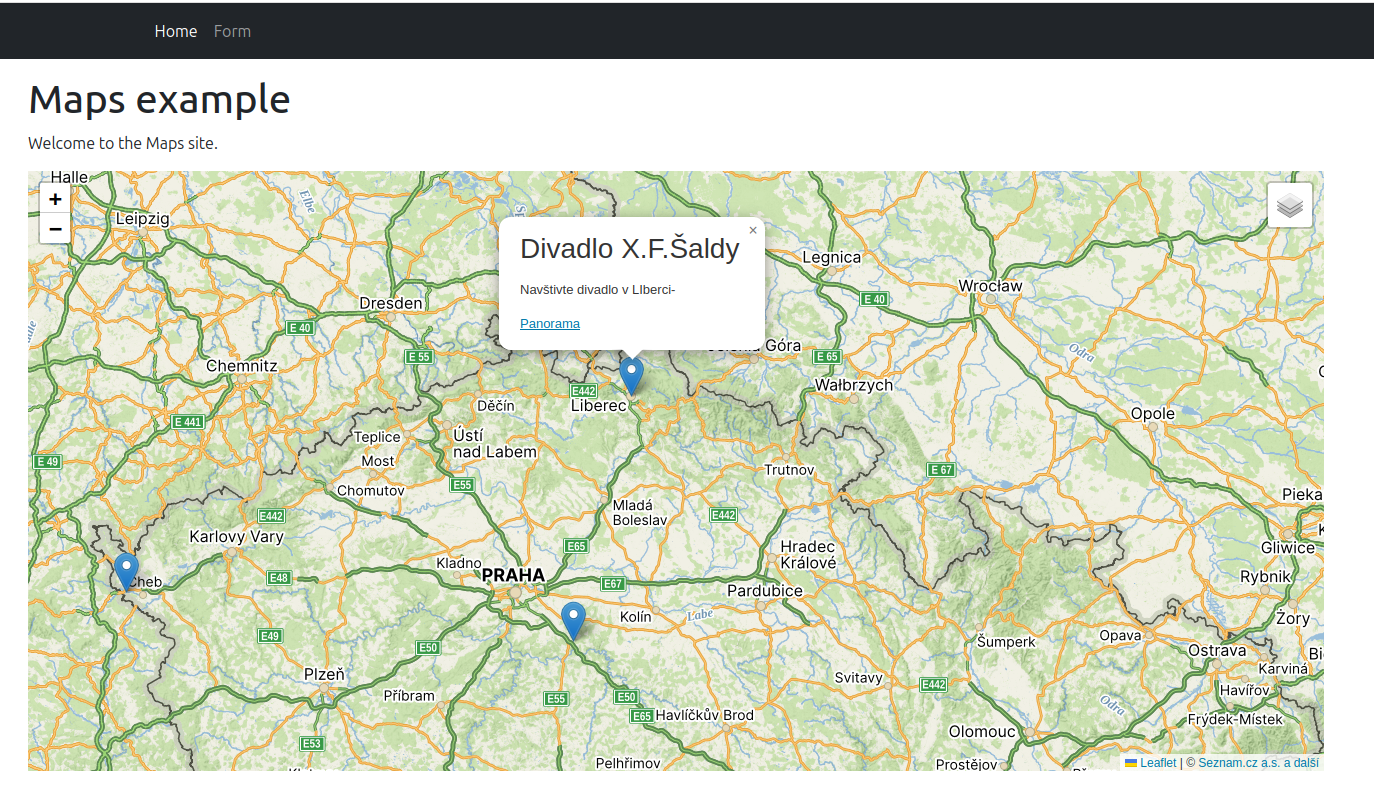
The Marker plugin displays a marker on the map. Each marker contains the address of a point on the map and its exact location, given by latitude and longitude. When entering an address, a prompt with a list of known addresses is displayed. When selecting from the list, its latitude and longitude are automatically added to the marker. However, both of these functions are only available with an API key. It is also possible to set the marker's tooltip and whether it should be permanently displayed for the marker. It is possible to enter a business card into the marker - the content of a pop-up window that appears when you click on the marker icon.
Example of whispering an address:
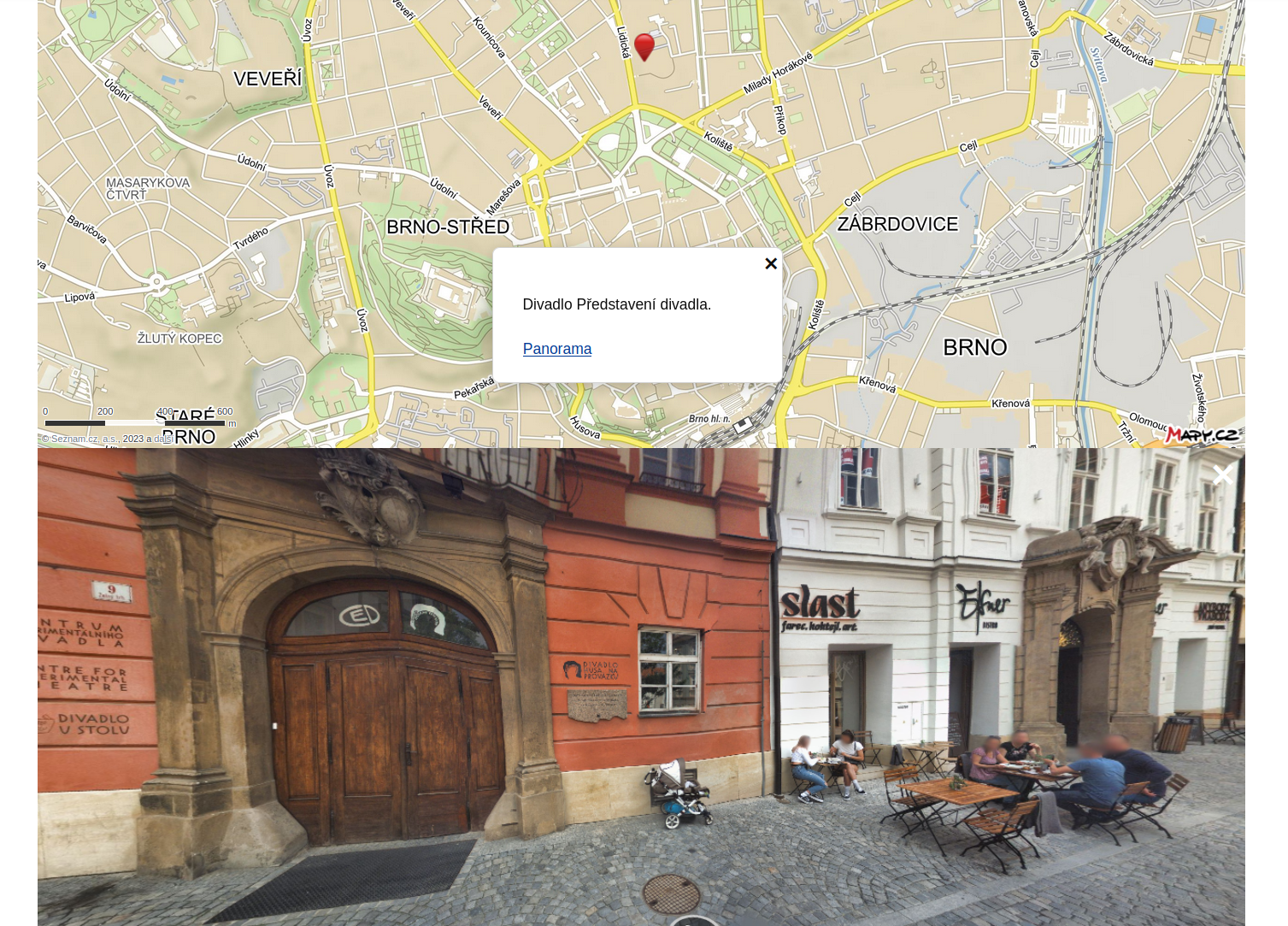
Pop-up window example:
Panorama
The Panorama function is activated after defining the API key. A Panorama link appears at the bottom of the business cards. Links can be disabled in the map plugin, and individually enabled or disabled in individual business cards. Clicking on the link displays a panorama below the map, if available for the location. The panorama element can be styled so that it completely covers the map. Below it is a "Close" link to exit the preview.
Plugin "Connect address with the map"
The Connect address with the map plugin can only be used with an API key. It is intended for two purposes:
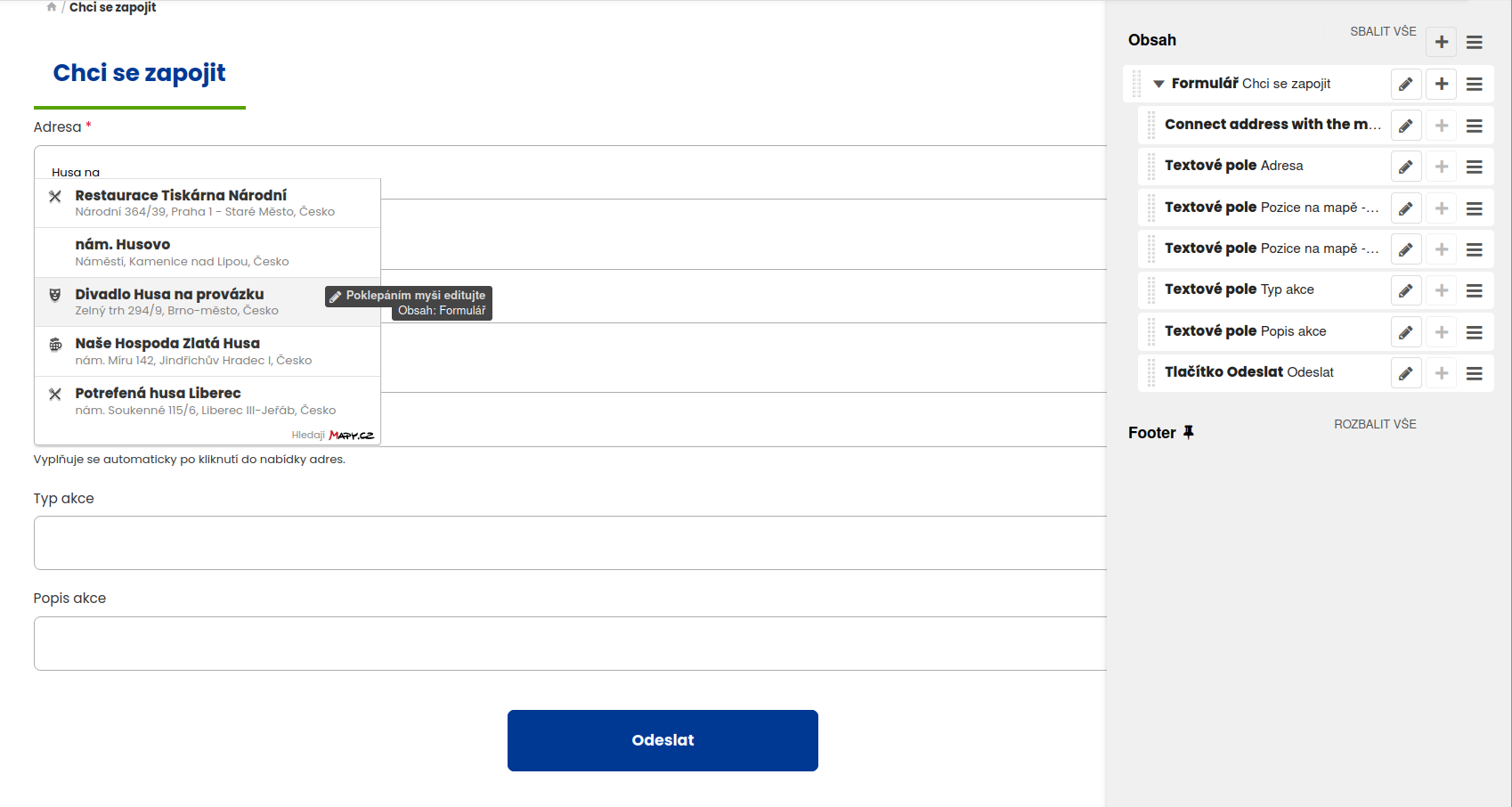
The first purpose is a prompt. In the Address field, enter the name of the text field where the prompt will display a list of known addresses. As the user begins to type an address, a list of addresses matching the one typed is displayed. By clicking on the list, the address is inserted into the address field.
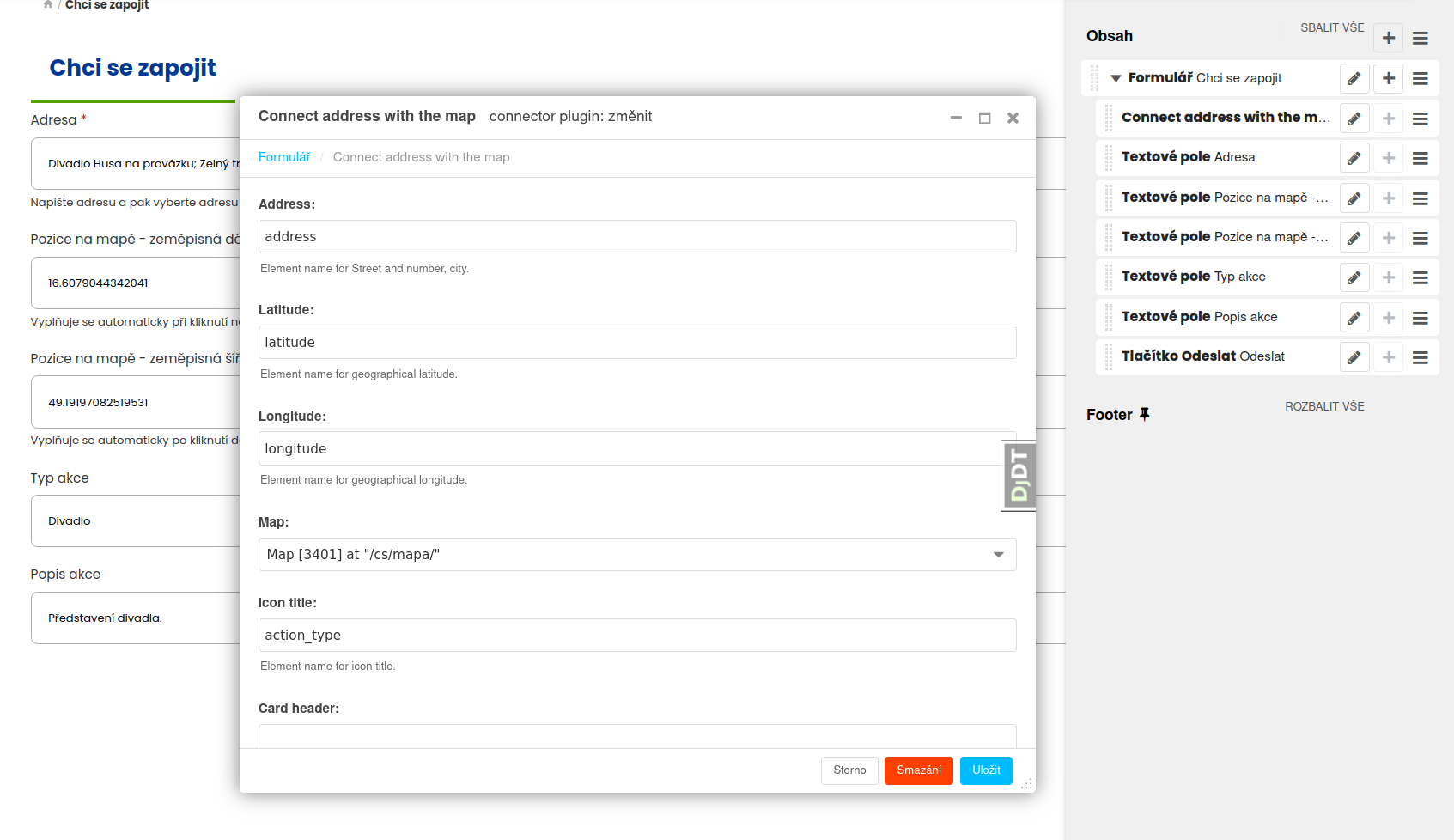
The second purpose is to link to a map. This sets the insertion of the geographical coordinates of the selected address into the appropriate form fields. It is also possible to define which form fields represent the content of the pop-up visit.
Attention! The plugin must be placed under the Form plugin. It only uses the text fields of its parent form.
Example of whispering an address:
Example of specifying a link plugin:
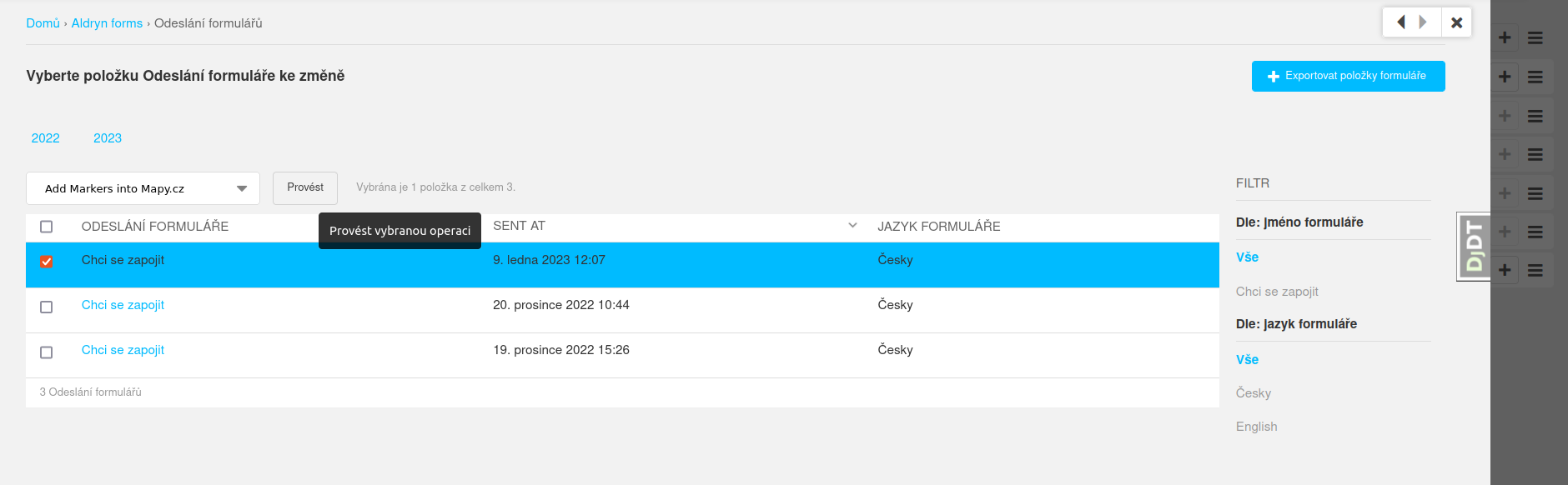
Command "Add Mark into Mapy.cz"
With this connection to the map, saved user responses can then be inserted into the map as markers. The website administrator selects user responses in the Submitted forms list and sets the action Add Markers into Mapy.cz in the action list. By clicking the Go button, markers are created on the map from the user data.
Installation
Can only be installed for Python >= 3.10.
pip install djangocms-mapycz-markers
If you want to use the form functionality, install:
pip install djangocms-mapycz-markers[forms]
In settings.py enter:
INSTALLED_APPS = [
    ...
    "djangocms_mapycz_markers",
    ...
    "aldryn_forms",  # with form
]

# Mapy.cz - Required for panorama and whisperer. For more go to https://developer.mapy.com/cs/rest-api/
MAPYCZ_MARKERS_API_KEY = "eyJp**********2MjN9"
Other settings in settings.py:
MAPYCZ_ADD_MARKER_TO_MAP
In this constant, you can set the path to a custom function that inserts a marker into the map. See the sample function add_marker_into_map in the example, which inserts an additional sentence into the pop-up window content: "Example of extra custom content. See function add_marker_into_map.".
MAPYCZ_FIELD_FORMATTER
This constant can be used to set the path to a custom function that modifies the value the user submitted in the form when writing a tag to the map. This is because the value may contain HTML code. By default, all disallowed tags are removed from the HTML code. See ALLOWED_TAGS. The sample then includes the prepend_field_label. function for exploration.
# Custom Action of plugin "Mapy.cz Markers":
MAPYCZ_ADD_MARKER_TO_MAP = "mysite.plugins.mapycz.add_marker_into_map"

# Prepend labels of fields defined in MAPYCZ_MARKER_FIELD_LABELS:
MAPYCZ_FIELD_FORMATTER = "mysite.plugins.mapycz.prepend_field_label"

# Display Mapy.cz Markers in the Aldryn forms list.
ALDRYN_FORMS_SUBMISSION_LIST_DISPLAY_FIELD = "djangocms_mapycz_markers.utils_admin.form_submission_field"
ALDRYN_FORMS_SUBMISSION_EXTRA_FIELDS = "djangocms_mapycz_markers.utils_admin.form_extra_data"
In urls.py add a link to the compiled translations for javascript:
from django.conf.urls.i18n import i18n_patterns
from django.urls import path
from django.views.i18n import JavaScriptCatalog

urlpatterns = i18n_patterns(
    path("jsi18n/", JavaScriptCatalog.as_view(packages=["yoursite", "djangocms_mapycz_markers"]), name="javascript-catalog"),
    ...
)
or also like this:
from djangocms_mapycz_markers.urls import urlpatterns as plugin_urlpatterns

urlpatterns += plugin_urlpatterns
To enable the map marker feature, enter the following in your admin.py file/folder:
from django.contrib.admin import site
from djangocms_mapycz_markers.actions import mapycz_add_marker

site.add_action(mapycz_add_marker)
Sample example
You can try the project on a sample example:
- Download the archive with the example:
wget -O example.tar.gz 'https://gitlab.nic.cz/djangocms-apps/djangocms-mapycz-markers/-/archive/main/djangocms-mapycz-markers-main.tar.gz?path=example' - Unzip the archive to a folder and go to it:
tar -xf example.tar.gz cd djangocms-mapycz-markers-main-example/example/ - Create a virtual environment and activate it:
python3 -m venv .venv source .venv/bin/activate - Install the project with the example:
pip install djangocms-mapycz-markers[example] - Start a test server with your API key:
If you start it without a key or with an invalid key, Openstreet maps will be displayed. Panoramas with the whisperer will not be available.APIKEY=eyJp**********2MjN9 ./manage.py runserver - Logging into the website administration at http://localhost:8000/admin/ is the username:
adminand the passwordadmin.
Author
Zdeněk Böhm zdenek.bohm@nic.cz CZ.NIC, z. s. p. o.
License
1 maintainer

Metadata
1 maintainer
Release files for djangocms-mapycz-markers 3.0.0
For a detailed explanation of source distributions (sdists) and built distributions (wheels), please see the package formats documentation.
Source distribution (sdist)
| File | Size | Uploaded | |
|---|---|---|---|
| djangocms_mapycz_markers-3.0.0.tar.gz | 25.9 kB | Details |
Built distribution (wheel)
| File | Interpreter | ABI | Platform | Reset |
|---|---|---|---|---|
| djangocms_mapycz_markers-3.0.0-py3-none-any.whl | Python 3 | none | any | Details |
Total release size: 56.9 kB
Release files / djangocms_mapycz_markers-3.0.0.tar.gz
| Download URL | djangocms_mapycz_markers-3.0.0.tar.gz |
|---|---|
| Size | 25.9 kB |
| Tags | Source |
|
SHA-256 checksum How to use checksums |
40c6fdb2abca130e84129926c57f1d21d7e39c77ad90f1f3eb9cd6b001a0d27a
|
|
BLAKE2b-256 checksum How to use checksums |
f6265d5a0549611ba994653b0e1d29412dc586e81e7b1d18bcddc0d3e3620ebf
|
| Upload date | |
|
Uploaded using Trusted Publishing? What is trusted publishing? |
No |
| Uploaded via |
twine/6.0.1 CPython/3.12.3
|
Release files / djangocms_mapycz_markers-3.0.0-py3-none-any.whl
| Download URL | djangocms_mapycz_markers-3.0.0-py3-none-any.whl |
|---|---|
| Size | 30.9 kB |
| Tags | Python 3 |
|
SHA-256 checksum How to use checksums |
c3f484e085bf7c9b6dbe572900752b58df7c9d89b24db0c0003c5cd542b58b1d
|
|
BLAKE2b-256 checksum How to use checksums |
b0923748f7a4a26ac52ed68151f2c562ae01433e8b9eb03473ce1483a569f190
|
| Upload date | |
|
Uploaded using Trusted Publishing? What is trusted publishing? |
No |
| Uploaded via |
twine/6.0.1 CPython/3.12.3
|














