





DomainTools Official Python API
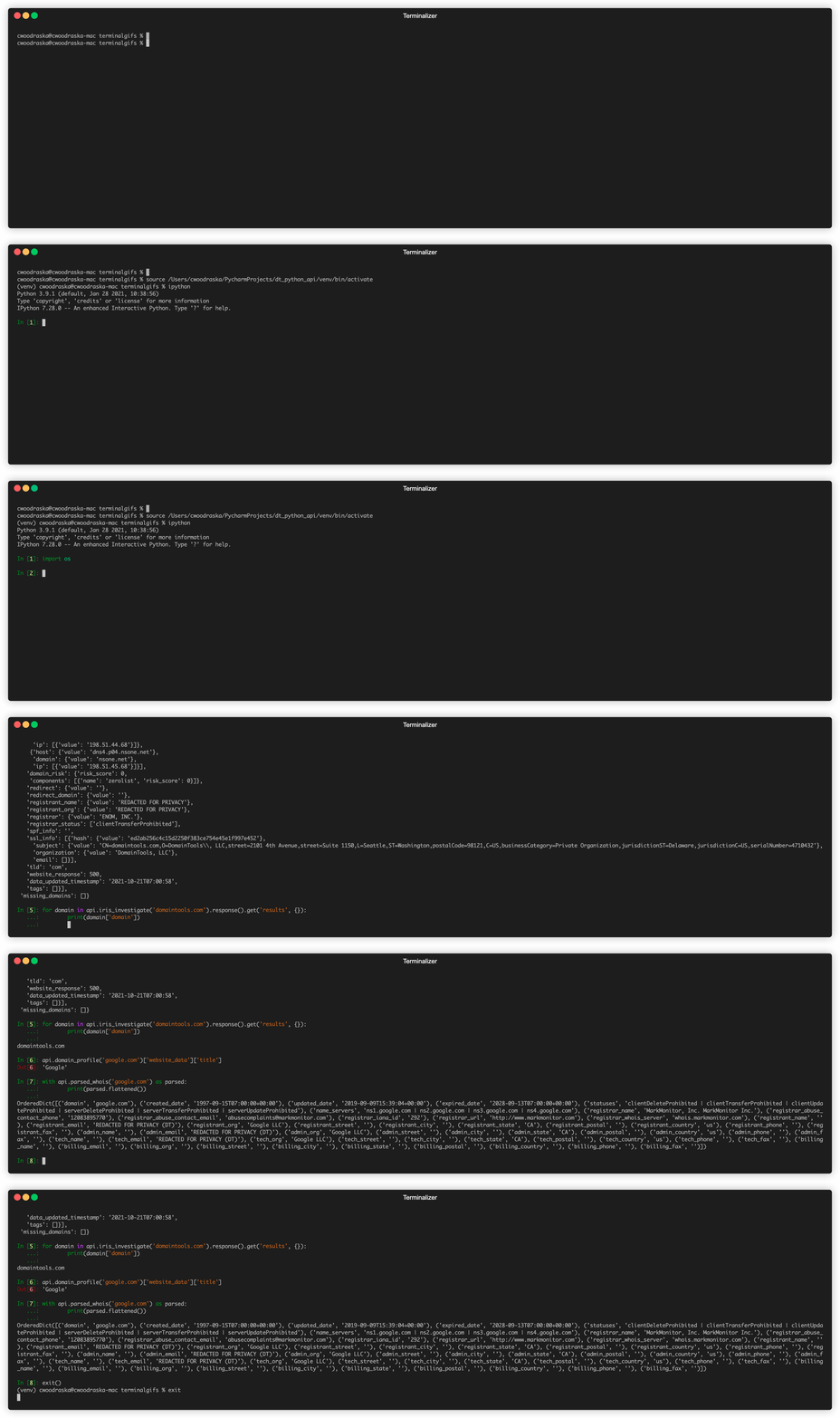
The DomainTools Python API Wrapper provides an interface to work with our cybersecurity and related data tools provided by our Iris Investigate™, Iris Enrich™, and Iris Detect™ products. It is actively maintained and may be downloaded via GitHub or PyPI. See the included README file, the examples folder, and API documentation (https://app.swaggerhub.com/apis-docs/DomainToolsLLC/DomainTools_APIs/1.0#) for more info.
Installing the DomainTools API
To install the API run
pip install domaintools_api --upgrade
Ideally, within a virtual environment.
Using the API
To start out create an instance of the API - passing in your credentials
from domaintools import API


api = API(USER_NAME, KEY)
Every API endpoint is then exposed as a method on the API object, with any parameters that should be passed into that endpoint being passed in as method arguments:
api.iris_enrich('domaintools.com')
You can get an overview of every endpoint that you can interact with using the builtin help function:
help(api)
Or if you know the endpoint you want to use, you can get more information about it:
help(api.iris_investigate)
If applicable, native Python looping can be used directly to loop through any results:
for result in api.iris_enrich('domaintools.com').response().get('results', {}):
    print(result['domain'])
You can also use a context manager to ensure processing on the results only occurs if the request is successfully made:
with api.iris_enrich('domaintools.com').response().get('results', {}) as results:
    print(results)
For API calls where a single item is expected to be returned, you can directly interact with the result:
profile = api.domain_profile('google.com')
title = profile['website_data']['title']
For any API call where a single type of data is expected you can directly cast to the desired type:
float(api.reputation('google.com')) == 0.0
int(api.reputation('google.com')) == 0
The entire structure returned from DomainTools can be retrieved by doing .data() while just the actionable response information
can be retrieved by doing .response():
api.iris_enrich('domaintools.com').data() == {'response': { ... }}
api.iris_enrich('domaintools.com').response() == { ... }
You can directly get the html, xml, or json version of the response by calling .(html|xml|json)() These only work with non AsyncResults:
json = str(api.domain_search('google').json())
xml = str(api.domain_search('google').xml())
html = str(api.domain_search('google').html())
If any API call is unsuccesfull, one of the exceptions defined in domaintools.exceptions will be raised:
api.domain_profile('notvalid').data()


---------------------------------------------------------------------------
BadRequestException                       Traceback (most recent call last)
<ipython-input-3-f9e22e2cf09d> in <module>()
----> 1 api.domain_profile('google').data()

/home/tcrosley/projects/external/python_api/venv/lib/python3.5/site-packages/domaintools-0.0.1-py3.5.egg/domaintools/base_results.py in data(self)
     25                 self.api._request_session = Session()
     26             results = self.api._request_session.get(self.url, params=self.kwargs)
---> 27             self.status = results.status_code
     28             if self.kwargs.get('format', 'json') == 'json':
     29                 self._data = results.json()

/home/tcrosley/projects/external/python_api/venv/lib/python3.5/site-packages/domaintools-0.0.1-py3.5.egg/domaintools/base_results.py in status(self, code)
     44
     45         elif code == 400:
---> 46             raise BadRequestException()
     47         elif code == 403:
     48             raise NotAuthorizedException()

BadRequestException:
the exception will contain the status code and the reason for the exception:
try:
    api.domain_profile('notvalid').data()
except Exception as e:
    assert e.code == 400
    assert 'We could not understand your request' in e.reason['error']['message']
You can get the status code of a response outside of exception handling by doing .status:
api.domain_profile('google.com').status == 200
IrisQL
IrisQL is a query language for Iris Investigate that lets you express complex, multi-field searches in a single request. Pass the query as a raw string via the irisql parameter. The query must begin with # IrisQL-1.0.
query = """# IrisQL-1.0
DOMAIN CONTAINS "phishing"
AND
RISK_SCORE GREATER_THAN 85
"""

results = api.iris_investigate(irisql=query)
print(results["results_count"])
for domain in results:
    print(domain["domain"])
Pagination parameters (page_size, sort_by, position) are supported alongside IrisQL via **kwargs:
results = api.iris_investigate(irisql=query, page_size=50, sort_by="risk_score", position=0)
When irisql is set, any domain or filter parameters passed alongside it are silently ignored. IrisQL uses header-based authentication (X-Api-Key) automatically.
Using the API Asynchronously
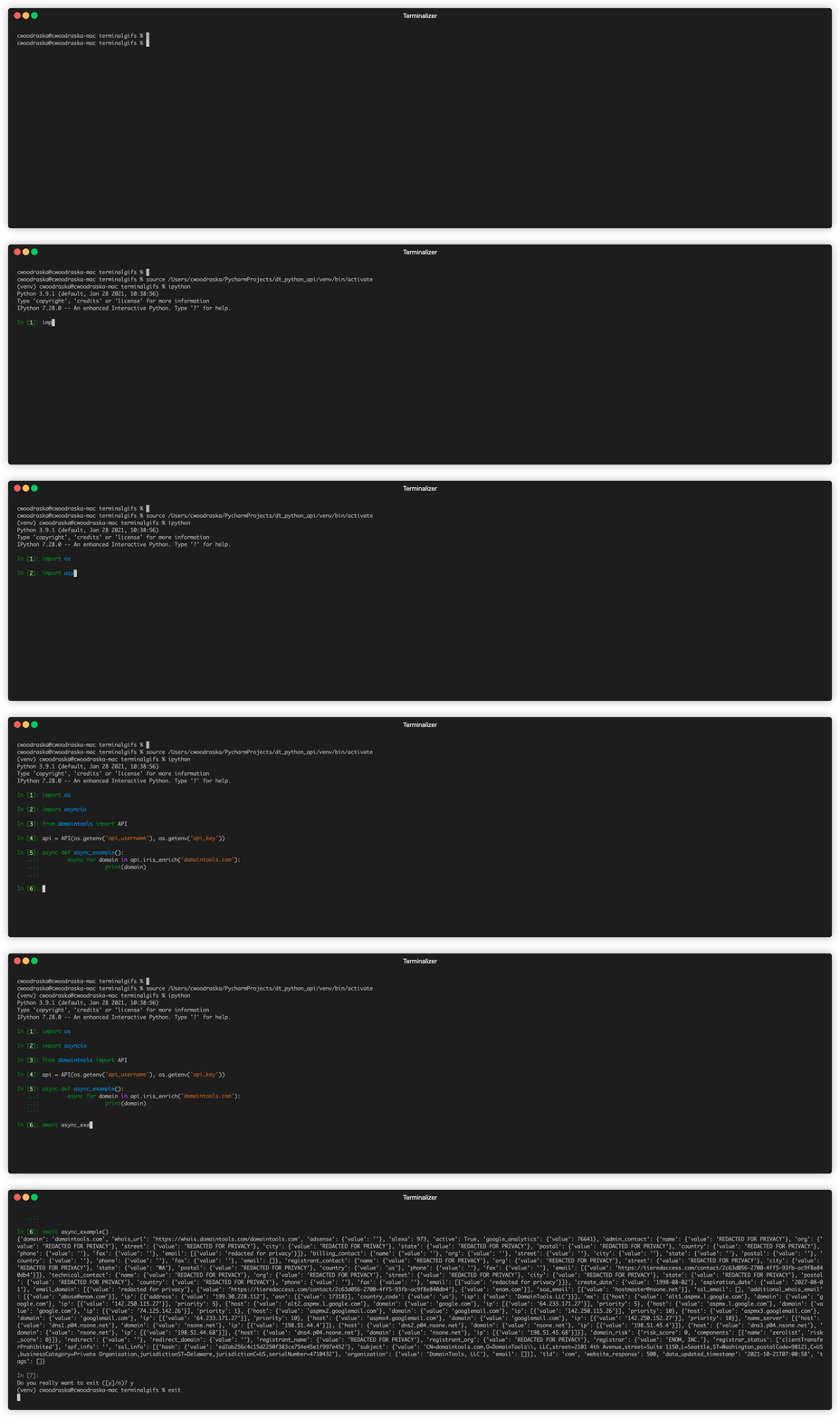
The DomainTools API automatically supports async usage:
search_results = await api.iris_enrich('domaintools.com').response().get('results', {})
There is built-in support for async context managers:
async with api.iris_enrich('domaintools.com').response().get('results', {}) as search_results:
    # do things
And direct async for loops:
async for result in api.iris_enrich('domaintools.com').response().get('results', {}):
    print(result)
All async operations can safely be intermixed with non async ones - with optimal performance achieved if the async call is done first:
profile = api.domain_profile('google.com')
await profile
title = profile['website_data']['title']
Interacting with the API via the command line client
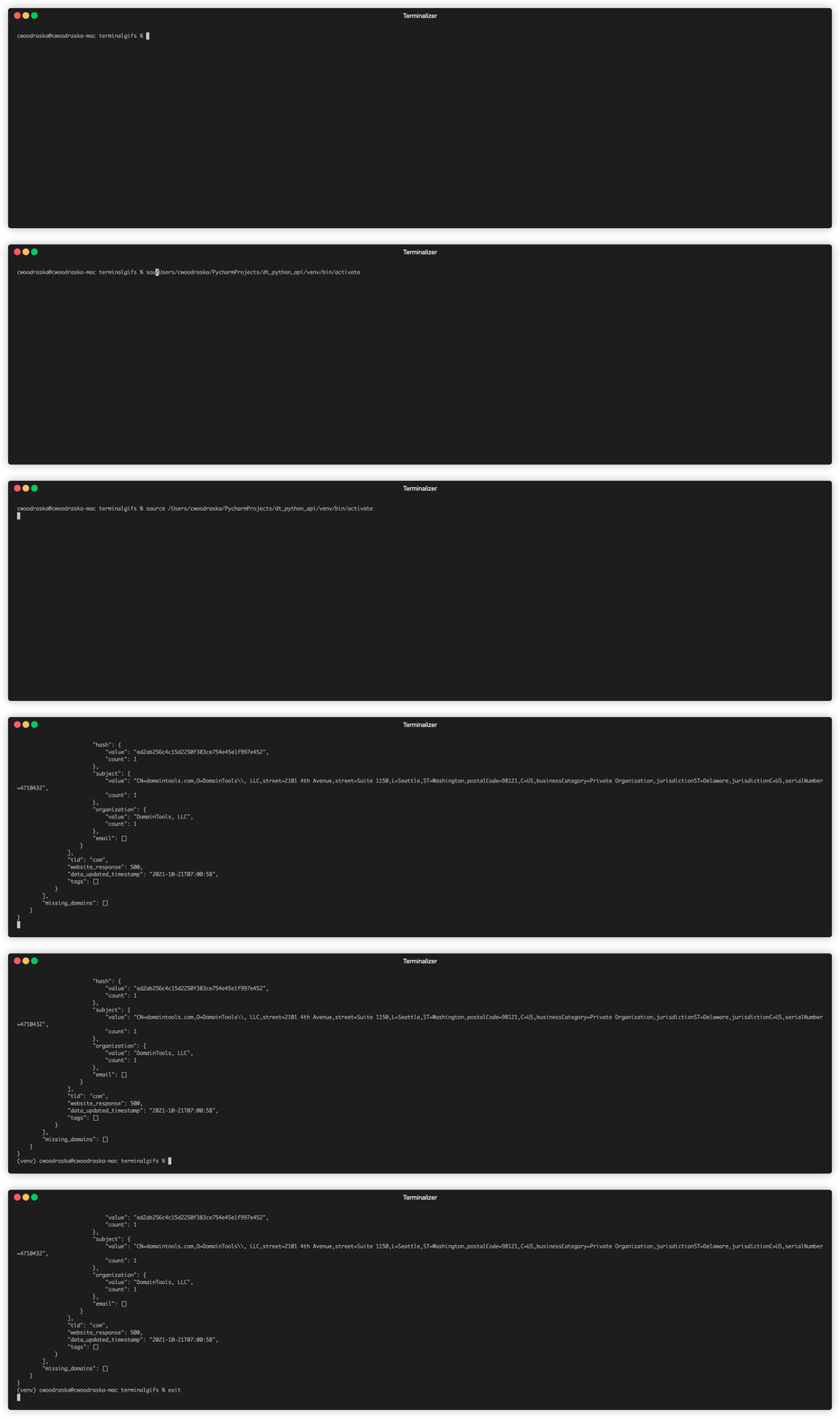
Immediately after installing domaintools_api with pip, a domaintools command line client will become available to you:
domaintools --help
To use - simply pass in the api_call you would like to make along with the parameters that it takes and your credentials:
domaintools iris_investigate --domains domaintools.com -u $TEST_USER -k $TEST_KEY
Optionally, you can specify the desired format (html, xml, json, or list) of the results:
domaintools domain_search google --max_length 10 -u $TEST_USER -k $TEST_KEY -f html
IrisQL queries are supported via the --irisql flag on iris_investigate. The query must begin with # IrisQL-1.0 on its own line:
domaintools iris_investigate --irisql $'# IrisQL-1.0\nDOMAIN CONTAINS "phishing"' -u $TEST_USER -k $TEST_KEY
Pagination parameters can be passed alongside the IrisQL query:
domaintools iris_investigate --irisql $'# IrisQL-1.0\nDOMAIN CONTAINS "phishing"' --page-size 50 --sort-by risk_score -u $TEST_USER -k $TEST_KEY
To avoid having to type in your API key repeatedly, you can specify them in ~/.dtapi separated by a new line:
API_USER
API_KEY
Python Version Support Policy
Please see the supported versions document for the DomainTools Python support policy.
Authentication
The wrapper supports two authentication modes, selected automatically based on the product:
| Product | Default method | Params sent |
|---|---|---|
| Standard API (Iris, Whois, etc.) | HMAC-SHA256 signed | api_username, timestamp, signature as query params |
| Real-Time Threat Feeds (RTTF) | Header authentication | X-Api-Key header |
RTTF feeds also support HMAC signing as an opt-in via always_sign_api_key=True — see the RTTF section below.
Real-Time Threat Feeds
Real-Time Threat Feeds provide data on the different stages of the domain lifecycle: from first-observed in the wild, to newly re-activated after a period of quiet. Access current feed data in real-time or retrieve historical feed data through separate APIs.
Custom parameters aside from the common GET Request parameters:
endpoint(choose eitherdownloadorfeedAPI endpoint - default isfeed)api = API(USERNAME, KEY) api.nod(endpoint="feed", **kwargs)
header_authentication: by default, all RTTF endpoints (bothfeedanddownload) use API Header Authentication, sending the API key via theX-Api-Keyheader. Set this toFalseto pass the API key as a query parameter instead.api = API(USERNAME, KEY, header_authentication=False) api.nod(**kwargs)
always_sign_api_key: set toTrueto use HMAC-SHA256 signed authentication instead of header auth. When set,header_authenticationautomatically defaults toFalse— both methods do not fire simultaneously. The signing algorithm is identical to the standard API:HMAC-SHA256(key, username + timestamp + path), withtimestampandsignaturesent as query parameters.api = API(USERNAME, KEY, always_sign_api_key=True) api.nod(after="-60") # sends: api_username, timestamp, signature — no X-Api-Key header
output_format: (choose eithercsvorjsonl- default isjsonl). Cannot be used indomainrdapfeeds. Additionally,csvis not available fordownloadendpoints.api = API(USERNAME, KEY) api.nod(output_format="csv", **kwargs)
The feed endpoint streams live NDJSON data. The standard access pattern is to poll as often as every 60 seconds. Specify the range of data you receive in one of two ways:
- With
sessionID: Make a call and provide a newsessionIDparameter of your choosing. The API will return the last hour of data by default.- Each subsequent call to the API using your
sessionIDwill return all data since the last. - Any single request returns a maximum of 10M results. Requests that exceed 10M results will return a HTTP 206 response code; repeat the same request (with the same
sessionID) to receive the next tranche of data until receiving a HTTP 200 response code.
- Each subsequent call to the API using your
- Or, specify the time range in one of two ways:
- Either an
after=-60query parameter, where (in this example) -60 indicates the previous 60 seconds. - Or
afterandbeforequery parameters for a time range, with each parameter accepting an ISO-8601 UTC formatted timestamp (a UTC date and time of the format YYYY-MM-DDThh:mm:ssZ)
- Either an
The download endpoint returns a standard JSON response (not a stream) listing available S3 batch files. Time parameters (sessionID, after, before) are not required for download calls.
api = API(USERNAME, KEY)
result = api.nod(endpoint="download", limit=5)
print(result["download_name"])
for f in result["files"]:
    print(f["name"], f["url"])
Feed parameters
The feed methods accept the following parameters, grouped by purpose. Availability depends on the feed (see the notes below the table).
Session Management Parameters
-
sessionID: A custom string used to distinguish between different sessions. Required when usingfromBeginning. -
after: Start of the query window. Either an integer offset relative to now in seconds (e.g.-60), or an absolute ISO 8601 UTC datetime (YYYY-MM-DDTHH:MM:SSZ). -
before: End of the query window (inclusive). Either an integer from-1to-432000(seconds before now), or an absolute ISO 8601 UTC datetime. The query window covers at most the most recent 5 days; a value older than 5 days returns no records. -
fromBeginning: Boolean (true/false/1/0, defaultfalse). Requires a validsessionID. Whentrueon the first request of a new session, returns the first hour of data in the time window instead of the last. Using it with an existingsessionIDreturns an HTTP 406; using it without asessionIDor with a non-boolean value returns an HTTP 422.api = API(USERNAME, KEY) api.nod(sessionID="my-new-session-id", after=-3600, fromBeginning=True)
Filter Parameters
-
domain: Filter for an exact domain or a substring contained within a domain by prefixing or suffixing your substring with*. -
overall_min,malware_min,phishing_min,spam_min,proximity_min: Integer risk score thresholds (range1to99, optional). Available on therealtime_domain_riskanddomainhotlistfeeds only. When multiple are supplied they act as a logical AND — a domain must meet ALL specified thresholds to be returned.api = API(USERNAME, KEY) api.domainhotlist(after=-3600, overall_min=70, phishing_min=50)
-
IP feed filters (available on the
ipriskandiphotlistfeeds only). All are optional integers/strings and combine as a logical AND:- Domain activity & volume:
pdns_resolutions_min,bad_pdns_resolutions_min(positive integers, distinct/bad domains resolving to the IP in the last 24 hours) andtotal_domains_max(positive integer; caps total hosted domains to filter out superhosters like CDNs). - Threat intelligence & combined risk percentages:
third_party_threats_min(positive integer), plusall_threats_combined_percent_min,combined_phishing_percent_min,combined_malware_percent_min,combined_spam_percent_min(percentages0to100of hosted domains confirmed or predicted malicious). - Confirmed threat percentages:
all_threats_percent_min,percent_phishing_min,percent_malware_min,percent_spam_min(percentages0to100of hosted domains actively confirmed). - Infrastructure & geolocation:
asn(integer, digits only — noASprefix or wildcards),organization(exact name, no wildcards) andcountry_code(case-sensitive two-letter code, e.g.CN,US,NL).
api = API(USERNAME, KEY)
api.iprisk(after=-3600, bad_pdns_resolutions_min=5, total_domains_max=1000, country_code="US")
- Domain activity & volume:
Result formatting parameters
output_format:csvorjsonl(defaultjsonl). Not available on thedomainrdapfeed.csvis not available fordownloadendpoints.headers: Whencsvoutput is used, adds a header row to the first line of the response.top: Positive integer from1to1,000,000,000limiting the number of results in the response payload. Ignored for thedownloadendpoint.
Download-only parameters
These parameters are only accepted when endpoint="download". They are ignored for the feed endpoint.
limit: Maximum number of files to return in the response.page: Zero-indexed page of results to return. Available onrealtime_domain_risk,domainhotlist,iphotlist, andiprisk.prefix: Filter files by date prefix (e.g."2026-08-"). Available onrealtime_domain_risk,domainhotlist,iphotlist, andiprisk.
api = API(USERNAME, KEY)
api.iphotlist(endpoint="download", limit=10, page=0, prefix="2026-08-")
Handling iterative response from RTTF endpoints:
Since we may be dealing with large feeds datasets, the python wrapper uses generator for efficient memory handling. Therefore, we need to iterate through the generator if we're accessing the partial results of the feeds data.
Single request because the requested data is within the maximum result:
from domaintools import API

api = API(USERNAME, KEY)
results = api.nod(sessionID="my-session-id", after=-60)

for result in results.response() # generator that holds NOD feeds data for the past 60 seconds and is expected to request only once
    # do things to result
Multiple requests because the requested data is more than the maximum result per request:
from domaintools import API

api = API(USERNAME, KEY)
results = api.nod(sessionID="my-session-id", after=-7200)

for partial_result in results.response() # generator that holds NOD feeds data for the past 2 hours and is expected to request multiple times
    # do things to partial_result
Running E2E Tests Locally
For now, e2e tests only covers proxy and ssl testing. We are expected to broaden our e2e tests to other scenarios moving forward.
To add more e2e tests, put these in the ../tests/e2e folder.
Preparation
-
Create virtual environment.
python3 -m venv venv
-
Activate virtual environment
source venv/bin/activate
-
Install dependencies (with test extras):
pip install -e ".[test]"
Or without test dependencies:
pip install -e .
-
Export api credentials to use.
    export TEST_USER=<user-key>
    export TEST_KEY=<api-key>
-
Run unit tests.
tox -e
Run the end-to-end test script
- Before running the test, be sure that docker is running.
- Execute the e2e test script .
sh tests/e2e/scripts/test_e2e_runner.sh


Release files for domaintools-api 2.10.0
For a detailed explanation of source distributions (sdists) and built distributions (wheels), please see the package formats documentation.
Source distribution (sdist)
| File | Size | Uploaded | |
|---|---|---|---|
| domaintools_api-2.10.0.tar.gz | 86.4 kB | Details |
Built distribution (wheel)
| File | Interpreter | ABI | Platform | Reset |
|---|---|---|---|---|
| domaintools_api-2.10.0-py2.py3-none-any.whl | Python 2, Python 3 | none | any | Details |
Total release size: 158.9 kB
Release files / domaintools_api-2.10.0.tar.gz
| Download URL | domaintools_api-2.10.0.tar.gz |
|---|---|
| Size | 86.4 kB |
| Tags | Source |
|
SHA-256 checksum How to use checksums |
43e7ec916685e2546b392104c73928aefb844cf04a8fa23773841e6a1988e971
|
|
BLAKE2b-256 checksum How to use checksums |
8f696f310bd40e75e9bc39e0105974de093677130259fe5b6f8aef69fe517ab1
|
| Upload date | |
|
Uploaded using Trusted Publishing? What is trusted publishing? |
Yes |
| Uploaded via |
twine/7.0.0 CPython/3.13.14
|
Provenance
Provenance describes where a file came from. On PyPI, provenance is shared via attestations, which provide a verifiable record of the build or publishing details. View details, limitations and caveats.


PyPI Publish Attestation
PyPI verified that this artifact, at this checksum, originated from the publisher listed below.
Signed by GitHub Actions, verified by PyPI on Sep 8, 2026.
Transparency logRelease files / domaintools_api-2.10.0-py2.py3-none-any.whl
| Download URL | domaintools_api-2.10.0-py2.py3-none-any.whl |
|---|---|
| Size | 72.5 kB |
| Tags | Python 2 Python 3 |
|
SHA-256 checksum How to use checksums |
efc5e8e5d5e631c9b756ed66f7a72cbe3fdc4dfb2d9b852215f435663fa498df
|
|
BLAKE2b-256 checksum How to use checksums |
cc629dd1e6d64f0c8e6be1d495264f176921691b06d9e34b4889230ada4db85a
|
| Upload date | |
|
Uploaded using Trusted Publishing? What is trusted publishing? |
Yes |
| Uploaded via |
twine/7.0.0 CPython/3.13.14
|
Provenance
Provenance describes where a file came from. On PyPI, provenance is shared via attestations, which provide a verifiable record of the build or publishing details. View details, limitations and caveats.
PyPI Publish Attestation
PyPI verified that this artifact, at this checksum, originated from the publisher listed below.
Signed by GitHub Actions, verified by PyPI on Sep 8, 2026.
Transparency log













